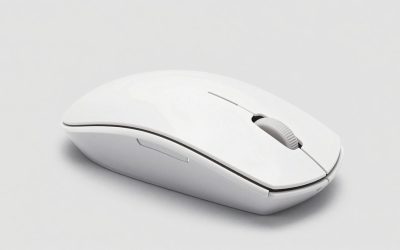
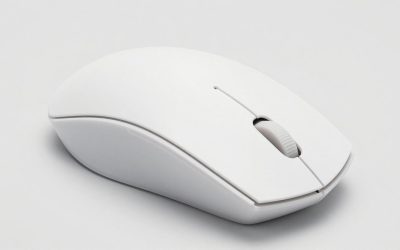
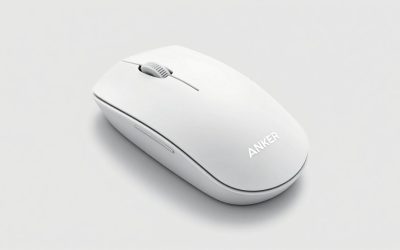
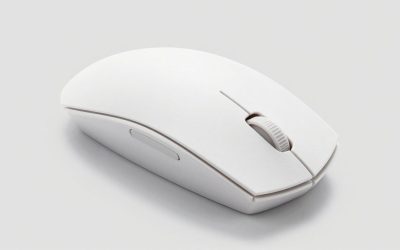
Cheap wireless mice have gotten genuinely good over the last few years. The sensors trickled down from flagship models, the switches stopped feeling mushy, and battery life stretched out thanks to better power management. But “cheap” still covers a wide range, and a lot of budget wireless mice cut corners in ways that only show up after a few weeks of use. This is a look at where that money actually goes, and where you can safely save it.
As an Amazon Associate we earn from qualifying purchases at no extra cost to you.

As an Amazon Associate we earn from qualifying purchases at no extra cost to you.

What “cheap” actually buys you
At the sub-$30 price point, you’re mostly paying for a 2.4GHz dongle, a sensor that’s a generation or two behind current flagships, and a shell that’s probably going to be glossy plastic. None of that is a dealbreaker. A dongle-based mouse (as opposed to Bluetooth-only) will almost always feel more responsive, since Bluetooth has more latency overhead and tends to stutter near other 2.4GHz devices like routers or USB 3.0 hubs.
Where budget mice actually fail is in three places: switch durability, scroll wheel feel, and battery reporting. Cheap switches start double-clicking after six months to a year of moderate use. Scroll wheels on budget mice often have a looser, ratchet-y feel that’s fine for browsing but annoying for anything requiring fine control. And battery indicators on cheap mice are frequently inaccurate, meaning you’ll get a dead mouse mid-session instead of a warning.
Gaming use vs. everyday use
If you’re buying for general desk use (browsing, office work, light creative work) almost any cheap wireless mouse from a known brand will serve you fine for a couple years. The sensor specs that gaming marketing obsesses over, DPI counts, polling rates, don’t matter much below competitive play. A $15 mouse with a 6-year-old sensor will track your cursor across two monitors just as well as a $90 one.
If you’re gaming, especially anything fast-paced like shooters, the calculus changes slightly. You want consistent click latency and a sensor that doesn’t have acceleration or smoothing artifacts at low-to-mid DPI (400-1600, which is what most competitive players actually use, despite marketing pushing 16000+ DPI as a selling point). Budget gaming mice from brands that also make higher-end lines tend to inherit decent sensors even in their cheap models, because the sensor chip itself isn’t the expensive part, it’s the shell design, extra buttons, and RGB that drive price up.
| Price range | What you get | What you’re missing | Best for |
|---|---|---|---|
| $10-20 | Basic optical sensor, 2.4GHz or Bluetooth, 1-2 AA batteries or small internal cell | Durable switches, precise scroll wheel, side buttons | Office use, laptops, spare mouse |
| $20-35 | Better sensor (often a known chip like a budget PixArt variant), rechargeable battery, 4-6 buttons | Ultra-low latency, premium shell materials, long-term switch durability | Casual gaming, mixed work/play use |
| $35-50 | Gaming-grade sensor, better switches rated for tens of millions of clicks, onboard memory for settings | Flagship-tier materials, wireless charging, lowest possible latency | Regular gaming, people who are picky about feel |
Battery life and connection type
This is the category where price actually tracks real differences. Cheap mice using replaceable AA or AAA batteries tend to last longer per charge (weeks to months) but add weight and bulk. Mice with built-in rechargeable batteries are lighter and sleeker but might only get 20-40 hours on a charge at the low end, and that number drops faster once the battery is a year or two old. If you’ve ever had a budget wireless mouse die faster than it used to, that’s not your imagination, lithium cells in cheap electronics degrade noticeably within 18-24 months of regular use.
On connection type: 2.4GHz dongle is almost always the better choice over Bluetooth for anything latency-sensitive, since Bluetooth mice have to negotiate connection intervals that add delay, and that delay gets worse if you’ve got a lot of other Bluetooth devices nearby. Some budget mice offer both and let you pick, which is genuinely useful since you can use the dongle at your desk and Bluetooth when traveling with a laptop, saving the dongle from getting lost.
What to avoid at the low end
Skip anything advertising “silent click” switches at the very bottom of the price range, they’re usually mushy and imprecise, trading tactile feedback for quietness in a way that makes fast clicking feel vague. Also be wary of mice with unusually high claimed DPI (think 10000+) at a $15 price point. The sensor is probably interpolating that number rather than natively supporting it, which can introduce jitter at high sensitivities. A clean 3200-6400 DPI native sensor is more useful in practice than an inflated spec sheet number.
If you’re shopping and not sure which specific model fits your hand size and grip style, it’s worth browsing a wireless gaming mouse listing and filtering by size and weight rather than chasing a particular DPI number. For anyone who mostly needs something reliable for work and occasional light gaming, a general budget wireless mouse search turns up solid options well under $25.
Who should actually spend more
If you play competitive shooters or anything where you’re tracking fast flicks and need total confidence in click timing, it’s worth pushing into the $40-60 range, where sensors and switches are meaningfully better and more consistent unit to unit. If you have a larger or smaller hand than average, cheap mice tend to come in one generic mid-size shape, so spending more also usually buys you access to shapes designed for specific grip styles (palm, claw, fingertip). For anyone shopping with grip style in mind, it’s worth looking at an ergonomic wireless mouse option instead of a generic shape, since hand fatigue from a poor-fitting mouse is a bigger quality-of-life issue than any sensor spec.
Everyone else, including most casual gamers, can save the money. The honest truth is that sensor technology bottomed out in terms of “good enough” years ago, and the differences between a $20 mouse and a $70 mouse today are mostly about build quality, battery longevity, and shape options rather than raw tracking performance.
FAQ
Is Bluetooth or 2.4GHz better for gaming?
2.4GHz with a USB dongle is better for gaming because it has lower and more consistent latency. Bluetooth is fine for office work and travel but can introduce occasional stutter or delay, especially with multiple Bluetooth devices nearby.
How long should a cheap wireless mouse battery last?
Mice with replaceable AA/AAA batteries typically run weeks to months per set. Mice with built-in rechargeable batteries usually last 20-70 hours per charge new, and that number drops as the battery ages, often noticeably within two years of regular use.
Do higher DPI numbers mean a better mouse?
Not necessarily. Most people, including competitive gamers, use DPI settings well below 1600. A high claimed DPI on a cheap mouse is often achieved through interpolation rather than a native sensor capability, which can actually hurt accuracy at high sensitivities.
Will a cheap wireless mouse’s buttons wear out quickly?
The main click switches are usually the first thing to go on budget mice, often starting to double-click or feel inconsistent somewhere between six months and two years depending on usage. This is one of the few areas where spending more on a mouse with higher-rated switches genuinely pays off if you use your mouse heavily.