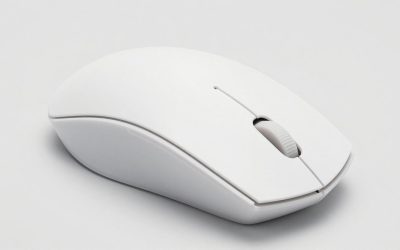
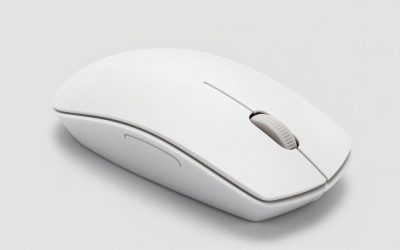
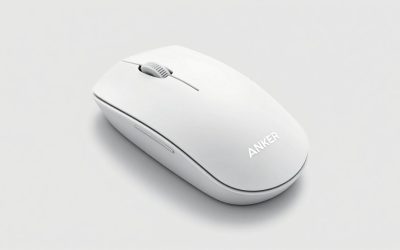
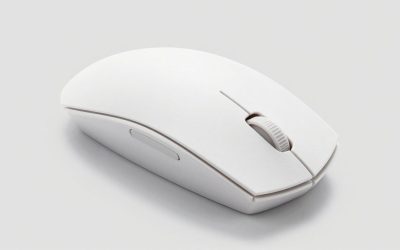
Optical mice are the default now, not a special category. If you’ve bought a mouse in the last ten years, it almost certainly uses an optical (LED-based) sensor rather than the old ball or laser mechanism. So “best optical mouse for laptop” really means: best small, portable mouse that tracks reliably on the surfaces you actually use a laptop on, like coffee shop tables, airplane trays, and your bed if we’re honest.
That changes what matters. You’re not chasing the highest DPI number. You’re looking at size, weight, battery or cable setup, and whether the sensor handles glass, fabric, or glossy wood without jumping around.
As an Amazon Associate we earn from qualifying purchases at no extra cost to you.

What actually matters for a laptop mouse
Sensor quality is less of a differentiator than it used to be. Even budget optical sensors from the last few years track accurately on most desks. The real differences show up in three places:
Size and grip. A mouse built for a desktop gaming rig is often too big to carry comfortably or use on a cramped table. Laptop-focused mice run smaller, which is good for portability but can cramp larger hands during long sessions.
Connection method. Wired keeps latency low and never needs charging, but you’re dragging a cable around and it’s one more thing to pack. 2.4GHz wireless (a small USB dongle) is the most reliable wireless option and what most gaming-focused mice use. Bluetooth skips the dongle, which is handy since laptops often have few USB ports, but it can lag slightly and some cheaper Bluetooth mice have noticeable input delay, which matters if you game on the go.
Surface tracking. This is where cheap mice fail. Glossy desks, glass tables, and fabric with busy patterns can cause an optical sensor to lose tracking or jitter. If you move around a lot, a mouse with a cheap sensor on a bad surface is genuinely frustrating, not a minor nitpick.
Picking by use case
For general productivity and travel, you want something light, small, and either Bluetooth or a tiny USB-C/USB-A dongle you won’t lose. Battery life matters more than sensor precision here. A lot of office-style wireless mice run 2-3 months per charge or use replaceable AA/AAA batteries, which is one less thing to think about.
For gaming on a laptop, you want a proper gaming mouse scaled down, or a lightweight wireless gaming mouse with 2.4GHz connectivity. These typically have higher polling rates, lower click latency, and sensors tuned for fast movement without smoothing artifacts. If this is your use case, browsing a lightweight wireless gaming mouse selection is a reasonable starting point, since weight and sensor quality matter more than extra buttons for most people.
For people who just need something better than the trackpad for spreadsheets and browsing, a basic compact wireless mouse for laptop use is fine, and spending more won’t meaningfully improve your experience. This is one of those categories where the $15-20 option does the job.
If you travel a lot and hate dongles taking up your only USB-C port, look specifically for Bluetooth models or ones with a dongle that stores inside the mouse itself, which is a small detail that saves you from losing it in a bag.
Quick comparison by connection type
| Connection | Latency | Battery life | Best for | Watch out for |
|---|---|---|---|---|
| Wired USB | Lowest, no lag | N/A | Gaming, zero-hassle use | Cable drag, extra thing to pack |
| 2.4GHz wireless (dongle) | Very low, near-wired | Days to weeks, rechargeable or AA | Gaming and general use | Dongle takes a USB port, easy to lose |
| Bluetooth | Slightly higher, usually fine | Weeks to months | Travel, office work | Occasional lag on cheap models, pairing hiccups |
Where people get burned
The most common complaint with cheap optical mice isn’t the sensor itself, it’s the switches underneath the clicks wearing out or developing a double-click fault after six months to a year. If a mouse feels great on day one but you’re reading reviews mentioning “double clicking issue after a few months,” take that seriously, it’s a known failure pattern on budget mechanical switches, not user error.
The second common issue is sensor behavior on reflective or glass surfaces. If you work from cafes with glass tabletops often, this is worth testing in the first week, most retailers and Amazon allow returns within 30 days, so don’t sit on a bad experience.
Battery anxiety is real but usually overblown. Most mid-range wireless mice warn you well before they die and charge fast enough over a lunch break that it’s rarely a practical problem, unless you consistently forget to charge anything with a battery, in which case AA-powered mice are a safer bet than rechargeables.
Bottom line
Don’t overthink the sensor. Nearly every optical mouse sold today tracks well enough for laptop use. Spend your attention on size that fits your hand and your bag, a connection type that matches how you actually work, and reviews that specifically mention long-term switch reliability. If you’re gaming, prioritize a lightweight wireless option with 2.4GHz. If you’re just doing email and spreadsheets, the cheap compact wireless mouse is genuinely fine, and no amount of marketing copy changes that.
FAQ
Do I need a high DPI mouse for laptop use?
No. Most people never go past 1600 DPI in practice. High DPI numbers on packaging are mostly a marketing spec; what matters more is consistent tracking at the DPI you actually use.
Is Bluetooth good enough for gaming on a laptop?
For casual or turn-based games, yes. For fast-paced competitive games, a 2.4GHz wireless connection or wired USB will feel more responsive and consistent than most Bluetooth mice.
Will an optical mouse work on a glass desk?
Many will struggle. Optical sensors need some texture to track against. If your desk is glass or very glossy, test the mouse early and consider a cheap mouse pad as a simple fix rather than hunting for a glass-specific sensor.
How long should a decent laptop mouse last?
A reasonably well-made mouse should last several years of regular use. If clicks start registering twice or the scroll wheel skips within the first year, that’s a defect worth returning or replacing, not something to just live with.