

- Top Pick: Dell Pro Micro Mini PC, AMD Ryzen 5 150, 8GB DDR5, 512GB SSD, Win 11 Pro
- Best Value: Dell Pro Micro Mini PC, AMD Ryzen 5 150, 16GB DDR5, 512GB SSD, Win 11 Pro
- Premium Choice: Dell Pro Micro Mini Desktop Computer PC with AMD Ryzen 5 150 (8GB DDR5, 512GB SSD), Ultra Compact Design for Office Daily Work, Windows 11 Pro
Lifting the budget to $150 changes the SSD conversation in two useful ways. First, it puts mid-capacity drives comfortably in reach, so a 480GB or 500GB SATA SSD becomes the natural centre of your shortlist rather than a stretch. Second, the headroom opens up a different kind of option entirely — a portable external SSD you can carry between machines — that the sub-$100 budget cannot fit. What $150 still does not buy is high-capacity NVMe at the sizes most people want, so the internal picks here remain 2.5-inch SATA, and we are upfront about that. This guide rounds up the best SSDs under $150 in 2026.
- Best SSDs Under $150 at a Glance
- 1. Kingston 480GB A400 SATA 3 2.5″ Internal SSD – HDD Replacement
- 2. SANDISK SSD PLUS 480GB Internal SSD – SATA III 6 Gb/s, 2.5″/7mm
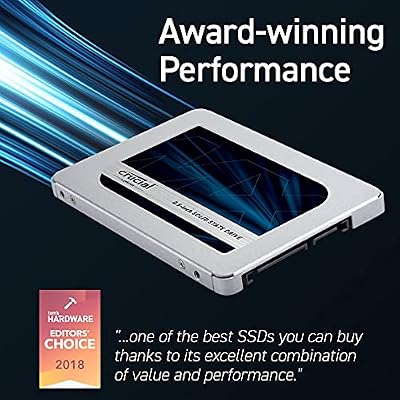
- 3. Crucial MX500 500GB 3D NAND SATA 2.5 Inch Internal SSD
- 4. SANDISK 1TB Extreme Portable SSD – Up to 1050MB/s, USB-C, USB 3.2 Gen 2
- 5. Crucial BX500 240GB 3D NAND SATA 2.5-Inch Internal SSD
- 6. SANDISK SSD PLUS 240GB Internal SSD – SATA III 6 Gb/s, 2.5″/7mm
- How to Choose an SSD Under $150
- Frequently Asked Questions
- Related Guides
- Related Articles
Our picks were chosen for the sub-$150 ceiling specifically: stronger capacity-per-dollar than the entry tier, the SATA performance level, reliability, and value — with one external drive included because this budget is where portable storage becomes a sensible choice. Prices run from around $81 up to around $179, and crucially we flag clearly which drives are internal 2.5-inch SATA and which is an external USB SSD, because they do very different jobs. Below is an at-a-glance comparison of all six, then a closer look at each and a buyer’s guide built around capacity, the SATA-versus-external choice, and value at this ceiling.
As an Amazon Associate we earn from qualifying purchases at no extra cost to you.


🛒 Best Price Today on Amazon
Prime members get fast, free shipping on everything above, plus member-only deals. New members get a 30-day free trial — cancel anytime.
Best SSDs Under $150 at a Glance
| SSD | Best For | Standout Spec | Approx Price |
|---|---|---|---|
| Kingston A400 480GB SATA | Best mid-capacity value | 480GB, A400 SATA | around $115 |
| SanDisk SSD Plus 480GB SATA | Roomy 480GB starter | 480GB, SSD Plus SATA | around $135 |
| Crucial MX500 500GB SATA | Best-performing 500GB SATA | 500GB, MX500 SATA tier | around $85 |
| SanDisk 1TB Extreme Portable (External) | Portable storage on the go | 1TB external, USB-C | around $179 |
| Crucial BX500 240GB SATA | Cheap secondary drive | 240GB, BX500 SATA | around $81 |
| SanDisk SSD Plus 240GB SATA | Budget boot disk | 240GB, SSD Plus SATA | around $94 |
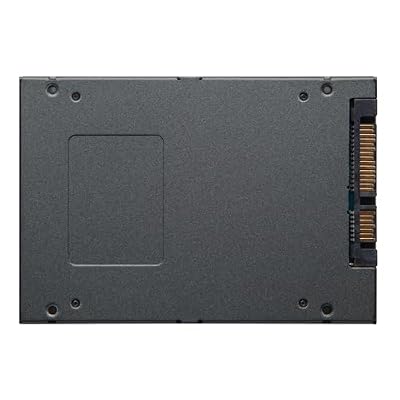
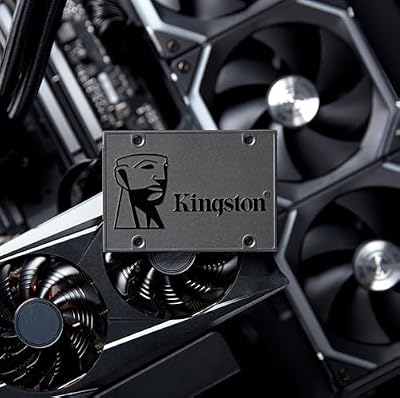
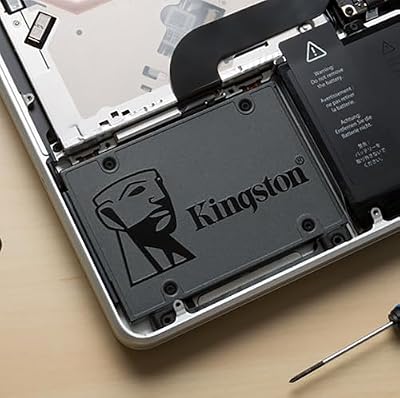
1. Kingston 480GB A400 SATA 3 2.5″ Internal SSD – HDD Replacement

Kingston 480GB A400 SATA 3 2.5" Internal SSD SA400S37/480G - HDD Replacement for Increase Performance




As an Amazon Associate we earn from qualifying purchases. Product prices and availability are accurate as of the date/time indicated.
The Kingston A400 480GB is our top pick under $150 because it nails the capacity-per-dollar that defines this budget. It is a 2.5-inch SATA drive — the larger 480GB sibling of Kingston’s popular A400 line — pitched as a straightforward hard-drive replacement. At around $115 it delivers nearly half a terabyte of solid-state storage with plenty of room to spare under the cap.
Where the sub-$100 budget pushes you toward 240GB, $150 makes a 480GB drive the sensible default, and the A400 480GB provides it cheaply and reliably. That capacity comfortably holds Windows, your applications and a respectable library of games or files on a single disk, the SATA interface delivers the huge responsiveness gain over any hard drive, and Kingston’s A400 reliability is well proven. As an affordable, roomy internal SATA SSD that leaves budget headroom, it is the standout value at this ceiling.
Pros: Roomy 480GB at a low price, dependable A400 SATA drive, leaves budget to spare.
Cons: SATA, not NVMe; entry-tier SATA performance level.
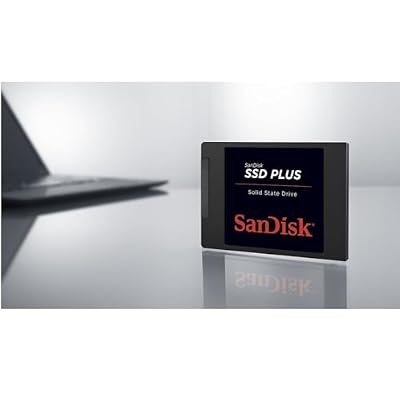
2. SANDISK SSD PLUS 480GB Internal SSD – SATA III 6 Gb/s, 2.5″/7mm

SANDISK SSD PLUS 480GB Internal SSD - SATA III 6 Gb/s, 2.5"/7mm, Up to 535 MB/s - SDSSDA-480G-G26, Black

As an Amazon Associate we earn from qualifying purchases. Product prices and availability are accurate as of the date/time indicated.
The SanDisk SSD Plus 480GB is the roomy starter pick at this budget. It is a 2.5-inch SATA drive offering a generous 480GB of capacity with SanDisk’s reliability, aimed at buyers who want a simple, larger SSD without complexity. At around $135 it sits comfortably under the $150 line while delivering the mid-tier capacity this budget is all about.
This is the drive for someone moving up from a cramped boot SSD or a hard drive who wants a single, dependable 480GB disk from a familiar brand. The capacity holds your operating system, programs and a solid selection of games or media, the SATA interface keeps everyday use snappy and far quicker than mechanical storage, and the SSD Plus is reliable and painless to install. It is an entry-tier SATA drive rather than a performance leader, but as a roomy, trustworthy 480GB SSD under $150, it is a sound choice.
Pros: Generous 480GB capacity, trusted SanDisk reliability, easy install, good mid-tier value.
Cons: Entry SATA performance; pricier per GB than the A400 480GB.
3. Crucial MX500 500GB 3D NAND SATA 2.5 Inch Internal SSD

Crucial MX500 1TB 3D NAND SATA 2.5 Inch Internal SSD, up to 560MB/s - CT1000MX500SSD1



As an Amazon Associate we earn from qualifying purchases. Product prices and availability are accurate as of the date/time indicated.
The Crucial MX500 500GB is the best-performing internal SATA pick at this budget. It is a 2.5-inch SATA drive on 3D NAND that sits at the upper end of the SATA tier, with a strong reputation for endurance and consistent speed. At around $85 it is excellent value under $150, leaving generous room in the budget while still delivering a full 500GB.
If you want the most capable internal drive under $150 rather than simply the most capacity, the MX500 is the pick. Its mature controller and 3D NAND make it one of the better-performing SATA SSDs, the 500GB capacity comfortably holds an OS plus games, and Crucial’s track record is reassuring. At this price it leaves enough headroom that you could even pair it with another drive. For a fast, reliable 500GB SATA SSD that does not consume the whole budget, the MX500 is the smart internal choice here.
Pros: Upper-tier SATA performance, reliable 3D NAND, 500GB with budget to spare.
Cons: SATA-capped speed; 500GB rather than the 1TB the budget can reach externally.
4. SANDISK 1TB Extreme Portable SSD – Up to 1050MB/s, USB-C, USB 3.2 Gen 2

The SanDisk 1TB Extreme Portable is the standout option that this budget unlocks: a roomy external SSD. To be clear, this is not an internal drive — it is a pocket-sized, ruggedized portable SSD that connects over USB-C (USB 3.2 Gen 2) and carries a full 1TB of storage. At around $179 it is the priciest pick here and a fundamentally different product from the internal SATA drives.
We include it because $150-ish is exactly where a portable SSD becomes a sensible buy, and it does a job the internal drives cannot: storage you can carry between a desktop, a laptop and a console, with fast USB-C transfers and a tough, drop-resistant shell. It is ideal for offloading game installs, backing up files, or moving large projects between machines. Be honest with yourself about the use case, though — if you need a boot or primary system drive, choose an internal SATA SSD here instead; the Extreme Portable is for external, on-the-go storage.
Pros: Full 1TB capacity, fast USB-C, rugged and portable, carries between devices.
Cons: External USB drive, not an internal/boot disk; highest price here.
5. Crucial BX500 240GB 3D NAND SATA 2.5-Inch Internal SSD

Crucial BX500 1TB 3D NAND SATA 2.5-Inch Internal SSD, up to 540MB/s - CT1000BX500SSD1, Solid State Drive


As an Amazon Associate we earn from qualifying purchases. Product prices and availability are accurate as of the date/time indicated.
The Crucial BX500 240GB is the cheap secondary-drive pick at this budget. It is a 2.5-inch SATA SSD on 3D NAND from Crucial’s value line, and at around $81 it is the lowest-cost internal drive on this list. Under a $150 ceiling it works less as a main disk and more as an inexpensive way to add a dedicated drive alongside a larger one.
With this budget letting you buy a roomy main SSD, the BX500 240GB earns its place as an affordable companion — a dedicated drive for your operating system, a scratch disk, or a small game library to sit beside a bigger 480GB or 500GB drive. The 3D NAND keeps it reliable, the SATA interface still feels vastly quicker than any hard drive, and the low price means it barely dents the budget. As a cheap, dependable secondary 240GB SATA drive, it is a useful addition rather than a standalone solution here.
Pros: Lowest-cost drive here, reliable Crucial 3D NAND, handy as a secondary disk.
Cons: Only 240GB; entry SATA tier, best as a companion drive.
6. SANDISK SSD PLUS 240GB Internal SSD – SATA III 6 Gb/s, 2.5″/7mm

SANDISK SSD Plus 500GB Internal Solid State Drive - SATA III 6 Gb/s, 2.5"/7mm, Read/Write Speeds of up to 545MB/s / 505MB/s - SDSSDA-500G-G28
As an Amazon Associate we earn from qualifying purchases. Product prices and availability are accurate as of the date/time indicated.
Rounding out the list is the SanDisk SSD Plus 240GB, the budget boot-disk pick. It is a basic 2.5-inch SATA drive with SanDisk’s reliability, and at around $94 it offers a familiar-brand 240GB option. Under a $150 budget its natural role is as a dedicated, no-fuss boot drive rather than your only storage.
This is the drive for someone who wants to split their setup — a clean, dependable 240GB SATA disk for Windows and core programs, paired with a larger drive (or the external Extreme Portable) for everything else. The SSD Plus installs easily, delivers the big real-world step up over a hard drive, and carries a trusted name. At 240GB it is boot-sized rather than spacious, and around $94 is on the higher side for that capacity, so weigh it against the cheaper BX500 — but as a reliable dedicated system disk under $150, it does the job.
Pros: Trusted SanDisk reliability, tidy 240GB boot disk, easy to install.
Cons: 240GB only; pricey per GB; entry SATA performance.
How to Choose an SSD Under $150
The biggest shift at $150 versus a tighter budget is what becomes affordable, so start by deciding what kind of drive you actually need. This ceiling buys a comfortable mid-capacity internal SATA SSD — a 480GB or 500GB drive — as the natural centrepiece, and it also reaches a 1TB external portable SSD. Those are very different products, so the first question is whether you want internal storage that lives inside your PC or portable storage you carry between machines. Get that right and the rest of the choice falls into place.
For internal drives, this budget makes 480GB to 500GB the sensible default rather than a stretch, which is a meaningful upgrade over the 240GB you settle for under $100. A drive like the Kingston A400 480GB maximises cheap capacity, while the Crucial MX500 500GB offers the strongest SATA-tier performance and leaves budget to spare. Decide whether you simply want the most gigabytes or the most capable drive, and remember these are all SATA — there is still no high-capacity NVMe at this price in the sizes most buyers want.
The external option deserves honest framing, because it is easy to be misled by its headline 1TB capacity and fast USB-C speed. The SanDisk Extreme Portable is a brilliant drive for carrying installs, backups and projects between a PC, a laptop and a console, but it is not a replacement for an internal boot disk — you do not install your operating system on it for daily use. If your need is system or game storage inside one machine, choose an internal SATA drive; if it is flexible storage you move around, the portable is the right tool.
Finally, match the picks to your real situation and budget. You might buy a single roomy internal drive, pair a cheap 240GB boot disk with a larger drive, or spend the full budget on the 1TB portable for cross-device storage. Confirm internal drives fit a 2.5-inch bay with a free SATA port, and that the portable matches your devices’ USB ports. Weigh capacity against the SATA performance tier, be clear-eyed about internal versus external, and pick the drive on this list that fits how and where you need your storage.
Frequently Asked Questions
What does a $150 budget get me that under $100 doesn’t?
Mainly two things: comfortable mid-capacity and a new option. A 480GB or 500GB internal SATA drive like the Kingston A400 480GB or Crucial MX500 becomes the easy default rather than a stretch, and the headroom also reaches a 1TB external portable SSD such as the SanDisk Extreme Portable. You still won’t find high-capacity NVMe at this price in the sizes most people want, so the internal picks remain 2.5-inch SATA.
Should I buy an internal or external SSD at this price?
It depends entirely on the job. For storage inside one PC — a boot drive or game disk — choose an internal 2.5-inch SATA drive like the A400 480GB or MX500 500GB. For storage you carry between a desktop, laptop and console, the SanDisk 1TB Extreme Portable is the better tool. An external drive is not a substitute for an internal system disk, so be clear about which you actually need before buying.
Is the SanDisk Extreme Portable a drive I can boot from?
It is designed as external, portable storage over USB-C — for backups, game-install offloading and moving large files between machines — not as your primary internal boot disk for everyday use. If you need a system drive, pick an internal SATA SSD from this list instead. The Extreme Portable’s strengths are its 1TB capacity, fast USB-C transfers and rugged, carry-anywhere design.
How much SSD capacity should I aim for under $150?
For an internal drive, 480GB to 500GB is the sweet spot at this budget and enough for Windows plus a real library of games and files on one disk. If you want maximum space and portability instead, the budget reaches a 1TB external. Match the capacity to whether you are filling one PC or carrying storage around, and lean toward 500GB internally if you game on the drive.
Related Guides
- Best SSDs Under $100
- Best SSDs Under $200
- Best NVMe SSDs
- Best External SSDs
- Best SSDs for Gaming
- Best Budget Gaming Setup
Affiliate Disclosure: As an Amazon Associate, we earn from qualifying purchases. If you click a link and make a purchase, we may earn a small commission at no extra cost to you. Prices and availability are accurate as of publication and may change.










