Top 3 Picks
The best professional large format inkjet printer for most studios is the HP DesignJet T630 36-inch, because it pairs a true 36-inch roll width with a sheet feeder, a media bin and a stand in one bundle — the accessories alone are what turn a plotter into a production machine. If your priority is the lowest possible running cost per square foot and you mostly print CAD, line art and proofing sheets, the Epson SureColor T5170 36-inch is the better engine. And if the phrase “large format” in your studio really means A3+ sell sheets, canvas wraps and client proofs rather than 36-inch technical drawings, the Epson EcoTank ET-15000 is the pick that keeps ink anxiety out of your week.
Quick Comparison
Everything below is judged on the four things that decide a studio purchase: how wide it prints, what it costs to keep fed, how close the colour lands to a contract proof, and whether it can be reached by the people who need it.
| Product | Best for | Key specs (as stated on the listing / spec class) | Price tier |
|---|---|---|---|
| HP DesignJet T630 36-inch, with Auto Sheet Feeder, Media Bin & Stand (5HB11D) | Best overall: small architecture, engineering and repro studios that need a floor-standing 36-inch plotter | 36-inch roll width, single-roll feed, auto sheet feeder, integrated stand and media bin, network + Wi-Fi connectivity, desktop-class footprint | Premium |
| Epson SureColor T5170 36-inch | Best for lowest ink cost on high-volume line art and proofing | 36-inch roll width, PrecisionCore printhead class, high-capacity cartridge option set, wireless and wired networking, roll + sheet feed | Premium |
| Epson WorkForce Pro WF-7310 | Best budget wide-format all-in-one for an office that occasionally needs A3+ | Up to 13×19-inch / A3+ sheet printing, all-in-one print/scan/copy, single-sheet and rear feed, wireless + Ethernet | Budget |
| Epson EcoTank ET-15000 | Best mid-range for refillable-ink economics at A3+ size | Up to 13×19-inch / A3+ sheet printing, refillable ink tanks, all-in-one, ADF + flatbed, wireless + Ethernet | Mid-range |
| HP OfficeJet Pro 9730 | Best mid-range for a busy front office doing A3 colour plus scanning and faxing | Wide-format up to 11×17-inch / A3 class, all-in-one print/scan/copy/fax, ADF, wireless + Ethernet | Mid-range |
| HP OfficeJet Pro 9720 | Best budget all-in-one for A3 documents and light colour work | Wide-format all-in-one, wireless, sheet feed, colour inkjet class | Budget |
| Epson WorkForce Pro WF-7820 | Best budget wide-format all-in-one with a large paper path | Up to 13×19-inch / A3+ sheet printing, all-in-one, high-capacity cartridge class, wireless + Ethernet | Budget |
How We Chose
This is a research-based roundup. We did not run these printers, benchmark them or own them. Every pick was assembled from the manufacturer’s own published specifications, the categories each model is sold into, and the well-documented behaviour of the underlying print technology — pigment versus dye ink, refillable tank versus cartridge, roll-feed plotter versus sheet-feed desktop wide format. No claim in this article depends on a test we ran.
The selection criteria were four:
- Spec match to a real studio job. A 36-inch plotter and a 13×19-inch desktop all-in-one are both sold as “large format” but they do not compete. Each model is placed in the job it can actually finish — technical drawings, photo and canvas work, or A3 office documents.
- Category fit. Roll-fed machines are judged on roll handling, stand and media path. Sheet-fed wide-format all-in-ones are judged on ADF, flatbed, duplex and scan quality, because that is what their buyers use.
- Use case. Ink architecture was weighted heavily — refillable tanks and high-capacity cartridges change the cost of a print programme far more than a slightly finer dot does.
- Upgrade path. A model earns a place if there is a clear next step up in the same family or format, so a reader who outgrows it is not starting from zero.
Prices are deliberately expressed only as market tiers. Listing prices on wide-format hardware move constantly, especially around promotions and bundle availability, so a fixed figure would be wrong within weeks.
1. HP DesignJet T630 36-inch — Best for Floor-Standing Technical and Repro Work
As an Amazon Associate we earn from qualifying purchases at no extra cost to you.

The T630 is the machine most people picture when they say “large format plotter”: a stand-mounted 36-inch roll printer that lives in the corner of a studio and produces drawings, plans, site sheets and presentation boards at full architectural width. What makes the 5HB11D configuration the best overall pick here is not the print engine — it is the bundle. The auto sheet feeder, the media bin and the stand are included, so the machine arrives as a complete production station rather than a printer plus an accessory shopping list.
Who It Suits
It suits small architecture practices, engineering offices, print-for-pay repro shops and in-house facilities teams that need a reliable 36-inch output device but do not have the volume to justify a multi-roll production plotter. It is also a sensible first large-format machine for a studio that has been outsourcing plotter work and has finally hit the point where the outsource invoice exceeds a lease payment. The 36-inch width means an E-size or A0-width drawing prints true size with no tiling, which is the single biggest workflow saving for anyone currently stitching A3 sheets together.
Key Specs
- Maximum roll width: 36 inches — full A0/E-size output without tiling
- Media feed: single roll plus an auto sheet feeder for cut sheets and mixed jobs
- Included accessories: printer stand and media bin — the bundle that makes it a floor unit
- Connectivity: wired network and Wi-Fi class connectivity, suitable for a shared studio queue
- Typical media: bond and plain paper for line work, coated and presentation papers for client-facing boards
- Class: desktop-footprint 36-inch plotter, not a freestanding production machine
Strengths
The core strength is completeness. A sheet feeder on a plotter matters more than it sounds: it means a receptionist or junior can print a one-off A1 board without loading and unloading a roll, which is exactly the print job that otherwise gets outsourced. The media bin catches finished sheets so they do not curl onto the floor under a desk. The stand lifts the whole machine to working height, which matters when you are feeding a 36-inch roll by hand.
HP’s plotter line also benefits from a mature driver and job-submission ecosystem. In a studio where drawings come out of CAD, BIM or a PDF workflow, the ability to queue a job over the network from a workstation and collect it at the machine is the whole point. The T630 is built around that assumption rather than around a USB cable.
Pros
- 36-inch width with no tiling for A0/E-size drawings
- Auto sheet feeder, media bin and stand included — no hidden accessory cost
- Roll plus sheet feed covers both batch plotting and one-off boards
- Floor-standing format saves desk space in a small studio
- Shared network printing fits a multi-workstation office
Cons
- Premium tier — a serious purchase for a small practice
- Single-roll design means switching media stock is a manual task
- Not intended for photographic or fine-art colour work
- Consumable cost is cartridge-based, not refillable
How It Compares
Against the Epson SureColor T5170, the T630 wins on being a turnkey floor installation and loses on running cost at volume. Both are 36-inch machines in the premium tier; the Epson is the one to pick when ink cost per drawing dominates the maths and you are willing to build the accessory set yourself. Against the 13×19-inch all-in-ones further down this list, the T630 competes on a different axis entirely — it prints a true A0 width, and nothing at A3+ can substitute for that. If your output is genuinely A3+ posters rather than A0 drawings, the T630 is over-specified and you should be reading the EcoTank ET-15000 section instead.
2. Epson SureColor T5170 36-inch — Best for Low Ink Cost at High Volume
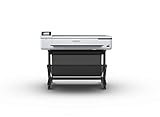
The SureColor T5170 is Epson’s 36-inch answer to the same problem the T630 solves, and it attacks the problem from the consumables side. It is a wide-format plotter built around Epson’s PrecisionCore printhead family and a cartridge range that includes high-capacity options, which is where the cost-per-square-foot advantage shows up over a print programme measured in hundreds of drawings rather than dozens.
Who It Suits
It suits repro shops, print-for-pay businesses and larger in-house print rooms where the machine runs daily and the ink bill is a line item someone reviews. It is also a good fit for practices that print a lot of line work — plans, schematics, sections, markups — because line art consumes ink in a way that rewards a machine with a low cost per drop and a head design optimised for crisp thin lines. A studio that prints ten sheets a week does not need this machine. A studio that prints ten sheets an hour does.
Key Specs
- Maximum roll width: 36 inches — full A0/E-size output
- Printhead class: PrecisionCore — Epson’s piezo printhead family, used across its professional large-format line
- Ink supply: cartridge-based with high-capacity options in the range, aiming at a low cost per square foot
- Media handling: roll feed plus sheet feed, with Epson’s wide-format media support
- Connectivity: wireless and wired network class, built for shared studio use
- Typical media: bond, tracing, coated and presentation papers; graphical and technical stocks
Strengths
The case for the T5170 is arithmetic. In any print programme, hardware is a one-time cost and ink is a recurring one, so a machine that shaves a few percent off the cost of every square foot wins over a two- or three-year horizon even if it costs more up front. High-capacity cartridges push that further, because fewer cartridge swaps means fewer interruptions and less waste from partially used cartridges being swapped out mid-job.
Epson’s piezo printhead approach is also well suited to the technical-graphics workload. Piezo heads place ink by mechanically deforming a chamber rather than boiling it, which gives the manufacturer fine control over droplet size and is the reason Epson’s professional line is widely used for both line art and photographic output. For a repro shop, that means one machine can handle a set of line drawings in the morning and a colour presentation board in the afternoon without changing device.
Pros
- Low running cost per square foot, especially with high-capacity cartridges
- 36-inch roll width for true A0/E-size output
- PrecisionCore printhead class suited to sharp line art
- Handles both technical line work and colour presentation output
- Networked, so a whole studio can queue to it
Cons
- Premium tier purchase price
- Accessories and media handling configuration may need planning beyond the base unit
- Overkill for a studio printing a handful of sheets a week
- Not a fine-art pigment printer in the photographic sense — this is a technical graphics machine
How It Compares
Against the HP DesignJet T630, the T5170 is the better long-run economics and the T630 is the better out-of-the-box installation, because the HP bundle includes the stand, sheet feeder and media bin. Choose the Epson if you already have a print table and a media rack and you care about the ink bill. Choose the HP if you want to unbox one thing and start plotting. Against the sheet-fed all-in-ones in this roundup the comparison is not close — 36 inches of roll width is a different category of capability, and only one of these machines can output a full-size drawing.
3. Epson WorkForce Pro WF-7310 — Best Budget Wide-Format All-in-One

The WF-7310 is the entry point to wide-format printing without the word “plotter” attached. It is an all-in-one that prints up to 13×19 inches and A3+ through a rear feed path, which is exactly the format needed for tabloid sell sheets, A3 proofs, menus, posters-in-small-runs and oversized spreadsheets that will not fit on letter paper.
Who It Suits
It suits a general office — an agency, a small marketing team, a school department, a professional practice — that needs an occasional A3+ colour print and a scanner on the same desk. It is also the sensible choice for a home-based designer who works at A3 and does not have floor space or budget for a roll machine. The buyer profile is “I need one device that does everything and can handle big paper when I ask it to”, not “I need a production plotter”.
Key Specs
- Maximum print size: up to 13×19 inches / A3+ sheet printing
- Function: all-in-one — print, scan and copy
- Paper path: rear feed for heavier and larger sheets, plus standard tray
- Ink supply: cartridge-based WorkForce Pro ink range
- Connectivity: wireless and Ethernet class networking
- Class: desktop wide-format all-in-one, budget tier
Strengths
The value proposition is that it handles big paper at a normal office machine price. Rear-feed handling matters for this class, because large sheets and heavier stocks do not always behave in a cassette — a rear path lets you feed a single 13×19 sheet straight through with less curl and fewer jams. For a studio producing a handful of A3 pieces a week, that is the difference between owning the capability and outsourcing it to a copy shop.
Scanning at A3 is the underrated half of the package. Being able to scan an A3 drawing, proof or signed page and drop it straight into a workflow removes a second device from the desk. In practice, the WF-7310 earns its place as a shared office machine that happens to extend to wide format, rather than a wide-format machine that happens to sit on a desk.
Pros
- Budget tier — the cheapest route into A3+ colour in this list’s class
- Print, scan and copy at wide format from one device
- Rear feed handles larger and heavier sheets better than a tray alone
- Wireless and Ethernet networking for a small team
- Compact enough for a desk rather than a floor
Cons
- Sheet feed only — no roll support, so no continuous A0 output
- Cartridge ink economics, not refillable tanks
- Not designed for photo-grade or fine-art colour accuracy
- Slower and lower duty cycle than a plotter
How It Compares
Against the Epson EcoTank ET-15000, the WF-7310 is the cheaper machine and the ET-15000 is the cheaper machine to run. Both print to A3+ and both are all-in-ones; the difference is the ink architecture. If the printer will get light use and cost matters most at purchase, the WF-7310 is right. If it will run regularly, the refillable ET-15000 pays the difference back and should be the pick. Against the Epson WorkForce Pro WF-7820, the two are siblings in the same family and both are budget tier — the WF-7820 is the model to look at if you want a larger paper path and higher-capacity cartridge options, while the WF-7310 is the straightforward budget entry.
4. Epson EcoTank ET-15000 — Best Mid-Range for Refillable-Ink Economics

The ET-15000 is the machine that changes the ink conversation. Instead of cartridges, it uses Epson’s EcoTank refillable reservoir system: you buy bottles of ink and pour them into tanks, and the resulting cost per page is in a completely different league from cartridge printing. It prints up to A3+ / 13×19 inches and it is a full all-in-one with an automatic document feeder and a flatbed scanner.
Who It Suits
It suits a working studio or small business that prints A3 regularly — a design studio producing client proofs, an architecture-adjacent office producing A3 drawing sets, a marketing team producing sell sheets, a photography business producing small prints and contact sheets. Anyone who has ever winced at a colour cartridge bill will understand the appeal. It is also a strong pick for a small business that shares one printer across several people, because refilling a tank is a two-minute job that does not require a purchase order.
Key Specs
- Maximum print size: up to 13×19 inches / A3+ sheet printing
- Ink system: EcoTank refillable reservoirs — bottled ink rather than cartridges
- Function: all-in-one — print, scan and copy, with ADF and flatbed
- Media handling: standard tray plus rear/specialty feed for larger and heavier sheets
- Connectivity: wireless and Ethernet class networking, plus mobile print support typical of the class
- Class: desktop wide-format all-in-one, mid-range tier
Strengths
The headline strength is the cost model. Refillable tanks move the dominant cost of printing from the cartridge to the bottle, and bottles contain far more ink for the money. Over a year of regular A3 colour output, that gap compounds. It also changes behaviour: when ink stops being the thing you ration, you print the proof, you print the second version, and you stop colour-managing your output decisions around the cartridge in the machine.
The second strength is that it is genuinely a studio all-in-one rather than a document scanner with a printer attached. The ADF handles multi-page scanning, and the flatbed handles bound originals and awkward sizes. Combined with A3+ printing, that covers the practical range of a small studio’s document work — contracts, proofs, plans, tear sheets and archive scans — in one footprint.
Pros
- Refillable EcoTank ink system delivers very low cost per page
- A3+ / 13×19-inch printing covers real studio output sizes
- ADF plus flatbed scanning for mixed document work
- Wireless and Ethernet networking for a shared studio
- Mid-range price for tank-based economics
Cons
- No roll feed — large-format output is sheet by sheet
- Not a fine-art pigment printer; canvas and gallery-grade work is out of scope
- Slower than a dedicated plotter on large sheets
- Refilling is a manual task you have to remember to do
How It Compares
Against the Epson WorkForce Pro WF-7310, the ET-15000 costs more up front and less per page. That is the entire trade, and it is the right trade for anyone printing weekly rather than monthly. Against the HP OfficeJet Pro 9730, the ET-15000 offers A3+ width and tank economics while the 9730 offers a broader all-in-one feature set including faxing and a wider document workflow. If you print a lot of colour at A3+, choose the EcoTank. If your wide-format printing is occasional and your document workflow is heavy, the HP mid-range machines make more sense. Against the 36-inch plotters at the top of this list, the ET-15000 cannot compete on width — no A3+ machine can — but it costs a fraction and needs no stand.
5. HP OfficeJet Pro 9730 — Best Mid-Range for a Heavy Document Workflow

The OfficeJet Pro 9730 is a wide-format all-in-one built for the front office: print, scan, copy and fax in one chassis, handling paper up to 11×17 inches and A3 class. It is the machine you buy when large-format capability is one requirement among several and the others — scanning, faxing, multi-user networking — matter just as much.
Who It Suits
It suits professional offices that produce ledger-size and A3 documents as part of a paper-heavy workflow: legal practices, accountancy firms, construction offices that print drawing sets and site documents, healthcare administration, and any business that still receives and sends faxes. It is also a reasonable fit for an agency that prints A3 concept boards and needs a proper ADF for scanning signed paperwork.
Key Specs
- Maximum print size: up to 11×17 inches / A3 class sheet printing
- Function: all-in-one — print, scan, copy and fax
- Document handling: automatic document feeder for multi-page scan, copy and fax jobs
- Ink supply: HP OfficeJet Pro cartridge class
- Connectivity: wireless and Ethernet class networking for shared office use
- Class: desktop wide-format all-in-one, mid-range tier
Strengths
The strength of the 9730 is breadth. Fax, ADF, wide-format print, wide-format scan and network sharing in one device means one maintenance contract, one consumables budget and one place to walk to when something needs sending. In an office where the printer is a utility rather than a creative tool, that consolidation is worth more than any single specification.
Wide-format scanning is the part people underrate before they buy. Once you can scan an 11×17 sheet — a full drawing set page, a large ledger, a two-page spread — into a single digital file, a lot of document assembly work disappears. For a construction or legal office, that capability alone often justifies the purchase. The 9730 pairs that with the printing and faxing the same office needs.
Pros
- Wide-format printing up to 11×17 / A3 class
- Full all-in-one feature set including fax
- ADF speeds up multi-page scanning, copying and faxing
- Network and wireless connectivity for a shared office
- Mid-range tier rather than premium plotter pricing
Cons
- Sheet feed only — no roll, no A0 output
- Cartridge ink rather than refillable tanks
- Wide-format here means A3 class, not architectural E-size
- Document-focused, not photo or canvas focused
How It Compares
Against the HP OfficeJet Pro 9720, the 9730 is the fuller machine. Both are wide-format HP all-in-ones, but the 9730 sits in the mid-range tier and carries the broader feature set, including fax and the wide-format document workflow, while the 9720 is the budget entry with a narrower specification. If you need fax and ADF scanning, the 9730 is the one. If you need wide-format colour printing and little else, the 9720 covers it for less. Against the Epson EcoTank ET-15000, the choice is document breadth versus ink economics: the HP brings fax and a document-centric feature set, the Epson brings refillable tanks and A3+ width. Print volume decides it.
6. HP OfficeJet Pro 9720 — Best Budget All-in-One for A3 Colour

The OfficeJet Pro 9720 is the budget route to wide-format colour printing in an HP all-in-one. It is a wireless all-in-one in the OfficeJet Pro line, which is HP’s professional office range — a step up from consumer inkjets in duty cycle and document handling, without the premium-tier price of a plotter or the mid-range price of the 9730.
Who It Suits
It suits a small office, a home office, a startup or a sole trader who needs colour printing on larger-than-letter paper occasionally and wants a single device that also scans and copies. It is also a reasonable second machine for a studio that already has a production printer but wants a cheap, always-available unit for everyday colour documents and the occasional A3 sheet.
Key Specs
- Maximum print size: wide-format, A3 class sheet printing
- Function: all-in-one — print, scan and copy
- Ink supply: HP OfficeJet Pro cartridge class
- Connectivity: wireless class networking, suitable for a small shared office
- Media handling: sheet feed for standard and larger document sizes
- Class: desktop wide-format all-in-one, budget tier
Strengths
The 9720’s strength is that it makes wide-format colour an everyday capability rather than an event. Instead of planning a trip to a copy shop or reserving the plotter for a special job, any user in the office can print an A3 colour document on demand. That changes how often wide-format output actually gets used — in practice, the office that owns the capability uses it far more than the office that outsources it.
Sitting in the OfficeJet Pro line also means it inherits professional office assumptions: a duty cycle and paper handling intended for business document volumes rather than occasional home printing, and cartridge options oriented towards cost per page rather than shelf price. For a small business wanting colour across multiple paper sizes from one wireless device, the specification matches the job closely.
Pros
- Budget tier pricing for wide-format colour
- All-in-one print, scan and copy in one device
- Wireless connectivity for a small office
- OfficeJet Pro line implies business-oriented duty cycle
- Straightforward upgrade path to the 9730 if needs grow
Cons
- No fax and a narrower feature set than the 9730
- Sheet feed only — no roll media
- Cartridge ink economics
- Not suitable for photographic, canvas or fine-art output
How It Compares
Against the HP OfficeJet Pro 9730, the 9720 is the leaner budget machine and the 9730 is the fuller mid-range one. The 9730 adds fax and a broader document feature set; if you do not need those, the 9720 delivers wide-format colour for less. Against the Epson EcoTank ET-15000, the 9720 is cheaper to buy and more expensive to run, and the Epson adds A3+ width plus refillable tanks. For a low-volume office the HP is the sensible buy; for a studio printing A3+ every week, the Epson’s cost model wins.
7. Epson WorkForce Pro WF-7820 — Best Budget Wide-Format with a Bigger Paper Path

The WF-7820 is the wide-format all-in-one in Epson’s WorkForce Pro range, printing up to 13×19 inches and A3+ with the larger paper path and cartridge class that distinguishes the 7800 series from the entry-level 7300 series. It is the budget-tier choice for an office that wants A3+ capability and slightly more capacity behind it.
Who It Suits
It suits a busy small office or design-adjacent team that prints A3+ regularly enough to care about cartridge capacity and paper-path reliability, but does not have the volume or the budget for the EcoTank or plotter tiers. It is also a good fit for a shared office where several people print to one device and interruptions from small cartridges are a real annoyance.
Key Specs
- Maximum print size: up to 13×19 inches / A3+ sheet printing
- Function: all-in-one — print, scan and copy
- Ink supply: WorkForce Pro cartridge class with higher-capacity options in the range
- Media handling: larger paper path than the entry-level WorkForce Pro wide-format models
- Connectivity: wireless and Ethernet class networking
- Class: desktop wide-format all-in-one, budget tier
Strengths
The reason to choose the WF-7820 over the cheaper WF-7310 is capacity and paper handling. Higher-capacity cartridges in the range mean fewer swaps and a lower effective cost per page, and the larger paper path copes better with the heavier coated stocks and larger sheets that A3+ work tends to involve. For an office printing a steady diet of A3+ rather than the occasional sheet, those two differences matter more than the headline price gap.
As with its sibling, the all-in-one format removes a second device from the office. Scanning and copying at wide format means an A3 drawing, a signed contract page or an oversized proof can be digitised without a trip to a repro shop. Combined with network connectivity, that makes the WF-7820 a credible single-device solution for a small team.
Pros
- A3+ / 13×19-inch printing at budget tier pricing
- Higher-capacity cartridge options in the range
- Larger paper path than the entry-level WorkForce Pro wide-format model
- Print, scan and copy with network connectivity
- Clear upgrade path within the same family
Cons
- Sheet feed only — no roll media support
- Cartridge economics rather than refillable tanks
- Not a photo or fine-art printer
- Cannot output true architectural sheet sizes
How It Compares
Against the Epson WorkForce Pro WF-7310, the WF-7820 is the model to pick when you want the bigger paper path and the higher-capacity cartridges, and the WF-7310 is the model to pick when the budget is the primary constraint. Both are A3+ wide-format all-in-ones in the budget tier. Against the Epson EcoTank ET-15000, the WF-7820 is cheaper to buy and more expensive to run — if the machine will print steadily, the EcoTank’s refillable tanks overtake the WF-7820’s cartridge economics over time.
How to Choose
Large format is a slippery term. In the professional printing world it means anything wider than a desktop sheet, and that spans a 13-inch A3+ office all-in-one and a 60-inch production roll printer. The first decision you make should not be a model — it should be the width you actually need, because width determines the category and the category determines everything else.
Start With the Width You Must Have
Work backwards from the finished size, and add trim. The rules of thumb that hold across the industry:
- A3+ / 13×19 inches (about 330×483 mm). Sell sheets, proofs, menus, small posters, oversized spreadsheets, contact sheets. This is the desktop wide-format class. No roll, no stand, no floor space. Everything from the WF-7310 to the ET-15000 lives here.
- 11×17 inches / A3 class (about 279×432 mm). Ledger-size documents, drawing set pages, two-page spreads. The OfficeJet Pro wide-format machines cover this. It is the document-workhorse width.
- A2 (420×594 mm) and A1 (594×841 mm). Presentation boards, posters, proofing sheets. Some 24-inch roll machines handle A1 without tiling; check the maximum roll width before assuming.
- A0 / E-size (841×1189 mm). Full architectural and engineering drawings. This requires a 36-inch roll machine — the T630 or the T5170. Nothing sheet-fed in this list reaches it.
If you are close to a boundary, size up. A machine that prints your largest job without tiling is worth more than one that saves you money and forces you to assemble drawings from two sheets.
Then Work Out the Ink Maths
Ink cost is the single biggest difference between two machines that look similar on a shelf. There are three architectures in this roundup, and they behave very differently over time:
| Ink architecture | How it works | Best when | Relative running cost |
|---|---|---|---|
| Refillable tanks (EcoTank) | Bottled ink poured into permanent reservoirs | Regular weekly printing; lots of colour | Lowest of the three |
| High-capacity cartridges | Large cartridges in a professional range | Steady monthly volume; some interruptions tolerable | Moderate |
| Standard cartridges | Smaller cartridges, cheaper to buy individually | Occasional use; purchase price is the constraint | Highest of the three |
A useful way to think about it: hardware is a one-time cost you can see, ink is a recurring cost you cannot. A machine that costs a little more and prints for a third less per page will beat a cheaper machine within a year in any office that prints in colour regularly. If you print fewer than a couple of dozen colour sheets a month, ignore the running cost and buy on price.
Colour Accuracy: Match the Machine to the Output, Not the Other Way Round
None of the desktop all-in-ones in this roundup are fine-art printers, and that is not a flaw — it is a category boundary. Understand what each class can do:
- Office document colour. Four-ink cartridges in a business inkjet are designed to produce readable, presentable charts, logos and photographs-on-a-page. Perfect for reports, proposals and internal documents.
- Technical graphics colour. The 36-inch plotters are optimised for line definition, consistent fills and legible annotations across a large sheet. Colour accuracy on a drawing means “the layers are distinguishable and the fills are even”, not “this matches a Pantone book”.
- Proofing and client-facing colour. This is where you start needing a machine with a proper colour pipeline, calibration and a media profile for each stock. If you are contract-proofing brand colours, budget for that class of printer rather than expecting an office all-in-one to do it.
- Photo and fine art. Pigment inks, multiple blacks and dedicated fine-art media paths. If your work is canvas wraps and gallery prints, you need a photographic large-format printer, which is a different purchase from every model here.
The practical test: print the same page on the candidate machine and your intended stock, then compare it against the target under the light it will be judged in. Inkjet output shifts under different lighting, so a print that matches under office fluorescents may read differently in daylight. Judge accuracy in the venue, not in the shop.
Media Handling for Canvas and Photo Paper
Canvas and photo paper are not just thicker paper — they change what the machine must do.
- Sheet versus roll. Canvas is usually supplied as a roll for a reason: it is a coated textile with a tendency to curl, and a roll keeps it flat and under tension. If canvas is core to your output, a roll-fed machine is the correct answer, which means a 24-inch or 36-inch plotter rather than any of the A3+ all-in-ones. You can print canvas on a sheet-fed machine, but you will fight curl and edge marking, and you will be limited to small formats.
- Paper path shape. Rear-feed and straight-through paths handle heavy stocks better than a cassette. A sheet that has to bend sharply around a tight roller will crack a coated surface. If you print on heavyweight coated or matte photo stock, prefer the machine with the straightest path — which is normally the one with a rear feed.
- Media weight range. Check the published media weight range for the machine, not just the maximum size. A machine that prints A3+ but only accepts light stock is not an A3+ photo printer.
- Drying and handling. Pigment inks sit on the surface of coated stock and need a moment before stacking. A media bin, as on the T630 bundle, prevents fresh sheets curling onto the floor while they settle. In a busy studio this is a workflow feature, not a cosmetic one.
- Media bins and racks. Plan storage before you buy. Rolls are long, heavy and directional, and an unbudgeted media rack is a common surprise for first-time plotter buyers.
Connectivity for Studio Workflows
A printer that one person can reach over USB is an appliance. A printer the whole studio can reach is infrastructure. The difference is connectivity, and it is worth getting right before you commit:
- Wired Ethernet first. For a fixed machine in a studio, run a cable if you possibly can. Wired is faster, does not compete with the office Wi-Fi for bandwidth on large spool files, and does not drop mid-job. Large-format files are big — a full-size colour board can be tens or hundreds of megabytes once rasterised — so a stable connection matters more here than on a document printer.
- Wi-Fi for reach and roaming. Wireless is genuinely useful for laptops, for staff who move around the studio, and for sending a job from a phone or tablet at a client meeting. Treat it as a convenience layer on top of the wired connection, not a replacement.
- Queueing and job management. If more than one person prints, you want a machine that accepts network jobs and manages a spool queue. Otherwise someone’s A0 drawing is held hostage by someone else’s twelve-page document.
- Driver maturity in your software. Check that your CAD, BIM, layout and design applications have a working driver path to the machine. Wide-format drivers expose sheet sizes, roll widths and media profiles; you want those options to appear correctly in the print dialog your team actually uses.
- Mobile print and cloud paths. Useful for sending a file from outside the studio, and increasingly expected in the professional class. It is a nice-to-have, not a decision driver.
The Decision Matrix
Find your situation in the left column and start with the named product. This is the fastest way through the list.
| Your situation | Start with | Why |
|---|---|---|
| Small architecture or engineering practice; full A0/E-size drawings; want a turnkey floor machine | HP DesignJet T630 36-inch bundle | 36-inch roll width plus stand, sheet feeder and media bin in one purchase |
| Repro shop or large in-house print room; high weekly volume; ink cost is the deciding number | Epson SureColor T5170 36-inch | Low cost per square foot with high-capacity cartridge options at 36-inch width |
| Design studio printing A3+ proofs and sell sheets every week | Epson EcoTank ET-15000 | A3+ width with refillable tanks — the lowest running cost in the sheet-fed class |
| Office that needs wide-format colour, scanning and faxing in one device | HP OfficeJet Pro 9730 | Full all-in-one feature set including fax, at 11×17 / A3 class |
| Small office or startup wanting cheap A3 colour printing and light copying | HP OfficeJet Pro 9720 | Budget-tier wide-format all-in-one with wireless connectivity |
| Budget-limited office that prints A3+ often enough to want more capacity | Epson WorkForce Pro WF-7820 | Larger paper path and higher-capacity cartridge options at budget pricing |
| Occasional A3+ printing; purchase price is the main constraint | Epson WorkForce Pro WF-7310 | Cheapest route into 13×19 / A3+ colour printing in this class |
| Canvas wraps, gallery prints or contract-proofed colour | None of the above | This is photographic fine-art large format territory — a different class of printer with pigment inks and roll media |
Running Cost Scenario: What 200 A3 Colour Sheets a Month Looks Like
Absolute ink costs vary by coverage, stock and region, so treat this as a shape rather than a forecast. But the shape is instructive. Split 200 A3 colour sheets a month across three architectures and compare what dominates the total cost of ownership:
| Architecture | Example model | What you pay up front | What you pay monthly | Where the total lands after 24 months |
|---|---|---|---|---|
| Refillable tanks | EcoTank ET-15000 | Mid-range | Low, dominated by paper | Hardware plus ink stays close to hardware; ink is a minor line |
| High-capacity cartridges | WF-7820 class | Budget | Moderate; fewer swaps but real cost per page | Ink overtakes hardware within the period at this volume |
| Standard cartridges | WF-7310 class | Lowest | Highest per page; frequent replacements | Ink is comfortably the largest single cost |
| Roll plotter, line art | T630 / T5170 | Premium | Low per drawing on technical line work | Hardware dominates; ink per A0 sheet stays modest |
The lesson is not that one column always wins — it is that at 200 colour sheets a month, the ink column decides the outcome, and at 20 sheets a month, the hardware column does. Count your real monthly output before you choose a tier.
Duty Cycle and Service Life
Wide-format machines are rated for a monthly duty cycle, and staying well inside it is how you get years out of a printer instead of months. A plotter sold into a repro environment is built to run all day; a desktop all-in-one sold into an office is not. If your expected volume approaches the top of a machine’s published range, move up a tier rather than buying at the limit. The failure modes of an overloaded inkjet — printhead wear, endless cleaning cycles, banding — are slow and expensive, and they appear exactly when you have a deadline.
Upgrade Path
Buy with the next step in mind, because print needs grow. Within the sheet-fed world, the ladder is clear: budget wide-format all-in-one, then a higher-capacity or refillable model, then a photographic large-format machine if colour becomes the point. Within the roll world, the ladder runs from a desktop-footprint 36-inch plotter to freestanding production machines with multiple rolls and unattended printing. Each of the picks here sits on a rung with an obvious next rung above it, which is deliberate — you should never be buying a machine that forces you to change platform entirely.
Frequently Asked Questions
What counts as a “large format” inkjet printer?
In professional use, “large format” covers anything wider than a standard desktop sheet — typically from 13×19 inches up to 60 inches or more on a roll. This roundup spans two distinct groups: desktop wide-format all-in-ones that handle A3+ and 11×17 inch sheets, and 36-inch floor-standing plotters that handle full A0/E-size drawings. They are sold under the same label but they do not compete with each other.
Can I print on canvas with any of these printers?
Not really. Canvas is a coated textile usually supplied on a roll, and it needs a roll-fed machine with a media path designed for it, plus pigment inks for lasting colour on canvas. That means a photographic large-format printer, not an office all-in-one and not a technical plotter. If canvas work is central to your business, plan for a different class of machine than the ones in this list.
How do I choose between the two 36-inch models?
Choose the HP DesignJet T630 if you want a complete floor installation out of the box — the bundle includes the stand, auto sheet feeder and media bin, so you can plot the day it arrives. Choose the Epson SureColor T5170 if running cost is your priority and you are comfortable configuring media handling yourself. Both are 36-inch premium-tier machines; the difference is turnkey convenience versus long-run ink economics.
Is refillable tank printing actually cheaper?
Yes, and by a wide margin at regular volumes. Bottled ink for a refillable-tank machine costs far less per millilitre than cartridge ink, and the tanks hold much more, so the cost per page drops sharply. The trade-off is that you have to refill the tanks yourself and the machines are generally not built for very high duty cycles. For a studio printing A3+ colour weekly, the savings dominate the purchase decision.
Do I need a roll-fed machine or is sheet feed enough?
It depends entirely on your largest standard job. If your work is A3+, 11×17 or A3 class sheets, a sheet-fed all-in-one covers it and costs far less. If you need A1, A0 or E-size output at true size without tiling, you need a roll-fed plotter — there is no way to assemble an A0 drawing from A3 sheets that a client will accept as a working document.
What connectivity should I look for in a studio?
Wired Ethernet is the priority for a shared machine, because large-format files are big and a cable avoids Wi-Fi dropouts mid-job. Add wireless on top for laptops and mobile devices, and make sure the machine manages a network print queue so one person’s job does not block everyone else’s. Also confirm that your CAD or design application has a working driver path to the printer before you buy.
How many sheets a month should I print before moving up a tier?
As a rough guide, if you print fewer than a couple of dozen colour A3+ sheets a month, buy on purchase price and ignore running cost. If you print in the low hundreds, the ink architecture becomes the deciding factor and a refillable or high-capacity machine wins over two years. If you are printing hundreds of full-size drawings, you are in plotter territory and should be looking at duty cycle ratings rather than sheet price.
Can an A3+ all-in-one replace a plotter?
No, if your output includes A0, A1 or E-size drawings. An A3+ machine’s maximum sheet is around 13×19 inches, which is roughly half the width of a 36-inch plotter’s roll. It can replace a plotter for small posters, proofs and sell sheets, and it will do so at a much lower cost and in far less space — but it cannot produce a full-size construction or engineering drawing.
What paper should I use for client-facing colour work?
For client-facing colour, use a coated stock rated for inkjet — a matte or satin coated paper in a sensible weight, matched to a media profile for that specific paper in the printer driver. Uncoated office paper absorbs ink and looks flat, and heavyweight stocks need the rear or straight-through paper path to avoid surface cracking. Always test on the actual stock before a client deadline.
How much floor space does a 36-inch plotter need?
Budget for the machine footprint plus clearance at the front for the stand and media bin, behind for the roll and cable access, and at the side for the control panel. Add a media rack for spare rolls, because rolls are long and cannot be stored vertically without risk of damage. In practice, a corner of a studio with about the footprint of a small desk, plus a wall for the media rack, is the realistic requirement.
Which One to Buy, By Reader Situation
If you are a small architecture or engineering practice and your defining need is a true A0 drawing without tiling, buy the HP DesignJet T630 36-inch — the bundle means it works as a floor machine from day one, and the auto sheet feeder saves you from loading a roll for a single board.
If you are a repro shop or a large in-house print room where the ink bill is reviewed every quarter, buy the Epson SureColor T5170 36-inch — the same 36-inch width with an economics-first design and high-capacity cartridge options.
If you run a design studio producing A3+ proofs, sell sheets and client documents every week, buy the Epson EcoTank ET-15000 — refillable tanks make the running cost disappear from your decisions, and it scans and copies at the same width it prints.
If you run an office where wide-format colour is one requirement among scanning, copying and faxing, buy the HP OfficeJet Pro 9730 for the full feature set, or the HP OfficeJet Pro 9720 if you want the wide-format colour without the fax and the extra cost.
If you are budget-limited but print A3+ often enough to be annoyed by small cartridges, buy the Epson WorkForce Pro WF-7820 for the larger paper path and higher-capacity options. And if you just need the cheapest credible route into A3+ colour with scanning on the side, buy the Epson WorkForce Pro WF-7310.
If your heart is set on canvas wraps, gallery prints or contract-proofed colour, none of these is the right machine — that is a photographic large-format printer, and it should be your next research project rather than your next purchase from this list.