

🛒 Best Price Today on Amazon
Prime members get fast, free shipping on everything above, plus member-only deals. New members get a 30-day free trial — cancel anytime.
- Top Cases Airflow Picks for 2026
- Best PC Cases for Airflow at a Glance
- 1. NZXT H6 Flow Compact Dual-Chamber Mid-Tower Airflow Case
- 2. CORSAIR 4000D RS ARGB Frame Modular Mid-Tower ATX Case
- 3. Hyte Y70 Modern Aesthetic Gaming PC Case, Panoramic Glass
- 4. Corsair iCUE 220T RGB Airflow Tempered Glass Mid-Tower ATX Case
- 5. Cooler Master MasterBox Q300L Compact mATX PC Case
- 6. CORSAIR 7000D Airflow Full-Tower ATX PC Case, High-Airflow Front
- How to Choose a PC Case for Airflow
- Frequently Asked Questions
- Related Guides
- Related Articles
Quick answer: For most people in 2026, the best pc cases for airflow is the NZXT H6 Flow — our #1 rated choice. See the full ranked comparison, alternatives and buying advice below.
Top Cases Airflow Picks for 2026
Here are our current top cases airflow picks, compared on real Amazon owner reviews, price, and features. Live prices update below.


NZXT H5 Flow - Compact ATX Mid-Tower PC Case - Black


Airflow is the single most underrated factor in a build. A case that pulls cool air across your components and clears the hot air efficiently keeps temperatures down, lets fans spin slower and quieter, and helps your CPU and GPU sustain their boost clocks instead of throttling. The cases that do this best share a recipe: a perforated mesh front (or open frame) for unrestricted intake, sensible fan mounting points, and a layout that moves air in a clean front-to-back, bottom-to-top path. This guide rounds up the best PC cases for airflow in 2026 across the sizes people actually build in.
Our picks were chosen on what genuinely drives good thermals: how freely the front panel breathes, how many fans the case supports and where, how cleanly air travels through the chassis, and value. We have included a deliberate spread — from a compact mesh mATX box at around $40 to a spacious full tower at around $270 — because the best airflow case is the one that fits your components, your desk and your budget. Below you will find an at-a-glance comparison of all six, then a closer look at each and a buyer’s guide built around mesh, fan count and air paths — the things that actually keep a build cool.
Best PC Cases for Airflow at a Glance
| Case | Best For | Standout Spec | Approx Price |
|---|---|---|---|
| NZXT H6 Flow | Balanced airflow + clean looks | Dual-chamber, perforated panels | around $89.99 |
| CORSAIR 4000D RS ARGB Frame | Modular mid-tower airflow | 3x pre-installed ARGB fans | around $99.99 |
| Hyte Y70 | Showpiece airflow build | Panoramic glass, high-airflow design | around $169.99 |
| Corsair iCUE 220T RGB Airflow | RGB intake out of the box | Mesh front, 3 included fans | around $179.99 |
| Cooler Master MasterBox Q300L | Compact mATX cooling | Magnetic dust filters, mesh | around $39.99 |
| CORSAIR 7000D Airflow | High-end full-tower airflow | Full tower, big radiator support | around $269.99 |
1. NZXT H6 Flow Compact Dual-Chamber Mid-Tower Airflow Case

NZXT H6 Flow | CC-H61FB-01 | Compact Dual-Chamber Mid-Tower Airflow Case | Panoramic Glass Panels | High-Performance Airflow Panels | Includes 3 x 120mm Fans | Cable Management | Black


As an Amazon Associate we earn from qualifying purchases. Product prices and availability are accurate as of the date/time indicated.
The NZXT H6 Flow is our lead pick for balanced airflow because it nails the fundamentals while still looking tidy. It uses a compact dual-chamber layout that separates the hot components from the cable mess and power supply, and wraps the main chamber in perforated panels so air can move freely from the front and side into the build. At around $89.99 it is a sensible-money case that breathes well out of the box.
For airflow specifically, the dual-chamber design is the appeal: it gives the GPU and CPU a cleaner, less obstructed path to cool air, while a panoramic glass corner keeps the showcase look. The perforated intake areas let you set up a strong front-to-back current, and the case has room for plenty of fans to tune intake and exhaust. If you want a case that cools effectively without shouting about it, the H6 Flow is the easy starting point and a great all-round airflow chassis.
Pros: Dual-chamber layout aids airflow, perforated panels, clean modern look, fair price.
Cons: Glass corner adds weight; fewer fans included than some rivals.
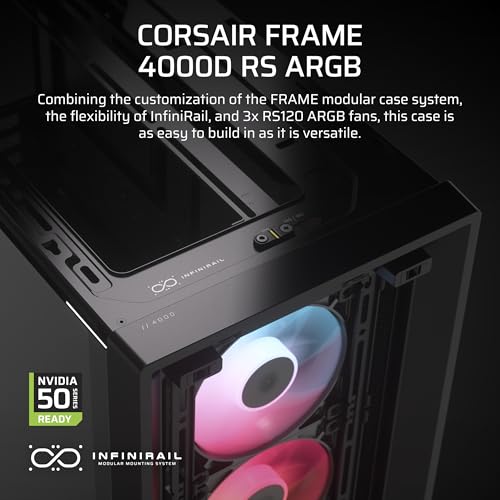
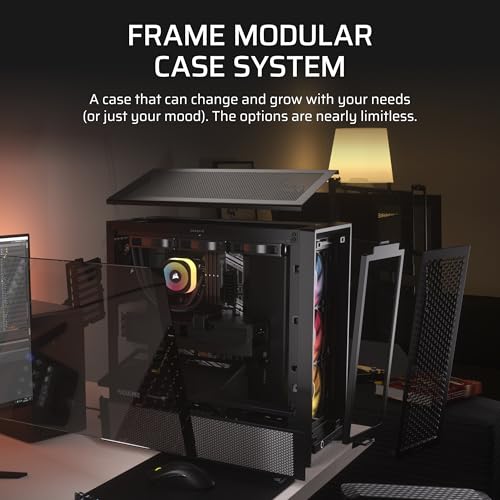
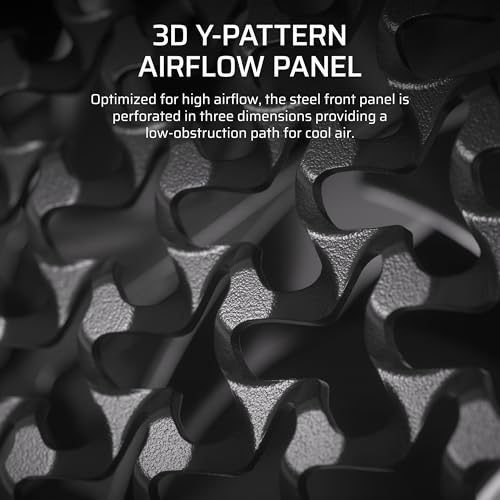
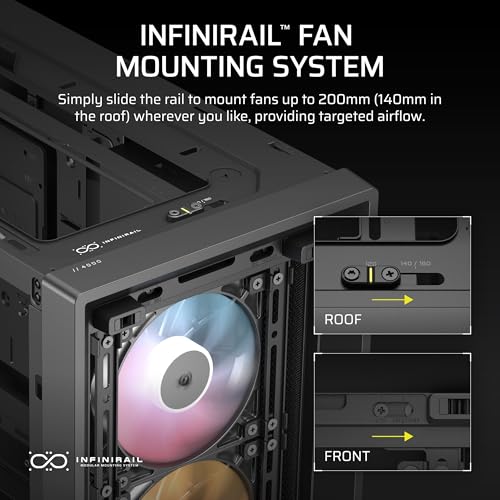
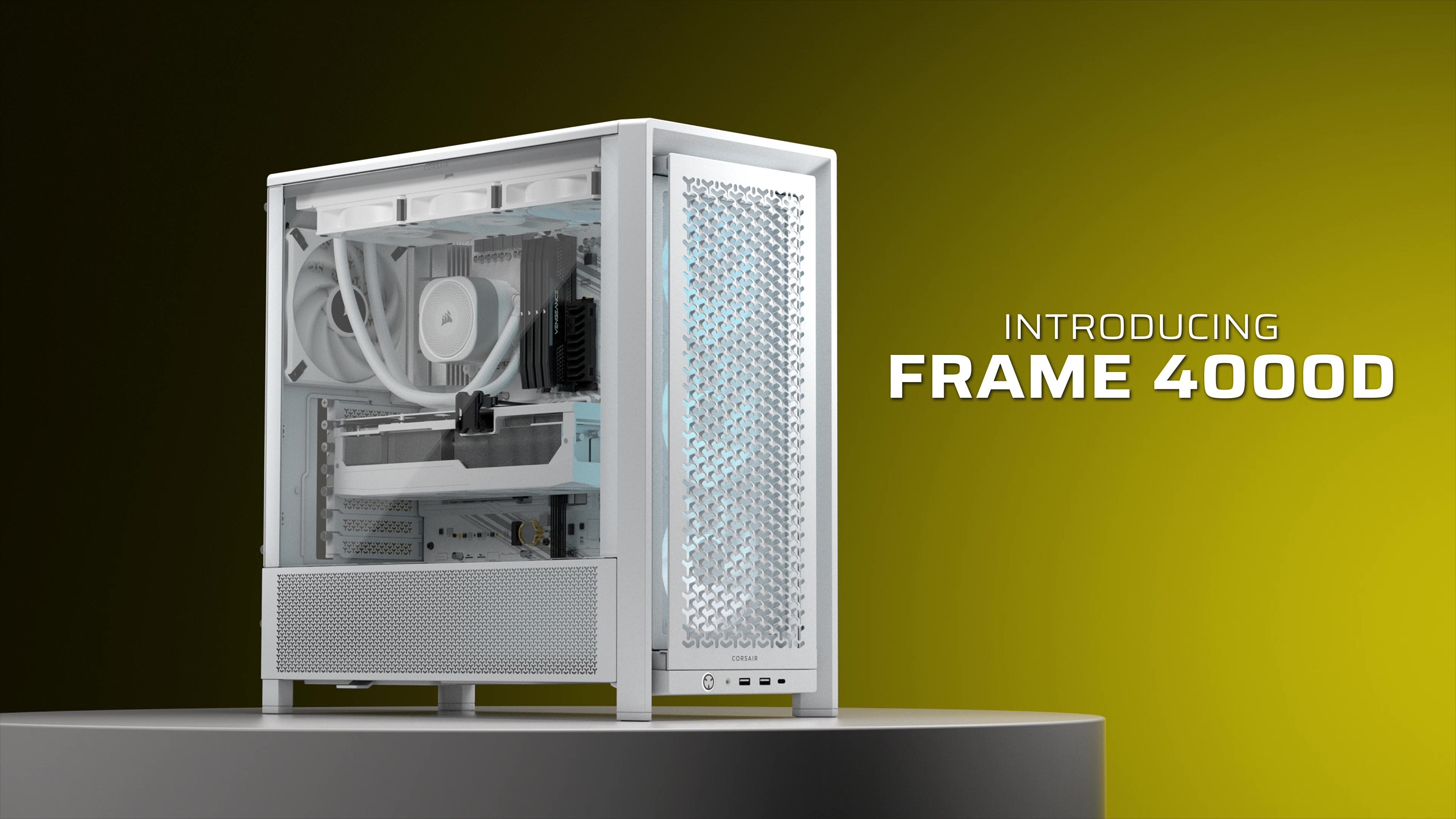
2. CORSAIR 4000D RS ARGB Frame Modular Mid-Tower ATX Case
CORSAIR 4000D RS ARGB Frame Modular Mid-Tower ATX PC Case, High Airflow, 3X Pre-Installed RS Fans, InfiniRail™ Mounting System, ASUS BTF, MSI Zero, Gigabyte Stealth, Black



As an Amazon Associate we earn from qualifying purchases. Product prices and availability are accurate as of the date/time indicated.
The Corsair 4000D RS ARGB Frame is the value airflow workhorse, and it arrives ready to cool. It is a modular mid-tower with a high-airflow design and three pre-installed ARGB fans, so you get a working intake-and-exhaust setup straight from the box without buying extra fans first. At around $99.99 it is one of the best-value airflow cases for a mainstream ATX build.
For airflow, the three included fans matter: configured as front intake plus rear exhaust, they establish the clean front-to-back current that keeps a CPU and GPU cool, and the modular frame design keeps the air path open. The 4000D lineage is a long-standing favorite for cable management and easy building, which makes it simple to keep your interior tidy and airflow unobstructed. If you want strong thermals, ARGB lighting and an easy build for around a hundred dollars, this is the obvious pick.
Pros: Three ARGB fans included, high-airflow modular frame, excellent value, easy to build.
Cons: Mid-tower size limits the largest radiators; lighting needs a controller.
3. Hyte Y70 Modern Aesthetic Gaming PC Case, Panoramic Glass
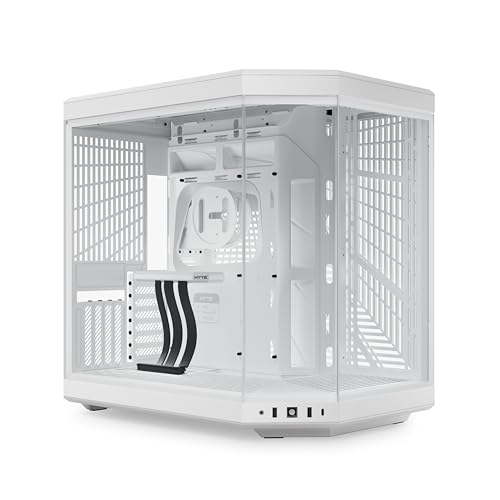
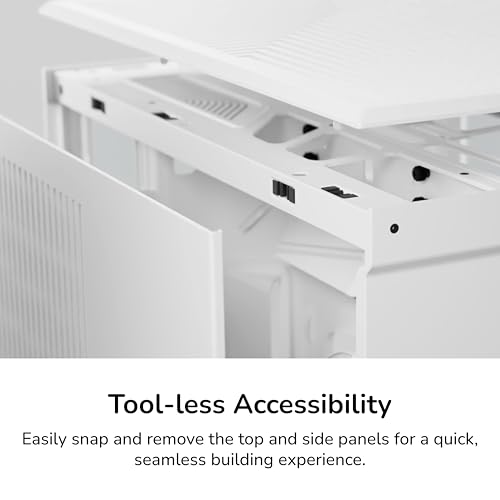
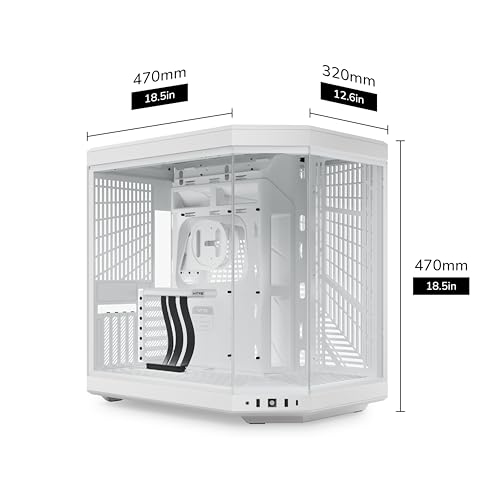
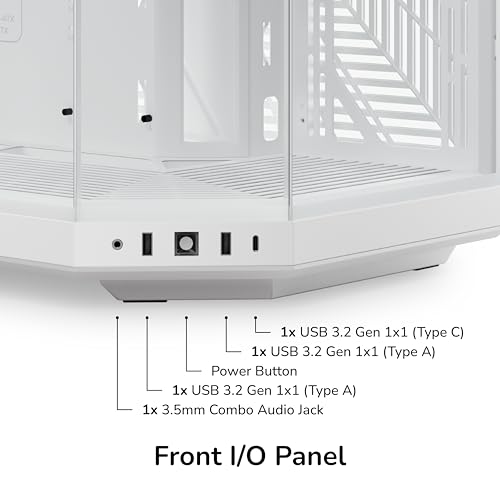
Hyte Y70 Modern Aesthetic Gaming PC Case - Panoramic Glass | High-Airflow Design | Cable Management | Dual Chamber ATX Mid-Tower Chassis | 10 Fan Capacity | Luxury PCIe 4.0 Riser Cable - Snow White


As an Amazon Associate we earn from qualifying purchases. Product prices and availability are accurate as of the date/time indicated.
The Hyte Y70 is the showpiece pick, proving an airflow-conscious case can also be a centerpiece. It pairs a striking panoramic wraparound glass front and side with a high-airflow internal design, so the build stays on full display while still drawing the air it needs through dedicated intake areas. At around $169.99 it is a premium statement case for people who want their cooling and their aesthetics to coexist.
On airflow, the Y70’s trick is keeping the glass for looks while routing intake through ventilated zones and offering generous fan and radiator mounting, so you can still build a strong cooling path behind the showcase panels. The spacious interior makes it easy to position fans for clean front-to-back and bottom-to-top flow. If you want a head-turning build that does not sacrifice thermals, the Y70 balances both better than most glass-heavy cases.
Pros: Striking panoramic glass, high-airflow internal design, spacious, generous fan mounting.
Cons: Premium price; full-glass cases demand careful fan planning for best flow.
4. Corsair iCUE 220T RGB Airflow Tempered Glass Mid-Tower ATX Case
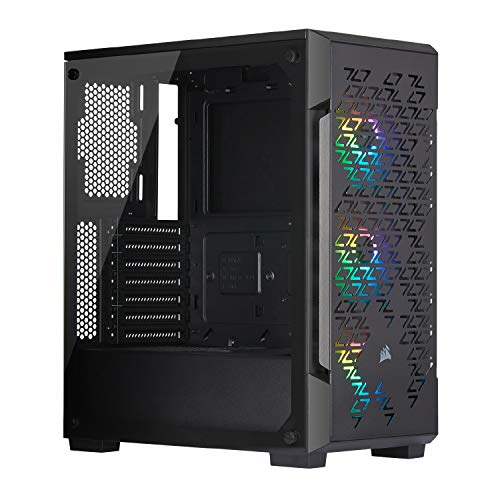
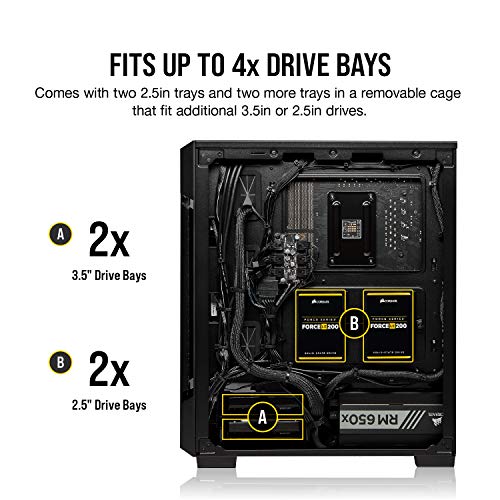
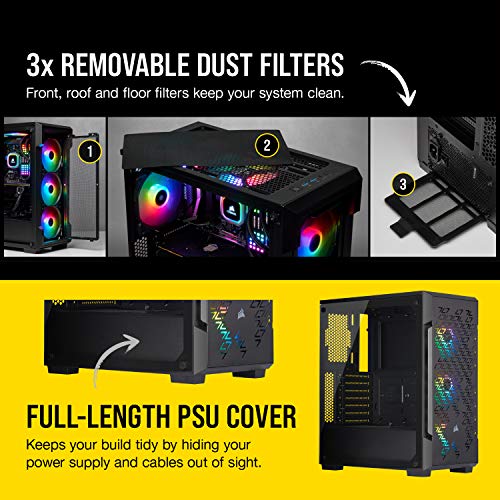
Corsair iCUE 220T RGB Airflow Tempered Glass Mid-Tower Smart ATX Case - High Airflow - Three Included SP120 RGB PRO Fans - Black



As an Amazon Associate we earn from qualifying purchases. Product prices and availability are accurate as of the date/time indicated.
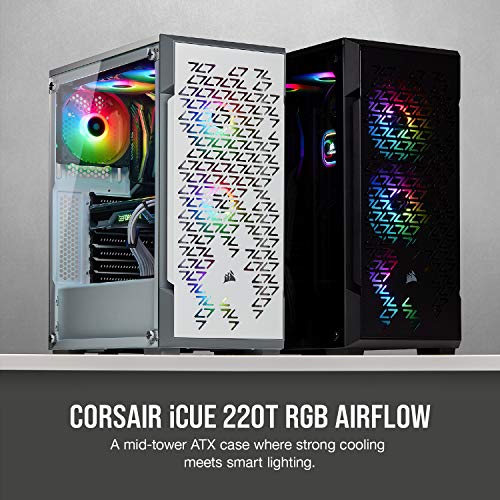
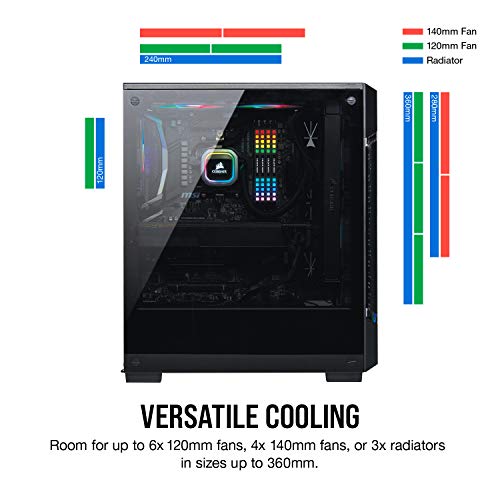
The Corsair iCUE 220T RGB Airflow brings RGB intake straight out of the box. It combines a mesh front panel for direct, unrestricted airflow with three included RGB fans and a tempered glass side, giving you a cool-running, good-looking build with no extra fan purchase required. At around $179.99 it is the choice for a colorful airflow-first ATX setup tied into Corsair’s iCUE ecosystem.
For airflow, the mesh front is the headline: it lets the three RGB intake fans pull cool air directly into the chassis rather than fighting a solid panel, and the layout supports a clean exhaust path out the rear and top. The included fans mean your thermals are sorted on day one, and iCUE lets you tune both speed and lighting together. If you want vivid RGB and genuine mesh-front airflow without piecing fans together, the 220T delivers both.

Pros: Mesh front for direct airflow, three RGB fans included, tempered glass, iCUE control.
Cons: RGB ecosystem adds cost; mid-tower limits the biggest cooling setups.
5. Cooler Master MasterBox Q300L Compact mATX PC Case

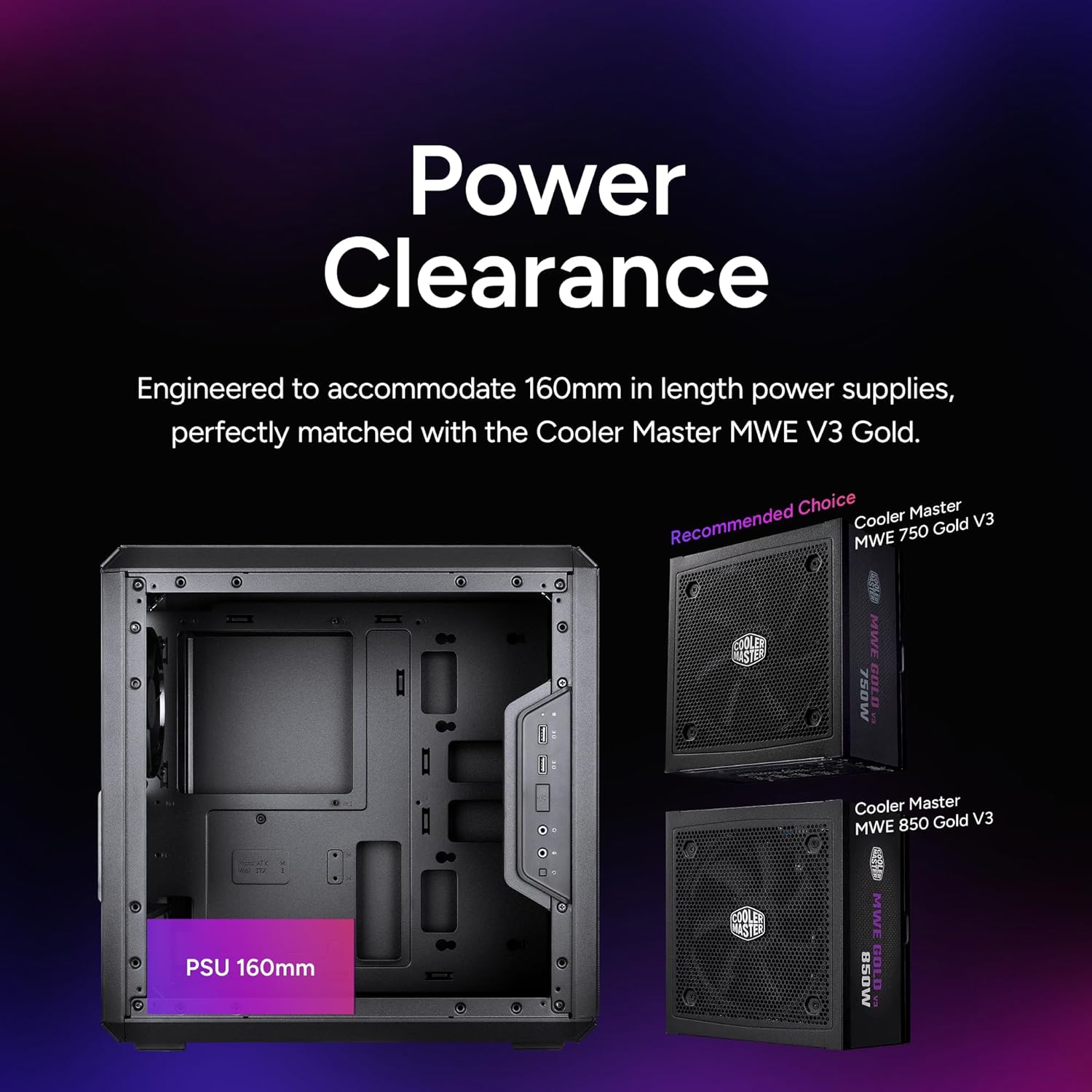
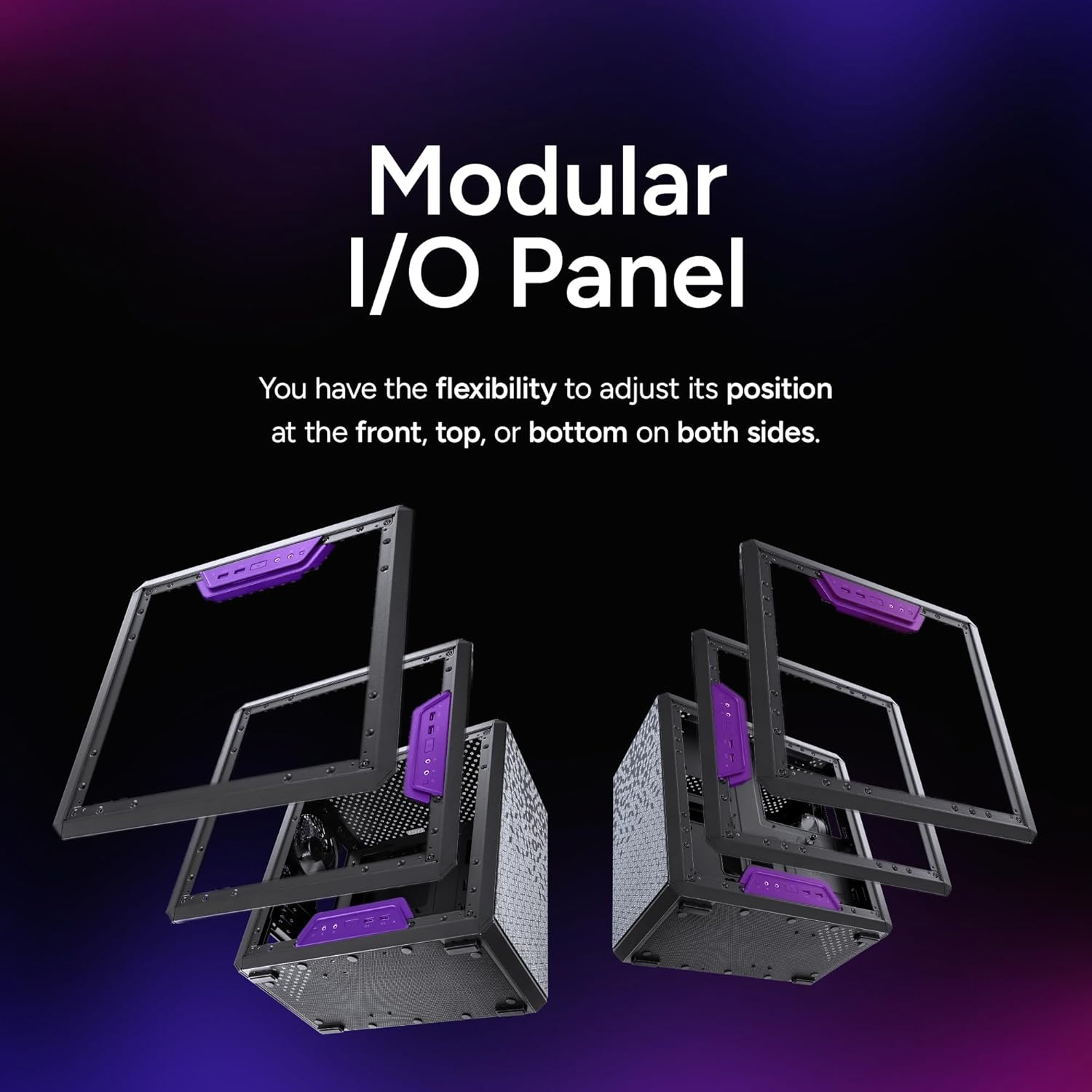
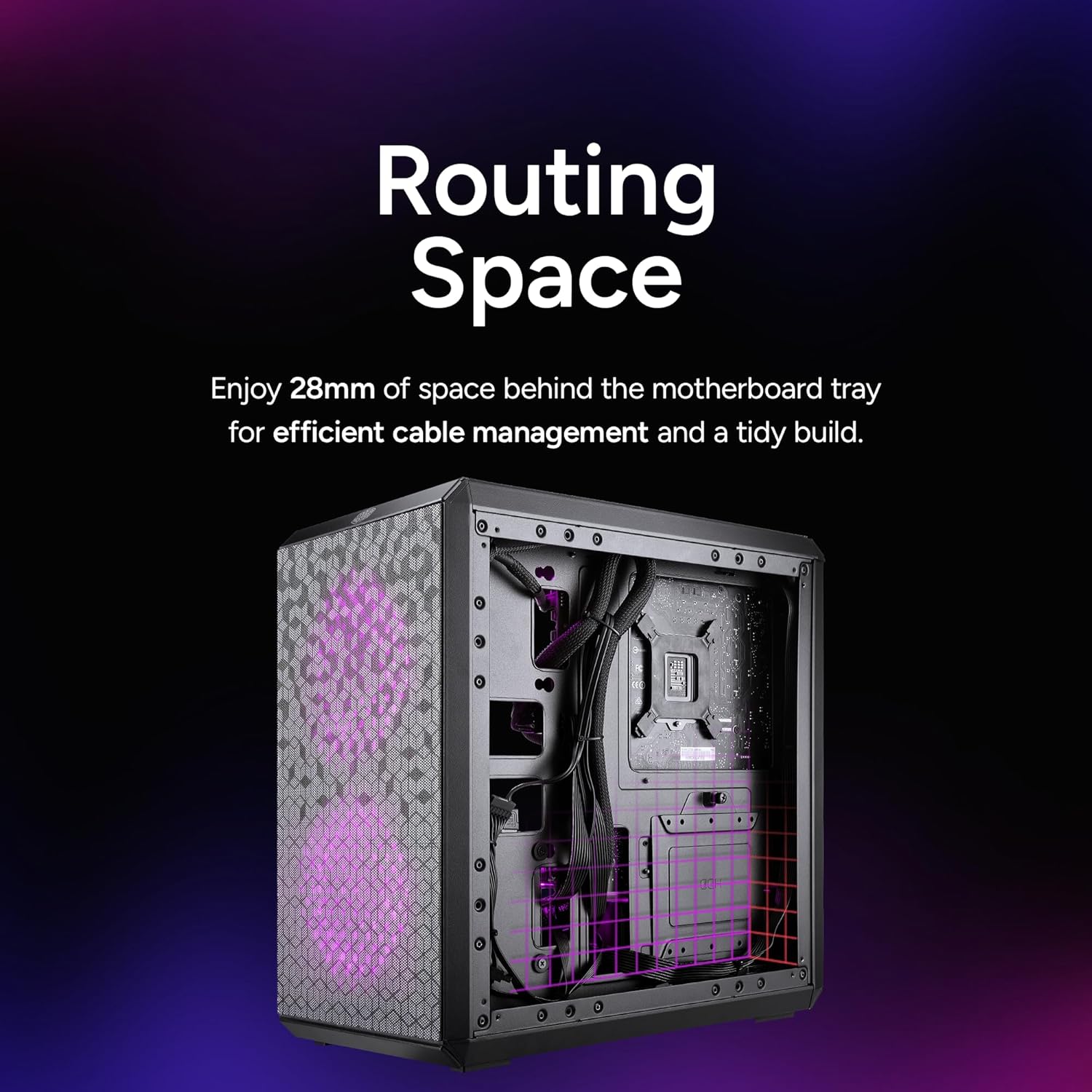
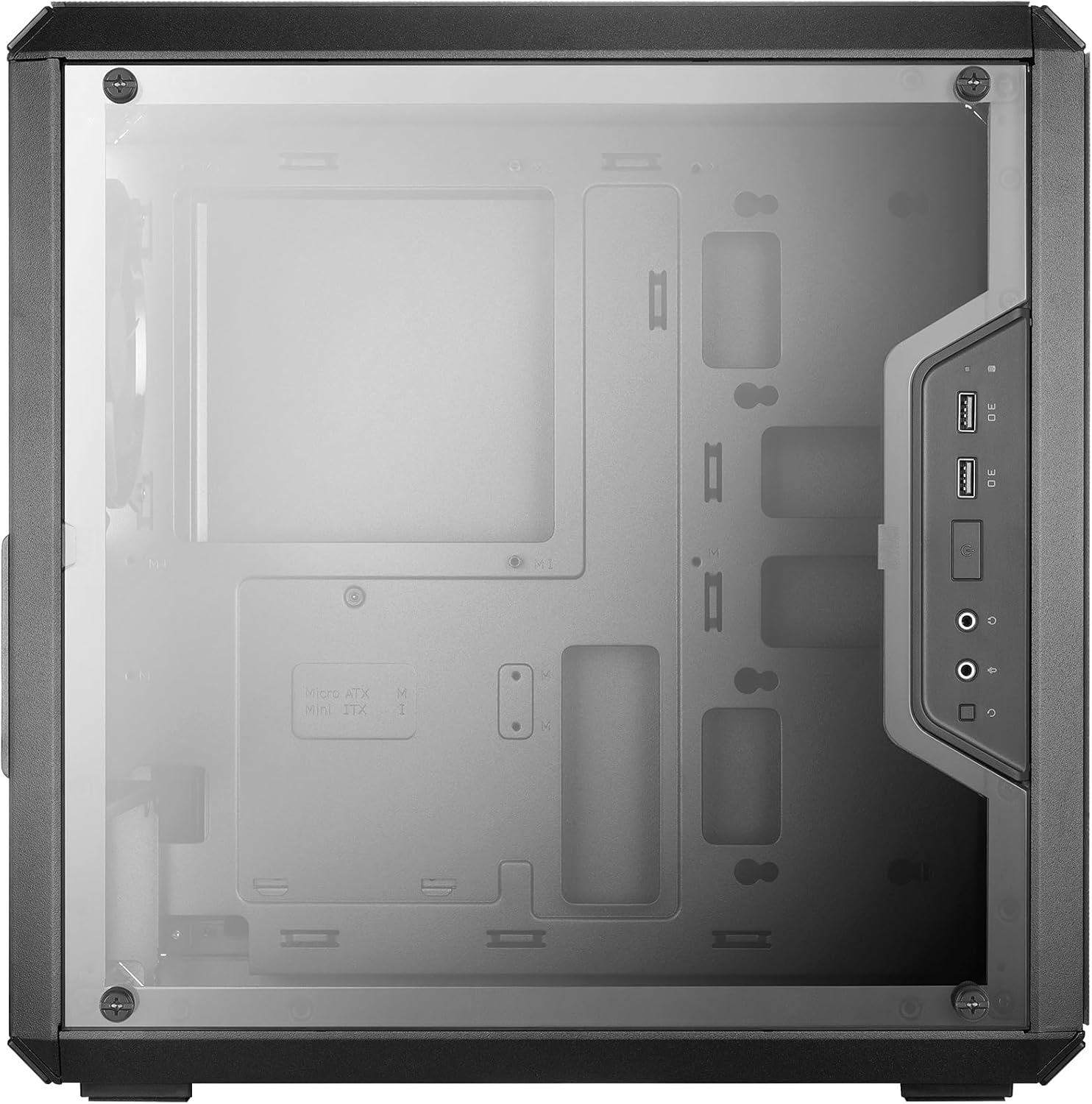
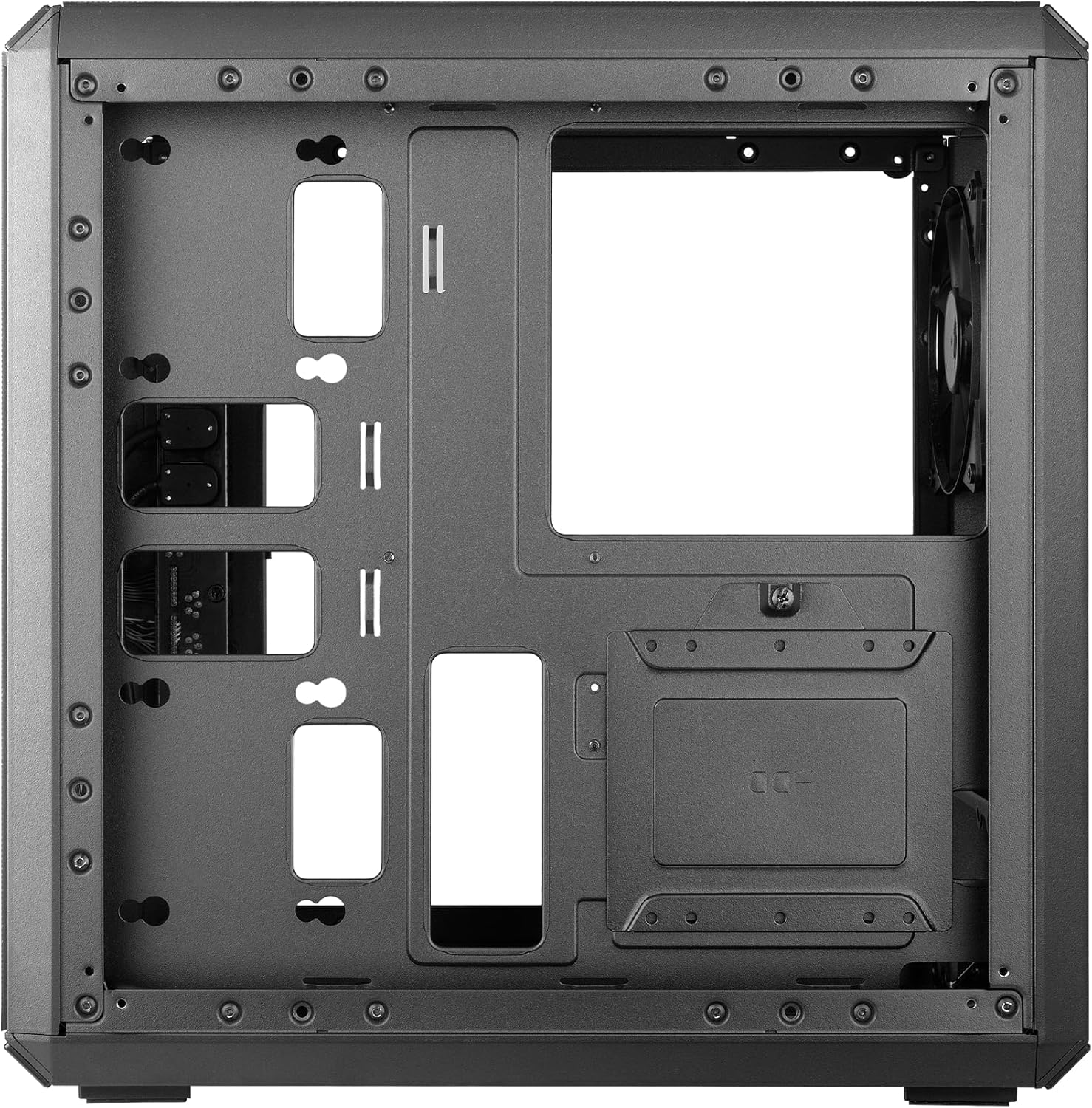
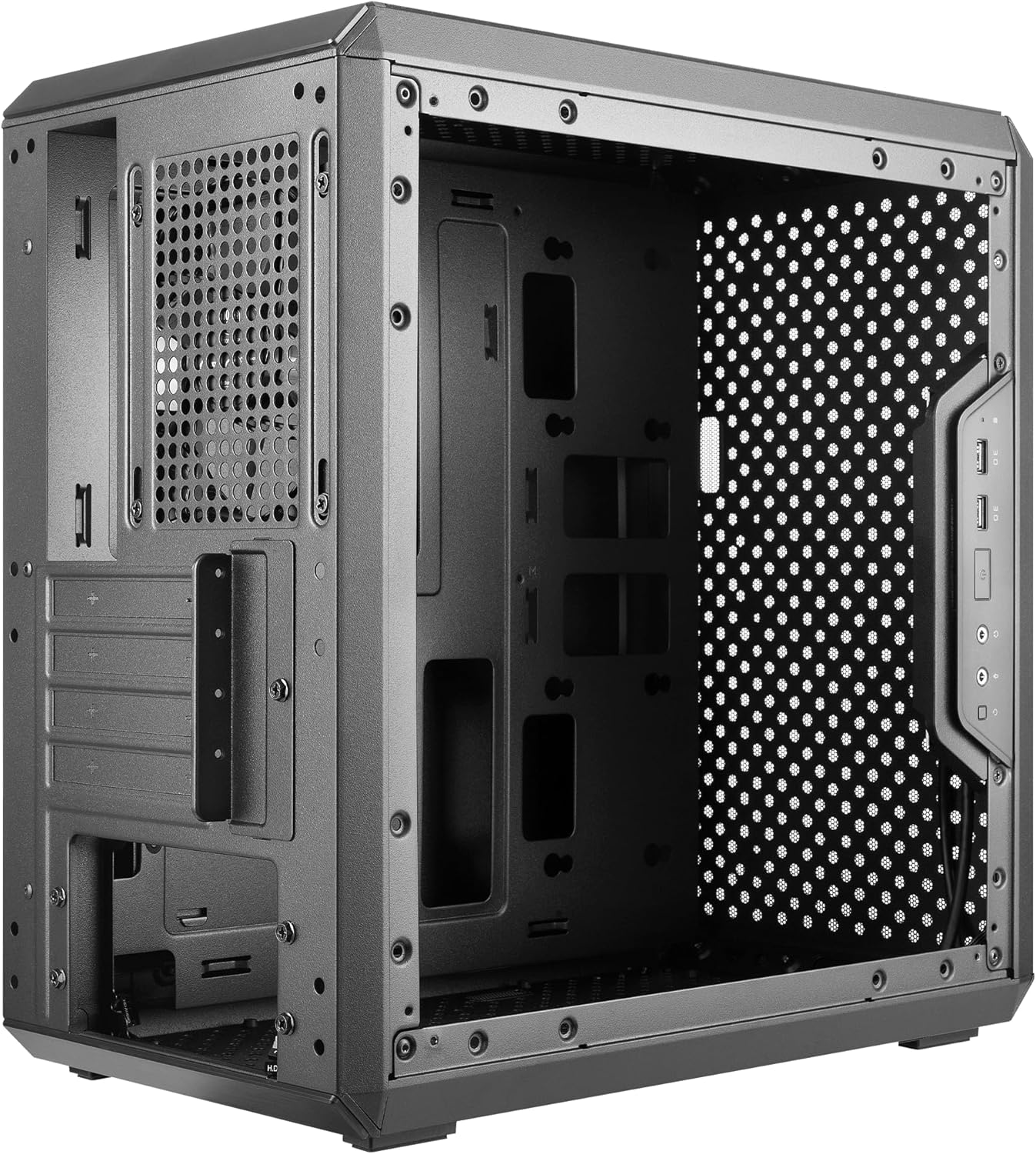
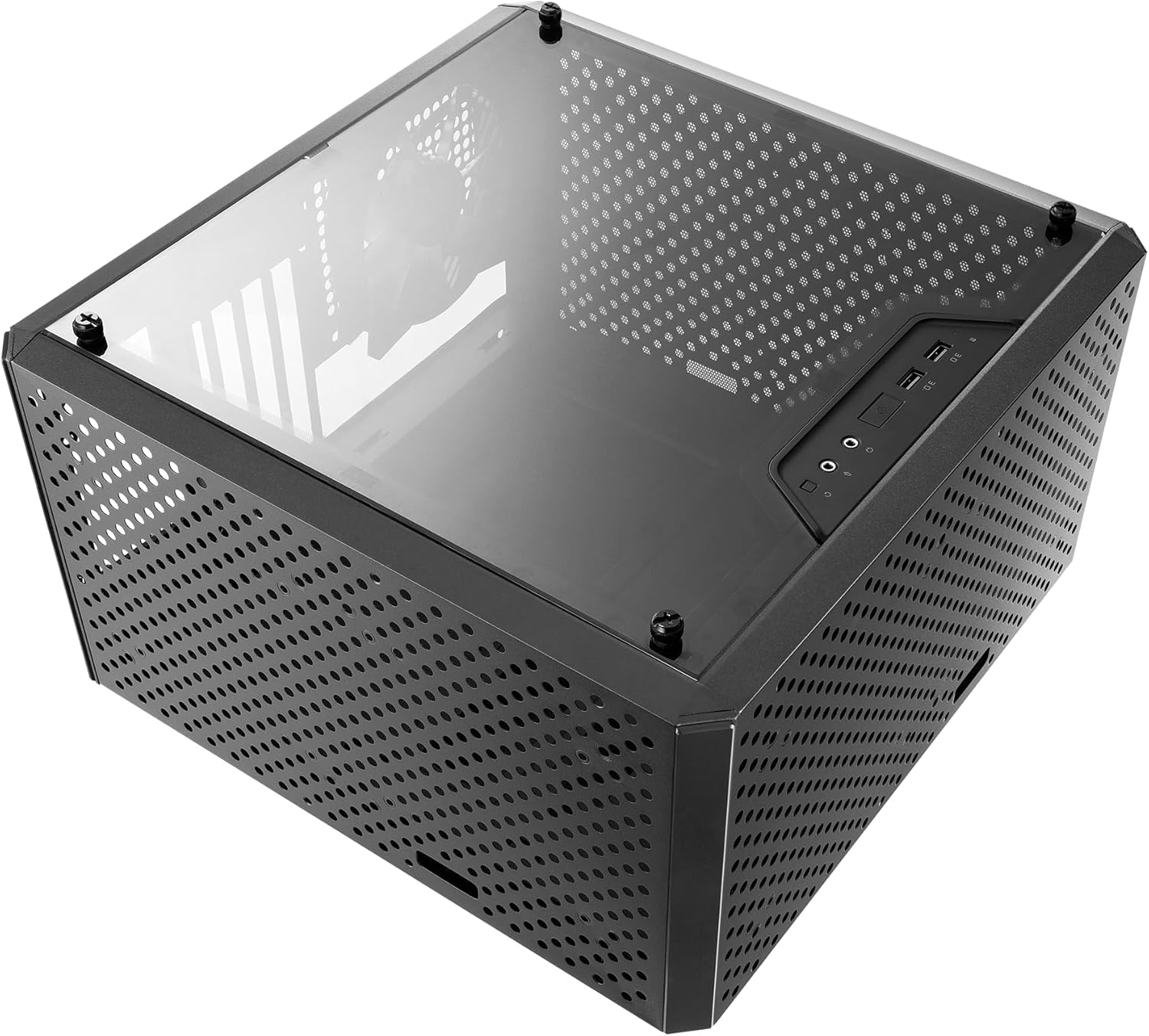
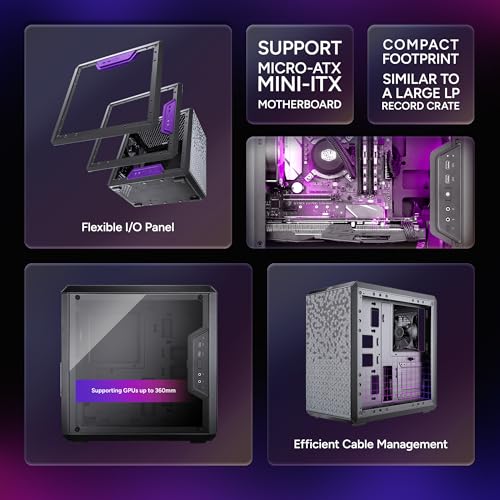
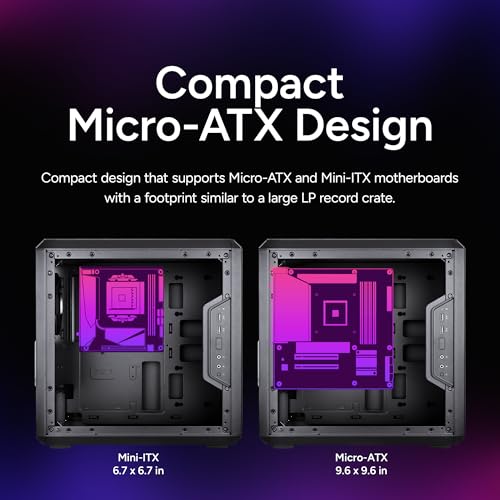
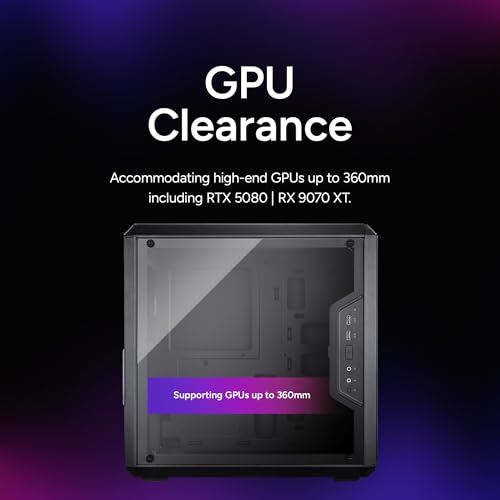
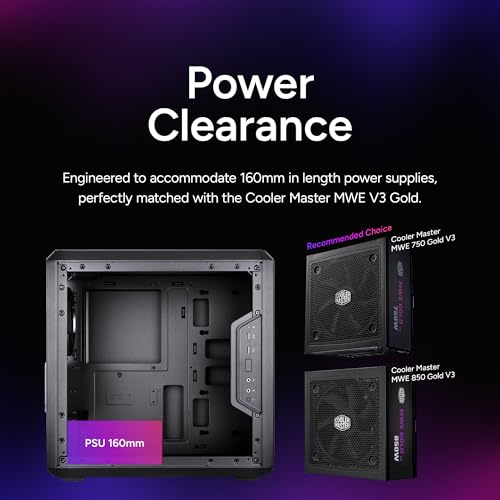
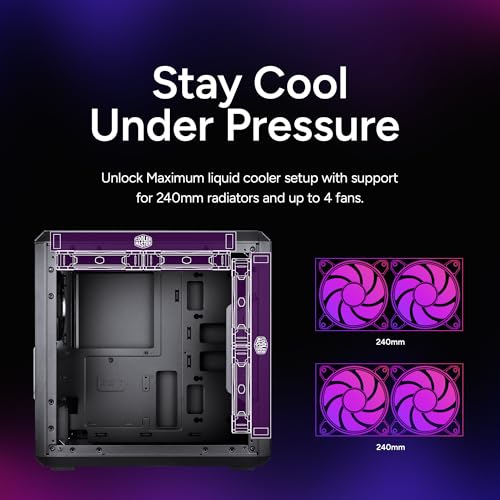
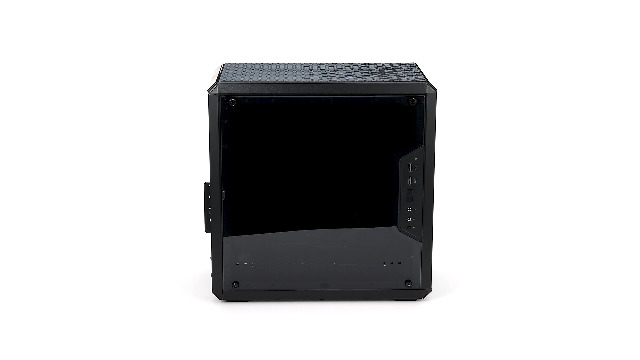
Cooler Master MasterBox Q300L Micro-ATX PC Case – Compact mATX Computer Case with Magnetic Dust Filters, Modular Adjustable I/O Panel, Perforated Airflow Design, 1 x 120mm Pre-Installed Fan, Black








As an Amazon Associate we earn from qualifying purchases. Product prices and availability are accurate as of the date/time indicated.
The Cooler Master MasterBox Q300L is the compact airflow pick, and at around $39.99 it is the most affordable case on this list. It is a small Micro-ATX box with a partly perforated, ventilated design and clever magnetic dust filters, delivering surprisingly capable cooling for a budget compact chassis. For a small, cool-running build that does not cost much, it punches above its price.
On airflow, the Q300L’s ventilation and flexible fan mounting let you set up a tidy intake-and-exhaust path despite the small footprint, while the magnetic dust filters keep the inside clean so airflow does not degrade over time. It is not as open as a full mesh-front mid-tower, so component choice and fan placement matter more here, but for a compact mATX system it cools well. As an affordable small-form-factor case with real airflow potential, the Q300L is a long-standing favorite.
Pros: Very affordable, ventilated compact design, magnetic dust filters, flexible fan mounts.
Cons: Small interior limits large coolers; airflow needs careful fan placement.
6. CORSAIR 7000D Airflow Full-Tower ATX PC Case, High-Airflow Front

CORSAIR 7000D Airflow Full-Tower ATX PC Case – High-Airflow Front Panel – Spacious Interior – Easy Cable Management – 3X 140mm AirGuide Fans with PWM Repeater Included – Black


As an Amazon Associate we earn from qualifying purchases. Product prices and availability are accurate as of the date/time indicated.
Rounding out the list is the Corsair 7000D Airflow, the high-end full-tower pick for maximum cooling capacity. It pairs a high-airflow front panel with a huge, spacious interior that swallows long GPUs, large air coolers and the biggest radiators with room to spare. At around $269.99 it is the premium option here, and the space and airflow potential are the reason why.
For airflow, the 7000D’s combination of an open front panel and sheer internal volume is the draw: you can pack the case with fans across multiple intake and exhaust positions and still leave generous gaps for air to move, which keeps even hot, high-power builds cool and quiet. The full-tower size also makes cable management and clean air paths effortless. If you are building a no-compromise system and want all the cooling headroom you could ask for, the 7000D Airflow is the standout.

Pros: Full-tower space, high-airflow front, fits the biggest coolers and radiators, easy cabling.
Cons: Largest and most expensive here; overkill for compact builds.
How to Choose a PC Case for Airflow
The first thing to look at for airflow is the front panel, because that is where most of your cool air comes in. A perforated mesh front, like the iCUE 220T’s, or an open high-airflow front like the 7000D’s, lets intake fans pull air freely into the case. A solid glass or steel front looks sleek but restricts intake and forces fans to work harder for less effect. If thermals are your priority, favour mesh or ventilated panels over a fully closed front.
Fan support and what is included come next. More mounting points let you build a stronger intake-and-exhaust setup, and a case that ships with fans — like the three on the 4000D RS ARGB Frame and the iCUE 220T — gives you working airflow on day one without an extra purchase. Count the fan positions and check how many fans come in the box; a bare case may be cheaper up front but cost more once you buy the fans it needs to breathe properly.
Internal layout decides how cleanly air actually travels once it is inside. A dual-chamber design like the H6 Flow’s separates hot components from clutter and the power supply, keeping the main air path open, while a spacious interior like the 7000D’s leaves room for air to move rather than stagnating around cables and drives. Aim for a clean front-to-back and bottom-to-top current, and keep cables tidied away so they do not block the flow you have built.
Finally, match the case size and extras to your components and budget. A compact mATX box like the Q300L cools a small build well but needs careful fan placement, while a full tower like the 7000D gives effortless airflow headroom for big, hot systems. Dust filters keep airflow from degrading over time, and RGB is purely a looks choice. Decide how big your build is, prioritise a breathing front panel and enough fans, and pick the airflow case on this list that fits your system.
Frequently Asked Questions
Does a mesh-front case really run cooler than a glass-front one?
Generally yes. A mesh or perforated front, like the iCUE 220T’s, lets intake fans pull cool air straight into the case, whereas a solid glass front restricts intake and makes fans work harder for less airflow. For the lowest temperatures and quietest fans, a mesh or open high-airflow front is the better starting point, which is why most airflow-focused cases use one.
How many fans do I need for good airflow?
A simple, effective setup is two or three intake fans at the front and one exhaust at the rear, creating a clean front-to-back current. Cases like the 4000D RS ARGB Frame and iCUE 220T include three fans so you are sorted out of the box. Larger cases such as the 7000D support many more, letting you add fans as your build heats up, but balance intake and exhaust rather than just maximising fan count.
Can a compact mATX case still have good airflow?
Yes, within limits. A ventilated compact case like the Cooler Master Q300L cools a small build well if you place fans thoughtfully and keep cables tidy, and its magnetic dust filters help airflow stay consistent. You have less room for large coolers and radiators than in a mid or full tower, so component choice and fan placement matter more, but small does not have to mean hot.
Do dust filters affect airflow over time?
They help keep it consistent. Dust filters, like the magnetic ones on the Q300L, stop dust building up on fans and components, which over months would otherwise choke airflow and raise temperatures. They slightly reduce intake when brand new, but the trade-off is worth it because a clean interior keeps your cooling effective long term — just rinse or vacuum the filters periodically.
Related Guides
- Best High Airflow PC Cases
- Best CPU Coolers for Overclocking
- Best PC Cases
- Best Case Fans
- Best Gaming PC Builds
- Best Power Supplies
Affiliate Disclosure: As an Amazon Associate, we earn from qualifying purchases. If you click a link and make a purchase, we may earn a small commission at no extra cost to you. Prices and availability are accurate as of publication and may change.
Ready to decide? Our #1 pick for 2026 is the NZXT H6 Flow.
Live price & availability on Amazon.


