

- Top Pick: SteelSeries QcK XL Performance Speed
- Runner-up: Logitech G640 Large
- Also consider: Corsair MM350 PRO Extended XL
High DPI play asks a lot from a surface. Small wrist movements translate into large cursor travel, so every bump, seam, worn patch, or change in friction shows up as jitter, overshoot, or a flick that stops short of its target. A good pad for high DPI does not add speed for its own sake. It gives the sensor a uniform texture to read, keeps friction steady from edge to edge, and stays flat and planted while the mouse moves in short, fast strokes.
That is why surface choice matters more than size alone. The pads below were chosen for consistent weave or texture, sensor-friendly surfaces, stable rubber bases, and sizes that suit wrist aiming without forcing the mouse off the edge during a fast turn.
As an Amazon Associate, we earn from qualifying purchases.
Quick Answer
For most high-DPI players, a smooth speed cloth pad with a uniform weave and a stitched edge is the safest starting point, because it keeps tracking steady while letting small wrist flicks glide without catching. Choose a medium or large pad for wrist aiming, a hybrid surface for the lowest friction, and a control pad if you overshoot often.
The Best Mousepads for High DPI
High-DPI aiming is mostly wrist aiming, with short arcs and frequent lifts. A pad with an uneven coating, a raised logo, a fraying edge, or a creeping base will break that rhythm. The five pads below cover the main surface types that work well at high DPI: fast cloth, balanced cloth, control cloth, spill-resistant cloth, and a thin hybrid hard surface.
1. SteelSeries QcK XL Performance Speed

The SteelSeries QcK XL Performance Speed is the most direct pick for players who want low friction without moving to a hard pad. Its ultra-smooth cloth surface is built for rapid movement and quick direction changes, which suits the short, fast strokes used at high DPI. The extra-density base adds a firm, even feel under the mouse.
At XL size, this pad gives wrist aimers room to work across a wide arc without running out of surface. Low-profile edge stitching keeps the border from catching the mouse feet, and the neoprene rubber base holds the pad in place, which matters at high DPI because even a small shift changes where a familiar flick lands.
Specs
- Surface: Ultra-smooth QcK Performance Speed cloth
- Size: XL, 900 mm x 400 mm
- Base: Non-slip neoprene rubber
- Edge: Low-profile stitched edge
- Best for: Fast flicks and high-DPI wrist aiming
2. Razer Gigantus V2 XXL
The Razer Gigantus V2 XXL is a thick cloth pad with a textured micro-weave surface that balances glide and control. It is not as slick as a dedicated speed pad, and that middle ground is useful at high DPI. The surface gives the sensor plenty of texture to read, while the mouse still moves freely enough for fast turns.
The high-density foam base cushions the wrist slightly and keeps the pad flat. At XXL size, it covers the mouse and keyboard zone, so the mouse never crosses from pad to bare desk mid-movement. That uniform area matters at high DPI, where a change in surface height or texture can change tracking mid-flick.
Specs
- Surface: Textured micro-weave cloth
- Size: XXL, 940 mm x 410 mm
- Thickness: 3 mm
- Base: Thick, high-density rubber foam with anti-slip grip
- Best for: Balanced speed and control at high DPI
3. Logitech G640 Large

The Logitech G640 Large is the control option in this list, for high-DPI players who overshoot. Its cloth surface uses moderate friction, so the mouse starts smoothly but stops with more authority than it does on a speed pad. That extra stopping power helps with micro-adjustments and tracking a moving target at close range.
The even cloth weave keeps tracking consistent across the pad, with no glossy patch or rough zone to confuse the sensor. The large size, 460 mm x 400 mm, suits wrist aiming, giving room for fast arcs without taking over the desk. The rubber base stays in place during intense play, and the slim profile keeps the wrist close to desk level.
Specs
- Surface: Large cloth with moderate surface friction
- Size: Large, 460 mm x 400 mm
- Thickness: 3 mm
- Base: Non-slip rubber
- Best for: Control, stopping power, and sensor consistency
4. Corsair MM350 PRO Extended XL
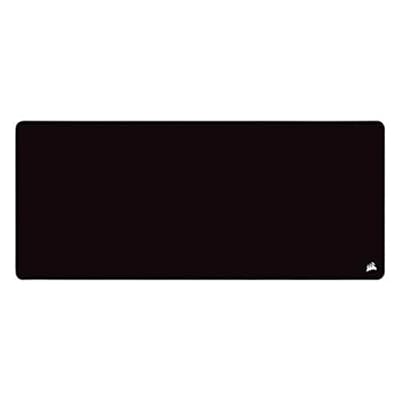
The Corsair MM350 PRO Extended XL is a spill-resistant cloth pad built for players who want a large, durable surface that stays consistent over time. Its premium cloth surface has a spill-proof coating that helps liquids bead and wipe away, protecting the weave from stains and sticky patches that could change friction in one area.
The extended XL footprint, 930 mm x 400 mm, covers mouse and keyboard with room to spare. Its smooth, even glide sits between a pure speed pad and a control pad, making it flexible for players who switch between fast shooters and slower games. Stitched edges resist fraying, and the rubber base keeps the mat planted during quick lateral movement.
Specs
- Surface: Premium spill-proof cloth
- Size: Extended XL, 930 mm x 400 mm
- Base: Non-slip rubber
- Edge: Stitched edge for durability
- Best for: Large desks, durability, and consistent glide
5. Glorious Elements Air XL

The Glorious Elements Air XL takes a different approach: a hard, ultra-thin polycarbonate surface that flexes slightly to sit flat on the desk. For high-DPI players who want the lowest friction, this hybrid surface is the fastest option here. The mouse glides with very little resistance, and the smooth, uniform surface gives the sensor a clean pattern to read.
Thinness is the trade-off. At a fraction of the thickness of a foam-backed cloth pad, it adds almost no height to the desk, and it resists the fabric wear that can change a cloth pad over months of use. Pair it with a mouse whose feet are in good condition, since a hard surface shows worn feet sooner than cloth does.
Specs
- Surface: Hard polycarbonate hybrid, ultra-thin and flexible
- Size: XL, 17 inches x 15 inches
- Thickness: 0.1 inches
- Base: Flexible surface designed to lie flat on the desk
- Best for: Maximum glide and low-friction high-DPI play
How to Choose a Mousepad for High DPI
Start with friction, not brand. At high DPI, a small change in friction has a large effect on where the cursor stops. Speed surfaces suit players who flick fast and stop with their wrist. Control surfaces suit players who overshoot and want the pad to help them stop. Hybrid and hard surfaces suit players who want the least resistance and are willing to adapt their stopping technique. If you are unsure, a smooth speed cloth pad is the easiest starting point.
Check surface consistency next. Look for a uniform weave or texture with no raised logo, glossy coating, or printed pattern that changes friction in one zone. A sensor reads the surface many times per second, so a texture that looks even but feels patchy can still cause jitter. A stitched edge also helps, because a fraying border can lift and catch the mouse during a wide flick.
Size matters for wrist aiming, but bigger is not always better. A medium or large pad is usually enough, because the mouse moves in short arcs rather than long arm sweeps. An extended or XXL pad is useful if you also want the keyboard on the same surface, or if you lift and reposition the mouse often. Measure your desk before choosing an extended pad.
Most modern optical sensors track well on cloth, hybrid, and hard surfaces, but very glossy or reflective surfaces can cause problems. A matte cloth or matte polycarbonate surface is safer than a shiny one. If tracking feels noisy, suspect the surface texture before changing the DPI setting.
A rubber base that grips the desk keeps the pad from creeping during play, which is essential when muscle memory depends on the pad staying in the same place. A thicker pad cushions the wrist, while a thinner pad keeps the wrist lower and feels more direct.
Who Should Skip These Pads
Players who use very low sensitivity and aim with the whole arm may find some of these pads too small, especially the large single-mouse sizes. If your mouse regularly travels across most of the desk in one sweep, an extended or XXL pad is a better fit than a large cloth pad.
Players who want a soft, thick cushion under the wrist should skip the Glorious Elements Air, because its ultra-thin hard surface offers almost no padding. Players who want maximum stopping power should skip the fastest speed pads and look at the control cloth option instead.
Frequently Asked Questions
What DPI setting works best with a speed mousepad?
There is no single DPI value that works best for every player, because the right setting depends on the game, the mouse, and how much desk space you use. A speed pad works well across a wide range of high DPI settings. Start with the DPI you already use and change only one variable at a time.
Does a hard mousepad track better than cloth at high DPI?
A hard or hybrid surface can feel faster, because it has very low friction and a uniform texture. Cloth can track just as well, and it is often more forgiving, because it adds a small amount of control that helps with stopping. The best choice depends on whether you value maximum glide or easier stopping.
How big should a mousepad be for high-DPI wrist aiming?
A medium or large pad is usually enough for wrist aiming, because the mouse moves in short arcs. A large pad around 450 mm wide gives room for fast flicks without taking over the desk. Choose an extended or XXL pad only if you want the keyboard on the same surface.
Why does my mouse jitter at high DPI on a new mousepad?
Jitter at high DPI usually comes from an inconsistent surface, a dirty sensor, worn mouse feet, or a pad that moves during play. Check that the surface is clean and flat, that the sensor lens is clear, and that the base grips the desk. If the problem appears only in one area, that area may have a different texture or a raised seam.
Final Verdict
The best mousepad for high DPI is the one that keeps tracking consistent while matching how you stop the mouse. For most players, the SteelSeries QcK XL Performance Speed is the strongest starting point, with low friction, a large surface, and a stable base. Players who overshoot should choose the Logitech G640, players who want a large durable desk surface should choose the Corsair MM350 PRO Extended XL or the Razer Gigantus V2 XXL, and players who want the fastest glide should try the Glorious Elements Air XL.










