

- Top Pick: Asus ROG Strix B550-F Gaming WiFi II AMD AM4 (3rd Gen Ryzen) ATX DDR4 Gaming Motherboard (PCIe 4.0, WiFi 6E, 2.5Gb LAN, BIOS Flashback, HDMI 2.1, Addressable RGB Header and Aura Sync)
- Best Value: GIGABYTE B850 AORUS Elite WIFI7 AMD AM5 ATX Motherboard, Support AMD Ryzen 9000/8000/7000 Series, DDR5, 14+2+2 Power Phase, 3X M.2, PCIe 5.0, USB-C, WIFI7, 2.5GbE LAN, EZ-Latch, 5-Year Warranty
- Premium Choice: GIGABYTE B550 Eagle WIFI6 AMD AM4 ATX Motherboard, Supports Ryzen 5000/4000/3000 Processors, DDR4, 10+3 Power Phase, 2X M.2, PCIe 4.0, USB-C, WIFI6, GbE LAN, PCIe EZ-Latch, EZ-Latch, RGB Fusion
The motherboard is the foundation of a build — it decides which CPU you can run, how much you can overclock, what storage and expansion you get, and how long the platform will last. The sweet spot for most gamers and creators sits in the upper-mid range under $250, where you get strong power delivery, plenty of fast M.2 storage, modern connectivity and room to grow without paying flagship prices. This guide rounds up the best motherboards under $250 in 2026 across the boards people actually shop for: well-rounded AMD AM4 B550 ATX boards, compact Micro-ATX options, an Intel Z790 ATX board for current chips, and honest budget-tier picks for cost-conscious builds.
- Best Motherboards under $250 at a Glance
- 1. MSI MAG B550 Tomahawk Gaming Motherboard (AMD Ryzen 5000 Series, AM4, DDR4, PCIe
- 2. ASUS ROG Strix B550-F Gaming Motherboard, AMD AM4 Zen 3 Ryzen 5000
- 3. GIGABYTE Z790 AORUS Elite AX LGA 1700 ATX Motherboard, Support Intel Core 14th/1
- 4. ASUS Prime Z390-P LGA1151 (Intel 8th and 9th Gen) ATX Motherboard for Cryptocurr
- 5. MSI B550M PRO-VDH WiFi ProSeries Motherboard (AMD Ryzen 5000, AM4, DDR4, PCIe 4.
- 6. Gigabyte A520M K V2 Motherboard (AM4/2xDDR4/HDMI/D-Sub/M.2/USB 3.2)
- How to Choose a Motherboard under $250
- Frequently Asked Questions
- Related Guides
- Related Articles
Our picks were chosen on what genuinely matters in a motherboard: chipset capability, the quality of the VRM power delivery, M.2 and PCIe connectivity, form factor, and value. We have included a deliberate spread — from around $64 to around $195 — and we are clear about where each board sits in the stack, because the best motherboard is the one matched to your CPU and your needs. The list spans premium B550 boards for Ryzen, a value Micro-ATX option, a current Intel Z790 board, and budget A520 and older Z390 boards where they make sense. Below is an at-a-glance comparison, then a closer look at each and a buyer’s guide built around chipset, power delivery and connectivity.
As an Amazon Associate we earn from qualifying purchases at no extra cost to you.


🛒 Best Price Today on Amazon
Prime members get fast, free shipping on everything above, plus member-only deals. New members get a 30-day free trial — cancel anytime.
Best Motherboards under $250 at a Glance
| Motherboard | Best For | Standout Spec | Approx Price |
|---|---|---|---|
| MSI MAG B550 Tomahawk | Best all-round AM4 value | B550 ATX, strong VRMs, PCIe 4.0 | around $160 |
| ASUS ROG Strix B550-F Gaming | Premium Ryzen feature set | B550 ATX, robust power, ROG features | around $160 |
| GIGABYTE Z790 AORUS Elite AX | Current Intel ATX build | Z790, WiFi, 14th/13th Gen support | around $190 |
| ASUS Prime Z390-P | Older Intel 8th/9th Gen | Z390 ATX, LGA1151 | around $194 |
| MSI B550M PRO-VDH WiFi | Compact AM4 value + WiFi | Micro-ATX, B550, built-in WiFi | around $100 |
| Gigabyte A520M K V2 | Tightest-budget AM4 base | A520 Micro-ATX, DDR4, M.2 | around $64 |
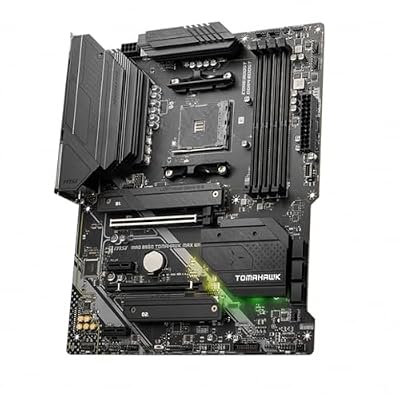
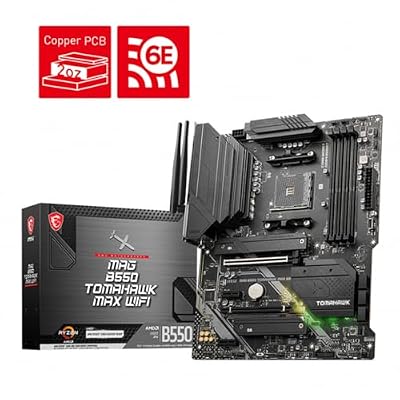
1. MSI MAG B550 Tomahawk Gaming Motherboard (AMD Ryzen 5000 Series, AM4, DDR4, PCIe

MSI MAG B550 Tomahawk MAX WiFi Gaming Motherboard (AMD Ryzen 5000 Series, AM4, DDR4, PCIe 4.0, SATA 6Gb/s, M.2, USB 3.2 Gen 2, HDMI/DP, Wi-Fi 6E, Bluetooth 5.2, 2.5Gbps LAN, ATX)



As an Amazon Associate we earn from qualifying purchases. Product prices and availability are accurate as of the date/time indicated.
The MSI MAG B550 Tomahawk is the best all-round value board on this list and a deserved enthusiast favorite. It is a full ATX B550 board for AMD’s AM4 platform (Ryzen 5000 series) with a notably strong VRM power delivery, PCIe 4.0 support, dual M.2 slots, 2.5G LAN and a generous port selection. At around $160 it sits comfortably in the upper-mid value bracket and delivers far more than its price suggests.
This is the pick for the gamer or creator who wants a rock-solid AM4 foundation that can drive a powerful Ryzen CPU and last for years. The robust VRMs handle high-core-count Ryzen 5000 chips with headroom for sustained loads, PCIe 4.0 unlocks fast GPUs and NVMe SSDs, and the dual M.2 slots and 2.5G LAN cover modern storage and networking. The Tomahawk earned its reputation as the value benchmark of the B550 range, and if you are building on AM4 under $250, it is the obvious starting point and the board to beat.
Pros: Strong VRMs for Ryzen, PCIe 4.0, dual M.2, 2.5G LAN, outstanding all-round value.
Cons: DDR4 and AM4 platform rather than the newer AM5; no built-in WiFi on this model.
2. ASUS ROG Strix B550-F Gaming Motherboard, AMD AM4 Zen 3 Ryzen 5000
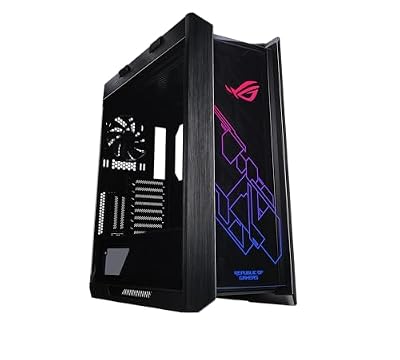
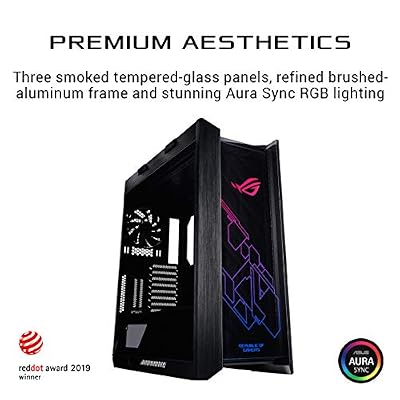
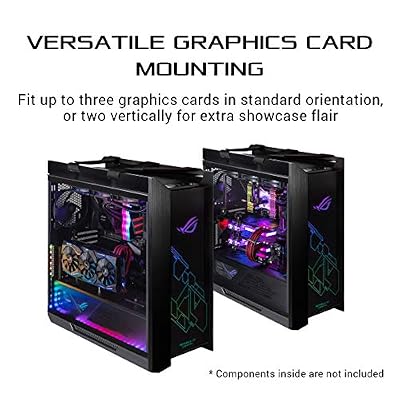
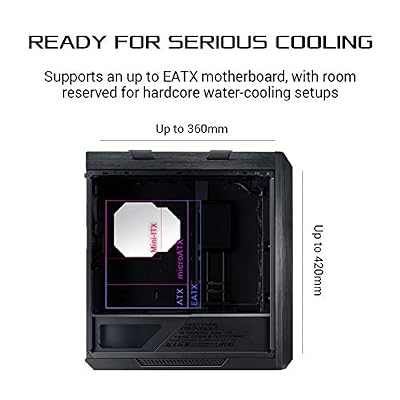
ASUS ROG Strix Helios RGB EATX Mid-Tower Gaming PC Case | Tempered Glass Panels, Supports Radiators up to 420mm long & Graphics Card up to 450mm long, Aluminum Frame, Aura Sync




As an Amazon Associate we earn from qualifying purchases. Product prices and availability are accurate as of the date/time indicated.
The ASUS ROG Strix B550-F Gaming is the premium-feature AM4 pick. It is a full ATX B550 board for Ryzen 5000 (Zen 3) with robust power delivery, PCIe 4.0, dual M.2 slots, strong I/O and ASUS’s ROG feature set and BIOS. At around $160 it competes directly with the Tomahawk, leaning toward polish, audio and aesthetics for builders invested in the ROG ecosystem.
This is the pick for the Ryzen builder who wants a feature-rich, well-finished board with a refined BIOS and ROG styling. The strong VRMs comfortably power high-end Ryzen 5000 chips, PCIe 4.0 supports the latest GPUs and NVMe drives, and ASUS’s renowned UEFI makes tuning and fan control straightforward. It typically brings upgraded audio and a premium look as well. If you prefer the ASUS ROG ecosystem and value finish and BIOS quality alongside solid power delivery, the Strix B550-F is an excellent choice in the same bracket as the Tomahawk.
Pros: Robust power delivery, PCIe 4.0, dual M.2, polished ASUS BIOS, ROG features and audio.
Cons: AM4/DDR4 rather than AM5; priced at the upper end of the B550 range.
3. GIGABYTE Z790 AORUS Elite AX LGA 1700 ATX Motherboard, Support Intel Core 14th/1
The GIGABYTE Z790 AORUS Elite AX is the pick for a current Intel build. It is a Z790 ATX board on the LGA 1700 socket supporting Intel’s 14th and 13th Gen Core processors, with strong VRMs, DDR4 or DDR5 variants, PCIe support for modern GPUs, multiple M.2 slots, and built-in WiFi (the ‘AX’). At around $190 it brings a current-generation Intel platform in just under the $250 ceiling.
This is the pick for the builder going with a recent Intel Core CPU who wants a capable Z-series board with overclocking support and room to expand. The Z790 chipset unlocks CPU overclocking and full platform features, the sturdy power delivery feeds high-core Intel chips, the multiple M.2 slots and PCIe lanes handle fast storage and a powerful GPU, and integrated WiFi adds convenience. Among boards under $250, it is the standout choice for a modern Intel 13th or 14th Gen system and the most future-relevant Intel option here.
Pros: Current Z790 platform, supports 14th/13th Gen Intel, strong VRMs, multiple M.2, built-in WiFi.
Cons: Confirm DDR4 vs DDR5 variant to match your RAM; near the top of the budget.
4. ASUS Prime Z390-P LGA1151 (Intel 8th and 9th Gen) ATX Motherboard for Cryptocurr

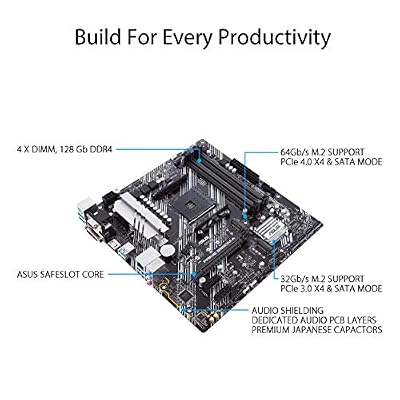
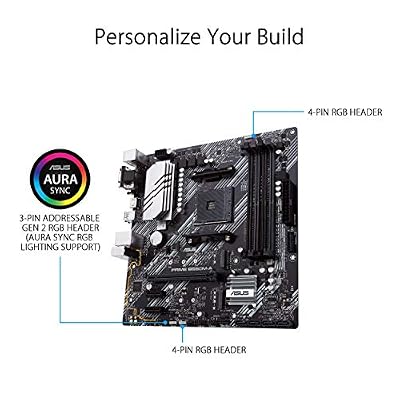
ASUS Prime B550M-A WiFi II AMD Micro ATX DDR4 Motherboard with PCIe 4.0, WiFi 6, ECC Memory, HDMI 2.1, RGB Header



As an Amazon Associate we earn from qualifying purchases. Product prices and availability are accurate as of the date/time indicated.
The ASUS Prime Z390-P is included with honesty as the older-Intel pick. It is a Z390 ATX board on the LGA1151 socket for Intel’s 8th and 9th Gen Core processors — a previous-generation platform — and the listing notes it is also oriented toward mining/expansion use. At around $194 its price reflects availability rather than cutting-edge specs, so it makes sense only in specific situations.
Be clear about the use case: this board is for someone building or repairing a system around an 8th or 9th Gen Intel CPU, not for a new current-generation build. If you already own a compatible LGA1151 chip, the Z390-P gives you a dependable ASUS board with Z-series features and multiple PCIe slots to bring that CPU back into service. For a brand-new Intel build, the Z790 AORUS Elite AX is the far more sensible choice at a similar price. We list the Z390-P for what it genuinely is — an older-platform board useful for legacy or specialised setups — rather than as a modern recommendation.
Pros: Dependable ASUS Z390 board for 8th/9th Gen Intel, multiple PCIe slots, useful for legacy builds.
Cons: Previous-generation LGA1151 platform; not suitable for current Intel CPUs, pricey for the age.
5. MSI B550M PRO-VDH WiFi ProSeries Motherboard (AMD Ryzen 5000, AM4, DDR4, PCIe 4.

MSI B550M PRO-VDH WiFi ProSeries Motherboard (AMD Ryzen 5000, AM4, DDR4, PCIe 4.0, SATA 6Gb/s, M.2, USB 3.2 Gen 1, Wi-Fi, Bluetooth, D-SUB/HDMI/DP, Micro-ATX)


As an Amazon Associate we earn from qualifying purchases. Product prices and availability are accurate as of the date/time indicated.
The MSI B550M PRO-VDH WiFi is the compact value pick. It brings the B550 chipset and AM4 support for Ryzen 5000 into a Micro-ATX form factor, with PCIe 4.0, M.2 storage, a sensible port selection and — usefully — built-in WiFi, all for around $100. For a smaller build or a value-focused Ryzen system, it packs the essentials into a compact, well-priced package.
This is the pick for the builder working with a Micro-ATX case or on a tighter budget who still wants modern B550 features and Ryzen 5000 support. The PCIe 4.0 support keeps fast GPUs and NVMe drives on the table, the M.2 slot covers speedy storage, and integrated WiFi saves a card and a slot in a compact build. Its power delivery is more modest than the full-ATX Tomahawk and Strix, so it suits mainstream Ryzen chips rather than the very top of the stack — but as an affordable, feature-complete Micro-ATX B550 board with WiFi, it is a smart, space-saving choice.
Pros: B550 features in compact Micro-ATX, PCIe 4.0, M.2, built-in WiFi, very good value.
Cons: Lighter VRMs than full-ATX boards; best for mainstream rather than top-end Ryzen.
6. Gigabyte A520M K V2 Motherboard (AM4/2xDDR4/HDMI/D-Sub/M.2/USB 3.2)


As an Amazon Associate we earn from qualifying purchases. Product prices and availability are accurate as of the date/time indicated.
Rounding out the list is the Gigabyte A520M K V2, the tightest-budget AM4 base and, at around $64, by far the cheapest board here. It is an A520 Micro-ATX board for the AM4 platform with two DDR4 slots, an M.2 slot, HDMI and D-Sub outputs and USB 3.2 — a no-frills foundation for an affordable Ryzen build. We list it honestly as an entry-level board rather than an upper-mid one.
This is the pick for the strictest budgets — a basic gaming or office build, a second system, or a repair where cost is the priority. The A520 chipset covers the fundamentals (it omits CPU overclocking and PCIe 4.0, which the B550 boards provide), the M.2 slot still gives you fast SSD storage, and the integrated video outputs are handy with an APU. Pair it with a mainstream Ryzen CPU and it will run a capable system for very little. It sits at the opposite end of the stack from the Tomahawk, so choose it when keeping the total cost down matters more than power delivery and expansion headroom.
Pros: Lowest price here, M.2 storage, integrated video outputs, solid affordable AM4 base.
Cons: Entry-level A520: no CPU overclocking or PCIe 4.0, modest power delivery.
How to Choose a Motherboard under $250
Choosing a motherboard under $250 starts with the chipset, because it defines what the board can do and which CPU it pairs with. On AMD’s AM4 platform, B550 boards like the MSI Tomahawk and ASUS Strix unlock PCIe 4.0 and CPU overclocking and represent the upper-mid sweet spot, while A520 boards like the Gigabyte A520M K trade those features for a lower price. On Intel, Z790 (the AORUS Elite AX) is the current overclocking-capable choice, whereas older Z390 (the Prime Z390-P) only fits previous-generation 8th and 9th Gen chips. Match the chipset to the exact CPU you plan to run before anything else.
Power delivery — the VRMs — is the next priority, especially if you run a high-core-count or higher-power CPU. Strong VRMs deliver clean, stable power under sustained load and keep your processor running at full clocks without throttling, which is exactly why the MSI Tomahawk and ASUS Strix B550-F earned their reputations. Compact value boards like the B550M PRO-VDH and entry A520 boards have lighter VRMs that suit mainstream chips rather than the top of the stack — perfectly fine if your CPU is mid-range, but worth matching carefully to a high-end one.
Connectivity and expansion decide how fast and future-ready your build is. Look at the number of M.2 slots for NVMe SSDs, PCIe 4.0 support for fast storage and GPUs, the LAN speed (2.5G is a nice upgrade over Gigabit), USB ports, and whether WiFi is built in. The Tomahawk leads on M.2 and 2.5G LAN, the B550M PRO-VDH and Z790 AORUS add integrated WiFi, and the A520 covers the basics. Decide which of these you genuinely need — built-in WiFi, dual M.2, faster LAN — and let that guide your choice within the budget.
Finally, match the form factor and platform to your case and your future plans. A full ATX board like the Tomahawk, Strix or AORUS gives the most slots and strongest power delivery, while Micro-ATX boards like the B550M PRO-VDH and A520M K suit smaller cases and tighter budgets. Remember that AM4 and LGA1151 are mature platforms — excellent value today, but bear in mind newer sockets exist if long-term upgrades matter to you. Pick the chipset for your CPU, ensure the VRMs suit its power, choose the connectivity you need, and select the board on this list that fits your build and budget.
Frequently Asked Questions
What chipset should I choose for a motherboard under $250?
Match the chipset to your CPU. For a modern AMD Ryzen 5000 build, B550 boards like the MSI Tomahawk or ASUS Strix B550-F give PCIe 4.0 and overclocking at the upper-mid sweet spot, while A520 boards like the Gigabyte A520M K are the budget tier. For Intel, the Z790 AORUS Elite AX fits current 13th/14th Gen chips, whereas the older Z390 only suits 8th/9th Gen CPUs. The CPU you plan to run decides the chipset.
How important are the VRMs on a budget motherboard?
Very, if you run a high-core or higher-power CPU. The VRMs deliver power to the processor, and strong ones — like those on the MSI Tomahawk and ASUS Strix B550-F — keep it stable at full clocks under sustained load without throttling. Lighter VRMs on compact value boards like the B550M PRO-VDH or A520M K are fine for mainstream chips but should be paired carefully with a top-end CPU.
Do I need PCIe 4.0 on my motherboard?
PCIe 4.0 is worth having for fast NVMe SSDs and the latest GPUs, and the B550 boards here (Tomahawk, Strix, B550M PRO-VDH) and the Z790 AORUS provide it. The budget A520M K omits it, which is acceptable for a mainstream build that does not need the fastest storage. If you want a long-lasting platform and plan to use high-speed NVMe drives, prioritise a board with PCIe 4.0.
Is a Micro-ATX motherboard worse than a full ATX one?
Not worse, just different. Micro-ATX boards like the MSI B550M PRO-VDH fit smaller cases and cost less, while typically offering fewer expansion slots and lighter power delivery than full ATX boards like the Tomahawk or Strix. For a compact or budget build with a mainstream CPU, Micro-ATX is an excellent, space-saving choice; for maximum expansion and the strongest VRMs, full ATX is the way to go.
Related Guides
- Best Motherboards
- Best B550 Motherboards
- Best CPUs for Gaming
- Best NVMe SSDs
- Best Gaming PCs
- Best Budget Gaming Setup
Affiliate Disclosure: As an Amazon Associate, we earn from qualifying purchases. If you click a link and make a purchase, we may earn a small commission at no extra cost to you. Prices and availability are accurate as of publication and may change.










