

- Top Pick: ErGear Single Monitor Arm, Fully Adjustable Monitor Mount for 13–34 Inch Screens, Fast Install Computer Monitor Stand with Tool-Free VESA Mount, Cable Management, Holds 19.8 lbs, Max VESA 100x100mm
- Best Value: Suptek Single Monitor Arm Fully Adjustable for 17-34-35 Inch Screens
- Premium Choice: HUANUO FlowLift™ Dual Monitor Stand, Fully Adjustable Gaming Monitor Desk Mount for 13–32″ Computer Screens, Full Motion VESA 75×75/100×100 with C-Clamp & Grommet Base, Each Arm Holds 4.4 to 19.8 lbs
Affiliate disclosure: As an Amazon Associate we earn from qualifying purchases. This post contains affiliate links — if you buy through them we may earn a small commission at no extra cost to you. This never affects our recommendations.
A quality monitor arm is one of the highest-ROI upgrades you can make to a gaming desk. It clears cluttered stands off your surface, lets you dial in perfect eye-level positioning, and makes multi-monitor setups far easier to manage.
In a hurry? See the top-rated Monitor Arms deals available right now:
🛒 Check Monitor Arms Prices on Amazon →🛒 Best Price Today on Amazon
Prime members get fast, free shipping on everything above, plus member-only deals. New members get a 30-day free trial — cancel anytime.
Start 30-Day Prime Free Trial →See Today’s Amazon DealsTop Picks at a Glance
| Monitor Arm | Type | Max Weight | VESA Support | Best For |
|---|---|---|---|---|
| Ergotron LX | Single | 25 lbs | 75×75, 100×100 | Best overall |
| Amazon Basics Single | Single | 17.6 lbs | 75×75, 100×100 | Budget pick |
| Fully Jarvis | Single | 20 lbs | 75×75, 100×100 | Ultrawide monitors |
| VIVO Dual Monitor | Dual | 17.6 lbs each | 75×75, 100×100 | Best dual value |
| Ergotron HX | Single | 42 lbs | 75×75, 100×100 | Heavy/ultrawide monitors |
As an Amazon Associate we earn from qualifying purchases at no extra cost to you.






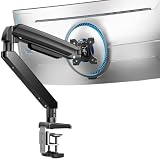

Ergotron LX (B07TK3TY7T) — Best Overall
- Smooth, effortless articulation — patented CF technology lets you reposition with one finger and holds the exact position without drift
- Supports monitors up to 25 lbs and 34 inches — covers virtually every mainstream gaming monitor including curved displays
- Full range of motion — 360° rotation, ±90° tilt, 360° pan, and up to 13 inches of height adjustment
- Built-in cable management — channels route HDMI, DisplayPort, and USB cables cleanly through the arm
- 10-year warranty — industry-leading coverage that reflects genuine build quality
Amazon Basics Single Monitor Arm (B07DHK5DHN) — Best Budget
- Full articulation under $30 — tilt, swivel, and height adjustment at a price that undercuts branded alternatives by 60%
- Handles monitors up to 17.6 lbs — covers most 27-inch and smaller gaming monitors
- C-clamp and grommet mount included — fits desks with or without grommet holes out of the box
- Straightforward assembly — most users report under 15 minutes from box to mounted monitor
- Cable management channels — basic but effective routing keeps the desk tidy
Fully Jarvis Monitor Arm (B07DXCN7VG) — Best for Ultrawides
- Designed for heavier panels up to 20 lbs — handles most 34-inch ultrawides without sagging over time
- Smooth gas spring mechanism — counterbalanced design requires minimal force to reposition
- Adjustable tension via hex key — dial in the exact resistance needed for your specific monitor weight
- Integrated USB port on the arm head — convenient charging point within arm’s reach
- Sleek matte black finish — blends cleanly into dark gaming desk setups
VIVO Dual Monitor Arm (B009S750LA) — Best Dual Setup Value
- Mounts two monitors independently — each arm articulates separately for precise positioning of both screens
- Supports up to 17.6 lbs per monitor — comfortably handles dual 27-inch setups
- Single desk clamp or grommet mount — one attachment point keeps the desk clean with two monitors in the air
- Full range of motion per arm — tilt, swivel, and rotate each monitor independently
- Under $50 street price — the most affordable dual arm from a reputable brand
Ergotron HX (B07Y6XNN9N) — Best for Heavy or Ultrawide Monitors
- Rated for monitors up to 42 lbs — handles 49-inch super-ultrawides and heavy curved gaming monitors with ease
- High-force CF counterbalance — same smooth repositioning as the LX, scaled up for heavier loads
- Up to 20 inches of height adjustment — more vertical range than most competing arms
- Works with portrait mode — rotate massive panels to vertical orientation for coding or productivity
- 10-year Ergotron warranty — full coverage matching the flagship LX
Buying Guide
Weight and Size Capacity
The single most important spec on a monitor arm is its weight rating. Weigh your monitor before purchasing — include the stand weight since some product pages list the panel weight only. Give yourself at least 2–3 lbs of headroom above your monitor’s actual weight to avoid strain on the gas spring over time. For 27-inch 1080p/1440p gaming monitors, most arms rated at 17–20 lbs are adequate. For 34-inch curved ultrawides or 49-inch super-ultrawides, step up to the Ergotron HX or a similarly heavy-duty arm.
Mount Type: C-Clamp vs. Grommet
Most monitor arms ship with both C-clamp and grommet mount hardware. C-clamps grip the edge of the desk — ideal for solid wood or MDF surfaces up to about 3.5 inches thick. Grommet mounts pass a bolt through a pre-drilled hole in the desk for a cleaner look and a more stable base. If your desk is a standing desk with a thin surface or hollow core, verify the desk thickness and material before buying — some standing desks require a grommet mount to distribute load properly.

Articulation Range
Look for a monitor arm that offers at least ±15° of tilt, 360° pan, and enough height adjustment to position the top of your monitor at or slightly below eye level when seated. Premium arms like the Ergotron LX provide near-infinite repositioning — you can pull the screen toward you for close inspection and push it back for wider gaming FOV without re-tightening bolts. Budget arms may require a hex key to loosen joints before repositioning, which becomes annoying quickly on a monitor you move frequently.
Cable Management
Integrated cable management channels are a quality-of-life feature worth paying for. They route DisplayPort, HDMI, and USB cables inside the arm itself, eliminating dangling wires that undercut the clean look the arm is supposed to create. Ergotron arms handle this especially well. If cable management is important to your setup, factor it into the decision rather than relying on aftermarket cable clips.

FAQ
- Do monitor arms work with all desks?
- Most monitor arms attach via C-clamp or grommet mount and work with desks between 0.4 and 3.5 inches thick. Very thin IKEA tabletops or glass desks may require special adapters. Always check your desk thickness before ordering.
- Will a monitor arm void my monitor’s warranty?
- No — VESA mounting is a standard interface that manufacturers support. Using a VESA-compatible arm will not void your monitor’s warranty as long as you use the correct screw size (typically M4 for most gaming monitors).
- How much weight can a monitor arm hold?
- It depends on the model. Budget arms typically support 15–20 lbs, covering most 24–27 inch monitors. Heavy-duty arms like the Ergotron HX support up to 42 lbs, covering 34–49 inch ultrawides and super-ultrawides.
- Is the Ergotron LX worth the premium over Amazon Basics?
- Yes, if you reposition your monitor regularly. The Ergotron LX’s CF mechanism lets you move the monitor with one finger and holds position precisely. The Amazon Basics arm is a solid budget choice if you set and forget, but the LX is noticeably smoother and more durable over years of daily use.
- Can I use a single-arm mount for a dual monitor setup?
- You’ll need either a dedicated dual arm (like the VIVO Dual) or two separate single arms with their own desk clamps. Single arms are designed for one panel only and should not be used to support two monitors.
Final Verdict
The Ergotron LX is the best monitor arm for most gamers in 2026 — its smooth articulation, generous weight capacity, and 10-year warranty make it worth every cent of the premium over budget alternatives. If you’re running a dual-monitor gaming rig on a budget, the VIVO Dual Monitor Arm delivers solid dual articulation at under $50. Heavy ultrawide owners should go straight to the Ergotron HX — it’s the only arm built to handle 42-lb panels without sagging. For tight budgets with a single small-to-mid monitor, the Amazon Basics arm covers the basics reliably at minimal cost.
Related Gaming Guides

- VIVO monitor arm mount adjustable single desk: Complete Desk Organizer Gaming Guide for Gamers (2026)
- VIVO monitor arm mount adjustable single desk: Complete Gaming Accessory Variant Guide for Gamers (2026)
- Amazon Basics Single Monitor Arm: Adjustable Stand for Gaming Desk Setup
- Ergotron LX Monitor Arm: Premium Full-Motion Desk Mount for Gaming
- Ergotron LX Monitor Arm: Professional-Grade Display Mount for Gaming Desks
Related Articles
Looking for more on this topic? Browse the hand-picked guides below — each one applies the same scoring rubric used in this review.
Frequently Asked Questions
How do I know my monitor is compatible?
Check for a VESA hole pattern on the back, usually 75x75mm or 100x100mm on desktop displays and 200x100mm on very large ones. Then compare your monitor weight, including the panel but not the original stand, against the arm rated range. Some monitors need an adapter plate because they use a proprietary quick-release mount.
What is the difference between gas spring and mechanical spring arms?
Gas spring arms use a pressurised cylinder that you tune with a hex key, allowing smooth one-finger repositioning across a wide weight range. Mechanical spring arms are cheaper and hold position well but are stiffer to adjust and support a narrower weight window. For frequent repositioning, gas spring is clearly the better choice.
Should I use a clamp or a grommet mount?
A C-clamp is quicker and requires no drilling, but it needs a desk edge with clear space underneath and works best on surfaces between about 10 and 60mm thick. Grommet mounting passes a bolt through an existing or drilled hole and is more stable, which matters for heavy or dual-monitor setups on thin desktops.
Will an arm hold a large ultrawide without sagging?
Only if it is properly rated. A 34 to 49 inch ultrawide can weigh 8 to 15 kilograms and exerts significant leverage, so choose an arm rated at least 2 kilograms above the panel weight and ideally one designed specifically for ultrawides. Also confirm your desk is solid, since a flexing tabletop causes most perceived wobble.
Do I need a single or dual arm?
Two independent single arms usually give more freedom than one dual-head arm, because each monitor can be positioned at its own height, depth and angle. Dual arms save one desk mounting point and cost less. If your monitors differ in size or you want one in portrait orientation, choose two separate arms.












