Our Short List of 3
All 3 Picks at a Glance
| Product | Specs | Action |
|---|---|---|
 1. ASUS TUF Gaming A15 (2023), FA507NV-EH74 | Check price on Amazon | |
 3. Dell G15 5530 | Check price on Amazon | |
 4. Apple 2024 MacBook Air 13-inch with M3 Chip | Check price on Amazon |
As an Amazon Associate we earn from qualifying purchases.
A ceiling of $1,500 covers two very different kinds of laptop. It buys a Windows gaming machine with a dedicated RTX graphics card, a high-refresh display, and room to upgrade memory and storage later. It also buys a thin, fanless-style everyday laptop built around efficiency rather than raw graphics power. The four models below sit under that threshold and were chosen to show that split clearly, so you can match the hardware to the work instead of buying the longest specification list.
If your shortlist is specifically about games, our guide to the best gaming laptop under $1,500 goes deeper on that category alone. This article takes the wider view: gaming, study, office work, and portable everyday use.
How to Choose Under This Ceiling
CPU and GPU, and why power limits matter
The processor name is only half of the story. The same RTX graphics card can be configured at different power limits in different chassis, and a higher limit generally lets the GPU hold higher clock speeds for longer. Where a source states a power figure for the exact model below, it is given; where none was stated, that gap is flagged rather than filled in by guessing from a sibling model.
For everyday work, integrated graphics are enough for documents, browsing, video calls, and photo sorting. A dedicated RTX card matters for gaming, 3D work, and GPU-accelerated video or AI tools.
Display, RAM, and SSD
At this level, expect at least 16GB of RAM on a Windows gaming laptop and a 512GB or 1TB SSD. Gaming models here use Full HD panels at 144Hz or 165Hz, which suits fast-moving games. The MacBook Air in this list uses a smaller, lower-refresh Liquid Retina panel aimed at text, browsing, and media rather than high frame rates. Decide which matters more before comparing anything else: refresh rate for games, or portability and battery-friendly efficiency for travel and study.
Ports and warranty
Check the port list against your desk. A gaming laptop with HDMI, several USB ports, and wired Ethernet can drive a monitor and a wired network without a dock; a thin laptop with only USB-C ports may need an adapter. On warranty, confirm the term and who provides it on the Amazon listing before ordering, especially for third-party sellers: coverage for a factory configuration and for a seller-modified one are not always the same.
The Four Laptops Compared
| Model | CPU | GPU | Display | RAM / SSD |
|---|---|---|---|---|
| ASUS TUF Gaming A15 FA507NV-EH74 | AMD Ryzen 7 7735HS | GeForce RTX 4060 | 15.6-inch FHD, 144Hz, 100% sRGB | 16GB DDR5 / 1TB PCIe SSD |
| Acer Nitro V 15 ANV15-52-73D8 | Intel Core i7-13620H | GeForce RTX 5060 | 15.6-inch FHD IPS, 165Hz | 16GB / 1TB SSD |
| Dell G15 5530 | Intel Core i7-13650HX | GeForce RTX 4050 | 15.6-inch FHD, 165Hz | 16GB DDR5 / 512GB SSD |
| Apple MacBook Air 13-inch (M3) | Apple M3 | Integrated GPU in the M3 chip | 13.6-inch Liquid Retina | 8GB unified memory / 256GB SSD |
1. ASUS TUF Gaming A15 (2023), FA507NV-EH74
The Amazon listing names this configuration exactly: a 15.6-inch Full HD 144Hz display with 100% sRGB coverage, a GeForce RTX 4060, an AMD Ryzen 7 7735HS, 16GB of DDR5 memory, a 1TB PCIe SSD, Wi-Fi 6, and Windows 11. Specification material for this RTX 4060 configuration lists the GPU at up to 140W, which is at the higher end for this graphics card in a laptop and is relevant for sustained gaming sessions. The 1TB drive is the largest factory SSD among the Windows models here apart from the Acer, so a big game library is less likely to force an early upgrade.
On upgradeability, ASUS publishes TUF Gaming A15 technical specifications showing expansion in the form of two DDR5 SO-DIMM slots and two M.2 PCIe slots for this line. Treat that as the platform layout and confirm the slot count for the FA507NV-EH74 itself before buying upgrade parts, since ASUS sells many A15 variants under similar names.
2. Acer Nitro V 15, ANV15-52-73D8
ASIN: B0FRNMJGJR
Amazon: https://www.amazon.com/s?k=Laptops%20under%20%241
The Acer listing describes the ANV15-52-73D8 with an Intel Core i7-13620H, a 15.6-inch Full HD IPS display at 165Hz, 16GB of RAM, a 1TB SSD, a backlit keyboard, Wi-Fi 6, and Windows 11. A separate Acer Nitro V listing for the same ANV15-52 family pairs that processor generation with an RTX 5060 laptop GPU, and the Amazon product details for this model code place it in the 2025 Nitro V range. Acer does not state a GPU power limit in the listing material checked, so buyers comparing it directly with the ASUS above should look for the wattage on Acer’s own specification page for this exact model code before deciding.
Upgradeability is a strength of this platform in the sources checked. Disassembly coverage of the ANV15-52 describes two standard SO-DIMM slots for memory and two M.2 2280 slots for PCIe Gen 4 NVMe storage, while also noting that certain sub-configurations provide only a single SSD slot. That caveat matters: check the ANV15-52-73D8 specification, not just the family name, if a second drive is part of your plan.
3. Dell G15 5530
The Dell G15 5530 listing used here is the configuration with a 15.6-inch Full HD 165Hz display, an Intel Core i7-13650HX, 16GB of DDR5 RAM, a 512GB SSD, a GeForce RTX 4050, Intel Wi-Fi 6, and Windows 11 Home in Dark Shadow Gray. Specification data for the G15 5530 with this processor and graphics pairing lists the RTX 4050 laptop GPU at 140W, so on paper its graphics card is allowed a high power ceiling even though the RTX 4050 sits a step below the RTX 4060 in the ASUS. The trade-off is storage: 512GB fills quickly with modern game installs, so budget-minded buyers should factor in a larger or additional drive sooner than they would with the 1TB models above.
The Amazon listing material checked for this configuration did not confirm its memory and SSD slot layout. Dell publishes service documentation for its G-series laptops, so verify the G15 5530’s slots in Dell’s own manual for this model before planning an upgrade, rather than assuming the layout matches another G15 generation.
4. Apple 2024 MacBook Air 13-inch with M3 Chip
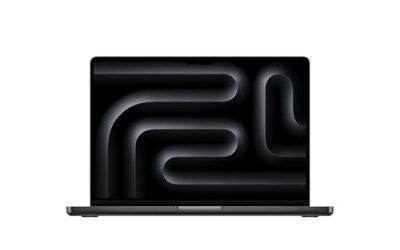
Not every buyer under this ceiling needs a gaming GPU. The Amazon listing for this MacBook Air describes a 13.6-inch Liquid Retina display, the Apple M3 chip, 8GB of unified memory, a 256GB SSD, a backlit keyboard, and Touch ID, in Space Gray. There is no dedicated graphics card and no GPU power limit to compare, because the graphics are integrated into the M3 chip. That design suits writing, study, browsing, and light creative work, and it is the portable option in this group.
The compromise is fixed hardware. Unified memory is part of the M3 package rather than a removable module, and this class of MacBook Air is bought in the configuration you intend to keep, so the 8GB memory and 256GB storage in this listing need to be enough for your whole period of ownership. If your work involves large local file libraries or many virtual machines, choose a higher factory configuration or one of the upgradeable Windows models above instead.
Who Each Laptop Is For
- ASUS TUF Gaming A15 FA507NV-EH74: For gamers who want an RTX 4060, a 144Hz display with full sRGB coverage as listed, and 1TB of storage from the start, with a documented path to more memory and storage in the TUF A15 line.
- Acer Nitro V 15 ANV15-52-73D8: For gamers who prefer the newer RTX 5060 generation and a 165Hz panel, and who are willing to confirm the GPU power limit and SSD slot count for this exact model code on Acer’s pages.
- Dell G15 5530: For buyers who value the HX-series Intel processor and a high stated power ceiling for its RTX 4050, and who accept a smaller 512GB starting SSD.
- Apple MacBook Air 13-inch (M3): For students, writers, and travellers who prioritise a thin, quiet everyday laptop with Touch ID over gaming hardware, and who are comfortable buying a fixed configuration.
Final Checklist Before You Order
Confirm the full model code on the listing matches the one named here, because every brand here reuses a family name across weaker and stronger configurations. Check the GPU power limit, read the warranty provider and term on the listing itself, and decide whether you need upgrade slots or a fixed configuration. Those checks separate a laptop that fits your work for years from one that only looked similar in search results.