After Effects rewards balance. Playback depends on the CPU and on enough RAM to hold frames in memory. GPU-accelerated effects and 3D layers lean on the graphics processor. Loading, caching, and exporting depend on fast SSD storage. A colour-aware display, useful ports, and sustained cooling matter as much as the badge on the lid.
This guide compares four laptops currently listed on Amazon US, from a portable Mac to Windows machines with dedicated NVIDIA graphics. If comparing broader categories first, see our overview of best laptop options, then return to the criteria below.
As an Amazon Associate we earn from qualifying purchases.
How After Effects Uses Hardware
CPU and RAM come first
After Effects is strongly CPU-driven. More high-performance cores help with rendering, effects across layers, and multi-frame rendering, which is why HX-series Intel processors and Apple’s Pro chips suit a primary workstation.
RAM sets how much of a composition can be held for smooth playback. A 16GB machine handles lighter 1080p work, but clears its cache sooner on layered timelines. A 24GB or 32GB configuration gives complex compositions and multitasking with Photoshop, Illustrator, or Premiere Pro more breathing room. For regular 4K work, 32GB or more is more comfortable.
GPU, display, and storage
A dedicated GPU helps with GPU-accelerated effects, some 3D workflows, and moving between Creative Cloud applications. Apple’s integrated graphics on a Pro chip use a different architecture from a typical Windows integrated GPU, so judge the whole platform, not the label alone.
An SSD is essential, and 1TB is easier to live with than 512GB once applications, cache, footage, and assets accumulate. For the display, check the exact resolution, colour coverage, and brightness each listing states, rather than assuming every variant shares the same panel.
Quick Comparison
| Model | CPU | GPU | RAM | SSD | Display |
|---|---|---|---|---|---|
| Lenovo Legion Pro 5i Gen 8 | Intel Core i7-13700HX | NVIDIA GeForce RTX 4070 8GB | 32GB DDR5 | 1TB | 16-inch WQXGA 2560 x 1600, 165Hz, 100% sRGB |
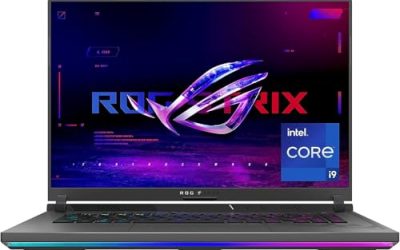
| ASUS ROG Strix G16 G614JV-AS74 | Intel Core i7-13650HX | NVIDIA GeForce RTX 4060, 140W Max TGP | 16GB DDR5-4800 | 1TB PCIe Gen4 | 16-inch FHD, 165Hz, 100% sRGB |
| Apple MacBook Pro 16-inch M4 Pro | Apple M4 Pro, 14-core CPU | 20-core GPU, integrated | 24GB unified memory | 512GB | 16.2-inch Liquid Retina XDR |
| MSI Katana 15 B13VEK-277US | Intel Core i7-13620H | NVIDIA GeForce RTX 4050 6GB GDDR6 | 16GB DDR5-4800 | 1TB NVMe SSD | 15.6-inch Full HD IPS, 144Hz |
The Picks in Detail
1. Lenovo Legion Pro 5i Gen 8 — strongest RAM and display balance here

The Lenovo listing describes a 16-inch WQXGA display at 2560 x 1600, IPS, anti-glare, 100% sRGB, 300 nits, and 165Hz. The extra resolution shows more timeline space than Full HD, and the stated sRGB coverage matters for screen work.
Inside are an Intel Core i7-13700HX, described as 16 cores and 24 threads with up to 5.0 GHz max boost, an NVIDIA GeForce RTX 4070 with 8GB GDDR6, 32GB DDR5 RAM, and a 1TB PCIe NVMe M.2 SSD. This is the most complete Windows configuration here: RAM headroom helps long timelines, and 1TB leaves room for cache and assets. Ports listed are four USB-A 3.2 Gen 1, two USB-C 3.2 Gen 2, RJ-45 Ethernet, HDMI, and a combo audio jack, plus Wi-Fi 6.
The listing consulted does not document user upgradeability or a specific warranty term for this exact configuration. Confirm both on the product page before buying.
Choose it for 32GB of RAM out of the box, a higher-resolution panel, and an RTX 4070.
2. ASUS ROG Strix G16 G614JV-AS74 — high GPU power limit

The ASUS listing for G614JV-AS74 specifies an Intel Core i7-13650HX and an NVIDIA GeForce RTX 4060 Laptop GPU at 140W Max TGP. That figure matters because the same GPU name can run at different limits in different chassis, and here it comes from the listing for this exact model.
Memory and storage are 16GB of DDR5-4800 and a 1TB PCIe Gen4 SSD. The drive is practical, but 16GB of RAM is the main constraint for heavier work. It fits 1080p motion graphics, templates, and moderate layer counts. The listing does not document a RAM upgrade path for this exact configuration.
The display is a 16-inch FHD 165Hz panel with 100% sRGB and Pantone Validation stated, plus Wi-Fi 6E and Windows 11. The listing highlights ROG Intelligent Cooling with liquid metal on the CPU and a third intake fan — manufacturer descriptions, not a guarantee of render times, but cooling matters for long exports. It does not state a specific warranty term in the details shown, so check the product page.
Choose it if GPU power limit and cooling are priorities and 16GB of RAM matches your workload.
3. Apple MacBook Pro 16-inch with M4 Pro — portable, display-led option

This configuration lists the M4 Pro chip with a 14-core CPU and 20-core GPU, 24GB of unified memory, and 512GB SSD in Space Black. The listing notes Adobe Creative Cloud applications run on Apple silicon.
Its 16.2-inch Liquid Retina XDR display states up to 1600 nits peak brightness, up to 1000 nits sustained brightness, and a 1,000,000:1 contrast ratio — valuable for HDR content or working away from a desk monitor.
Connectivity includes three Thunderbolt 5 ports, MagSafe 3, an SDXC card slot, HDMI, and a headphone jack, with support for up to two external displays with M4 Pro. Thunderbolt supports fast external SSDs, which matters with a 512GB internal drive.
The page does not document user upgradeability for RAM or storage, or a specific warranty term, for this exact model. Treat 24GB and 512GB as buy-as-configured, and verify coverage on the product page. The listing states the same performance on battery or plugged in and describes all-day battery life, making it the most travel-friendly option here.
Choose it if you prefer macOS and value the XDR display and portability.
4. MSI Katana 15 B13VEK-277US — entry point for lighter projects

The MSI listing specifies model B13VEK-277US with an Intel Core i7-13620H, an NVIDIA GeForce RTX 4050 with 6GB GDDR6, 16GB of DDR5-4800 RAM, and a 1TB SSD. Its 15.6-inch display is Full HD IPS at 144Hz and 1920 x 1080 resolution.
This suits learning the application, 1080p social content, title work, and template projects. The RTX 4050 is a dedicated NVIDIA GPU, but with less graphics memory than the models above, and 16GB of RAM will be reached sooner on complex compositions. It is the capability floor here, not a substitute for higher-RAM picks for 4K timelines.
The description lists Intel Wi-Fi 6 AX201, Bluetooth 5.2, and gigabit networking. Size is 14.13 by 10.20 by 0.98 inches, with weight shown around 4.85 to 4.96 pounds depending on the listing section. The listing does not document user upgradeability or a specific warranty term for this exact configuration — confirm on the product page for B13VEK-277US itself.
Choose it if your work is lighter and you want a dedicated GPU and 1TB of storage.
Selection Criteria: How to Choose
Match RAM to composition size
Begin with RAM and CPU, not the GPU badge. For text, shapes, and short Full HD clips, 16GB can work. For stacked footage, effects, and precompositions, or 4K work, prioritise 32GB, with 24GB on the Mac as a middle step.
Check the GPU as listed, including power
Note the exact GPU, its video memory where stated, and any documented power limit, such as the ASUS 140W Max TGP above. If a listing states no limit, do not fill the gap from another model.
Judge the display by stated figures
Resolution affects workspace, colour coverage affects delivery confidence, and brightness affects bright rooms. Compare only figures each listing provides.
Plan storage, ports, upgradeability, and warranty
Cache grows quickly. A 1TB SSD is more forgiving; a 512GB model needs a disciplined external SSD routine. Count ports you will use: USB-C or Thunderbolt for drives, HDMI for a monitor, Ethernet for network storage, SD for camera cards.
Upgradeability and warranty are model-specific. None of the four listings consulted documented a user upgrade path or a specific warranty term, so verify both for the exact ASIN before you pay.
FAQ
How much RAM do I need for After Effects?
For light Full HD work, 16GB is a workable minimum. For layered or 4K compositions, 32GB is more comfortable, because RAM holds frames for playback. The 24GB Mac sits between those points.
Is a gaming laptop suitable for After Effects?
Yes, when CPU, RAM, GPU, cooling, and display fit the workload. The Windows models above have listed processors, dedicated graphics, and SSD storage that also suit motion graphics — check RAM and panel figures rather than graphics branding alone.
Does After Effects need a dedicated GPU?
Not for every task, because many operations are CPU- and RAM-driven. A dedicated GPU helps with GPU-accelerated effects and some 3D work. The Apple option uses an integrated 20-core GPU on M4 Pro, judged as part of that platform.
Should I choose 512GB or 1TB of storage?
Choose 1TB if you keep footage, cache, and active projects internally. Choose 512GB only with fast external storage and regular cache management, as on the Mac here.
Can I upgrade the RAM or SSD later?
Do not assume so. None of the four listings consulted documented a user upgrade path for the exact configurations shown. If none is documented for that ASIN, buy the capacity you need at purchase time.
Conclusion
For most Windows users, the Lenovo Legion Pro 5i Gen 8 is the most balanced pick here: listed 32GB RAM, RTX 4070, 1TB SSD, and a WQXGA display with stated 100% sRGB. The ASUS ROG Strix G16 stands out for its stated 140W Max TGP RTX 4060 and cooling, within a 16GB ceiling. The MacBook Pro with M4 Pro suits macOS users who value its XDR display, Thunderbolt 5, and portability, accepting 512GB in this configuration. The MSI Katana 15 is the entry point for lighter Full HD projects.
Verify configuration, warranty, and availability on the Amazon page for its ASIN before ordering, because variants can differ.