ARK rewards patience in the game, and careful shopping outside it. A laptop that handles a shooter comfortably can still feel strained in ARK, loading a large open world, dense foliage, player-built bases, and dozens of creatures at once. That strain grows sharply in ARK: Survival Ascended, the Unreal Engine 5 remake with far heavier published requirements than ARK: Survival Evolved.
As an Amazon Associate we earn from qualifying purchases.
This guide focuses on laptops currently listed on Amazon US that line up with what ARK asks for: a modern discrete GPU, a strong CPU, at least 16 GB of RAM with a path to 32 GB, and fast SSD storage. It does not invent frame-rate figures. It compares each model against the published requirements, uses only specifications stated in each Amazon listing, and flags what to confirm before ordering, including GPU power limits, ports, warranty, and documented upgradeability.
What ARK Demands From a Laptop
Evolved versus Ascended
Survival Evolved is the older, lighter game. Survival Ascended should drive your decision if you play both, because a laptop chosen for Ascended has clear headroom for Evolved. The reverse is not true.
The published requirements for Survival Ascended list, at minimum, an AMD Ryzen 5 2600X or Intel Core i7-6800K, 16 GB of RAM, an AMD Radeon RX 5600 XT or NVIDIA GeForce GTX 1080, DirectX 12, and SSD storage, with 70 GB of available space in the original listing. The recommended tier raises that to an AMD Ryzen 5 3600X or Intel Core i5-10600K, 32 GB of RAM, and an AMD Radeon RX 6800 or NVIDIA GeForce RTX 3080.
Three lessons follow: 16 GB of RAM is a floor, not a target; an SSD is required, and downloadable content and mods mean 512 GB fills quickly while 1 TB gives more room; and the recommended graphics tier sits well above entry-level laptop GPUs, so GPU class and power limit matter more than refresh rate.
Reading laptop specifications closely
Two laptops can share the same GPU name and behave differently, because laptop GPUs are configured within a power range set by the manufacturer. Look for a stated maximum graphics power, often called Max TGP, for that exact model number. Also check whether RAM is one stick or two, and display resolution: 1080p or 1200p places less load on the GPU than 1600p. If you prefer an AMD processor, our guide to the best gaming laptop AMD Ryzen options explains how those models compare.
Quick Comparison
| Model | CPU | GPU | RAM | Storage | Display |
|---|---|---|---|---|---|
| ASUS ROG Strix G16 (G614JI-AS94) | Intel Core i9-13980HX | RTX 4070 Laptop, 140W Max TGP stated in listing | 16 GB DDR5 | 1 TB PCIe SSD | 16-inch FHD, 165Hz in listing title |
| Lenovo Legion 5i | Intel Core i7-13650HX | RTX 4060, 8 GB, 140W TGP stated in listing | 32 GB DDR5 | 1 TB PCIe NVMe SSD | 16-inch QHD, 165Hz, G-SYNC |
| Acer Predator Helios Neo 16 (PHN16-71-76H5) | Intel Core i7-13650HX | RTX 4060 | 16 GB DDR5 | 512 GB Gen 4 SSD | 16-inch WUXGA 1920 x 1200, 165Hz, G-SYNC |
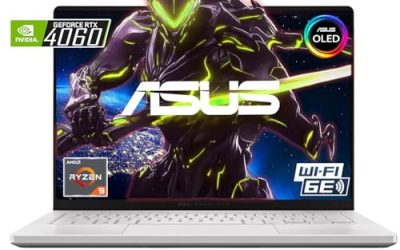
| ASUS TUF Gaming A15 (FA507NV-EH74) | AMD Ryzen 7 7735HS | RTX 4060 | 16 GB DDR5 | 1 TB PCIe SSD | 15.6-inch FHD, 144Hz, 100% sRGB stated in listing |
The Best Gaming Laptops for Ark
1. ASUS ROG Strix G16 — strongest GPU in this group

View the ASUS ROG Strix G16 on Amazon
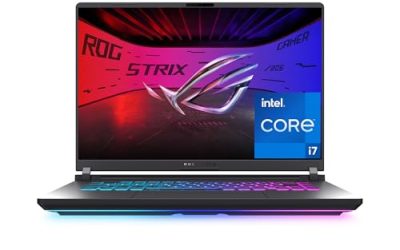
This configuration pairs an Intel Core i9-13980HX with an NVIDIA GeForce RTX 4070 Laptop GPU, with 140W Max TGP stated in the Amazon listing. It also lists 16 GB of DDR5 memory, a 1 TB PCIe SSD, Wi-Fi 6E, and Windows 11, in the G614JI-AS94 configuration.
For ARK, the CPU sits far above the processors named in the Ascended requirements, and the RTX 4070 is the strongest GPU here, making this the most suitable pick for higher settings and busier servers, although tuning is still needed. The FHD panel also keeps native resolution easier for the GPU to drive.
The planning point is memory: 16 GB meets the Ascended minimum but not its 32 GB recommended figure. Check ASUS documentation for G614JI-AS94 to confirm the documented memory and storage upgrade procedure; do not assume another Strix variant has identical slots. Also confirm ports and warranty terms on the listing when you order.
2. Lenovo Legion 5i — 32 GB of RAM from the start

View the Lenovo Legion 5i on Amazon
This Legion 5i listing starts where the Ascended recommended specification points: 32 GB of RAM, described as two 16 GB DDR5 sticks, alongside a 1 TB PCIe NVMe SSD. It lists an Intel Core i7-13650HX and an NVIDIA GeForce RTX 4060 with 8 GB of graphics memory, with 140W TGP stated in the listing. The display is a 16-inch QHD panel at 165Hz with G-SYNC.
You therefore avoid an immediate upgrade to reach the recommended RAM figure. The trade-off is the display: QHD looks sharp, but asks more of an RTX 4060 than a 1200p panel, so expect to use upscaling in Ascended rather than the highest preset.
For upgradeability, because the stated 32 GB already uses two sticks, a later increase would mean replacing modules rather than filling an empty slot. Check Lenovo documentation for the exact machine type to confirm documented maximum memory and storage, and confirm ports and warranty for this listing, since Legion 5i models are sold in many configurations.
3. Acer Predator Helios Neo 16 — a balanced 1200p option

View the Acer Predator Helios Neo 16 on Amazon
The Predator Helios Neo 16, model PHN16-71-76H5, lists an Intel Core i7-13650HX, an NVIDIA GeForce RTX 4060, 16 GB of DDR5, a 512 GB Gen 4 SSD, and Killer Wi-Fi 6E. Its 16-inch display is 1920 x 1200 WUXGA at 165Hz with G-SYNC, according to the listing.
That 1200p resolution is a sensible match for ARK: more vertical space than 1080p for menus, without pushing the GPU as hard as a 1600p panel. For Evolved, this specification is comfortably above the older game’s demands, while still requiring sensible settings in Ascended.
Two checks matter. First, the listing material does not state a GPU power figure, so look for Max TGP in Acer documentation for PHN16-71-76H5 before comparing it with a model that states 140W. Second, 512 GB is the smallest storage here, so check Acer documentation to confirm documented upgrade options. Confirm ports and warranty as well.
4. ASUS TUF Gaming A15 — the Ryzen choice with 1 TB storage

View the ASUS TUF Gaming A15 on Amazon
The TUF Gaming A15, model FA507NV-EH74, is the AMD-based option here. Its listing names an AMD Ryzen 7 7735HS, an NVIDIA GeForce RTX 4060, 16 GB of DDR5, a 1 TB PCIe SSD, Wi-Fi 6, and Windows 11. The 15.6-inch FHD display runs at 144Hz, with 100% sRGB coverage stated in the listing.
The 1 TB SSD is a practical strength, giving more room for both games and mods than a 512 GB drive. The 1080p display is also a realistic partner for an RTX 4060 in Ascended, with fewer pixels than the QHD Legion.
As with the Acer, confirm the GPU power limit for FA507NV-EH74 from the full listing or ASUS documentation rather than borrowing a figure from a different TUF configuration. Apply the same caution to upgradeability: check ASUS material for this exact model number to confirm documented memory and storage arrangements before planning a move to 32 GB. Verify ports and warranty on the specific Amazon offer.
How to Choose
CPU, GPU, and power limits
Prioritise the GPU first, then check that the CPU is a modern high-performance laptop processor rather than a low-power part. Compare stated Max TGP wherever provided, and treat a missing figure as a question to answer, not permission to assume the highest value.
Display, RAM, and SSD
Choose resolution before refresh rate. For an RTX 4060 laptop playing Ascended, 1080p or 1200p is the easier native target; a QHD panel can still be right if you are willing to use upscaling. Treat 16 GB of RAM as the entry point and 32 GB as the preferred target, and choose 1 TB if you keep both titles, expansions, and mods installed.
Ports, warranty, and upgradeability
Check the exact listing for ports you will use: wired networking, a display output, and enough USB ports for headset, mouse, and drive. Read the warranty description and note who provides it. For upgradeability, rely only on documentation for the full model number: similar names do not guarantee the same slots or capacities.
FAQ
Is 16 GB of RAM enough for ARK?
For Survival Ascended, 16 GB is the published minimum and 32 GB the recommended amount. A 16 GB laptop is a valid starting point, especially for Evolved, but 32 GB or a documented upgrade path is the better long-term plan for Ascended.
Is an RTX 4060 laptop enough for Survival Ascended?
An RTX 4060 laptop sits between the minimum and recommended graphics tiers in the published requirements, so settings, resolution, and GPU power limit will shape the experience. No frame-rate promise is made here, because that depends on configuration, game version, map, and settings.
Can I upgrade the RAM and SSD later?
It depends on the exact model, not just the family. Check manufacturer documentation for the full model number, confirm documented slot and capacity information, and check how an upgrade interacts with the warranty before buying on that assumption.
Conclusion
The best gaming laptop for Ark depends on which ARK you play most. The ROG Strix G16 offers the strongest GPU here, with 140W Max TGP stated for its RTX 4070, but starts with 16 GB of RAM. The Legion 5i solves memory immediately with 32 GB, paired with a sharper, more demanding QHD display. The Predator Helios Neo 16 keeps resolution at a GPU-friendly 1200p, and the TUF Gaming A15 combines a Ryzen processor, 1080p display, and 1 TB of storage.
Whichever model you choose, verify four things on the exact listing before ordering: GPU power, RAM and SSD configuration, ports, and warranty and documented upgrade information for that model number.