Battlefield puts unusual pressure on a laptop. Large maps, many players, vehicles, and destruction load the processor, graphics card, memory, and storage at once. A machine for a small arena shooter can feel stretched here, especially at higher settings.
Check the graphics power limit, because the same laptop GPU can be configured differently between models. Look for a capable multi-core processor, at least 16GB of memory, fast SSD storage, and a high-refresh display. Ports, cooling, warranty cover, and documented upgradeability matter too.
This guide compares four laptops currently sold on Amazon US, framed around published Battlefield requirements without inventing frame-rate claims for any specific machine.
As an Amazon Associate we earn from qualifying purchases.
Quick Comparison
| Model | CPU | GPU | Display | RAM / SSD | Best for |
|---|---|---|---|---|---|
| ASUS ROG Strix G16 (G614JI-AS94) | Core i9-13980HX | RTX 4070 Laptop, 140W Max TGP listed | 16-inch, 1920 x 1200, 165Hz | 16GB DDR5 / 1TB PCIe SSD | High-refresh 1200p play |
| Lenovo Legion Pro 5i Gen 8 | Core i7-13700HX | RTX 4070, 8GB GDDR6 | 16-inch WQXGA, 165Hz | 32GB DDR5 / 1TB SSD | More memory out of the box |
| Acer Predator Helios Neo 16 (PHN16-71-76H5) | Core i7-13650HX | RTX 4060 Laptop, 140W MGP listed | 16-inch, 1920 x 1200, 165Hz, G-SYNC | 16GB DDR5 / 512GB Gen 4 SSD | Documented storage expansion |
| MSI Katana A15 AI (B8VG-450US) | Ryzen 9 8945HS | RTX 4070 Laptop | 15.6-inch QHD, 165Hz | 32GB DDR5 / 1TB SSD | Compact QHD configuration |
How Battlefield Shapes the Hardware Choice
Start with published requirements
Recent Battlefield titles point players toward a modern multi-core processor, 16GB of memory, and a discrete graphics card at the recommended tier. That tier is a floor, not a guarantee: resolution, preset, ray tracing, and upscaling all change the load. Aim above it with an RTX 4060 or RTX 4070 laptop GPU, a strong HX or HS processor, and 16GB or more of memory. For 1440p or 1600p, the RTX 4070 tier matters more.
CPU and GPU power limits
Two laptops can share an RTX 4070 name and still differ because each manufacturer sets a different power limit and cooling design. Where a listing states a power figure, this guide reports it as listed and does not assume it for other models. Check it on the exact configuration you buy. Large player counts also increase processor work, so an HX-class Intel chip or Ryzen 9 HS chip is a safer match than a low-power office processor.
Display, memory, and storage
A 165Hz panel is a practical target: it can show more frames when settings allow, and G-SYNC or Adaptive-Sync helps smooth variation. For memory, 16GB is the starting point and 32GB suits heavy multitaskers. For storage, 1TB is more comfortable than 512GB for large shooters. If you choose 512GB, a documented second M.2 slot is valuable — check it before buying.
If you are also weighing AMD-based laptops more broadly, our guide to the best gaming laptop with AMD Ryzen covers that processor family in more depth.
The Picks in Detail
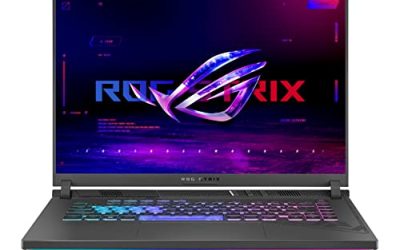
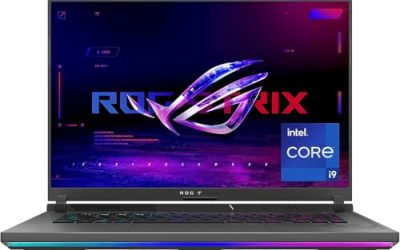
1. ASUS ROG Strix G16 (G614JI-AS94) — RTX 4070 at the listed power

View the ASUS ROG Strix G16 on Amazon
The Amazon listing names an Intel Core i9-13980HX and an NVIDIA GeForce RTX 4070 Laptop GPU at 140W Max TGP. That stated figure is the key detail: it shows this is not a low-power implementation hidden behind the same GPU name. The listing also names 16GB of DDR5-4800MHz memory and a 1TB PCIe SSD.
The display is 16 inches at 1920 x 1200, 165Hz, with 100% sRGB, Dolby Vision, and Adaptive-Sync in the listing — sharper than 1080p without pushing as many pixels as QHD. The listing also describes a MUX Switch with Advanced Optimus and liquid metal on the CPU. Do not assume the upgrade ceiling of another Strix variant; confirm model G614JI-AS94 with ASUS, and check warranty cover for the exact seller.
Choose this model if you want an RTX 4070 laptop where the listing explicitly states 140W Max TGP, paired with a fast HX processor and a 165Hz 1200p screen.
2. Lenovo Legion Pro 5i Gen 8 — 32GB of memory and RTX 4070 graphics

View the Lenovo Legion Pro 5i Gen 8 on Amazon
This listing names an Intel Core i7-13700HX, described as 16 cores and 24 threads with boost up to 5.0 GHz, alongside an NVIDIA GeForce RTX 4070 with 8GB of GDDR6. It ships with 32GB of DDR5 memory and a 1TB PCIe NVMe M.2 SSD, so it starts above the 16GB baseline without an immediate upgrade.
The screen is 16-inch WQXGA at 165Hz — a higher native resolution than the 1200p picks, suiting players who will adjust settings or use upscaling at 1600p. Ports listed: four USB-A 3.2 Gen 1, two USB-C 3.2 Gen 2, RJ-45 Ethernet, HDMI, and a combo jack, plus Wi-Fi 6. Ethernet is a plus for desk play. The listing refers to memory up to 64GB, but confirm slots with Lenovo and check the seller warranty line.
Choose this model if you want 32GB of memory from day one, an RTX 4070, and a well-documented port selection including Ethernet.
3. Acer Predator Helios Neo 16 (PHN16-71-76H5) — RTX 4060 with a spare M.2 slot documented

View the Acer Predator Helios Neo 16 on Amazon
The listing names an Intel Core i7-13650HX and an NVIDIA GeForce RTX 4060 Laptop GPU, and states the machine is optimized for maximum 140W MGP usage. That published figure lets you judge this RTX 4060 configuration on its own terms. This is the step-down GPU tier in the guide, aimed at 1080p and 1200p play rather than native high-resolution play at high settings.
Its display is 16 inches at 1920 x 1200, 165Hz, 3ms, with G-SYNC and Advanced Optimus. Internal specifications are explicit: 16GB DDR5 with a stated maximum of 32GB, and a 512GB PCIe Gen 4 SSD with two M.2 slots, one available. That second slot is the strongest upgradeability note here, making the smaller SSD less of a compromise if you follow Acer guidance on warranty. Ports include two USB-C with DisplayPort, Thunderbolt 4, USB 3.2 ports, HDMI 2.1, Ethernet, and a headphone jack, plus Killer Wi-Fi 6E.
Choose this model if you want a documented storage upgrade path, a stated full-power GPU figure, and a 165Hz G-SYNC panel at the RTX 4060 tier.
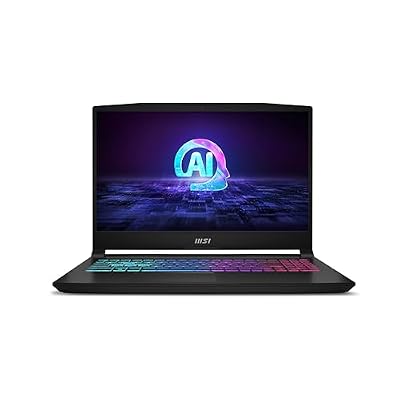
4. MSI Katana A15 AI (B8VG-450US) — Ryzen 9 and RTX 4070 in a 15.6-inch chassis
View the MSI Katana A15 AI on Amazon
This configuration lists an AMD Ryzen 9 8945HS, RTX 4070 Laptop GPU, 32GB DDR5, and 1TB SSD, with a 15.6-inch QHD 165Hz display in a smaller footprint than the 16-inch models. It targets players who want a sharper, more portable machine and will tune settings or use upscaling at native QHD. MSI sells several Katana variants, so match model code B8VG-450US and the ASIN to your cart, do not transfer specs from another variant, and check MSI documentation for slots and the listing for warranty.
Choose this model if you prefer a 15.6-inch form factor, a Ryzen 9 processor, and 32GB of memory with an RTX 4070 and a QHD 165Hz screen.
Selection Criteria
Match the GPU tier to your resolution
At 1080p or 1200p, an RTX 4060 with a high stated power limit or an RTX 4070 both fit, with settings deciding the experience. At QHD or WQXGA, RTX 4070 gives more headroom. Buy for the panel you will actually use.
Prioritise memory and storage you will not outgrow
All four meet the 16GB floor; Lenovo and MSI ship with 32GB. If you record or stream, prioritise 32GB. Choose the 512GB Acer only if its spare M.2 slot fits your plan.
Check ports, network, and warranty
Ethernet removes one variable for online play, and Lenovo and Acer explicitly include RJ-45. Read the warranty line for the exact seller — manufacturer and seller cover are not interchangeable — and save the listing configuration at purchase.
FAQ
How much RAM does a gaming laptop need for Battlefield?
Use 16GB as the minimum for a new purchase, in line with the recommended tier published for recent Battlefield titles. Choose 32GB if you multitask, record, or stream, or want to avoid an upgrade later.
Is an RTX 4060 laptop enough, or should you buy RTX 4070?
An RTX 4060 laptop is a reasonable fit for 1080p and 1200p play, especially when the listing states a high power limit, as the Acer does at 140W MGP. An RTX 4070 gives more headroom for higher settings, QHD or WQXGA, and longer ownership. Decide by panel resolution first.
Why does GPU wattage matter in laptops?
Laptop GPUs operate within power and cooling limits set by each manufacturer for each chassis. A higher stated TGP or MGP can indicate a less restricted implementation of the same GPU. Compare only the figure stated for the exact model, not a different variant.
Should you upgrade a gaming laptop after buying it?
Only plan an upgrade documented for that exact model. The Acer documents a memory maximum and a spare M.2 slot, which makes its path clear. For other models, confirm slots and capacities with the manufacturer first, and check whether opening the chassis affects warranty cover.
Does a 165Hz display help in Battlefield?
A 165Hz display can show more frames and feel clearer in motion than a 60Hz panel when the hardware delivers higher frame rates. It does not guarantee a particular frame rate. Pair it with sync support where available, sensible settings, and a wired connection where possible.
Conclusion
The ASUS ROG Strix G16 stands out for its stated 140W Max TGP RTX 4070. The Lenovo Legion Pro 5i Gen 8 suits buyers who want 32GB of memory, a WQXGA panel, and Ethernet from the start. The Acer Predator Helios Neo 16 offers the clearest documented upgrade story, with a stated memory maximum and a spare M.2 slot. The MSI Katana A15 AI packs Ryzen 9, RTX 4070, and a QHD 165Hz panel into a smaller chassis.
Whichever you choose, verify model code, ASIN, power figure, panel, and warranty at checkout. The details behind the GPU name decide suitability.