Honkai: Star Rail is one of the easiest games a modern gaming laptop will ever be asked to run. HoYoverse built it to work on phones, and the PC version’s published requirements sit far below the hardware in any current gaming laptop. That changes what “best” means here: raw GPU power is almost irrelevant, so this guide ranks five laptops by the things you will actually notice while playing — display quality, battery capacity, weight, fan behaviour under a light load, and storage headroom for a live-service game that keeps growing.
As an Amazon Associate we earn from qualifying purchases.
Honkai: Star Rail PC system requirements
HoYoverse’s long-published PC requirements, carried on the game’s store listings, are modest:
| Component | Minimum | Recommended |
|---|---|---|
| OS | Windows 7 SP1 64-bit | Windows 10 64-bit |
| CPU | Intel Core i3 | Intel Core i7 |
| RAM | 6 GB | 8 GB |
| GPU | GeForce GTX 650 (discrete) | GeForce GTX 1060 or better |
| Storage | 20 GB | 20 GB |
HoYoverse later announced raised specifications alongside the Version 4.0 update: a Core i5, 8 GB of RAM and a GTX 1050 as the new minimum, and a Core i7, 16 GB of RAM and a GTX 1060 6 GB as the recommended target, on Windows 10 64-bit with DirectX 11. Even that higher bar is low — every laptop below clears the recommended specification several times over. For the full version-by-version breakdown, see our guide to the Honkai Star Rail PC system requirements.
One storage caveat matters more than the table suggests: the official 20 GB figure dates from launch, and the live client with its accumulated updates and voice packs is now considerably larger, as PCGamesN notes in its requirements coverage. A 512 GB SSD is a sensible floor, and 1 TB is more comfortable if you keep several live-service games installed.
What actually matters for this game
Because the hardware bar is so low, the buying decision rests on other qualities:
- Display quality over refresh rate. The PC version’s frame rate settings top out at 60, so a 240 Hz panel cannot make Star Rail itself smoother. Panel type, resolution and colour coverage are what you see for hundreds of hours of story scenes — an OLED or a colour-accurate IPS is worth more here than extreme refresh rates, which only pay off in other games.
- Battery capacity. Turn-based play sips power compared with a shooter, and a larger battery (in watt-hours) means longer unplugged sessions in bed, on a train or between lectures.
- Weight and size. A 14-inch machine around 1.5 kg disappears into a bag; a 15.6-inch machine around 2.2–2.4 kg is a deliberate carry.
- Fan behaviour. Under this game’s light load, fans on any of these machines stay at low speeds. Larger dual-fan chassis generally have an easier time of it than thin ones, but none of these laptops needs to work hard here.
- Storage and upgradability. The client keeps growing, so an empty second M.2 slot or a replaceable SSD is genuinely useful, as are socketed RAM slots.
The picks
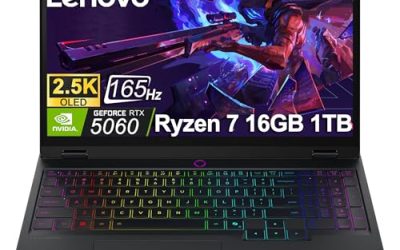
1. Lenovo Legion 5 (Gen 10) — best overall

The current Legion 5 pairs an RTX 5060 with a 15.1-inch 2560×1600 OLED display running at 165 Hz with G-SYNC and full DCI-P3 coverage — the sharpest, most colourful screen in this roundup, and the main reason it leads. The Ryzen 7 260 and RTX 5060 are far beyond anything Star Rail asks for, which also makes this the most future-proof pick for heavier games. Lenovo’s PSREF documentation lists two DDR5 SO-DIMM slots and two M.2 slots, so memory and storage can both grow with your library.
Specs (manufacturer-published):
- CPU: AMD Ryzen 7 260 (8 cores, up to 5.1 GHz)
- GPU: NVIDIA GeForce RTX 5060, 8 GB GDDR7, 115 W TGP
- RAM: 16 GB DDR5, two SO-DIMM slots
- Storage: 1 TB PCIe 4.0 NVMe SSD, two M.2 slots
- Display: 15.1-inch 2560×1600 OLED, 165 Hz, G-SYNC, 100% DCI-P3
- Battery: 60 Wh or 80 Wh depending on configuration — check the listing
- Weight: from 1.9 kg
- Wireless: Wi-Fi 7
View the Lenovo Legion 5 on Amazon
2. ASUS ROG Zephyrus G14 (2024) — best for portability

The G14 is the pick for anyone who carries their laptop daily. At 3.31 lb (about 1.5 kg) with a CNC aluminium chassis, it is closer to an ultrabook than a traditional gaming laptop, yet its 14-inch 2.8K OLED panel is superb for anime-style visuals, and the RTX 4060 is several times the GPU this game recommends. The trade-offs are fixed specifications: the LPDDR5X memory is soldered, so buy the memory capacity you need, and storage expansion means replacing the single M.2 SSD rather than adding a second one.
Specs (manufacturer-published):
- CPU: AMD Ryzen 9 8945HS (8 cores, up to 5.2 GHz)
- GPU: NVIDIA GeForce RTX 4060, 8 GB GDDR6, up to 90 W with Dynamic Boost
- RAM: 16 GB LPDDR5X, soldered (not upgradeable)
- Storage: 1 TB PCIe 4.0 NVMe SSD, one M.2 slot
- Display: 14-inch 2880×1800 OLED, 120 Hz, G-SYNC, 100% DCI-P3
- Battery: 73 Wh
- Weight: 3.31 lb (about 1.5 kg)
- Ports: USB4, USB-C, 2× USB-A, HDMI 2.1, microSD (UHS-II)
View the ASUS ROG Zephyrus G14 on Amazon
3. ASUS TUF Gaming A15 (2023) — best battery capacity

The TUF A15’s headline feature for Star Rail players is its 90 Wh battery, the largest in this roundup — paired with a game this light, it is the natural choice for long unplugged sessions. The 15.6-inch 144 Hz IPS panel covers 100% of sRGB, the RTX 4060 runs at up to 140 W for heavier titles, and the chassis is built to ASUS’s military-grade durability standard. Both RAM slots and both M.2 slots are user-accessible, making this the joint-best pick here for upgradability.
Specs (manufacturer-published):
- CPU: AMD Ryzen 7 7735HS (8 cores)
- GPU: NVIDIA GeForce RTX 4060, 8 GB GDDR6, up to 140 W TGP
- RAM: 16 GB DDR5, two SO-DIMM slots
- Storage: 1 TB PCIe SSD, two M.2 slots
- Display: 15.6-inch 1920×1080 IPS, 144 Hz, 100% sRGB
- Battery: 90 Wh
- Weight: 2.2 kg
- Wireless: Wi-Fi 6
View the ASUS TUF Gaming A15 on Amazon
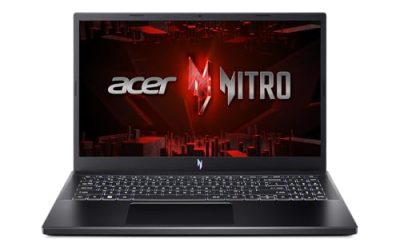
4. Acer Nitro V 15 (2025) — best value with a fast screen

The Nitro V 15 is the sensible spend-less option that still feels like a proper gaming laptop: a 165 Hz Full HD IPS display, a full 1 TB of storage as standard, and an RTX 4050 that remains a large step up from the GTX 1060 HoYoverse recommends. The Core i7-13620H gives it strong everyday performance for study or work alongside play. Memory can be expanded to 32 GB, and a second M.2 slot is available for another SSD, so it can grow with your game library.
Specs (manufacturer-published):
- CPU: Intel Core i7-13620H (10 cores)
- GPU: NVIDIA GeForce RTX 4050, 6 GB GDDR6
- RAM: 16 GB DDR5, expandable to 32 GB
- Storage: 1 TB PCIe Gen 4 SSD, second M.2 slot available
- Display: 15.6-inch 1920×1080 IPS, 165 Hz
- Wireless: Wi-Fi 6
- Model: ANV15-52-76NK
View the Acer Nitro V 15 on Amazon
5. Lenovo LOQ 15 (2024) — the budget pick

The LOQ 15 covers the essentials without waste: a 144 Hz Full HD IPS display with 100% sRGB coverage and G-SYNC, an efficient Ryzen 7 8845HS, and an RTX 4050 that still outclasses the recommended GTX 1060 comfortably. Its 60 Wh battery supports Rapid Charge, which Lenovo rates at a full charge in around an hour over USB-C. The 512 GB SSD is the tightest fit here given the game’s growing install size, but a second M.2 slot and two SO-DIMM slots (up to 32 GB) make expansion straightforward.
Specs (manufacturer-published):
- CPU: AMD Ryzen 7 8845HS (8 cores)
- GPU: NVIDIA GeForce RTX 4050, 6 GB GDDR6, up to 105 W TGP
- RAM: 16 GB DDR5, two SO-DIMM slots, up to 32 GB
- Storage: 512 GB PCIe SSD, two M.2 slots
- Display: 15.6-inch 1920×1080 IPS, 144 Hz, 100% sRGB, G-SYNC, 300 nits
- Battery: 60 Wh, Rapid Charge
- Weight: about 5 lb (2.3 kg)
- Model: 83DX00B2US
View the Lenovo LOQ 15 on Amazon
Verdict: which one should you buy?
Every laptop here runs Honkai: Star Rail at its maximum settings with performance to spare, so choose on lifestyle, not graphics cards. Pick the Lenovo Legion 5 for the best screen and the strongest all-round specification. Pick the Zephyrus G14 if the laptop travels with you every day and you value the OLED display and low weight. Pick the TUF Gaming A15 for the biggest battery and easy upgrades. Pick the Acer Nitro V 15 if you want a fast 165 Hz screen and 1 TB of storage for less, and the Lenovo LOQ 15 if the budget is the priority — it still clears the recommended specification by a wide margin.
Product and ASIN Reference
| Product | ASIN |
|---|---|
| Lenovo Legion 5 (Gen 10), Ryzen 7 260, RTX 5060 | B0FPFP4T1R |
| ASUS ROG Zephyrus G14 (2024) GA403UV, RTX 4060 | B0CWCZVWDK |
| ASUS TUF Gaming A15 (2023) FA507NV-EH74, RTX 4060 | B0CJSY4PLN |
| Acer Nitro V 15 ANV15-52-76NK, RTX 4050 | B0F6PLQ93N |
| Lenovo LOQ 15 83DX00B2US, RTX 4050 | B0CWB2LWRN |
FAQ
Can these laptops run Honkai: Star Rail at maximum settings?
Yes. HoYoverse’s recommended specification tops out at a GTX 1060-class GPU, 16 GB of RAM and a Core i7. The weakest graphics card in this roundup, the RTX 4050, is a much newer and faster design, so all five laptops run the game at its highest settings and its 60 fps cap.
Do I need a high-refresh-rate display for Honkai: Star Rail?
Not for this game. The PC version’s frame rate options top out at 60, so panels above 60 Hz do not make Star Rail itself smoother. A high-refresh screen still helps in other games, and panel quality — OLED contrast or full sRGB coverage — matters more for this title’s story scenes.
How much storage does Honkai: Star Rail need on PC?
HoYoverse’s published requirement still says 20 GB, but the current client, after years of updates and optional voice packs, occupies considerably more than that. Budget at least 512 GB of SSD space for the laptop overall, or choose a model with a second M.2 slot so you can add storage later.
Is 16 GB of RAM enough for Honkai: Star Rail?
Yes. It matches HoYoverse’s raised recommended specification for Version 4.0 and leaves headroom for a browser, chat apps and music alongside the game. If you plan to stream or edit video as well, the Legion 5, TUF A15, Nitro V 15 and LOQ 15 all accept memory upgrades through their SO-DIMM slots; the Zephyrus G14’s memory is soldered, so choose its capacity carefully at purchase.