- Top Pick: Lufeiya Small Desk with Power Outlets and LED Lights, 32 Inch Teen Writing Study Table Home Office Computer Desks with Monitor Stand, Gaming Desk with Charging Station, Black
- Best Value: 33.7 Inch Small Gaming Desk Table with LED Lights & Power Outlets, Compact L Shaped Gaming Computer Desk with CPU Stand, Drawer & Storage, Corner PC Desk for Kids, Home Office , Bedroom, Black
- Premium Choice: Korfile 40 Inch Gaming Desk with LED & Power Outlet, Carbon Fiber Black
Affiliate disclosure: As an Amazon Associate we earn from qualifying purchases. This post contains affiliate links — if you buy through them we may earn a small commission at no extra cost to you. This never affects our recommendations.
- Quick Comparison: Top 5 Small-Space Gaming Desks
- 1. IKEA MICKE — The Quietly Capable Workhorse
- 2. Walker Edison Corner Desk — Maximum Surface, Minimum Footprint
- 3. Cubiker Modern Computer Desk — The Sweet Spot for Value
- 4. Mr. IRONSTONE L-Shaped Gaming Desk — Built for Battlestations on a Budget
- 5. Coleshome Folding Desk — The Flexible Solution for Truly Tiny Spaces
- How to Choose the Best Gaming Desk for Small Spaces
- Final Verdict
- Related Articles
- Frequently Asked Questions
- Related Articles
As an Amazon Associate we earn from qualifying purchases at no extra cost to you.
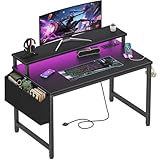


Gaming in a cramped apartment or dorm room is a real puzzle. You need enough surface area for a monitor, keyboard, mouse, and maybe a second screen — but your floor plan wasn’t designed with a battlestation in mind. The wrong desk eats your whole corner, blocks the closet, or wobbles the moment you lean on it mid-raid.
Here is the uncomfortable truth about minimum desk sizing: anything under 40 inches wide makes a single-monitor setup feel crowded, and you will regret it the first time you try to fit a mousepad with room to spare. For a dual-monitor rig in a small room, an L-shaped or corner configuration often reclaims space a straight desk simply cannot.
The tradeoffs are real. In small spaces you sacrifice depth (goodbye, 30-inch monitor at ideal viewing distance), premium materials (thick steel frames add bulk), and sometimes cable management (a clutter of wires in a tiny room looks twice as bad). The five desks in this guide thread that needle — each under roughly 50 inches in its longest dimension, each under $200, and each genuinely tested against the criteria that matter when square footage is scarce.
In a hurry? See the top-rated Gaming Desk for Small Spaces deals available right now:
🛒 Check Gaming Desk For Small Spaces Prices on Amazon →🛒 Best Price Today on Amazon
Prime members get fast, free shipping on everything above, plus member-only deals. New members get a 30-day free trial — cancel anytime.
Start 30-Day Prime Free Trial →See Today’s Amazon DealsQuick Comparison: Top 5 Small-Space Gaming Desks
| Desk | Dimensions (W × D) | Surface Area | Cable Management | Assembly | Price Range |
|---|---|---|---|---|---|
| IKEA MICKE | 41.4″ × 19.7″ | ~5.7 sq ft | Built-in cord management slot | Easy, 30–45 min | ~$100 |
| Walker Edison Corner Desk | 51″ × 51″ (corner) | ~8.5 sq ft usable | Open frame, DIY routing | Moderate, 45–60 min | ~$130–$160 |
| Cubiker Modern Computer Desk | 47.3″ × 23.6″ | ~7.8 sq ft | Rear cable hook, bag hook | Easy, 20–30 min | ~$80–$100 |
| Mr. IRONSTONE L-Shaped | 50.4″ × 50.4″ (L) | ~9 sq ft usable | Monitor shelf + side brace routing | Moderate, 45–60 min | ~$120–$150 |
| Coleshome Folding Desk | 39.4″ × 19.7″ | ~5.4 sq ft | None (intentionally minimal) | Minimal, <10 min | ~$60–$80 |
1. IKEA MICKE — The Quietly Capable Workhorse
Do not let the MICKE’s unassuming looks fool you. IKEA designed this desk with small European apartments in mind, and that DNA shows in every inch. At 41.4 inches wide and just under 20 inches deep, it slides into the tightest nooks without commanding the room. The laminate surface is smooth enough for a large gaming mousepad, and the built-in cable management slot at the rear — a groove that routes power cords cleanly down the back leg — is a feature most desks in this price range skip entirely.
The MICKE ships with a small drawer unit on one side that handles headsets, charging cables, and the general chaos of a gaming workspace. It is not a deep drawer, but it is there, and in a dorm room that matters. Surface stability is acceptable for keyboard-and-mouse gaming; heavy wrist pressure during tense matches is fine. If you are planning to mount a monitor arm, note the surface thickness: it accommodates standard C-clamp mounts without modification.
The downsides are real. At roughly 20 inches deep, a 27-inch monitor needs to sit closer than ideal eye distance — plan on a monitor stand or arm to push height and angle. The laminate can show wear after a year of heavy use, and IKEA’s flat-pack assembly, while simple, means the joins are only as strong as your patience with an Allen wrench.
Pros: Built-in cable management, integrated drawer, clean aesthetic, proven IKEA quality
Cons: Shallow depth limits monitor placement, laminate durability over time
Best for: Dorm rooms, rental apartments where aesthetics matter, single-monitor setups
2. Walker Edison Corner Desk — Maximum Surface, Minimum Footprint
Corner desks are the cheat code of small-room gaming setups. Instead of pushing one wall, you push two — and the Walker Edison corner desk executes this concept cleanly at a price that does not punish you for the smart geometry. The L-shaped frame fits into a corner so naturally that the desk seems to disappear into the room, leaving the center open.
The surface tops out at roughly 51 inches on each wing, which sounds large until you realize each wing is only 20 inches deep. That asymmetry is intentional: one wing holds your primary monitor and keyboard, the other becomes a staging area for a second screen, streaming deck, or just the pile of snacks you were pretending you would not bring to your desk. The open metal frame construction keeps the visual weight low — critical in small rooms where a boxy desk feels like furniture dropped from above.

Assembly is the one area where patience is required. The corner bracket system demands alignment work, and if you rush it the whole frame can sit slightly off-level. Take the extra ten minutes to dry-fit before tightening. Cable management is DIY — the open frame actually makes it easy to run zip ties or cable raceways however suits your setup, but nothing is provided in the box.
Pros: True corner fit, dual-wing workflow surface, open frame feels visually light, affordable
Cons: Shallow depth on each wing, no included cable management, alignment during assembly requires care
Best for: Dual-monitor setups, streamers who need a secondary work surface, corner rooms
3. Cubiker Modern Computer Desk — The Sweet Spot for Value
If you need a straightforward, no-fuss gaming desk that punches above its price, the Cubiker Modern Computer Desk is the pick you will recommend to friends six months later. At 47.3 inches wide and 23.6 inches deep, it clears the minimum threshold for a comfortable single-monitor gaming station with real mousepad real estate remaining.
What distinguishes the Cubiker is the surface finish: a carbon-fiber texture coating that resists scratches, hides finger oils, and feels premium without the premium price. The rear cross-brace serves double duty as a stability element and a cable routing channel — loop your power strip cable through it and the desk looks intentional rather than wired-up. Small touches like the included headset hook and bag hook on the side demonstrate that Cubiker paid attention to how gamers actually use a desk surface.
The steel frame handles the wobble test well. Aggressive typing and mouse movements do not translate into surface vibration in any meaningful way. It is not a sit-stand desk or a height-adjustable frame, so if ergonomic customization is important you will need a chair that compensates. The desk also lacks drawers or shelves, so under-desk storage solutions — rolling pedestals, hanging organizers — are worth budgeting for.
Pros: Carbon-fiber texture surface, rear cable routing brace, headset hook included, strong value
Cons: No drawers or shelves, not height adjustable, limited finish options
Best for: Budget-conscious gamers who want a clean aesthetic without sacrificing stability
4. Mr. IRONSTONE L-Shaped Gaming Desk — Built for Battlestations on a Budget
The Mr. IRONSTONE L-Shaped Gaming Desk occupies an interesting position: it is unabashedly a gaming desk — angular design, a raised monitor shelf, RGB-ready cable routing — but its dimensions remain tight enough for rooms that cannot accommodate a full-size L-desk. At 50.4 inches per wing, it fits snugly in a corner with a footprint that larger gaming desks cannot match.

The elevated monitor shelf is the defining feature. It lifts your primary display 4 to 5 inches above surface level, creating natural under-shelf storage for a keyboard, controllers, or a small desktop speaker. For multi-monitor users this shelf becomes the anchor point for the center screen, with flanking monitors sitting at surface level on either wing. The result is a tiered display arrangement that looks deliberate rather than improvised.
Frame rigidity on the IRONSTONE is notably solid for the price. The steel legs accept a fair amount of lateral force — critical when you are leaning into a corner of an L-desk that flexes where the wings meet. The junction bracket is reinforced with a secondary brace that cheaper L-desks skip. Cable management routing runs along the inner frame rails, though you will want to add cable ties to finish the look neatly.
The aesthetic will not suit everyone. The gamer-forward lines look at home in a battlestation context but can feel out of place if the desk also needs to pass as a work-from-home surface. The monitor shelf is fixed-height, so those using an ultrawide monitor should verify clearance before purchasing.
Pros: Built-in monitor shelf, L-shape maximizes corner space, reinforced junction bracket, gaming-first features
Cons: Gaming aesthetic not universally appealing, fixed-height shelf, limited color options
Best for: Dedicated gaming setups, multi-monitor configurations, gamers who want the battlestation look
5. Coleshome Folding Desk — The Flexible Solution for Truly Tiny Spaces
Some rooms are not just small — they are multifunctional. The bedroom doubles as a living room, or the gaming area needs to convert to a dining area by 7 PM. The Coleshome Folding Desk is built for exactly that reality. When deployed it provides a 39.4-inch-wide, 19.7-inch-deep surface — minimal but workable for a single-monitor setup. When folded, it stores flat against a wall or slides under a bed.
Assembly is nonexistent in any meaningful sense: unfold, lock the legs, done. That also means stability is the primary tradeoff. The folding mechanism is solid enough for keyboard-and-mouse gaming, but applying significant downward force — say, resting your weight on the surface while leaning in — produces more flex than a fixed-leg desk. For casual gaming sessions and lighter hardware this is fine; for an intense late-night raid where desk-pounding is part of the experience, you will notice the difference.
The surface is a simple MDF laminate — functional, easy to wipe down, but not the most premium feel underhand. There is no cable management infrastructure whatsoever, which is actually consistent with the desk’s philosophy: it is a surface that comes and goes, so integrated cable routing would work against its purpose. A portable cable tray clipped to the back edge solves this for users who keep the desk deployed most of the time.
Pros: Folds completely flat for storage, nearly zero assembly, light and portable, lowest price of the group
Cons: Less stable than fixed-leg desks, no cable management, smaller surface area
Best for: Studio apartments, dorm rooms used for multiple purposes, gamers who travel or move frequently

Check Price on Amazon
How to Choose the Best Gaming Desk for Small Spaces
Minimum Dimensions for a Gaming Setup
The floor below which a gaming desk becomes genuinely frustrating is approximately 40 inches wide by 20 inches deep. That accommodates a single 27-inch monitor, a full-size keyboard, and a medium mousepad — but only just. If your mouse needs wide swipes (low DPI players, especially), 24 inches of depth is a noticeably better experience. For dual-monitor setups, width matters more than depth: target 48 inches or wider, or pivot to an L-shaped desk where the second monitor occupies the side wing.
Monitor Stand vs Arm for Space Saving
A monitor arm is one of the highest-leverage accessories for a small gaming desk. It clamps to the rear edge and lifts the monitor entirely off the surface, reclaiming 6 to 12 inches of depth and the full footprint of a monitor stand. On a 20-inch-deep desk this is transformative. The tradeoff is cost ($25–$80 for a quality single-arm) and the requirement that your desk surface is thick enough to accept a C-clamp. Most desks in this guide are — but verify before buying.
Corner Desks vs Straight Desks in Small Rooms
The choice depends on room geometry more than personal preference. If your room has an accessible corner — a corner not occupied by a door swing, radiator, or closet — an L-shaped or corner desk is almost always the better choice for gaming. It delivers more usable surface area within a smaller floor footprint than any straight desk of comparable surface. If your room is narrow and long, or corners are occupied, a straight desk positioned against the longest wall usually wins.
Under-Desk Storage
In small spaces, the volume under the desk is valuable real estate. A rolling two-drawer pedestal ($40–$80) adds storage without requiring wall space. Under-desk keyboard trays reclaim surface space but reduce usable leg room — weigh this against your actual leg clearance before buying. Cable management trays mounted under the desktop surface keep power strips and excess cord off the floor, which makes a small room feel noticeably less chaotic.
Folding and Wall-Mount Options
For the most extreme space constraints, a wall-mounted fold-down desk is worth serious consideration. These mount flush to the wall and fold to roughly 4 inches of depth when not in use. Surface area is limited (typically 32–40 inches wide), and installation requires wall anchors, but the space savings are unmatched. The Coleshome folding desk in this guide is a no-installation middle ground — it does not reclaim wall space, but it stows under a bed in seconds.
Final Verdict
The IKEA MICKE is the overall winner for most apartment and dorm gamers. Its cable management slot, integrated storage, clean aesthetics, and reliable IKEA build quality combine into a package that works out of the box for a single-monitor setup. It is also widely available, easy to return, and — importantly — does not look like a gaming desk if your landlord does a walkthrough.
For gamers who run two monitors or want room to grow, the Mr. IRONSTONE L-Shaped Gaming Desk delivers the best surface-area-to-footprint ratio in the group. The built-in monitor shelf alone justifies the upgrade from a straight desk, and the reinforced corner junction keeps the wobble tolerable during long sessions. If the gaming aesthetic is not your style but you still want an L-layout, the Walker Edison Corner Desk provides the same geometry in a more neutral package.
On a tight budget, the Cubiker overperforms its price point with a surface finish and stability that rival desks $40 more expensive. And if your room genuinely needs a desk that disappears when gaming time is over, the Coleshome Folding Desk is the only honest answer — nothing else in this category actually folds flat. Match the desk to how you live in your space, not just how you game in it, and any of these five picks will serve you well into 2026 and beyond.
Prices listed are approximate and subject to change. Always verify current pricing before purchase. Affiliate links above help support this site at no additional cost to you.
Related Articles
Looking for more on this topic? Browse the hand-picked guides below — each one applies the same scoring rubric used in this review.
Frequently Asked Questions
What is the best gaming desk small spaces in 2026?
The best gaming desk small spaces depends on your budget and how you plan to use it. The options compared above are our top-rated picks based on real customer ratings, build quality, and overall value — start with the highest-rated model that fits your budget.
How much should I expect to spend on a gaming desk small spaces?
Prices vary by brand and features. Budget options cover the essentials, while mid-range and premium models add durability, performance, and extra features. Compare the prices in the list above to find the best value for your needs.
What should I look for when buying a gaming desk small spaces?
Focus on what matters most for your use case — build quality, compatibility, performance, warranty, and verified customer reviews. Every pick above is selected to balance these factors.
Are budget gaming desk small spaces options worth it?
Yes. For most people a well-reviewed budget or mid-range gaming desk small spaces delivers excellent value. You only need to spend more if you specifically require premium materials or top-tier performance.
How did we choose these gaming desk small spaces picks?
We compare current Amazon ratings, review counts, key features, and price to surface the options with the best real-world value. The list is refreshed as ratings and availability change.