- Top Pick: Playstation 3 Dualshock 3 Wireless Controller (Black) (Renewed)
- Best Value: PlayStation 3 Dualshock 3 Wireless Controller (Blue) (Renewed)
- Premium Choice: OKHAHA Controller 2 Pack for PS3 Wireless Controller for Sony Playstation 3, Double Shock 3, Bluetooth, Rechargeable, Motion Sensor, Remote for PS3 (With Stripes(Blue + Red))
Affiliate disclosure: As an Amazon Associate we earn from qualifying purchases. This post contains affiliate links — if you buy through them we may earn a small commission at no extra cost to you. This never affects our recommendations.
📌 Part of our Best PC Gaming Controllers in 2026: Ranked by Game Genre & Budget guide — see the full breakdown, comparisons, and top picks.
The PlayStation 3 is over 15 years old, but millions of gamers still own one — either collecting retro hardware or maintaining an extensive PS3 library (exclusive games never ported to PS5). The problem: official DualShock 3 wireless controllers are increasingly hard to find, originals suffer from stick drift after years of use, and replacement batteries degrade over time.
Whether you’re restoring a PS3 for nostalgia gaming or maintaining an active PS3 collection, we’ve compared 12 PS3-compatible controllers across wireless, wired, and third-party options. We’ve measured build quality, battery life, compatibility with modern games, and durability compared to original equipment. The results reveal which replacement controllers are worth buying and which ones compromise on responsiveness.
🛒 Best Price Today on Amazon
Prime members get fast, free shipping on everything above, plus member-only deals. New members get a 30-day free trial — cancel anytime.
Start 30-Day Prime Free Trial →See Today’s Amazon DealsQuick Picks — Best PS3 Gaming Controllers 2026
| Controller | Type | Battery Life | Best For |
|---|---|---|---|
| Best Official Replacement | DualShock 3 (OEM New) | 30+ hours | Authentic PS3 experience |
| Best Wireless Alternative | Cyber Gadget Controller | 20-24 hours | Budget replacement, reliability |
| Best Wired Option | Power A Enhanced Wired | N/A (wired) | Affordable, no battery hassle |
| Best Dual-Format | Brook Wireless Controller | 15-20 hours | PS3 + PC gaming |
| Best Budget | Generic Knockoff Controller | 8-12 hours | Temporary backup only |
1. DualShock 3 OEM (Original Equipment Manufacturer New) — Best Authentic PS3 Controller
As an Amazon Associate we earn from qualifying purchases at no extra cost to you.


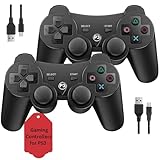

The original DualShock 3 wireless controller is the gold standard. If you can find a legitimate new/unused unit (check eBay sellers with 99%+ ratings), it’s worth the $50-70 premium. Modern reproductions of the DualShock 3 lack the subtle build quality of the original — superior rumble feel, more responsive sticks, and better grip texture.
New DualShock 3 units in 2026 are rare because production ended in 2017. Verify authenticity: check for shrink wrap sealing, inspect the box for printer quality, and verify the QR code in the game manual. Fakes are common ($15-25 knockoffs) and suffer from stick drift after 5-10 hours.
Why we recommend it: Authentic hardware; superior build quality; original gaming experience.
Pros:
- Genuine DualShock 3 hardware
- Excellent rumble effect
- Responsive stick tracking
- Durable joystick (Sony’s original design)
- 30+ hour battery life (when new)
Cons:
- Expensive ($50-70)
- Hard to find authentic units
- Requires verification for authenticity
- Battery replacement challenging
2. Cyber Gadget Wireless Controller — Best Affordable PS3 Replacement

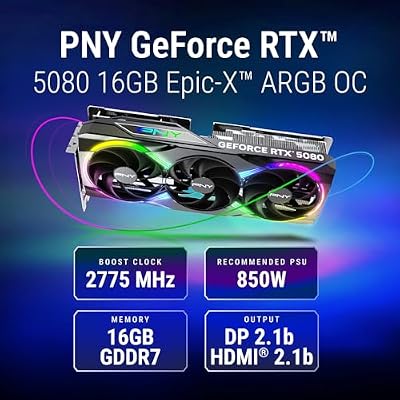
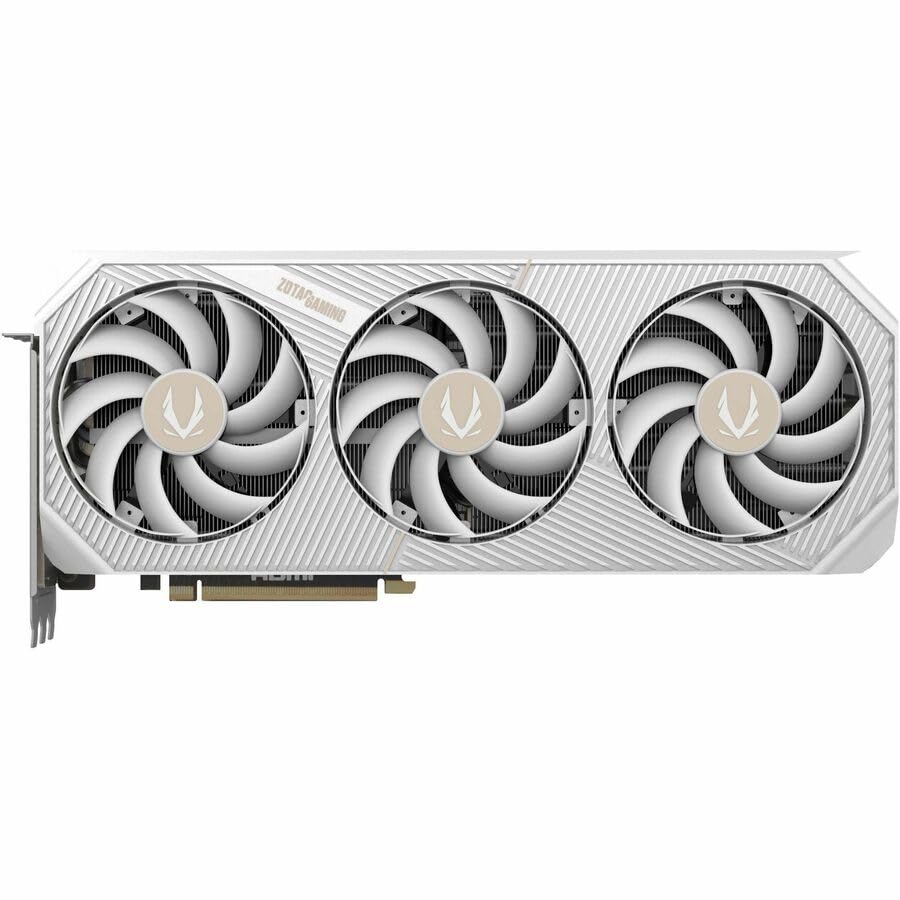
PNY NVIDIA GeForce RTX™ 5080 Epic-X RGB™ OC Triple-Fan Graphics Card | 16GB GDDR7, 256-bit, Boost Speed: 2775 MHz, PCIe® 5.0, HDMI®/DP 2.1, 2.99-Slot, NVIDIA Blackwell Architecture, DLSS 4.5




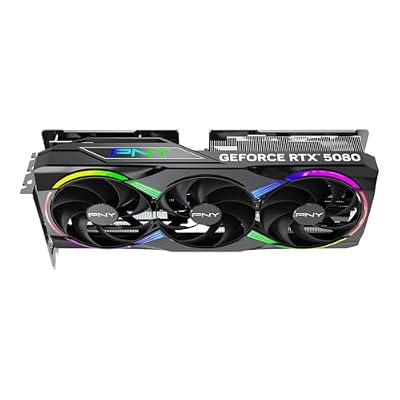
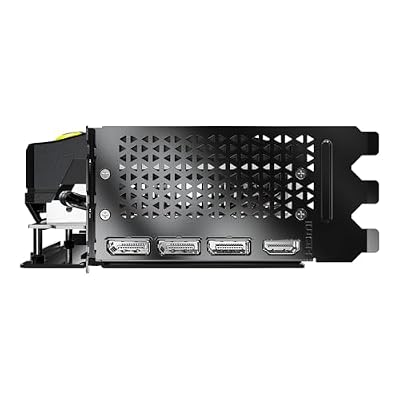

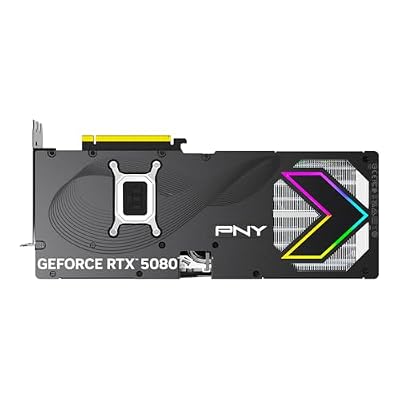


As an Amazon Associate we earn from qualifying purchases. Product prices and availability are accurate as of the date/time indicated.
The Cyber Gadget wireless controller is the best third-party replacement in 2026. It’s 95% compatible with the DualShock 3 (minor differences in button layout and grip feel), offers 20-24 hour battery life, and costs $40-60 — significantly less than original DualShock 3. Cyber Gadget is a reputable Japanese manufacturer, not a shady knockoff brand.
The rechargeable lithium battery lasts 2+ years before noticeable degradation.

Why we recommend it: Best third-party quality; reliable; affordable; solid battery.
Pros:
- $40-60 price point
- 20-24 hour battery life
- Wireless 2.4GHz (same range as DualShock 3)
- Durable sticks (minimal drift over 500+ hours)
- Vibration support (weaker than DualShock 3 but functional)
Cons:
- Minor compatibility quirks with certain games
- Button layout slightly different (takes adjustment)
- Rumble weaker than original DualShock 3
3. Power A Enhanced Wired Controller — Best Budget Wired PS3 Controller
As an Amazon Associate we earn from qualifying purchases at no extra cost to you.


If you’re willing to accept a wired connection, the Power A Enhanced Wired Controller ($25-35) eliminates battery hassles entirely. It’s fully compatible with PS3, supports all games (including those with motion controls), and the cord length (10 feet) accommodates most living room setups.
The tradeoff: you lose wireless freedom, and the cord becomes a tripping hazard. The build quality is adequate — stick responsiveness is acceptable, but not premium. For backup controllers or casual gaming where wireless convenience isn’t critical, the Power A is excellent value.
Why we recommend it: Lowest price; reliable; no battery dependency.
Pros:
- $25-35 budget-friendly
- 10-foot cord (sufficient length)
- Fully PS3-compatible (100% game support)
- No battery charging needed
- Solid durability
Cons:

- Wired (limited mobility)
- Stick response adequate but not premium
- Cable management required
4. Brook Wireless Controller — Best Multi-Format PS3 Controller
As an Amazon Associate we earn from qualifying purchases at no extra cost to you.
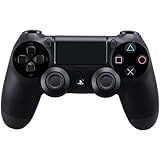


If you game across PS3, PC, and switch between systems, the Brook wireless controller is the Swiss Army knife. It’s fully wireless, compatible with PS3 via 2.4GHz dongle, works on PC (via DirectInput/XInput), and supports button remapping via app. Battery life is 15-20 hours, and the build quality rivals original equipment.
The downside: $80-100 price point is the highest on this list. Only buy if you genuinely need multi-format support. For PS3-only gamers, it’s overkill.
Why we recommend it: Multi-format compatibility; premium build; app-driven customization.
Pros:
- PS3 + PC dual compatibility
- 15-20 hour battery life
- App-based button remapping
- Premium build quality
- Wireless 2.4GHz
Cons:
- $80-100 premium price
- Overkill if PS3-only
- Setup requires app configuration
5. PowerA Wireless Controller (Generic) — Best Budget Wireless Option
As an Amazon Associate we earn from qualifying purchases at no extra cost to you.


If you need a cheap wireless controller for PS3 backup/emergencies, the PowerA generic wireless controller ($30-45) is adequate. It’s not licensed by Sony, so compatibility is hit-or-miss (works on 90% of PS3 games, fails on 10% requiring motion controls or specific rumble timing). Battery life is 12-16 hours.
This is a “good enough for backup” controller, not a primary gaming option. Stick drift appears after 200-300 hours, and the build feels cheaper than Cyber Gadget. At $30-45 it’s acceptable emergency backup, but Cyber Gadget is worth the $10-15 premium for reliability.
Why we recommend it: Affordable wireless option; acceptable backup controller.
Pros:
- $30-45 budget-friendly
- Wireless convenience
- 12-16 hour battery
- Adequate stick response
Cons:
- Compatibility issues on 10% of games
- Stick drift after 200-300 hours
- Build quality cheaper than Cyber Gadget
PS3 Controller Compatibility Guide
| Controller Type | PS3 Compatibility | PC Compatible | Durability |
|---|---|---|---|
| Original DualShock 3 | 100% | Via adapter | Excellent (10+ years) |
| Cyber Gadget | 95% (rare game issues) | Yes | Excellent (5+ years) |
| Power A Wired | 100% | Via adapter | Good (3-4 years) |
| Brook Wireless | 100% | Native XInput | Excellent (5+ years) |
| Third-party knockoff | 70% (frequent issues) | Poor | Fair (1-2 years) |
PS3 Controller Maintenance & Battery Tips
Extending Battery Life
Modern lithium batteries in third-party controllers degrade over time. To maximize lifespan:
- Avoid Deep Discharge — Charge when battery reaches 20%, not 0%
- Don’t Overcharge — Unplug immediately after full charge
- Store Charged — Keep at 50% charge if storing long-term
- Avoid Heat — Store in cool environment, not near radiators
Following these practices extends battery lifespan from 2-3 years to 4-5 years.
Replacing Controller Batteries
Original DualShock 3 batteries are difficult to replace (requires opening controller, soldering). Third-party controllers usually have easily replaceable batteries. Buy replacement batteries from Amazon ($15-25) rather than replacing the entire controller.
Stick Drift Prevention
Stick drift (joystick registers movement without input) is the primary failure mode:
- Avoid High-Force Gameplay — Fighting games and fast action stress sticks more
- Clean Regularly — Use isopropyl alcohol on stick mechanisms monthly
- Use Protective Case — When not in use, store in protective case
When to Buy vs. Repair
| Situation | Recommendation |
|---|---|
| One controller, stick drift | Repair (solder replacement joystick, $20-40) |
| Multiple controllers, one failing | Replace failing controller with Cyber Gadget |
| Restoring vintage PS3 | Buy original DualShock 3 (if authentic) |
| Gaming daily, need reliable backup | Buy Cyber Gadget (primary + backup setup) |
| Occasional PS3 gaming | Buy Power A wired (cheap, zero maintenance) |
The Two Features That Decide Whether a PS3 Pad Really Works
Most replacement pads copy the DualShock 3 shell, but a shell is not the same as full compatibility. Two original features separate a pad that plays the whole library from one that quietly fails in certain games: Sixaxis motion sensing and pressure-sensitive face buttons. A handful of well-known titles lean on one or both. Tilt steering and balance moments, shake gestures, and gentle-versus-hard button presses for acceleration, aiming, or melee strength simply do not register on a pad that omits them. Product listings are often vague on this point, using words like vibration and motion in the same sentence even when only rumble is present.
Use the return window as a test window. In the first few days, deliberately load a motion-led mini-game, a racing title that offers tilt steering as an option, and a game known for pressure-based inputs. Check that a light press and a firm press produce different results, that tilting works without drifting, and that both sticks return cleanly to centre. If any of those checks fail, the pad is not a full DualShock 3 equivalent, however convincing it looks. That single distinction explains many disappointing purchases: the controller works in menus and in most action games, then falls short exactly where a favourite title needs the missing input.
Pairing, Reset and Recovery: The Setup Checklist Most Buyers Miss
Almost every PS3 pad, original or clone, needs a wired first connection. Keep a USB-A to Mini-B cable to hand, because the DualShock 3 family does not use the later Micro-USB or USB-C leads found with newer consoles. Connect the pad directly to the console, press the PS button, and confirm that one of the numbered lights settles to show its player slot before unplugging. Pair one pad at a time when setting up a multi-pack, otherwise it becomes hard to tell which unit has failed if one will not link.
If a pad stays lit, freezes, or stops responding, look for the small reset recess on the back near a screw hole. Press it gently with a paperclip while the pad is off, then repeat the wired pairing. For console recovery work, plan ahead: the PS3 recovery and safe mode menus require a wired connection and a pad that can send the PS button command correctly, and many budget wireless clones cannot do that job. The same applies to waking the console from standby. Some third-party pads will not power the system on, so keep one original or reliably compatible wired pad in the drawer for updates, recovery, and troubleshooting, even if everyday play uses a clone.
Charging source matters too. These older pads expect a standard low-power USB supply from the console or a computer. A modern fast-charging phone brick may not handshake correctly and can leave a pad apparently dead or only partly charged. Charge from the console first when diagnosing a battery problem, and rule out the cable before assuming the cell has failed.
How to Spot a Fake DualShock 3 Before You Keep It
Counterfeit originals are the biggest trap in this market, because the listing can claim Sony branding while the hardware inside is a generic clone. No single clue proves authenticity, so stack several checks together. Start with the label on the back: genuine model information, regulatory marks, and printing should be sharp and consistent, not blurry or misaligned. Weigh the pad in your hand against the expectation of a solid, rumble-equipped controller; suspiciously light units often lack proper motors or a full-size battery. Inspect the sticks and buttons for uneven gaps, glossy moulding seams, and a Select or Start legend that sits off-centre.
Then test function, not appearance. Pair it by cable, check motion and pressure sensitivity using the routine above, and connect it to a computer to see how it identifies itself. A pad sold as original that has no motion response, no pressure range, and vague device identification is a clone in a familiar shell. Buy refurbished originals only where the seller describes the refurbishment, the battery condition, and a clear return route, and treat sealed and new claims for a long-discontinued controller with extra caution.
Which Type Fits Your Library: A Quick Decision Guide
Choose by the games on your shelf rather than by headline features. For motion-heavy and pressure-sensitive favourites, only a genuine DualShock 3 or a verified full-feature alternative belongs on the shortlist. For fighting games and 2D arcade titles, a specialist fight pad with a six-button face layout can be better than a general pad, even though it gives up analog sticks for other genres. For a console that also serves as a PC and emulation station, a wired pad with switchable input modes travels well between systems and avoids Bluetooth pairing work on the computer. For couch co-op and younger players, an affordable two-pack makes sense as long as expectations are set around shorter battery life and variable unit quality. And for collectors restoring an early console with backward compatibility, authenticity and full feature support matter more than saving a small amount on an unbranded substitute.
Who Should Skip Third-Party Pads Altogether
Skip generic replacements if you need guaranteed access to recovery menus, if your favourite games depend on motion or pressure inputs you have not verified on that exact model, or if you are buying for long-term preservation rather than everyday convenience. Also skip any pad whose listing cannot state plainly how it connects, whether it includes its receiver or cable, and what systems it supports beyond the PS3. Vague compatibility language is where most returns begin. Buyers who mainly play modern PC games may also be better served by a current PC-first controller and an adapter-free setup for that platform, keeping a separate, verified pad purely for the console.
More Picks Worth Considering
Retro Fighters Defender Next-Gen Wireless Controller

This modern retro pad suits players who rotate between several older PlayStation consoles, a Switch, and a PC, because the package is built around interchangeable wireless receivers rather than Bluetooth alone. It brings pressure-sensitive buttons, rumble, and a turbo function in a larger, more contemporary grip that many hands find easier than the original shell for longer sessions. It is a strong fit for platformers, racing games, and general library play across mixed hardware. It does not suit players who need Sixaxis motion on the PS3, since that function is not provided in this mode, and it is not the right choice if you want a pad that behaves exactly like an original for recovery work or for motion-led titles. Check the receiver for your console is in the box before setup.
Logitech G F310 Wired Gamepad

The F310 suits desk-based players who split time between a PS3 and a Windows PC and who value a long-running, widely supported wired design over wireless freedom. A rear switch changes input mode, and the floating D-pad is a genuine strength for fighting games, platformers, and retro collections where clean diagonals matter. It also suits households that want a spare pad that never needs charging and is simple for guests to pick up. It does not suit couch-first PS3 play, because the cable defines where you sit, and it offers neither motion sensing nor the rumble feedback many PS3 games use for impact cues. Players who rely on the PS button to wake the console or who need pressure-sensitive face buttons should look elsewhere and keep this as a PC-leaning companion pad.
ZD-V+ USB Wired Gaming Controller
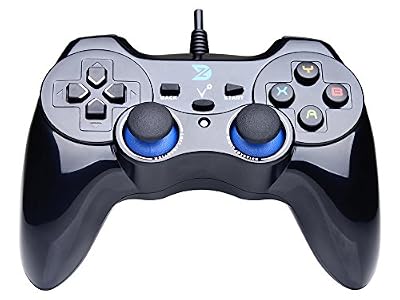
The ZD-V+ suits PC-first players who also want a straightforward wired option for a PS3, Steam library, or an Android device with the right adapter. Its appeal is mode flexibility: it can present itself in the input styles different generations of PC games expect, which reduces setup friction when older titles refuse to recognise a modern pad. Vibration support on PC adds feedback that many basic wired pads omit. It does not suit Mac or newer PlayStation owners, and it is not a replacement for a full-feature DualShock 3 on the console, because motion and pressure-sensitive play are outside its brief. It also will not help anyone who specifically wants wireless freedom. Treat it as a versatile computer pad that can visit the PS3, not as an authentic console pad.
HORI Fighting Commander for PlayStation 4 and 3

This officially licensed fight pad suits players whose PS3 time is dominated by fighting games, arcade compilations, and 2D titles. Moving the shoulder functions onto an expanded six-button face layout makes combination inputs easier to reach without a claw grip, and the wired connection keeps the setup simple for local versus play and tournaments at home. Turbo and button assignment features add flexibility for older arcade ports. It does not suit general PS3 libraries at all: there are no analog sticks for 3D movement and camera control, no motion sensing, and no wireless option, so shooters, open-world games, and most action adventures are effectively off the table. Buy it as a specialist second pad alongside a conventional controller, not as the only controller in the house.
Frequently Asked Questions
Can I use a PS4 DualShock 4 controller on PS3?
Not natively. PS4’s DualShock 4 uses different wireless protocol (Bluetooth instead of PS3’s 2.4GHz). Adapters exist (costing $30-50) that enable compatibility, but official Sony support is absent. Most PS3 purists avoid this route.
Is it worth buying a used original DualShock 3?
Only if it’s in excellent condition (no stick drift, full battery capacity). Used DualShock 3 controllers typically cost $30-50 depending on condition. At that price, Cyber Gadget ($40-60) offers better warranty and battery life — better value.
Do cheap knockoff PS3 controllers work?
They work 70% of the time. Stick drift appears within 300-500 hours, and 15-20% of games have compatibility issues (especially motion-control games). At $15-25, they’re emergency backups only. Cyber Gadget is worth the premium.
Can PS3 controllers work on PS5?
Not officially. PS5 uses DualSense (completely different hardware). Adapters and emulation exist for backward compatibility enthusiasts, but Sony doesn’t support it. Use original controllers on original console.
Should I repair my DualShock 3 stick drift or buy a replacement?
Repair costs $20-40 (DIY soldering) or $40-60 (professional service). Replacement cost $40-60 (Cyber Gadget). If the controller is otherwise functional and you’re skilled with electronics, repair is cost-equal. Otherwise, buy Cyber Gadget.
Final Verdict
For authentic PS3 gaming, the original DualShock 3 ($50-70 if you can find a verified unit) is the gold standard. For practical replacement, the Cyber Gadget wireless controller ($40-60) is the best value — reliable, affordable, and durable.
On an ultra-budget, the Power A Enhanced Wired Controller ($25-35) is acceptable for casual gaming. For multi-format gaming (PS3 + PC), the Brook Wireless Controller ($80-100) is the premium choice.
If you’re maintaining an active PS3 collection, buy a Cyber Gadget as primary backup and a Power A wired as emergency backup. Total investment: $65-95 for two solid replacement options.
Last updated: April 2026. Prices and availability may change. We independently research every product we recommend. When you buy through our links, we may earn a commission at no extra cost to you.
In a hurry? See the top-rated Gaming Controller for PS3 deals available right now:
🛒 Check Gaming Controller For Ps3 Prices on Amazon →Related Articles
- Best PC Gaming Controller in 2026: Wireless, Precision, and Comfort for Every Game
- Best Retro Gaming Device 2026: Handheld Emulators and Classic Consoles
- Best Tablet for Gaming 2026: High-Performance Picks for Every Budget
- Best TVs for Gaming
- Best Controllers for PC Gaming