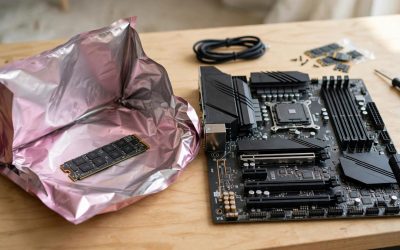
- Top Pick: Olialia Prebuilt Gaming PC, Ryzen 5 5600GT, 32GB RAM, 1TB PCIe SSD | Ideal for Gaming, Remote Work, Programming, 600W Power, Software-Controlled ARGB Lighting Fans, WiFi 6, Windows 11 Home
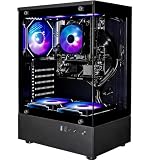
- Best Value: HP OMEN 45L Gaming PC, Intel i7, Liquid Cooled, 64GB RAM, 2TB PCIe SSD | GeForce GTX 1660 Super, 800W Gold PSU, RGB Tempered Glass, WiFi Adapter, Windows 11 Home
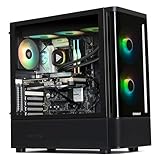
- Premium Choice: Skytech Gaming PC Desktop, Ryzen 7 9850X3D, RX 9070 XT, 32GB RAM, 2TB SSD | Windows 11, Gen4 NVMe SSD, DDR5 5600, 850W GOLD ATX 3 PSU, 360 ARGB AIO , Wi-Fi 5, Azure 3 Series
The best 2TB SSD for a gaming PC in 2026 is the WD_BLACK SN850X for most builders, the Samsung 990 Pro for the highest sustained PCIe 4.0 performance and a long track record, and the Crucial T500 when you want a DRAM-equipped Gen4 drive. If your motherboard has a PCIe 5.0 M.2 slot and you want maximum sequential speed, the Samsung 9100 Pro and Crucial T705 are the 2TB Gen5 choices, and the Kingston KC3000 is the value pick for a Gen4 game drive. This guide explains which specs affect games, which do not, and how to size a 2TB drive.
As an Amazon Associate we earn from qualifying purchases at no extra cost to you.


Quick picks
- Best overall for most gaming PCs: WD_BLACK SN850X 2TB (PCIe 4.0, up to 7,300 MB/s read, optional heatsink).
- Best high-end PCIe 4.0: Samsung 990 Pro 2TB (up to 7,450 MB/s read, 5-year warranty).
- Best DRAM-equipped Gen4 alternative: Crucial T500 2TB.
- Best Gen5 for enthusiasts: Samsung 9100 Pro 2TB (up to 14,800 MB/s read) or Crucial T705 2TB (up to 14,500 MB/s read).
- Best value Gen4: Kingston KC3000 2TB.
- Best PS5 expansion: a heatsink SN850X or Crucial T500 with heatsink, within the console’s size limits.
How we chose
This is a research-based guide. We compared manufacturer specification sheets, endurance and warranty terms, the public performance characteristics of each controller class, and the way reviewers and owners describe behavior in games and long copy jobs. We did not run benchmark hardware. We ranked drives by what matters to a gamer: sustained read speed in the real range of game loading, thermal behavior under a heatsink, endurance, compatibility (including PS5), and cost per terabyte expressed as a tier. Sequential peak speed counts for less than people expect, because game load times are limited by CPU, decompression and asset streaming, not raw drive speed.
What matters in a 2TB gaming SSD
PCIe generation
PCIe 4.0 drives at about 7,000 MB/s are the sweet spot for game libraries. PCIe 5.0 drives reach 12,000 to 14,800 MB/s sequential, but current games rarely load noticeably faster, and several comparisons find that the gap in DirectStorage-style titles is small. Gen5 also runs hotter and costs more. Choose Gen5 for large file work (video, 3D assets, mod folders) or because you want the headroom.
DRAM and controller type
A drive with its own DRAM cache holds its mapping table on the drive, which improves consistency during long writes. DRAM-less drives use a slice of system memory (host memory buffer) and can be excellent for gaming, since games mostly read. Both families are fine for a game drive, but for a boot drive or one used for heavy installs and patching, DRAM-equipped drives are a safer pick.
Endurance
Endurance is rated in terabytes written. A 2TB drive rated at 1,200 TBW over 5 years allows about 657 GB of writes per day. A gamer who installs and patches 30 to 60 GB daily uses a tiny share of that. Endurance matters mainly for workstation use.
Thermals and form factor
M.2 2280 is the standard length. Use the motherboard heatsink, a drive with a factory heatsink, or a third-party sink. Most board heatsinks suit single-sided drives. For PS5, Sony allows M.2 2280 PCIe 4.0 drives with a combined thickness (including heatsink) of 11.25 mm or less, and recommends at least 5,500 MB/s reads.
Warranty
Five years is the norm for flagship drives from Samsung, WD, Crucial and Kingston. Check the warranty page, since it can be tied to the TBW rating.
Worked example: how much SSD do you actually need?
- A 2TB drive is 2,000 GB as sold. Windows shows about 1.82 TiB, which is roughly 1,860 GB usable after formatting.
- Reserve about 120 GB for Windows updates and the page file if it is the boot drive, leaving about 1,740 GB.
- Keep 15 to 20 percent free so the drive can run its write cache efficiently. That is about 300 GB, leaving roughly 1,440 GB for games.
- If your typical large game takes 100 to 150 GB, that is about 10 to 14 big games, or 25 to 40 mid-size titles at 30 to 50 GB.
- Add the weight of mods, shader caches and screenshots, usually 50 to 100 GB.
Result: a 2TB drive comfortably holds a rotating library of a dozen major titles. If you keep more than that installed at once, jump to 4TB or add a second drive, instead of buying a faster 2TB.
Comparison table
| Drive | Interface | Peak read / write (2TB) | DRAM | Endurance (2TB) | Warranty | Tier |
|---|---|---|---|---|---|---|
| WD_BLACK SN850X | PCIe 4.0 x4 | 7,300 / 6,600 MB/s | DRAM-less (HMB) | 1,200 TBW | 5 years | Mid-range |
| Samsung 990 Pro | PCIe 4.0 x4 | 7,450 / 6,900 MB/s | Yes | 1,200 TBW | 5 years | Premium |
| Crucial T500 | PCIe 4.0 x4 | 7,400 / 7,000 MB/s | Yes | 1,200 TBW | 5 years | Mid-range |
| Kingston KC3000 | PCIe 4.0 x4 | 7,000 MB/s class read | Yes | 2,000 TBW class | 5 years | Entry to mid-range |
| Kingston Fury Renegade G5 | PCIe 5.0 x4 | about 14,700 MB/s read | Per listing | Per listing | Per listing | Premium |
| Crucial T705 | PCIe 5.0 x4 | 14,500 / 12,700 MB/s | Yes | Per listing | 5 years | Premium |
| Samsung 9100 Pro | PCIe 5.0 x4 | 14,800 MB/s read | Yes | Per listing | 5 years | Premium |
The best 2TB SSDs for gaming, reviewed
WD_BLACK SN850X 2TB
Spec line: PCIe 4.0 x4 · up to 7,300 MB/s read · up to 6,600 MB/s write · 1,200 TBW · 5-year warranty · optional factory heatsink · Game Mode 2.0
Best for: most gaming PCs and PS5 consoles (heatsink version), where you want fast game loading at a mid-range tier. Skip if: you want a drive with its own DRAM for heavy production writes.
- Pros: the lowest cost per gigabyte among premium Gen4 drives in most roundups; heatsink variant and PS5 compatibility; strong random performance.
- Cons: DRAM-less design; some versions can run warm under long writes without a heatsink.
Samsung 990 Pro 2TB
Spec line: PCIe 4.0 x4 · up to 7,450 MB/s read · up to 6,900 MB/s write · 1,200 TBW · 5-year warranty · DRAM cache · heatsink version available
Best for: builders who want the fastest and most consistent PCIe 4.0 drive and a well-known controller. Skip if: you are price-first and will not notice the gap over a mid-range Gen4 drive.
- Pros: top read speeds in the Gen4 class; strong sustained performance; widely trusted in builds.
- Cons: premium tier; can throttle without a heatsink in warm cases; verify the heatsink if you use it in a PS5.
Crucial T500 2TB
Spec line: PCIe 4.0 x4 · up to 7,400 MB/s read · up to 7,000 MB/s write · 1,200 TBW · 5-year warranty · DRAM cache · heatsink version available
Best for: gamers who want a DRAM-equipped Gen4 drive near the top of the class at a mid-range tier. Skip if: you want the most widely sold drive with the biggest community of owners.
- Pros: excellent sustained read and write; DRAM cache; a heatsink version is offered.
- Cons: stock availability varies as the product line ages, so treat leftover stock as a pricing opportunity, not a reason to overpay.
Kingston KC3000 2TB
Spec line: PCIe 4.0 x4 · about 7,000 MB/s read · DRAM cache · 5-year warranty · endurance in the 2,000 TBW class
Best for: shoppers who want near-identical game performance and a saving over flagship drives. Skip if: you need a factory heatsink for a PS5 and want proven compatibility lists.
- Pros: lower tier price; high endurance rating; DRAM cache.
- Cons: no standout feature beyond value; the controller is older than newer Gen4 designs.
Samsung 9100 Pro 2TB
Spec line: PCIe 5.0 x4 · up to 14,800 MB/s read · DRAM cache · 5-year warranty · heatsink version available
Best for: PCIe 5.0 motherboard owners who also move large project files. Skip if: you play games only; the Gen4 tier reaches nearly identical load times.
- Pros: very fast sequential speeds; DRAM cache; strong brand support.
- Cons: premium tier; runs hot and needs real cooling; the benefit in current games is small.
Crucial T705 2TB
Spec line: PCIe 5.0 x4 · up to 14,500 MB/s read · up to 12,700 MB/s write · DRAM cache · heatsink version available
Best for: enthusiasts with a Gen5 slot who want a drive with a published sink option. Skip if: your motherboard’s M.2 slot runs at Gen4 speed, which wastes the drive.
- Pros: very high sustained throughput; sink version reduces thermal throttling.
- Cons: premium tier; costs more per terabyte than Gen4 drives, about 60 percent more by one roundup’s per-GB figure.
Kingston Fury Renegade G5 2TB
Spec line: PCIe 5.0 x4 · about 14,700 MB/s read · Gen5 gaming-focused design
Best for: Gen5 builders who want a gaming-branded drive from a brand with long-standing warranty service. Skip if: you want fully documented endurance and write numbers before you buy; check the listing.
- Pros: one of the fastest Gen5 reads listed; tops one hardware site’s roundup.
- Cons: Gen5 heat and power; the real benefit over Gen4 is small for gaming.
Pick by buyer criteria
| Your situation | Choose | Threshold |
|---|---|---|
| Standard gaming PC, mid-range budget | WD_BLACK SN850X | 7,000 MB/s class read, 1,200 TBW or more |
| Boot drive and heavy install or patching | Samsung 990 Pro or Crucial T500 | DRAM cache, 1,200 TBW |
| PS5 expansion | SN850X or T500 with heatsink | PCIe 4.0, 5,500 MB/s or more, 11.25 mm height or less |
| Gen5 board plus content creation | Samsung 9100 Pro or Crucial T705 | 12,000 MB/s class read and a real heatsink |
| Tightest budget with strong specs | Kingston KC3000 | 7,000 MB/s class read, 5-year warranty |
Installation and cooling notes
- Use the M.2 slot wired directly to the CPU if your board offers one, since it gives the full lanes.
- Check the manual: some boards share bandwidth between an M.2 slot and SATA ports, which can disable ports when the slot is used.
- Use only one heatsink per drive. A drive with a factory sink should not also be fitted under a board sink unless clearance allows.
- Update the drive firmware using the maker’s utility before moving a large library.
- Keep an eye on temperature. Sustained temperatures above roughly 70 degrees Celsius are a sign the cooling is insufficient.
- Back up saves and configuration separately. Cloud-synced saves protect against drive failure better than any warranty.
Gen4 versus Gen5 for games
Gen5 wins any benchmark that copies large files. In games, loading is a mix of reading, decompression and CPU work. Several analyses report that a very fast Gen5 drive barely separates itself from a quick Gen4 drive in games that use DirectStorage-style loading, and one analysis cites the fastest Gen5 drive barely differing from a slow SATA SSD in such a title. Buy Gen5 for the work you do outside games or because you can use the headroom. Spend the savings on 4TB of storage or a better GPU.
Frequently asked questions
Is 2TB enough for a gaming PC in 2026?
Yes for most players. It holds roughly a dozen large games plus the operating system with room for patches.
If you keep more than 12 to 15 big titles installed, move to 4TB or add a second drive.
Is PCIe 5.0 worth it for gaming?
Usually not. Games load only slightly faster than on a fast PCIe 4.0 drive, and Gen5 costs more and runs hotter.
It is worth it if you also edit large video or 3D files and have a Gen5 slot.
Do I need a heatsink on my SSD?
Yes for fast drives under load. Many motherboards include a sink, and the PS5 requires one in its slot.
Without one, high-end drives can throttle during long writes, although game loading is rarely long enough to trigger it.
What size SSD works in a PS5?
M.2 2280 PCIe 4.0 drives up to 11.25 mm thick including heatsink, with reads of at least 5,500 MB/s recommended.
Fitting a drive with a taller sink than the slot allows will stop the cover from closing.
Does DRAM matter in a gaming SSD?
It helps sustained writes and consistency, but game loading is mostly reads. DRAM-less drives like the SN850X still perform very well.
Choose DRAM for a boot drive or heavy-install use.
How long will a 2TB SSD last?
A drive rated at 1,200 TBW supports about 657 GB of writes daily over five years. A gaming workload uses a small fraction.
The warranty term and the TBW rating both limit coverage, so read both.
Should I buy the heatsink version?
Buy it if your board lacks a sink, or for a PS5. If your motherboard already has a good sink, the bare drive is the better fit.
Never stack two heatsinks, and check clearance under graphics cards.
Can I use a 2TB SSD as a second game drive?
Yes. Install games directly to it, and use the launcher to move installs between drives.
A Gen4 drive in a chipset-connected slot is fine for a library drive.
Verdict
For most gaming PCs, buy the WD_BLACK SN850X 2TB, or the Samsung 990 Pro 2TB if you want the highest sustained PCIe 4.0 performance. Pick the Crucial T500 for a DRAM-equipped alternative and the Kingston KC3000 when budget matters. Choose Gen5 only if you have a Gen5 slot and work files that take advantage of it. In every case, use a heatsink, confirm M.2 slot sharing on your board, and keep 15 to 20 percent of the drive free.