A 1TB drive sounds like a simple purchase until you notice the same capacity hides two very different products. A spinning 1TB hard drive costs far less per terabyte and happily holds a big game library, recordings and backups. A 1TB SSD loads levels in a fraction of the time, but you pay more for that speed. The real decision is which games live on fast storage, which can sit on cheap platters, and whether one drive has to do both jobs.
This guide is for builders adding a second drive to a full SSD, upgraders replacing an ageing boot drive, and anyone speccing a budget rig who needs the most usable terabyte for the money. Every pick below is a 1TB model currently sold on Amazon US. The choices come from the names and specifications printed on the Amazon product pages, and each entry states plainly whether it is a hard drive or an SSD.
Quick Picks
As an Amazon Associate we earn from qualifying purchases.
| Product | Best for | Key spec from title |
|---|---|---|
| WD Blue 1TB HDD (WD10EZEX) | Cheap bulk storage for a large game library | 7200 RPM, SATA 6 Gb/s, 64 MB Cache, 3.5″ |
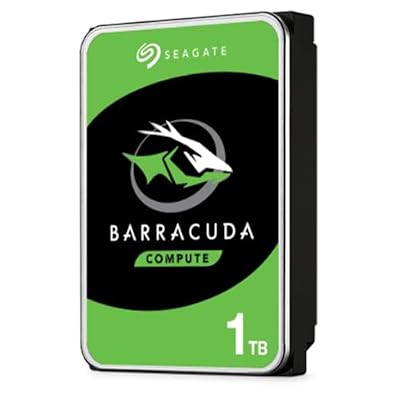
| Seagate BarraCuda 1TB (ST1000DM010) | Replacing an ageing desktop hard drive | 3.5 Inch, SATA 6 Gb/s, 7200 RPM, 64 MB Cache |
| WD Black SN850X 1TB with Heatsink | A new build’s main drive or PS5 expansion | M.2 2280, up to 7,300 MB/s read speeds |
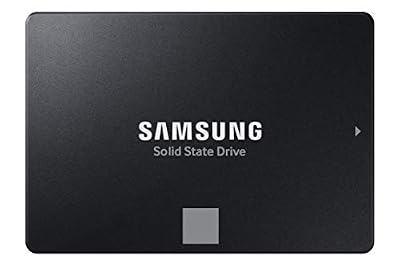
| Samsung 870 EVO 1TB | Older PCs and laptops with no M.2 slot | SATA III SSD, 2.5″ internal solid state drive |
| Crucial P3 Plus 1TB | A first NVMe upgrade on a tight budget | PCIe 4.0 3D NAND NVMe M.2 SSD, up to 5000 MB/s |
How to Choose
Start With the Job: HDD Space or SSD Speed
A hard drive and an SSD at 1TB are not rivals so much as tools for different jobs. The HDD wins on cost per terabyte and shrugs off constant rewriting, which suits a library of installed games, captured footage and backups. The SSD wins every interaction you can feel: Windows boots, level loads, texture streaming and alt-tabbing all sharpen. Most gaming PCs end up with both — a fast SSD for the system and current games, a cheap HDD behind it. If you can only buy one drive today, our guide to the best hard drives for gaming PCs explains how the same logic scales to larger capacities.
Check the Interface and Form Factor Against Your Board
Drives only fit where the board and case let them. A 3.5-inch HDD needs a full-size bay, a SATA data cable and a SATA power lead, so compact cases may rule the spinning picks out entirely. The 2.5-inch 870 EVO needs the same cables but fits almost anywhere, including laptops. M.2 SSDs skip cables altogether, yet the slot matters: a Gen4 drive like the SN850X runs at Gen3 speeds in an older slot, and some boards share lanes so that filling one M.2 slot disables a SATA port. Read your motherboard manual’s storage table before choosing.
Read Speed Claims Like a Skeptic
Headline speeds describe the best second of a drive’s life, not the average minute. HDD figures barely vary — 7200 RPM and a 64 MB cache set a ceiling near 200 MB/s — but SSD numbers depend on how long the write lasts. Flagship NVMe drives hold most of their rated write speed across a whole game install, while budget models lean on a fast cache that empties partway through a 100 GB download, after which speeds fall sharply. If you regularly move huge files, favour the drive with the stronger sustained-write design; if you mostly read, cache size hardly matters.
Compare Warranty Length and TBW, Not Just Capacity
Two drives with identical capacities can carry very different promises. The HDDs here include two-year warranties and no published write limit, because platter drives wear mechanically rather than by writes. SSDs add a second figure, terabytes written, and the warranty ends at whichever limit arrives first: the 600 TBW on the SN850X and 870 EVO is several times what a typical gaming PC writes in five years, while budget NVMe drives rate lower. Check both numbers on the listing, and treat a marketplace listing with a shortened warranty as a different product, however familiar the name.
The 5 Best Options
WD Blue 1TB HDD (WD10EZEX)
The WD Blue 1TB is a spinning hard drive, and it earns its place purely as cheap room. A 7200 RPM platter design with a 64 MB cache is as fast as desktop HDDs get at this size, so game installs, shadow recordings and rarely played titles move on and off it at up to the drive’s sequential limit rather than the crawl of a 5400 RPM model. Put the games you play weekly on your SSD and let this hold everything else. It needs a 3.5-inch bay plus SATA data and power cables, which most mid-tower cases still provide.
Specs
- Type: Hard disk drive (HDD)
- Capacity: 1 TB
- Form factor: 3.5-inch
- Interface: SATA 6 Gb/s
- Rotational speed: 7200 RPM
- Cache: 64 MB
- Model: WD10EZEX
- Warranty: 2-year limited warranty
Best for: A cheap second drive that swallows a whole game library.
Watch out for: It is a bare drive — confirm your case has a free 3.5-inch bay, a SATA cable and a spare SATA power lead before ordering.
ASIN: B0088PUEPK
Seagate BarraCuda 1TB (ST1000DM010)
Seagate’s BarraCuda 1TB is the other sensible spinning option, built on the same recipe: 3.5-inch platters at 7200 RPM, a 64 MB cache and a SATA 6 Gb/s connection. This ST1000DM010 version is the long-running desktop model, and it suits steady, sequential work: parking finished downloads, media folders and the games you rotate through monthly. Treat it as a like-for-like replacement for an ageing desktop drive or as bulk library storage beside an SSD, not as the drive Windows boots from in a new build.
Specs
- Type: Hard disk drive (HDD)
- Capacity: 1 TB
- Form factor: 3.5-inch
- Interface: SATA 6 Gb/s
- Rotational speed: 7200 RPM
- Cache: 64 MB
- Model: ST1000DM010
- Warranty: 2-year limited warranty
Best for: Replacing a worn-out desktop hard drive like for like.
Watch out for: Many listings for this model are third-party or OEM stock; check the seller and confirm the drive is sold as new with the full Seagate warranty.
ASIN: B01LNJBA2I
WD Black SN850X 1TB with Heatsink
The SN850X is the SSD most gaming PCs should stretch for. It is a PCIe Gen4 NVMe drive in the standard M.2 2280 size, rated by WD at up to 7,300 MB/s reads and 6,300 MB/s writes, so it clears the recommended spec for DirectStorage titles with room to spare. This heatsink version is the one to pick for a cramped case or a PlayStation 5 expansion slot. Endurance is rated at 600 TBW under a five-year warranty, which is generous for a drive that will mostly read game data.
Specs
- Type: Solid state drive (SSD)
- Capacity: 1 TB
- Form factor: M.2 2280
- Interface: PCIe Gen4 x4, NVMe
- Sequential read: up to 7,300 MB/s
- Sequential write: up to 6,300 MB/s
- Heatsink: included on this version
- Endurance: 600 TBW
- Warranty: 5-year limited warranty
- Model: WDS100T2XHE
Best for: A new build’s main drive, or a PS5 expansion.
Watch out for: Your motherboard needs an M.2 slot with PCIe Gen4 lanes to reach the rated speeds, and a tall heatsink can clash with nearby hardware — check clearance first.
ASIN: B0B7CPSN2K
Samsung 870 EVO 1TB
Not every gaming PC has an M.2 slot, and the 870 EVO is the strongest answer for those machines. It is a 2.5-inch SATA SSD, so it drops into older desktops, small office PCs being repurposed for gaming, and laptops with a spare bay. Samsung rates it at up to 560 MB/s reads and 530 MB/s writes, which saturates the SATA interface; that will not match NVMe in benchmarks, but game load times still fall dramatically versus a hard drive. A 600 TBW rating and five-year warranty lead the SATA class.
Specs
- Type: Solid state drive (SSD)
- Capacity: 1 TB
- Form factor: 2.5-inch
- Interface: SATA III 6 Gb/s
- Sequential read: up to 560 MB/s
- Sequential write: up to 530 MB/s
- NAND: Samsung V-NAND
- Endurance: 600 TBW
- Warranty: 5-year limited warranty
- Model: MZ-77E1T0B/AM
Best for: Giving an older PC or laptop without M.2 a real speed lift.
Watch out for: SATA caps it near 560 MB/s no matter which board you own, so do not pay the premium expecting NVMe performance in a future build.
ASIN: B08QBJ2YMG
Crucial P3 Plus 1TB
The P3 Plus is the budget route into NVMe. It is still a PCIe Gen4 M.2 2280 SSD with reads rated at up to 5,000 MB/s, several times faster than any SATA drive here, and that is what matters for loading games and booting Windows. The compromises sit in sustained writes and endurance, which are lower than the SN850X, so it fits a library drive or a value build better than a scratch disk for daily video capture. For a first SSD upgrade from a hard drive, the jump still feels enormous.
Specs
- Type: Solid state drive (SSD)
- Capacity: 1 TB
- Form factor: M.2 2280
- Interface: PCIe 4.0 x4, NVMe
- Sequential read: up to 5,000 MB/s
- Sequential write: up to 4,200 MB/s
- NAND: 3D NAND
- Model: CT1000P3PSSD8
Best for: A first NVMe upgrade on a tight budget.
Watch out for: Long back-to-back writes, such as moving a whole library in one go, slow down once the write cache fills; install games in batches instead.
ASIN: B0B25NXWC7
Which One Fits Your Situation
Your Boot SSD Is Full and Games Keep Growing
Move the library, not the operating system. The WD Blue 1TB gives you a cheap overflow drive for the titles you play monthly, keeping your SSD free for Windows and the two or three games in your current rotation. Steam and the other launchers all support a second library folder, so moving a game takes minutes and no re-download. It is the least exciting upgrade here and, for a cramped build, often the most useful one.
You Are Replacing a Desktop Hard Drive That Is Slowing Down
Choose the BarraCuda 1TB when an existing 3.5-inch drive is clicking, crawling or throwing errors and the PC otherwise works. It matches the size, interface and speed class of the drive it replaces, so cloning software sees a like-for-like target and the swap stays simple. Back up anything irreplaceable first, then clone promptly — a failing drive gives you a limited window, and every extra hour of use is borrowed time.
You Are Building a New PC Around a Single Drive
Start with the SN850X 1TB and add bulk storage later. One fast NVMe drive keeps the build simple, boots Windows in seconds and leaves the case’s drive bays empty for a future HDD when the library outgrows it. If the budget will not stretch, the Crucial P3 Plus delivers the same one-drive simplicity at Gen4 speeds a step below, and the money saved can go toward the graphics card, where it shows up in every frame.
Your PC or Laptop Has No M.2 Slot
The 870 EVO 1TB is your pick. Plenty of capable gaming machines from a few years ago, and most laptops with a 2.5-inch bay, have no M.2 connector at all, and for them a SATA SSD is not a compromise so much as the only upgrade. It will not post NVMe benchmark numbers, but it transforms boot times and game loads compared with the hard drive it replaces, and it can move to a newer machine as a secondary drive.
Common Mistakes
- Buying a 5400 RPM drive to save a little money, then wondering why game installs and updates crawl — at 1TB, the 7200 RPM models cost barely more.
- Installing an M.2 SSD without checking whether the slot is PCIe or SATA-only, or whether using it disables a SATA port you still need.
- Judging an SSD by its headline read speed alone and ignoring sustained writes and TBW, which decide how it behaves during a 100 GB install.
- Forgetting that internal drives ship bare: no SATA cable, no screws and no mounting hardware in the box, so order what your case needs at the same time.
- Filling any drive to the last gigabyte; SSDs slow down and hard drives perform worst when nearly full, so leave roughly a tenth of the capacity free.
Frequently Asked Questions
Is 1TB enough for a gaming PC?
For most players, yes — with management. Windows, launchers and a rotation of five to eight large games fit comfortably, especially if finished titles move to a hard drive or get uninstalled. It feels tight only when several 100 GB-plus games must stay installed at once. If your library is that big, buy the SSD now and add a cheap HDD later rather than shrinking the SSD.
Can I play modern games directly from a hard drive?
Many games still run from an HDD, but the experience suffers in open-world titles that stream assets constantly: expect longer loads and occasional texture pop-in. A growing number of games list an SSD as a requirement rather than a recommendation, and that list lengthens every year. The practical split is SSD for current games, hard drive for the backlog.
Will a Gen4 NVMe SSD work in a Gen3 motherboard slot?
Yes. PCIe is backward compatible, so a Gen4 drive like the SN850X or P3 Plus runs in a Gen3 slot at Gen3 speeds, roughly half its rated sequential figures. Game loading still feels fast, because random access matters more than peak throughput there. The drive then carries its full speed into your next motherboard, which makes it a reasonable buy even on an older board.
Which drive type is better for recording gameplay?
For capture, sustained write speed and free space matter more than peak reads. An HDD handles long recordings cheaply and does not wear out from constant rewriting, which is why many streamers record to a spinning drive and edit from an SSD. If you record to an SSD, favour a high-TBW model and keep a healthy slice of capacity empty so write speeds stay consistent.