Before Your Eyes is a first-person narrative adventure from GoodbyeWorld Games and Nice Dream, published by Skybound Games and released on 8 April 2021. You play a soul being ferried toward the afterlife, reliving scenes from a life in no particular order, and the control scheme is the unusual part: the game watches you through a webcam and advances time whenever you blink, whether you meant to or not. Steam’s own content note says the game deals with themes of death, illness and grief.
The Linux question has a clean answer and one genuine complication. The clean part is the platform record: there is no native Linux build, and every layer of Steam’s paperwork agrees. The complication is the input. This is a game whose core mechanic is a camera, and a camera is exactly the kind of peripheral a compatibility layer handles unevenly — so the ProtonDB file splits less on whether the game runs than on whether the blink tracking survives the trip.
As an Amazon Associate, we earn from qualifying purchases.
Quick answer
No Linux build exists. Steam flags Before Your Eyes for Windows and Mac only, its Linux requirements field is an empty shell, and SteamDB shows no Linux depot. Proton carries it: ProtonDB rates the Windows build Gold at headline, Platinum best-reported and trending, across 36 reports at strong confidence. Valve rates it Playable on Steam Deck. The webcam blink control is the one variable; a click fallback is built in.
What Steam’s own record says
Start with the flags, because they settle the headline question. Steam’s app record lists Windows and Mac as true and Linux as false. The Linux requirements field is present but hollow: a Minimum heading and a Recommended heading with empty lists under both, the empty-shell shape that appears when a requirements block was created and never filled in.
The contrast inside the same record rules the shell a leftover. The Mac tab is genuinely populated at both tiers — macOS 10.13 and up, 8 GB of memory, integrated graphics of the Intel Iris Plus class — and the Windows tab is fully written too, with a modest minimum: a Pentium G4500 class processor, 8 GB of memory, integrated graphics and 5 GB of storage.
The depot check, and a family with no trap in it
SteamDB’s depot table closes the case. The download is exactly two content depots — a Windows depot at 4.80 GiB and a macOS depot at 5.22 GiB — which between them account for the game’s full size on disk. There is no Linux depot in any branch. The record’s extended OS string names macOS variants only, and the detected technologies are the Unity engine with its Mono and Wwise audio plumbing: engine parts, not a hidden port.
The family sweep is short, and it is the clean negative shape. The DLC array holds exactly one app, Before Your Eyes — Soundtrack and Artbook, and read individually it flags Windows and Mac true and Linux false, with the same empty-shell Linux field as the game itself. The family count is zero of two: even the music app says no.
One label does need naming. ProtonDB’s game page carries a “Natively Supports” header for this title. Steam’s own record — false flag, empty shell, no Linux depot — contradicts it on every layer, so this article follows Steam.
ProtonDB: a Gold headline over a Platinum file, split by a camera
ProtonDB’s summary record rates Before Your Eyes Gold at headline, with Platinum as both the best-reported and the trending tier, across 36 reports at strong confidence. That split — a Gold headline over a Platinum centre of gravity — is the camera’s doing. In the file’s larger strand, the game itself runs without drama: players on current Proton builds report clean installs, stable performance and, in several reports, common webcams detected and calibrated without fuss, with named cameras from the usual Logitech and Microsoft lines working as they would on Windows.
The smaller strand is where the Gold headline comes from, and nearly all of it is input rather than engine. A minority of reports describe cameras that show a grey feed, refuse to calibrate, or drop out once the game starts rendering, and those players finished by clicking the mouse in place of blinking. One recent report adds a mouse-lag problem cured by turning the game’s own fullscreen setting off.
Steam Deck: Playable, and the camera question answers itself
Valve rates Before Your Eyes Playable on Steam Deck, with SteamOS separately rated Compatible. The verdict and its items were read through SteamDB’s republication of Valve’s compatibility data, because Valve’s own endpoint returned empty responses in this session; that path is stated here rather than hidden. The dated paperwork is from the Deck’s launch window: tested 15 February 2022 on an earlier build, with a Proton 7.0 line named as the recommended runtime. The public branch has since moved to a later build, and the rating still stands today.
The sheet’s single deduction is that the game sometimes shows mouse, keyboard or non-Steam-Deck controller icons. Everything else passes: all functionality is accessible with the default controller configuration, interface text is legible, the default graphics configuration performs well, and no internet is required for setup or single-player play.
The gaps in the record: DRM, accounts and anti-cheat
Three silences are worth stating as gaps rather than promises. Steam’s record carries no DRM notice for this game, and no external-account notice either — the record simply does not say, and this article does not fill the silence in. SteamDB’s configuration data lists a standard licence-agreement entry, which is neither a DRM system nor an account requirement.
Anti-cheat can be closed off from three directions. Steam names none, on a single-player-only record. SteamDB’s detected technologies are Unity and its Mono and Wwise components — plumbing, not protection. And Are We Anti-Cheat Yet, whose dataset covers well over a thousand games, carries no entry for this title.
The GOG edition
A GOG edition of Before Your Eyes exists, and it is Windows and Mac only. That ruling rests on GOG’s own records rather than its search: GOG’s storefront and embed searches returned nothing for the title — the known blind spot in GOG’s search — while the live product page sells the game and GOG’s product API record lists Windows and Mac compatibility with Linux set to false. On Linux the GOG copy runs through Proton, exactly like the Steam copy.
Gear for the ferry ride
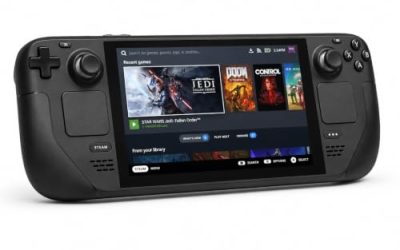
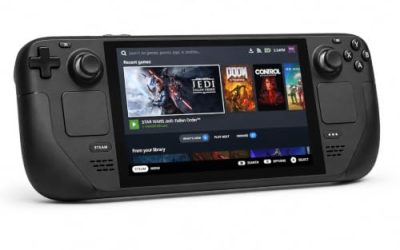
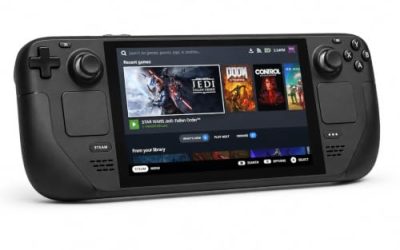
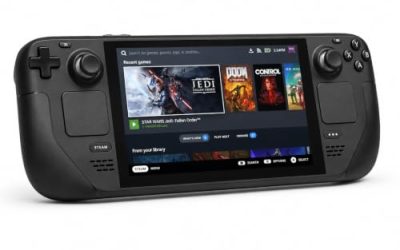
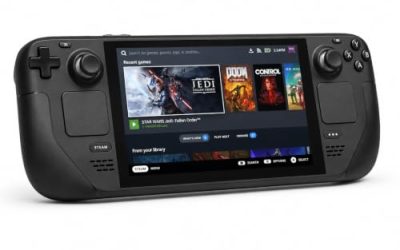
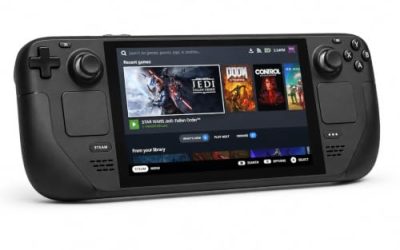
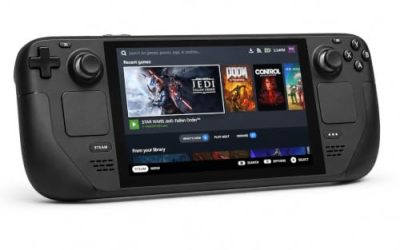
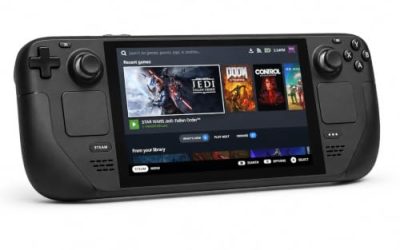
Valve Steam Deck OLED 512GB

The handheld the Playable badge was written for. The game’s published requirements are a rounding error next to the Deck’s APU, and the click fallback is the whole game on a device with no camera.
Specs:
- Display: 7.4-inch HDR OLED, 1280 by 800, up to 90 Hz
- Processor: AMD Zen 2 and RDNA 2 custom APU
- Memory: 16 GB LPDDR5
- Storage: 512 GB NVMe, plus a microSD slot
- Wireless: Wi-Fi 6E and Bluetooth
- Channel note: Valve sells the Deck mainly through its own store, so Amazon listings are third-party sellers
8BitDo Ultimate 2 Bluetooth Controller

The docked and desktop pad pick. Valve’s sheet confirms every function is reachable on the default controller configuration, and this pad covers the couch case.
Specs
- Connectivity: Bluetooth wireless and USB-C wired
- Joysticks: TMR electromagnetic, anti-drift design
- Triggers: Hall effect, with mode switching
- Extras: two remappable back buttons, motion control
- In the box: charging dock included
Xbox Wireless Controller, Carbon Black

The safest guest pad in PC gaming: Steam Input support is universal, the glyphs match what most games display, and it pairs over Bluetooth or its own wireless standard.
- Connectivity: Xbox Wireless and Bluetooth
- Port: USB-C for wired play
- Controls: hybrid D-pad, dedicated Share button
- Power: AA batteries or optional rechargeable pack
Logitech G502 HERO

This game’s fallback input is a mouse click, and at a desk the click is the primary control for anyone whose camera misbehaves. A precise wired mouse makes the blink-by-click rhythm exact.
Specs
- HERO optical sensor, up to 25,600 DPI
- 11 programmable buttons
- Adjustable weight system
- Wired USB connection
- On-board memory profiles
Samsung T9 Portable SSD 2TB

For moving a Linux game library between machines, or keeping an offline backup of installers, a fast USB-C drive is the simple answer. The headline figure needs a Gen 2×2 host port; on a lesser port the drive runs at that ceiling.
Specs
- Capacity: 2 TB portable SSD
- Interface: USB 3.2 Gen 2×2, USB-C connector
- Maker-rated speeds: up to 2,000 MB per second read, 1,950 MB per second write
- Features: Dynamic Thermal Guard, maker-rated drop resistance
How to choose
Decide by input, not by performance — nothing in this record stresses any hardware on this page. If you want the game as designed, play on a desktop Linux machine with an ordinary webcam: the ProtonDB file’s main strand says the engine runs cleanly and common cameras are detected and calibrated under Proton. If your camera turns out to be one of the unlucky ones, the built-in click fallback keeps every scene reachable. If the Deck is your machine, accept that the Playable badge describes the click version — there is no camera to blink into. Between stores, the Steam and GOG copies are the same Windows build.
Who should skip it
Skip this one if a native Linux build is a condition of purchase — there is none, and no layer of the record hints at one coming. Skip it if your only machine is a Steam Deck and the blink mechanic itself is the draw, because the handheld cannot offer it. Skip it if a short, mostly linear narrative whose scenes can be ended early by an involuntary blink sounds frustrating rather than poignant.
FAQ
Is there a native Linux version of Before Your Eyes?
No. Steam flags the game for Windows and Mac only, the Linux requirements field is an empty shell at both tiers, and SteamDB’s depot table holds a Windows depot and a macOS depot and nothing else. The one family app, the Soundtrack and Artbook, flags Linux false as well.
How well does it run under Proton?
ProtonDB rates the Windows build Gold at headline, with Platinum as both the best-reported and trending tier, across 36 reports at strong confidence. Most reports describe a clean run; the problems cluster around webcam detection — grey feeds or failed calibration on some cameras — and the mouse-click fallback covers those cases.
Does the blink control work on Linux?
Sometimes, and the record is honest about the split. Several reports confirm ordinary webcams detected and calibrated under Proton with no tinkering. A minority report cameras that never produce a usable feed, and those players clicked instead of blinking — a fallback the game supports itself, so a failed camera costs the novelty, not the playthrough.
Can I play Before Your Eyes on Steam Deck?
Yes, with the input caveat. Valve rates the game Playable, tested in February 2022, with SteamOS rated Compatible; the only deduction is that it sometimes shows mouse, keyboard or non-Deck controller icons. The Deck has no camera, so play uses the manual click input throughout.
Final verdict
Before Your Eyes is a straightforward Proton case wrapped around one unusual peripheral. The platform record could not be clearer: a false Linux flag, an empty-shell requirements field, two depots that account for every byte, a soundtrack app that agrees, and a GOG edition that stops at Windows and Mac. Through Proton the game earns a Gold headline over a Platinum-leaning file of 36 reports, and its only real Linux question is whether your webcam survives the compatibility layer — with a designed-in click fallback for when it does not.
Product and ASIN Reference
| Product | ASIN |
|---|---|
| Valve Steam Deck OLED 512GB | B0CQ3RWQQZ |
| 8BitDo Ultimate 2 Bluetooth Controller | B0F194QFT2 |
| Xbox Wireless Controller, Carbon Black | B08DF248LD |
| Logitech G502 HERO | B07GBZ4Q68 |
| Samsung T9 Portable SSD 2TB | B0CHFS9K14 |