

The TP-Link Archer AX21 is one of the most popular entry-level WiFi 6 routers, a dual-band AX1800 model with Gigabit WAN and LAN and a price around $52. It is the gateway product for anyone moving from older WiFi 5 hardware to WiFi 6 without paying a premium. This Archer AX21 review covers the WiFi standard, range, ports, gaming features and overall value.
- TP-Link Archer AX21 at a Glance
- WiFi Standard and Speed Class
- Range, Coverage and Mesh Capability
- Ports, USB and Wired Backhaul
- Gaming Latency, QoS and Security Features
- Who Is the Archer AX21 For?
- Pros and Cons
- Is the Archer AX21 Worth It?
- Frequently Asked Questions
- More Gaming Router Reviews
- Related Articles
As an Amazon Associate we earn from qualifying purchases at no extra cost to you.



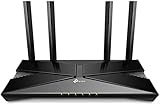

TP-Link Archer AX21 at a Glance
| Component | Specification |
|---|---|
| WiFi standard | WiFi 6 (802.11ax) |
| Band class | AX1800 |
| Bands | Dual-band (2.4 GHz + 5 GHz) |
| Coverage | Small to medium homes |
| WAN port | 1x Gigabit |
| LAN ports | 4x Gigabit |
| USB | None |
| Mesh-capable | Yes (EasyMesh) |
| Price | Around $52 |
WiFi Standard and Speed Class
The Archer AX21 is built on the WiFi 6 (802.11ax) standard, the modern wireless baseline that brings OFDMA, improved multi-device handling and meaningful efficiency gains over WiFi 5. Its AX1800 class means the router pools roughly 1.8 Gbps of theoretical throughput across the 2.4 GHz and 5 GHz bands, which translates to real-world speeds that comfortably outrun typical residential broadband plans up to gigabit. For gamers, the more important point is that WiFi 6 reduces airtime congestion when several devices are active at once — exactly the situation in a busy household where a console is in use while phones, TVs and laptops are also online.
The AX21 does not include the 6 GHz band found on WiFi 6E hardware, but for buyers who do not yet need that extra spectrum it is a sensible, current-standard router at a budget price. OFDMA in particular changes how the router talks to multiple clients — instead of serving devices one at a time, it can split a transmission window between several, which lowers the average time any one device waits for a turn on the air. That is a quiet but real win for gaming latency in a busy home. For context on the next tier, see our best WiFi 6E routers guide.
Range, Coverage and Mesh Capability
The Archer AX21 is best understood as a single-router solution for small to medium homes — apartments, smaller houses or a single-floor layout where one well-placed router can reach every room. TP-Link fits four external antennas and uses beamforming to direct signal toward connected devices, which improves real-world range and stability. The router is also EasyMesh-capable, meaning it can be paired with other TP-Link EasyMesh devices later to extend coverage if your home grows or you move.
That upgrade path is genuinely useful: you do not need to commit to a mesh kit on day one, and you do not lock yourself out of mesh in the future. Placement still matters more than people expect — putting the AX21 centrally and away from large metal objects and microwaves will do more for real-world range than any spec sheet figure. For homes that already need whole-home coverage from day one, our best mesh WiFi systems guide is the better starting point.
Ports, USB and Wired Backhaul
Wired connectivity on the AX21 is straightforward and complete for its price tier. There is a single Gigabit WAN port for your modem connection and four Gigabit LAN ports for wired clients — a gaming desktop, a console, a smart-home hub or a media box. For competitive gamers, a wired Gigabit LAN connection to the router is the single most effective way to lower and stabilise latency, and the AX21 supports that out of the box.
There is no USB port, which is the main concession to the budget price; users who want to share a USB drive or printer over the network will need to step up a tier. The wired backbone is otherwise solid and matches the needs of most home broadband plans up to gigabit. Buyers planning to grow into faster broadband should note that the AX21 has no multi-gig WAN port, so it will cap at Gigabit on the way in, which is fine for plans up to about 940 Mbps but becomes a bottleneck on 2 Gbps or 2.5 Gbps tiers.
Gaming Latency, QoS and Security Features
For competitive gaming, latency is more important than raw headline bandwidth, and the Archer AX21 has the features that matter. The TP-Link Tether app and web interface include QoS controls so you can prioritise a gaming PC or console over other traffic, which helps protect latency when the network is busy. WiFi 6 itself reduces airtime contention versus WiFi 5, which translates to more consistent wireless latency in a multi-device home.
TP-Link also includes its HomeShield basic security feature set for threat detection and parental controls — advanced HomeShield features require a subscription, but the basic tier is enough for most households. Even on a budget router, a wired connection plus QoS gives a respectable gaming experience that is more than enough for the typical Gigabit broadband plan. For deeper tuning, our low-latency gaming network guide is a useful companion.
Who Is the Archer AX21 For?
The Archer AX21 is for the buyer who wants modern WiFi 6 networking without paying for tri-band or WiFi 7 hardware. If you live in a smaller home or apartment, your broadband plan is at gigabit or below, and you mainly want a reliable upgrade from an aging WiFi 5 router, the AX21 is squarely your router. With more than 24,200 customer reviews on Amazon it is one of the best-vetted budget WiFi 6 routers available. It is not the right choice if you need 6 GHz spectrum, multi-gig WAN, USB storage sharing or whole-home mesh coverage from the start — those buyers should look at our best gaming routers guide.
Pros and Cons
Pros: Modern WiFi 6 (AX1800) standard at a budget price; Gigabit WAN and four Gigabit LAN ports; EasyMesh-capable for future expansion; mature TP-Link Tether app; very large base of positive buyer reviews.
Cons: Dual-band only — no 6 GHz; no USB port for storage or printer sharing; not multi-gig; coverage suited to smaller homes rather than large multi-floor properties.
Is the Archer AX21 Worth It?
At around $52 the TP-Link Archer AX21 is one of the easiest router recommendations in 2026 for anyone on a budget. It brings the home onto WiFi 6, includes a full set of Gigabit wired ports, supports EasyMesh for future expansion and is backed by an enormous body of positive customer feedback. It will not satisfy buyers who need 6 GHz or multi-gig connectivity, but for the typical small-to-medium home with a gigabit broadband plan it is genuinely good value. Buyers on a similarly tight budget can compare alternatives in our best budget routers guide.
Frequently Asked Questions
Is the TP-Link Archer AX21 good for gaming?
Yes, especially when paired with a wired Gigabit LAN connection. WiFi 6 reduces airtime contention versus WiFi 5, and the included QoS lets you prioritise gaming traffic over other devices.
Does the Archer AX21 support mesh networking?
Yes. It supports TP-Link EasyMesh, so it can be paired with other EasyMesh-capable TP-Link devices to extend coverage later without replacing the router.
What is the difference between AX1800 and AX3000?
AX1800 and AX3000 are total theoretical bandwidth numbers across the bands. AX3000 routers usually have a faster 5 GHz radio and more headroom for many simultaneous devices.
Does the Archer AX21 have a USB port?
No. To keep the price low TP-Link omits USB on the AX21. If you need USB storage or printer sharing, step up to a higher-tier router.
More Gaming Router Reviews
- TP-Link Archer AX55 WiFi 6 Router Review (AX3000)
- TP-Link Archer AXE75 WiFi 6E Router Review (AXE5400)
- TP-Link Archer BE550 WiFi 7 Router Review (BE9300)
- TP-Link BE400 WiFi 7 Router Review (BE6500)
- TP-Link Archer AX11000 Tri-Band Gaming Router Review
- NETGEAR Nighthawk RAX120 WiFi 6 Router Review (AX6000)
- NETGEAR Nighthawk RAXE300 WiFi 6E Router Review
- NETGEAR Nighthawk RS90 WiFi 7 Router Review (BE3600)
Affiliate Disclosure: As an Amazon Associate, we earn from qualifying purchases. If you click a link and make a purchase, we may earn a small commission at no extra cost to you. Prices and availability are accurate as of publication and may change.
Related Articles
Looking for more on this topic? Browse the hand-picked guides below — each one applies the same scoring rubric used in this review.










