Nidhogg 2 is Messhof’s fencing tug-of-war sequel, released on 15 August 2017, built around one-on-one duels where every kill hands you the right of way toward your end of the arena. Its Steam record is unusually tidy for a game of its age: it says exactly what exists, and what exists is a Windows build and a Mac build, with no Linux build behind either of them.


That makes this a short verdict with a long paper trail. The interesting questions sit one layer down: whether the depots and package agree with the flags, whether the soundtrack app inflates the family scan, what Valve’s Deck sheet certifies, and why the game’s ProtonDB page opens with a heading its own reports contradict.
As an Amazon Associate, we earn from qualifying purchases.
Quick answer
Nidhogg 2 does not run natively on Linux. Steam flags Windows and Mac only, the Linux requirements field is an empty list, and no Linux depot exists. The working route is Proton: ProtonDB’s summary reads Gold on its headline and trending tiers, Platinum on its best-reported tier, across 28 reports, and Valve rates the game Playable on Steam Deck under proton-stable.
What Steam’s record says, field by field
The platform flags on app 535520 read windows true, mac true and linux false, and the requirements fields behind them match. The Windows minimum is fully written, the Mac minimum is fully written and current in tone (macOS 12 Monterey or later, Apple M1 or Intel Core i5), and the Linux field is an empty list outright: not a shell with headings over nothing, not copied Windows text, just no content at all. A Linux tab left blank by accident usually leaves such a fossil behind; this record leaves none.
The rest of the record agrees: no DRM notice, no external-account notice, and a category list covering single-player, multi-player, PvP, online PvP, shared and split screen play, full controller support, achievements, leaderboards and Remote Play Together. That list is the whole of the online claim here; nothing below speculates about servers or matchmaking, because the record does not speak to them.
The depot table settles it
Flags can be wrong in both directions, so the depot table is where this verdict is earned. SteamDB lists 535521, the Windows build at 617.77 MiB, and 535523, the Mac build at 655.72 MiB. A third depot, 535522, is labelled Unused, carries no size and no operating system configuration, and delivers nothing to a normal install. There is no Linux depot in the table at all: no full-size build, no zero-byte placeholder. The public branch currently serves build 26311813, updated in October 2026, with the same two builds.
The purchase layer agrees: the store package in the Buy Nidhogg 2 group, sub 130160, grants the game app alone and itself flags windows true, mac true and linux false. Flag, field, delivered files and package all say the same sentence: any Linux play here happens through compatibility, not through a port.
The family scan: one soundtrack, and it agrees
The full DLC array contains exactly one app, 683740, the Nidhogg 2 Soundtrack, opened and read on its own record rather than assumed from the game’s. This is the slot where this series usually finds a trap: a music app flagging Linux true over an empty field, making a flags-only scan report a native family that does not exist. Not here. The soundtrack’s flags read windows true, mac true and linux false, its Linux field is the same empty list as the game’s, and its depot (470.06 MiB of audio) is an extra, not a game build. On the one question that matters (does this app claim a Linux build the game does not have?) it answers no. The family scan is clean: one game, one soundtrack, zero Linux claims between them.
The ProtonDB heading that contradicts its own page
ProtonDB’s summary API reads in full: headline tier Gold, best-reported tier Platinum, trending tier Gold, 28 reports, confidence good. It is a Proton verdict through and through: the reports are filed under named Proton and GE-Proton versions, with recent filings describing duels that run as they should, a recurring window-resizing quirk after the splash screen that players fix with alt and enter, and older filings remembering sluggish menus on long-retired Proton versions.
The page’s classification heading, however, reads “Natively Supports:”, and that heading is wrong for this game. It is the stray-tag pattern this series keeps meeting: a label Steam’s record contradicts on every layer (flag false, field empty, no depot, package flags false). The heading is a labelling artefact; the 28 Proton reports beneath it are the real content. Read the page for its reports and ignore its heading.
Steam Deck: Playable, on paperwork from an older build
Valve’s own compatibility endpoint returned unreadable responses in this session, so the Deck facts here are read from SteamDB’s republication of Valve’s compatibility data, stated plainly rather than dressed up. The sheet gives the game the Playable category, with SteamOS separately rated Compatible. The passing items are the substantive ones: all functionality is accessible with the default controller configuration, interface text is legible, and the default graphics configuration performs well. The single note item is the familiar glyph one: the game sometimes shows mouse, keyboard or non-Deck controller icons, which holds the grade at Playable rather than Verified. The configuration names gamepad as the supported input, small text is not flagged, and the recommended runtime is proton-stable: the badge certifies the Windows build under Proton.
One dating caveat matters. The sheet was tested on 8 February 2025 against build 17233621, while the public branch now serves build 26311813, so the paperwork predates the build a buyer installs today: the badge describes an earlier build of the same two-platform release.
Anti-cheat, from three separate sources
Because the record lists online PvP, the anti-cheat question gets its three-source treatment, and all three come back negative. Steam names no anti-cheat and carries neither a DRM notice nor an external-account notice. SteamDB’s detected-technology list contains exactly one entry, the GameMaker engine. The Are We Anti-Cheat Yet dataset, searched in full by name and app id, carries no entry for this game. Kept separate, those are three kinds of silence pointing the same way: no anti-cheat layer sits on this record for a Linux player to clear.
GOG: a wishlist entry, not an edition
This ruling was made from GOG’s own surfaces, not from search snippets. The game’s natural GOG product address resolves to the general catalogue rather than to a product page, and GOG’s own store search returns no product for it. What does exist is a GOG Dreamlist entry, a wishlist page rather than a purchasable edition. So there is no DRM-free copy to weigh: the Steam copy is the only PC edition on sale.
The gear that fits a Proton duelling game
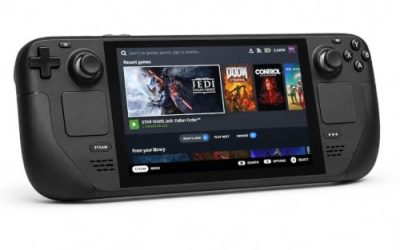
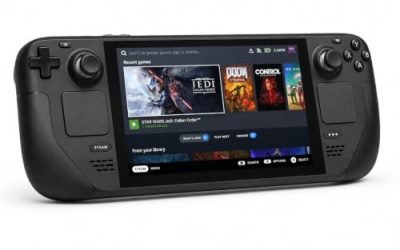
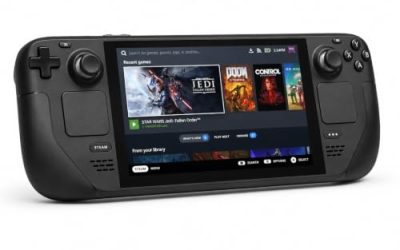
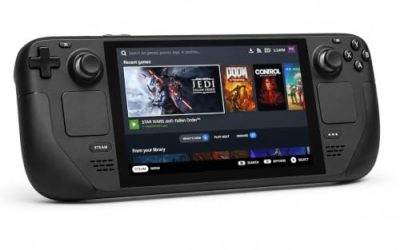
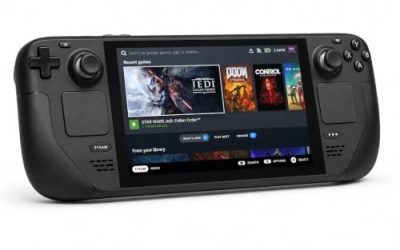
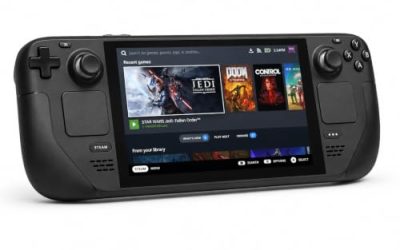
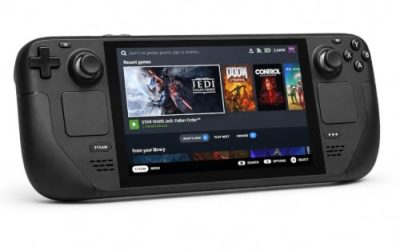
Valve Steam Deck OLED 512GB
Valve’s Playable sheet is written for this handheld, and the game’s demands sit far below its APU. The glyph note is the only caveat.
Specs
- Display: 7.4-inch HDR OLED, 1280 by 800, up to 90 Hz
- Processor: AMD Zen 2 and RDNA 2 custom APU
- Memory: 16 GB LPDDR5
- Storage: 512 GB NVMe, plus a microSD slot
- Wireless: Wi-Fi 6E and Bluetooth
- Channel note: Valve sells the Deck mainly through its own store, so Amazon listings are third-party sellers
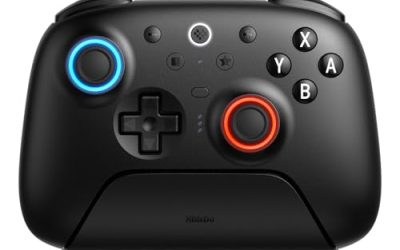
8BitDo Ultimate 2 Bluetooth Controller
A fencing game lives on its D-pad and face buttons; this is the pad for the docked and desktop case, with modern sticks, triggers and back buttons.
Specs
- Connectivity: Bluetooth wireless and USB-C wired
- Joysticks: TMR electromagnetic, anti-drift design
- Triggers: Hall effect, with mode switching
- Extras: two remappable back buttons, motion control
- In the box: charging dock included
Xbox Wireless Controller, Carbon Black

The safest guest pad for the second duellist: Steam Input support is universal and it pairs over Bluetooth or its own wireless standard.
- Connectivity: Xbox Wireless and Bluetooth
- Port: USB-C for wired play
- Controls: hybrid D-pad, dedicated Share button
- Power: AA batteries or optional rechargeable pack
Logitech G502 HERO

A precise wired mouse covers the desktop side of a Linux gaming setup: the launcher, the library and the menu-driven titles in it.
Specs
- HERO optical sensor, up to 25,600 DPI
- 11 programmable buttons
- Adjustable weight system
- Wired USB connection
- On-board memory profiles
Samsung T9 Portable SSD 2TB

For moving a Linux game library between machines, or keeping an offline backup of installers, a fast USB-C drive is the simple answer. The headline figure needs a Gen 2×2 host port; on a lesser port the drive runs at that ceiling.
Specs
- Capacity: 2 TB portable SSD
- Interface: USB 3.2 Gen 2×2, USB-C connector
- Maker-rated speeds: up to 2,000 MB per second read, 1,950 MB per second write
- Features: Dynamic Thermal Guard, maker-rated drop resistance
How to choose
Choose the Steam copy, because it is the only PC edition on sale and the build both records describe. On a desktop or laptop, install it, leave the compatibility tool at its default Proton setting, and expect the Gold-with-Platinum-best pattern the summary describes: a game that runs, with the occasional window quirk that alt and enter settles. On a Steam Deck, install and launch; the Playable sheet’s only note concerns controller glyphs, not playability. For input, bring two pads if you can: the game’s best mode is two duellists on one screen, covered locally and remotely alike by full controller support and Remote Play Together.
Who should skip
Skip this one if you are shopping for a native Linux build, because there is none and the record shows no sign of one being prepared. Skip it if you want a DRM-free installer, since GOG carries only a wishlist entry. Skip it if a Gold headline is not reassurance enough and you only play unanimous-Platinum titles. And skip it if your fencing is strictly online and you need guarantees about that side, which no record here certifies.
FAQ
Is Nidhogg 2 native on Linux?
No. Steam flags Windows and Mac only, the Linux requirements field is an empty list, and the depot table holds a Windows build and a Mac build with no Linux depot. The ProtonDB page’s “Natively Supports” heading contradicts that record and should be ignored; every report under it is a Proton report.
How well does Nidhogg 2 run under Proton?
ProtonDB’s summary reads Gold on the headline and trending tiers and Platinum on the best-reported tier, across 28 reports with good confidence. Recent reports on current Proton and GE-Proton builds describe clean duels; the recurring quirk is a window that resizes after the splash screen, fixed with alt and enter.
Is Nidhogg 2 Steam Deck Verified?
It is rated Playable, one step below Verified, read from SteamDB’s republication of Valve’s sheet after Valve’s endpoint returned unreadable responses. Functionality, legibility and performance items pass; the deduction is a note that the game sometimes shows non-Deck controller icons. The test dates from February 2025 and covers an earlier build than the public branch serves now.
Does the soundtrack DLC change the Linux picture?
No. The soundtrack is the only app in the DLC array, and its record agrees with the game’s: Windows and Mac flags, an empty Linux field, an audio depot. It neither adds a Linux claim nor hides a build.
Final verdict
Nidhogg 2 is a two-platform release with an honest record and one dishonest label it did not write. Steam’s flags, fields, depots and store package all agree that no Linux build exists; the soundtrack declines to inflate the family scan; and the only native claim anywhere near the game is a stray heading on its ProtonDB page, contradicted by the reports beneath it. What Linux players get is solid: a Gold community file whose best reports reach Platinum, a Playable Deck badge earned under proton-stable, and no anti-cheat layer on any record that tracks such things. Buy the Steam copy, bring two controllers, and duel under Proton.
Product and ASIN Reference
| Product | ASIN |
|---|---|
| Valve Steam Deck OLED 512GB | B0CQ3RWQQZ |
| 8BitDo Ultimate 2 Bluetooth Controller | B0F194QFT2 |
| Xbox Wireless Controller, Carbon Black | B08DF248LD |
| Logitech G502 HERO | B07GBZ4Q68 |
| Samsung T9 Portable SSD 2TB | B0CHFS9K14 |