

- Top Pick: Samsung 990 PRO 2TB
- Runner-up: WD Black SN850X 2TB
- Also consider: Crucial T500 2TB
Ask which mod manager to use on Linux and the question is incomplete, because the four routes do not compete for the same games. Vortex is the Nexus Mods manager with no supported Linux route. Mod Organizer 2 is a Windows tool the community installs inside a Proton prefix, and it owns the Bethesda catalogue. r2modman is a native Linux application built for the Thunderstore catalogue of Unity games. Manual installation is the fallback that works everywhere and manages nothing.
Two neighbouring guides frame this comparison rather than duplicate it. Our Mod Organizer 2 guide covers that route’s setup and traps in depth for Bethesda titles, and our Nexus Mods on Linux article maps the official ecosystem: the discontinued Nexus app and Vortex’s undated SteamOS commitment. This article is the head-to-head: how each route is installed and maintained, where the files live, and how each one fails.
As an Amazon Associate, we earn from qualifying purchases.
Quick answer
There is no single best mod manager on Linux because each route owns a different catalogue. Mod Organizer 2, installed into the Proton prefix by a community installer, is the Bethesda answer. r2modman is the native Linux manager for Thunderstore’s Unity games. Vortex has no supported Linux route, and manual installs cover everything else.
The four routes at a glance
Vortex is the official Nexus Mods manager, designed for Windows, with per-game extensions and collection support. On Linux it is a guest that was never invited: no native build, no support, only hand-built Wine arrangements of varying fragility.
Mod Organizer 2 is also a Windows application, but the community modorganizer2-linux-installer gives it a maintained Linux path: it installs MO2 inside the Proton prefix of a supported game, where its virtual file system stages mods. Its territory is the Bethesda catalogue.
r2modman is the outlier: a genuinely cross-platform manager with native Linux builds, including AppImage and Flatpak packages, built around the Thunderstore catalogue. It manages BepInEx-based Unity games such as Valheim, Lethal Company and Risk of Rain 2, with profiles exportable as shareable codes.
Manual installation is the fourth route: download the archive, read the author’s instructions, place the files yourself. It has no interface, no database and no opinions, which is both its weakness and its immortality.
Vortex: the official manager with no Linux seat
Install route: there is no supported one. Nexus Mods documents Vortex as a Windows application, and its stated Linux direction is SteamOS support on Steam hardware, committed but undated. Anything running on a desktop distribution today is Vortex under Wine or Proton, assembled by hand.
Maintenance reality follows from that. A hand-built Wine arrangement inherits every moving part at once: the Wine or Proton version, Vortex’s own updates, and per-game extensions written against Windows paths and behaviour.
Game coverage, on paper, is the widest of the four: Vortex extensions span hundreds of Nexus-supported titles. On Linux that breadth is theoretical, because the manager itself is the unsupported layer. Its defining failure mode is a slow divergence, where each update to any component can quietly unpick the arrangement until a reinstall from scratch is easier than diagnosis.
Mod Organizer 2: a Windows manager living in the prefix
Install route: the community installer script, run per game. It places MO2 inside the game’s Proton prefix, registers the script extender as a launchable executable, and wires the Nexus download links into MO2. The supported list covers Skyrim Special Edition and Anniversary Edition, Fallout 4, Fallout New Vegas, Oblivion, Morrowind and Starfield, on desktop and Steam Deck.
Maintenance is disciplined rather than difficult. The moving parts are the game and its extender: a game update strands SKSE or F4SE and every plugin DLL built on them until authors rebuild, so the standing rules are to launch only through MO2, let the game update only on launch, and back up the game folder and prefix before long sessions.
Coverage is narrow and deep. Inside the Bethesda catalogue MO2 offers the full manager feature set: profiles, conflict resolution, load order control, clean removal. Outside it, the route does not exist. Its characteristic failure modes are launching from Steam and getting a silently vanilla game, folder-casing mismatches on case-sensitive filesystems, and a Steam prefix rebuild taking the whole setup with it.
r2modman: the native manager for Unity games
Install route: download the native Linux build, AppImage or Flatpak, pick your game from the supported list, and create a profile. The manager installs the game’s BepInEx pack and resolves mod dependencies automatically. To play, you launch through the manager’s modded start option; on Linux and Steam Deck, the documented game-mode route is pasting the launch string the manager provides into the game’s Steam launch options.
Maintenance is the lightest of the three real managers. The application updates through its package channel, and sharing a setup is a profile code rather than a folder copy: one player exports, everyone else imports, and version drift inside a co-op group mostly disappears.
Coverage is the Thunderstore catalogue: Unity games whose modding runs on BepInEx. The failure modes are catalogue-shaped. If your game is not on Thunderstore, r2modman has nothing to manage. If the BepInEx pack and the game version drift apart after a game update, mods stop loading until the pack catches up. And because the manager stages the profile, launching outside the modded path gives you the vanilla game.
The prefix question: where the modded files live
The deepest difference between the routes is not the interface but the address of the files. MO2’s setup lives inside the Proton prefix Steam builds for the game, under its compatdata folder, and its mods exist in a virtual file system presented only to a game launched through MO2. Rebuild the prefix and the mod setup goes with it, which is why prefix backups are part of the route’s hygiene.
r2modman keeps its profiles in its own application data and stages the active profile’s files into the game’s BepInEx folders when you launch modded, so the game folder carries the loader while the profile carries the state. Vortex’s Windows model deploys files into the real game folder through links, assuming one operating system owns the game directory, which is part of why it transplants awkwardly into a prefix world. Manual installs write straight into the real game folder, and the record of what went where is your memory.
The practical consequence is storage: every route multiplies disk use, so a fast internal drive for the active library and staging, plus one large volume for archives and backups, is the layout that survives all four.
The manual route, defended
Manual installation is usually described as the absence of a manager, but for a real slice of Linux modding it is the correct tool. Games with native Linux builds and a simple Mods folder, Stardew Valley under SMAPI being the model case, lose almost nothing. And for the long tail of games no manager covers, the mod author’s own instructions are a manual install anyway.
Its failure modes are bookkeeping failures: no record of which file overwrote which, no update checks, uninstalling by deleting from memory. The discipline that makes it survivable is plain: keep every archive, keep a notes file, and add one mod at a time. Past roughly a dozen mods, that discipline is doing a manager’s job badly, which is the signal to move routes.
How to choose
Choose by catalogue first. Bethesda games go to Mod Organizer 2 through the community installer; nothing else on Linux offers profiles and conflict handling for Skyrim or Fallout. Unity games with a Thunderstore scene go to r2modman; it is native, profile-based and built for exactly that ecosystem. Games that live only on Nexus and outside the MO2 list leave a genuine gap: the realistic options are manual installation with archive discipline, or modding that game on a Windows install if you keep one. On Linux, Vortex is a route only for someone content to maintain a Wine arrangement as a hobby in itself.
Who should skip this
Skip the comparison if your games mod through Steam Workshop, which needs none of these tools. Skip it if you dual-boot and mod happily on Windows, where Vortex works as designed. Skip it for always-online games whose terms do not allow modification. And skip managers entirely if your whole modding life is one or two cosmetic files: download them, follow the author’s notes, and play.
Storage picks for every route
Samsung 990 PRO 2TB

The flagship staging drive: fast enough that restaging large mod archives stops being the slow step.
Specs:
– Capacity: 2TB
– Interface: PCIe 4.0 x4, NVMe, M.2 2280
– Model: MZ-V9P2T0B/AM
– Maker-rated speeds: up to 7,450 MB/s read, 6,900 MB/s write
– Endurance: 1,200 TBW
WD Black SN850X 2TB

A gaming-tuned drive for a second library of MO2 installs and prefixes.
Specs:
– Capacity: 2TB
– Interface: PCIe Gen4 x4, NVMe, M.2 2280
– Model: WDS200T2X0E
– Maker-rated speeds: up to 7,300 MB/s read, 6,600 MB/s write
– Endurance: 1,200 TBW
Crucial T500 2TB

A strong all-round internal option for splitting space between games, staged mods and r2modman profiles.
Specs:
– Capacity: 2TB
– Interface: PCIe Gen4 x4, NVMe, M.2 2280
– Model: CT2000T500SSD8
– Maker-rated speeds: up to 7,400 MB/s read, 7,000 MB/s write
– Endurance: 1,200 TBW
Seagate FireCuda 530 2TB with Heatsink

The endurance pick, rated for heavy write workloads, with a factory heatsink for compact cases.
Specs:
– Capacity: 2TB
– Interface: PCIe Gen4 x4, NVMe 1.4, M.2 2280
– Model: ZP2000GM3A023
– Maker-rated speeds: up to 7,300 MB/s read, 6,900 MB/s write
– Endurance: 2,550 TBW
WD Black SN850X 8TB
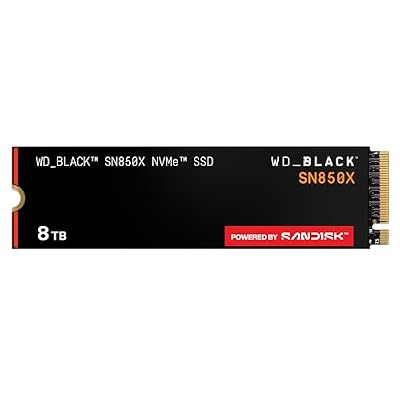
The archive volume: one large drive for kept downloads, profile exports and restorable backups of whole modded installs.
Specs:
– Capacity: 8TB
– Interface: PCIe Gen4 x4, NVMe, M.2 2280
– Model: WDS800T2X0E
– Maker-rated speeds: up to 7,200 MB/s read, 6,600 MB/s write
– Endurance: 4,800 TBW
FAQ
Is Vortex usable on Linux at all?
Only unofficially. Nexus Mods documents Vortex as Windows-first, with SteamOS support committed but undated, and offers no support for desktop Linux. Hand-built Wine setups exist, but download handling and extensions are unreliable.
Which manager should a Valheim or Lethal Company player use?
r2modman. It is a native Linux application, it manages the BepInEx packs those games mod with, resolves dependencies automatically, and its profile codes let a co-op group run the same mod list.
Can one manager cover all my games?
No. MO2’s installer route covers the Bethesda catalogue, r2modman covers Thunderstore’s Unity games, and neither touches the other’s territory. Most wide-ranging Linux modders end up with one manager per ecosystem, plus manual installs.
Where do my mods actually live with MO2 on Linux?
Inside the game’s Proton prefix, staged through MO2’s virtual file system rather than copied into the real game folder. That is why the game must be launched through MO2, and why backing up the prefix backs up the mod setup.
Final verdict
On Linux, mod managers are not rivals so much as landlords of separate estates. r2modman is the only native manager here and the obvious home for Thunderstore’s Unity catalogue. Mod Organizer 2, carried into the Proton prefix by its community installer, remains the complete answer for Bethesda games. Vortex is a Windows workflow with a SteamOS promise and no date. Manual installation, done with archives and notes, covers everything else and outlives them all.










