Mechanical keyboards are built to last, but they’re also magnets for dust, crumbs, skin oils, and the occasional coffee splash. Left uncleaned, that debris causes mushy keypresses, sticky switches, and grime you can feel under your fingers. The good news is that the same qualities that make mechanical boards satisfying to type on, removable keycaps and accessible switches, also make them easy to clean thoroughly at home with a few cheap tools.
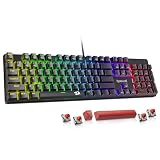
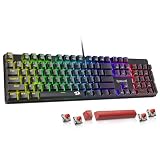
This guide walks you through a safe, complete cleaning: what you’ll need, how to do a quick surface clean, how to deep-clean by removing keycaps, and how to handle spills without ruining your board. Whether you own a hot-swappable board like the AULA F75 Pro or a rugged model like the Logitech G413 SE, these steps keep it feeling and sounding like new. Our recommended keyboards are shown below if you’re due for an upgrade.
As an Amazon Associate we earn from qualifying purchases.








Gather the Right Tools First
You don’t need much: a keycap puller (often included with boards like the Redragon K580), a can of compressed air or a small blower, a soft brush, isopropyl alcohol of 90% or higher, cotton swabs, and a microfiber cloth. Isopropyl evaporates cleanly and won’t damage plastics, making it far safer than household cleaners. Having everything ready before you start means you won’t leave your board half-disassembled.
The Quick Surface Clean
- Unplug the keyboard, or power off a wireless model like the AULA F75 Pro, before you touch anything.
- Turn it upside down and gently shake, then use compressed air to blow debris out from between the keys.
- Wipe the keycaps and case with a microfiber cloth lightly dampened with isopropyl alcohol.
- Do this every couple of weeks and you’ll rarely need a deep clean.
Deep Cleaning: Removing the Keycaps
For a thorough clean, use the keycap puller to lift each keycap straight up. Photograph your layout first so you know where everything goes. With the caps off, blow out the dust around the switches and brush away stubborn debris. On a hot-swappable board you can remove switches too, but for most people cleaning around them is plenty. Avoid soaking the board itself; the switches and PCB should never be submerged.
Washing the Keycaps
Keycaps can be cleaned separately in a bowl of warm water with a little mild dish soap. Let them soak, agitate gently, then rinse and lay them on a towel to dry completely, at least a few hours or overnight. Do not use hot water, which can warp or fade legends, and make sure they’re bone dry before reseating them. Double-shot PBT caps like those on the Redragon wired board handle this especially well.
Handling Spills Safely
If you spill liquid, act fast: unplug immediately, flip the board over to drain, and remove the keycaps. For water, let it dry fully before powering on. For sugary or sticky drinks, you’ll need to clean the affected switches with isopropyl on a cotton swab. Sticky spills are why sealed or water-resistant boards like the SteelSeries Apex 3, rated IP32, are worth considering if you tend to eat and drink at your desk.
Tips
- Always unplug or power off before cleaning to avoid accidental inputs or shorts.
- Use 90%+ isopropyl alcohol, never water-based sprays, on the board itself so nothing lingers around the electronics.
- Photograph your keycap layout before pulling caps so reassembly is stress-free.
- Let washed keycaps dry completely before reinstalling to prevent trapped moisture reaching the switches.
Frequently Asked Questions
How often should I clean my mechanical keyboard?
A quick surface clean every one to two weeks keeps buildup down, with a deep clean every few months or whenever keys start feeling sticky. Frequent light cleaning is far easier than tackling months of accumulated grime at once.
Can I use water to clean my keyboard?
You can wash removable keycaps in warm soapy water, but never let water touch the board’s switches or PCB. Use isopropyl alcohol for the board itself since it evaporates cleanly without leaving residue.
Is it safe to remove the keycaps?
Yes, that’s exactly what a keycap puller is for. Pull straight up gently, clean underneath, and reseat them. Just photograph your layout first and avoid removing stabilized keys like the spacebar unless you’re comfortable reattaching them.
What should I do if I spill a drink on it?
Unplug immediately, flip the board to drain, and remove the keycaps. Water can dry out on its own, but sticky drinks require cleaning the switches with isopropyl. If spills are a risk for you, a water-resistant board is a smart choice.
Conclusion
Cleaning a mechanical keyboard is simple once you have the right tools and a routine: frequent light cleans, an occasional deep clean with the keycaps off, and fast action on spills. A few minutes of care keeps every keypress crisp and extends the life of a board that’s built to last for years. Treat it well and it’ll reward you with that satisfying feel every time you sit down.