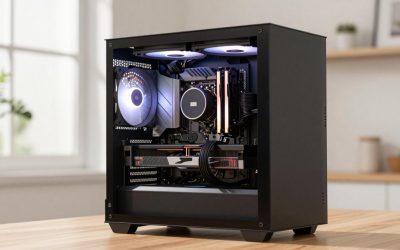
A gaming PC bundle is a listing that groups a computer with other items, most often a monitor, a keyboard and mouse, a headset, or a game or subscription offer. The convenience is real, but the value depends on which part of the bundle is strong and which part is filler. Judge a bundle by the PC’s own spec sheet first, then treat everything else as a secondary extra that you would otherwise have to buy anyway.
What counts as a gaming PC bundle
People who search for a gaming pc bundle or gaming pc bundles are usually trying to avoid buying five separate things. The word bundle covers several quite different offers, and mixing them up leads to disappointment. The main kinds are below.
PC plus monitor
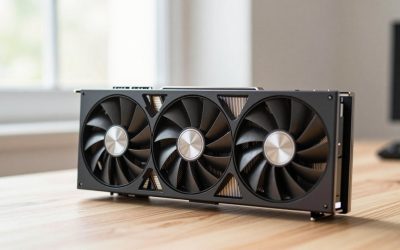
The computer ships with a display, often in the same order and sometimes in separate boxes. This is attractive for first-time buyers who need a complete setup. The key questions are the monitor’s size, resolution, and refresh rate, and whether those suit the graphics card in the tower. A powerful graphics card paired with a basic display wastes the card, and a weak card paired with a high-resolution display struggles.
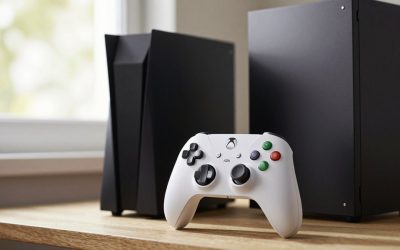
PC plus peripherals
This adds a keyboard, mouse, headset, and sometimes a mouse pad or webcam. These sets are convenient, but peripherals included in bundles are frequently entry-level. They may be perfectly serviceable, or they may be the first thing you replace. Check the model names rather than the generic description.
Parts bundles
Instead of a finished computer, these combine components: a processor and board, a graphics card and power supply, or a case with fans and a power supply. They suit builders. The compatibility checks matter more here, and our companion guide on motherboard and CPU bundles covers the socket and BIOS questions in detail.
Game and subscription bundles
Some offers include a game code or a limited subscription to a game service. These can be pleasant extras, but they carry conditions: a redemption deadline, a region limit, or a requirement to create an account. A code you will never use has no practical value, so treat it as a small bonus and not as a reason to choose a system.
Where bundles are often weak
Bundles are designed to look complete at a glance. The weak points tend to sit in the parts that are less visible in a product title. Check these in the spec sheet.
The power supply
A power supply is easy to underspecify because it does not show up in screenshots. Look for the wattage, the efficiency rating if one is listed, and the brand and model. Some listings only say something vague like a 600W power supply without naming the manufacturer. A vague entry is a prompt to ask the seller for the exact model before you buy. A weak or generic unit can limit upgrade options, such as adding a stronger graphics card later.
Memory configuration
Capacity is not the whole story. Memory works best when it runs in a dual-channel arrangement, which usually means two matching modules rather than one larger module. A listing that says 16GB could mean one 16GB stick or two 8GB sticks, and the two behave differently in some games and applications. Look for the module count in the spec sheet. Also note the memory type and speed, and whether the system has free slots for later expansion.
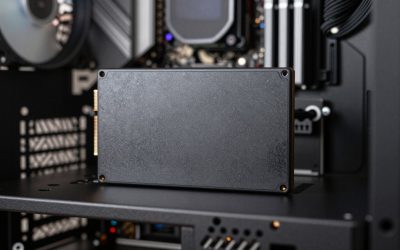
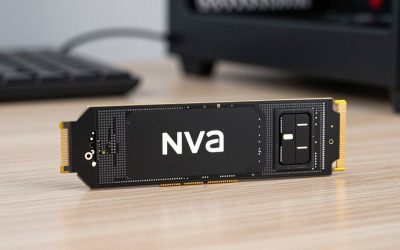
Storage
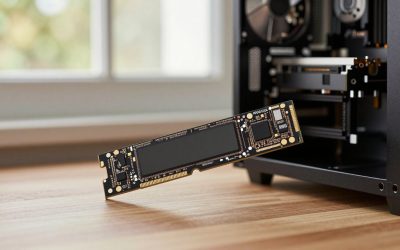
Check the type and size. Solid-state drives are standard for the main drive in a modern gaming system, but some bundles use a small boot drive, or an older hard drive, to hit a headline figure. Modern games are large, so a small drive fills up quickly. Look for how many drive slots remain open, and whether the board has an additional slot for a second solid-state drive.
Cooling and the case
A stock cooler is fine for many processors, but some higher-power chips benefit from a better one. Check what cooler is listed and how many case fans are included. Airflow in a case with a tempered glass front can be limited, so see if the listing mentions fan placement.
The motherboard
Prebuilt systems sometimes use basic boards with limited upgrade paths. Look for the chipset, the number of memory slots, the number of storage slots, and whether it has the connectors you want. A board with minimal features can be a quiet constraint if you plan to keep the machine for several years.
The extras
A keyboard and mouse in a bundle may be basic. A headset may be a generic model. A monitor may have a modest panel or limited stand adjustment. These are not necessarily bad, but they are the likeliest to be replaced, which means their contribution to value is lower than the product photo suggests.
How to check value without looking at prices
You do not need a price to see whether a bundle is well put together. Try this method.
- List the PC’s core parts. Processor, graphics card, memory, storage, power supply, motherboard, and case.
- Note which ones are named by model. Specific model names are a good sign. Vague descriptions are a flag.
- Judge the balance. Is the graphics card matched to the processor and the monitor? A bundle that pairs a mid-range card with an ultra-high-resolution display is out of balance.
- Look at what is missing. Does the PC include Wi-Fi? An operating system license? Cables? Some systems do not include a wireless adapter or the operating system.
- Treat extras as a separate category. Ask: would I buy this keyboard, mouse, or headset on its own? If the answer is no, the extra adds little.
- Compare to a build list. Take the core specs and look at whether similar parts, bought individually, would give you better components in the weak areas. You can do this by comparing model names and current listings yourself.
Bundle types compared
| Bundle kind | Typical contents | Where it helps | Where it can disappoint | Inspect first |
|---|---|---|---|---|
| PC and monitor | Tower plus display | Complete setup from one order | Display mismatched to the graphics card | Panel size, resolution, refresh rate |
| PC and peripherals | Tower plus keyboard, mouse, headset | Ready to play out of the box | Basic accessories you replace soon | Peripheral model names |
| Parts bundle | Selected components | Matched parts for builders | Compatibility and unwanted parts | Socket, BIOS support, form factor |
| Game or subscription offer | Code or trial | Small bonus | Expiry, region limits, account needs | Redemption terms |
| Full desk set | PC, monitor, peripherals, and extras | One-order convenience | Weak points hidden behind the quantity of items | Core PC spec sheet |
What to inspect in the spec sheet
- Processor and graphics card: exact model names, not just a family name.
- Memory: total capacity, number of modules, type, and speed.
- Storage: type, capacity, and open slots.
- Power supply: wattage, brand, model, and efficiency rating if listed.
- Motherboard: chipset and slot counts.
- Cooling: processor cooler type and case fan count.
- Connectivity: Wi-Fi, Bluetooth, and the ports on the front and back.
- Operating system: whether a license is included.
- Warranty: length, what it covers, and whether the monitor and peripherals have separate terms.
- Monitor details: panel type, size, resolution, refresh rate, and available inputs.
Warranty and returns for multi-item bundles
When several items arrive in one order, the warranty usually follows each item separately. The PC may have one warranty, the monitor another, and the peripherals a third. Before you buy, check how a return works: can you send back just the monitor if you do not like it, or does the whole order go back? Read the terms for opened items, and keep all packaging until you have tested everything. If something fails, a clear record of the order and the item serial numbers makes the process simpler.
Checklist for evaluating a gaming PC bundle
- Are the core parts listed by exact model?
- Is the power supply named, with a wattage that leaves room for upgrades?
- Is the memory in a dual-channel arrangement?
- Is the storage large enough, and is there room for another drive?
- Does the monitor suit the graphics card?
- Would you buy the included peripherals on their own?
- Are game or subscription extras usable in your region and before the deadline?
- Are warranty and return terms clear for each item?
- Does the system include an operating system and wireless connectivity?
- Could you replace the weakest part later without replacing the whole system?
Frequently asked questions
Is a gaming PC bundle better than buying parts separately?
Not automatically. A bundle saves time and decisions, while separate parts give you control over every component. The better choice depends on whether the bundle’s weakest part is acceptable to you.
Are the keyboards and mice in bundles any good?
They vary. Many are entry-level, and some are perfectly fine for casual use. Look up the model names and decide if you would choose them on their own.
How can I tell if the power supply is too weak?
Check the wattage against the graphics card and processor requirements listed by their makers, and look for a named brand and model. If the listing is vague, ask the seller for the exact unit.
Do game codes in bundles have conditions?
Often, yes. Common conditions include a redemption deadline, a regional restriction, and a required account. Read the fine print before counting a code as part of the value.
Conclusion
A gaming PC bundle can be a practical way to start, especially if you need a full setup. The way to judge it is to focus on the computer’s core parts, check the quieter specifications such as the power supply, memory layout, and storage, and treat the extras honestly as extras. If the core system is balanced and the terms are clear, a bundle can be a sensible purchase. If the headline items hide vague specifications, keep looking.