

- Top Pick: Keychron K3 Version 2 Wireless Mechanical Keyboard
- Runner-up: Logitech K400 Plus Wireless Touch Keyboard
- Also consider: Samsung T7 Portable SSD 1TB
The NEC PC-98 is the machine that ran Japanese PC gaming through the 1980s and 1990s, and none of its software runs in an ordinary DOS emulator, because the hardware was never IBM compatible despite using x86 processors. Emulating it on a modern PC is very doable, but the scene is smaller and more documentation-driven than the console world.
As an Amazon Associate, we earn from qualifying purchases.
This roundup covers the three routes that work today: Neko Project II and its np2kai fork, the dedicated standards, and DOSBox-X in its PC-98 mode. Everything below assumes you supply the BIOS, font and game images from hardware and disks you own.
This article contains affiliate links, and we may earn a commission when you buy through them at no extra cost to you.
Quick Answer
The best PC-98 emulators are Neko Project II Kai (np2kai) for accuracy and active development, the original Neko Project II for a simple standalone setup, and DOSBox-X in PC-98 mode if you want to start without firmware files. All three are free, and all need game images you make from your own disks.
The PC-98 in Brief
NEC launched the PC-9801 in 1982, and the family that followed dominated the Japanese personal computer market for well over a decade, selling as business machines first and game machines by consequence. The line ran from early 8086-based models through 386, 486 and Pentium systems under the PC-9821 name, sold in Japan until 2000. Developers targeted the PC-98 directly, which is why its library is so separate from the IBM PC library of the same years.
For most readers outside Japan, the famous hook is the Touhou Project: its first five games, from Highly Responsive to Prayers through Mystic Square, were released for the PC-98 between 1996 and 1998 before the series moved to Windows. They run well in every emulator covered here. Beyond Touhou, the library is heavy on role-playing games, strategy titles and visual novels, mostly Japanese-language only.
The BIOS and Font Question
PC-98 emulation is stricter about firmware than DOS emulation. The dedicated emulators expect real files dumped from a PC-98 you own, and the np2kai documentation is explicit about the set: bios.rom for the system BIOS, font.rom or a font.bmp bitmap for the character font, itf.rom for the interface firmware, and sound.rom for the sound board, all in a folder named np2kai. Optional files include bios9821.rom, d8000.rom, and WAV samples for the YM2608 rhythm section. The project documents its own GETBIOS tool for dumping these files from actual hardware, the legal route to take.
The font matters because the PC-98 displays Japanese text through a hardware character generator. Without valid font data, menus and dialogue render as blank space or garbage even when the game boots. DOSBox-X is the exception: its PC-98 mode starts with no extra files, and since version 0.83.15 it can fall back on an internal DOS/V font, although its guide still recommends an original FONT.ROM or the free bundled FREECG98.BMP.
The Emulators Worth Using
Neko Project II
Neko Project II, written by YUI, is the emulator the PC-98 scene was built around. It emulates models from the early PC-9801 machines up to 486-class systems, supports floppy and hard disk images, and models the sound boards most games expect. Its configuration is a dense set of menus rather than a modern settings panel, and development of the original has slowed, but its compatibility remains the reference point other emulators are measured against. If a game has a known quirk, the documented fix usually names Neko Project II.
Neko Project II Kai (np2kai)
Np2kai is the actively maintained fork of Neko Project II, distributed as a standalone program and as a libretro core for frontends such as RetroArch. It keeps the original’s compatibility focus while adding save states, broader disk image support, model and CPU options, and documented multi-disk handling. For a new setup, np2kai is the sensible default. The libretro version expects its firmware in a np2kai folder inside the frontend’s system directory, and a missing or misnamed file is the first thing to check when a game refuses to boot.
DOSBox-X in PC-98 Mode
DOSBox-X is primarily a DOS emulator, but it officially supports the PC-98 as a machine type. Setting machine=pc98 in the configuration file, or launching with that option, starts the PC-98 mode; pc9801 and pc9821 are documented aliases. The advantage is accessibility: no firmware files are required to start, folders and images mount through the familiar MOUNT and IMGMOUNT commands, and the Touhou games are called out in the project’s guide as well supported. The trade-off is that edge-case compatibility sits behind the dedicated projects.
One name you will still meet in old guides is Anex86, by A.Y. It was a popular PC-98 emulator in the early 2000s and handled many games of its era well, but development stopped back then and it has not been updated since. There is no reason to choose it over np2kai today.
Disk Images and Media Handling
PC-98 software shipped on floppy disks, and the image formats reflect that. FDI is a headered floppy image format recording the disk’s geometry, HDM is a raw image of the standard 1.23 MB high-density floppy, and D88 and D98 are further floppy formats you will encounter. Hard disk software uses HDI images, with NHD and THD as alternatives. Np2kai’s documentation lists a wide extension set spanning all of these, so format rarely blocks a game.
The point that surprises newcomers is the two-drive reality. PC-98 machines normally had two floppy drives, and games were designed around that: a program disk in the first drive and a data disk in the second, or a multi-disk game expecting the next disk in the same drive. Both np2kai and DOSBox-X load images into two emulated drives, and the libretro core supports playlist files so multi-disk games can swap disks from the frontend menu. When a game asks for a disk that is already inserted, the fix is almost always assigning images to the drives in the order the manual describes.
Gear That Makes PC-98 Play Easier
PC-98 software is keyboard-first and only occasionally gamepad-driven, so the hardware that helps most is a compact keyboard, a pad for action titles, and fast portable storage.
Keychron K3 Version 2 Wireless Mechanical Keyboard

A compact board suits PC-98 play because so much of the library is keyboard-driven, and the K3 Version 2 pairs mechanical switches with a footprint that leaves desk room for a mouse.
Specs:
– Layout: 84 keys, 75 percent layout
– Switches: low-profile Keychron mechanical, Brown (model K3A3)
– Connectivity: Bluetooth 5.1 and USB-C wired
– Backlight: white LED
– Battery: 1,550 mAh rechargeable
– Size: 306 x 116 x 22 mm, about 483 g
Logitech K400 Plus Wireless Touch Keyboard

For a couch setup, the K400 Plus folds the mouse into the keyboard with a built-in touchpad, covering the PC-98’s mouse-driven menus and adventure games.
Specs:
– Layout: 84 keys with built-in 3.5-inch touchpad
– Connectivity: 2.4 GHz via Logitech Unifying USB receiver
– Wireless range: up to 10 m
– Battery: 2 AA, up to 18 months as stated by Logitech
– Model number: 920-007119
8BitDo Pro 2 Bluetooth Controller (Hall Effect)
The PC-98 action library, Touhou included, plays well on a pad with a good directional pad, and the Pro 2 adds drift-resistant Hall Effect sticks and remappable back buttons. Its D-input mode suits older emulator builds.
Specs:
– Sticks: Hall Effect joysticks
– Connectivity: Bluetooth 4.0 and USB-C wired
– Modes: Switch, Android, D-input and X-input switchable
– Extras: 2 Pro back paddle buttons, 3 custom profiles
– Battery: 1,000 mAh, about 20 hours per charge as stated by 8BitDo
– Size: 153.6 x 100.6 x 64.5 mm, 228 g
Samsung T7 Portable SSD 1TB

A PC-98 library is thousands of small disk images plus hard disk installs, and a fast portable SSD keeps the whole collection on one drive that moves between desktop and laptop.
Specs:
– Capacity: 1 TB (model MU-PC1T0T/AM)
– Speeds: up to 1,050 MB/s read and 1,000 MB/s write as stated by Samsung
– Interface: USB 3.2 Gen 2, USB-C
– Security: AES 256-bit hardware encryption
– Size: 85 x 57 x 8 mm, 58 g
SanDisk Extreme Portable SSD 1TB
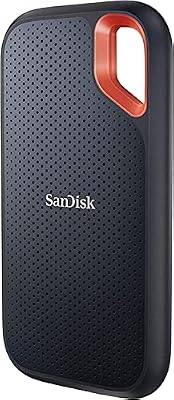
The SanDisk Extreme is the rugged alternative for the same job, with drop protection for a drive carried between setups.
Specs:
– Capacity: 1 TB (model SDSSDE61-1T00-G25)
– Speeds: up to 1,050 MB/s read and 1,000 MB/s write as stated by SanDisk
– Interface: USB-C, USB 3.2 Gen 2
– Resistance: IP65 rated, up to two-metre drop protection
– Warranty: 5-year limited warranty
– Extras: carabiner loop, 256-bit AES hardware encryption
How to Choose
Start with np2kai if you are willing to prepare the firmware set, because it has the strongest compatibility, active development and the best troubleshooting documentation. Choose DOSBox-X if you already use it for DOS games or want to boot a first PC-98 title today with no firmware preparation, accepting that obscure titles may behave better in the dedicated emulators. Keep your BIOS, font and game images in one clearly named folder structure, since nearly every PC-98 emulation problem is a missing or misnamed file rather than a settings issue. Match controls to genre: keyboard and mouse for strategy and adventure titles, a pad in D-input mode for action games.
Who Should Skip
Skip PC-98 emulation if you do not own PC-98 hardware or disks to source firmware and games from, because the dedicated emulators cannot boot properly without those files and there is no legitimate shortcut. Skip it if you need English-language games, since most of the library was never translated. And skip DOSBox-X’s PC-98 mode as your only emulator for obscure late-era titles, where np2kai pulls ahead.
FAQ
Do I need a BIOS to run a PC-98 emulator?
For Neko Project II and np2kai, yes: their documentation requires bios.rom, itf.rom, sound.rom and a font file dumped from your own PC-98. DOSBox-X is the exception, since its PC-98 mode starts without firmware and only recommends a font file for correct Japanese text.
Can PC-98 emulators run IBM PC DOS games?
No. The PC-98 used x86 processors but its own hardware design, so the two software libraries are not interchangeable. Use DOSBox-X’s standard mode for IBM PC titles and its PC-98 mode for PC-98 titles.
Why does my game show blank text or boxes instead of Japanese characters?
That is a font problem. The PC-98 renders text from font data, so a missing or wrong font.rom leaves dialogue garbled. Check the font file has the exact name your emulator expects and sits with the other firmware files.
Which emulator runs the PC-98 Touhou games best?
All three covered here run the five PC-98 Touhou games well. DOSBox-X’s own PC-98 guide names them as supported, and np2kai handles them with standard settings, so the choice comes down to standalone emulator versus frontend.
Final Verdict
Np2kai is the PC-98 emulator to install first: it carries Neko Project II’s compatibility forward with active development, documented firmware requirements and proper multi-disk handling. DOSBox-X earns its place as the zero-firmware starting point for anyone already emulating DOS. Set up either with files from your own hardware, and the PC-98’s huge Japanese library is open to you.










