

Affiliate disclosure: As an Amazon Associate we earn from qualifying purchases. This post contains affiliate links — if you buy through them we may earn a small commission at no extra cost to you. This never affects our recommendations.
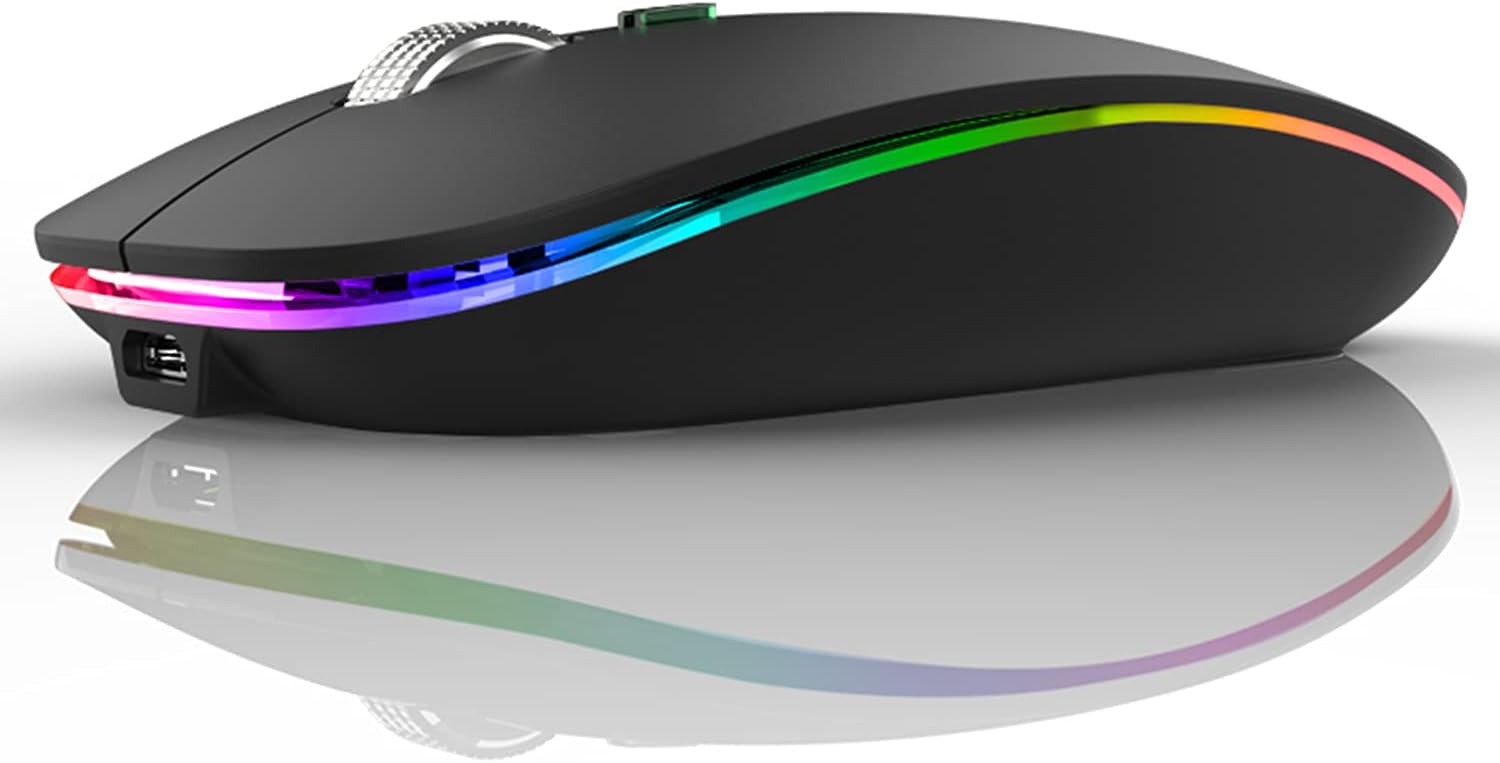

Wireless mice have come a long way — battery life is better, polling rates have caught up, and latency is no longer a credible complaint for most players. Yet a large portion of serious gamers still reach for a wired mouse without hesitation. Zero-latency click registration, no batteries to charge mid-session, and a lower price-per-performance ratio keep wired mice alive and well at every level of competitive play. The single downside? The cable. It snags on the mousepad edge, drags across the desk, and introduces just enough inconsistency to ruin a flick shot. A mouse bungee solves that problem by suspending the cable in a controlled arc above the desk surface, eliminating drag entirely and giving a wired mouse the free, frictionless movement of its wireless counterpart — without giving up a single millisecond of latency.
If you have been dismissing mouse bungees as a gimmick, this guide is here to change your mind. Below you will find the five best mouse bungees for gaming in 2026, tested across criteria that actually matter: arm flexibility, base stability, cable compatibility, and overall value.
In a hurry? See the top-rated Mouse Bungee for Gaming deals available right now:
🛒 Check Mouse Bungee For Gaming Prices on Amazon →Quick answer: For most people in 2026, the best mouse bungee for gaming is the Bungee — our #1 rated choice. See the full ranked comparison, alternatives and buying advice below.
The 5 Best Mouse Bungees for Gaming in 2026
Razer Mouse Bungee V3 Chroma
The Razer Mouse Bungee V3 Chroma is the flagship option in this category and earns that designation on almost every metric. Its spring-loaded arm delivers a satisfying amount of tension — firm enough to keep your cable elevated and out of the way, flexible enough to respond naturally to fast directional changes without snapping back aggressively. The arm articulates smoothly, and Razer has tuned the spring resistance well: it does not fight your movement, it simply manages the slack.
Stability is where the V3 Chroma really separates itself from cheaper options. The base is a solid rubber-bottom weighted unit that does not budge during aggressive low-sensitivity sweeps. If you play at 400 DPI and move your mouse across a full-sized pad in a single motion, the bungee stays exactly where you placed it. That level of grip is not guaranteed with lighter bungees, and it matters more than most buyers anticipate until they experience a bungee that slides.
Cable compatibility is broad. The V3 Chroma’s clip mechanism handles cables from thin braided options like the Razer Viper line all the way to thicker rubber-coated cables. The clip does not pinch aggressively, so it will not damage paracord aftermarket cables either. The Chroma RGB underglow is genuinely well-implemented — it syncs with Razer Synapse and integrates cleanly into a Chroma-enabled setup without looking garish on its own. If RGB is not your preference, there is a non-Chroma V3 version at a lower price point.
Pros: Best-in-class spring tension, rock-solid base, wide cable compatibility, excellent RGB integration
Cons: Premium price, Synapse software required for full RGB control, non-Chroma version lacks visual appeal
Zowie Camade II
BenQ Zowie built the Camade II for one purpose: functional cable management with zero distractions. There is no RGB, no app, no ecosystem to buy into. What you get is a flexible arm, a heavy rubber base, and a design philosophy that has remained consistent across Zowie’s entire product lineup — if it does not improve your performance, it does not belong on the product.
The arm on the Camade II is flexible rather than spring-loaded, which gives it a slightly different feel compared to the Razer. Instead of returning to a fixed position, it holds wherever you leave it. Some players prefer this because it means the arm conforms to their natural cable routing rather than imposing a position on it. The tradeoff is that aggressive direction changes can occasionally pull the arm out of its ideal angle, requiring a quick readjustment. For most players, this happens rarely enough to be a non-issue.
The base is the Camade II’s strongest feature. It is among the heaviest bases in this price range, and the rubberized bottom grips the desk surface with authority. Zowie clearly understands that base stability is the foundational requirement of any bungee — everything else is secondary if the unit is sliding around during a clutch round. The cable clip is simple and secure, compatible with virtually any cable type, and easy to adjust one-handed.

At around $30, the Camade II represents exceptional value for anyone who wants a no-frills, performance-oriented bungee. It is the overwhelming choice of professional esports players for exactly that reason — it works, it stays put, and it never gets in the way.
Pros: Extremely stable base, no-nonsense design, flexible arm holds position well, excellent value
Cons: No RGB, flexible arm requires occasional readjustment, minimalist aesthetic may feel dated to some
SteelSeries Three-Sixty
The SteelSeries Three-Sixty takes the most mechanically interesting approach to bungee design in this roundup. Its 360-degree rotating arm allows the bungee to track your mouse movement from any angle without the arm needing to flex or reposition. In theory — and in practice — this means the cable management is more consistent during extended sessions where your movement pattern covers the full width of a large mousepad.
The rotating mechanism is smooth and adds almost no friction to mouse movement. The arm stays at a consistent height regardless of rotation angle, which keeps the cable arc predictable. SteelSeries has also included a USB passthrough on the base, which is a practical bonus for connecting a second peripheral or USB dongle without running a cable to the back of your PC. The RGB lighting on the base is subtle and well-placed — it illuminates the desk surface below the unit rather than shining outward, which pairs nicely with mousepad lighting if you have it.
The base, however, is where the Three-Sixty shows its one notable weakness. It is lighter than the Camade II and the Razer V3 Chroma, and on very smooth desk surfaces without a mousepad, there is a small but noticeable tendency to shift during aggressive movements. On a cloth mousepad, this issue largely disappears. Cable compatibility is solid — the clip handles standard braided and rubber cables without issue, though very thin paracord cables may sit loosely in the clip.
At $30, it competes directly with the Camade II but targets a different buyer: someone who values the rotating arm mechanism and USB passthrough over maximum base weight.
Pros: 360-degree rotating arm, USB passthrough, clean RGB lighting, interesting mechanical design
Cons: Lighter base than competitors, may shift on smooth surfaces, premium feel does not quite match price
Glorious Mouse Bungee
Glorious has carved out a reputation for delivering gaming peripherals that punch well above their price point, and the Glorious Mouse Bungee follows that tradition. At around $20, it is the most affordable option on this list, and it does not feel cheap. The spring-loaded arm has a clean feel that rivals more expensive options, and the heavy base — arguably the heaviest relative to its price tier — keeps the unit anchored with confidence.

The design is minimal and modern. Glorious avoided the temptation to add RGB or unnecessary features, keeping the visual footprint clean and compatible with any desk aesthetic. The arm finish is matte black, the base is smooth and low-profile, and the overall build quality is notably better than the price suggests. The cable clip accepts a wide range of cable thicknesses and holds securely without requiring excessive force to seat the cable.
Performance-wise, the Glorious Mouse Bungee delivers exactly what you need: consistent cable elevation, reliable arm return, and a base that does not move. For budget-conscious buyers — or anyone building a wired gaming setup for the first time and unsure whether a bungee is right for them — this is the obvious starting point. If you decide bungees are not for you, you are out $20. If you decide you cannot game without one, you will keep using this one indefinitely.
The only area where the Glorious falls short compared to pricier options is arm articulation range. The spring tension is well-tuned but the arm’s maximum extension is slightly shorter, which may not route cables ideally for players with unusually large or small mouse pads.
Pros: Best value on the list, heavy stable base, clean minimal design, excellent build quality for price
Cons: Shorter arm extension, no USB passthrough or RGB, limited adjustment range
HyperX Pulsefire Clutch
The HyperX Pulsefire Clutch is the most feature-dense bungee on this list. Its spring arm is compact and responsive, the base houses a built-in USB hub with two additional ports, and the RGB lighting is cleanly integrated into the base perimeter. HyperX has clearly designed this for players who want their bungee to serve double duty as a USB hub — eliminating the need for a separate hub on a cluttered desk.
The spring arm tension is on the stiffer side compared to the Razer V3 Chroma, which some players will prefer for its more assertive cable return. The arm is compact relative to the other options here, which works well for standard cable lengths but may feel limiting if you route your cable at an unusual angle or use a very large gaming surface. The clip mechanism is secure and handles braided, rubber, and paracord cables cleanly.
The USB hub functionality is the Pulsefire Clutch’s defining feature and also its most practical differentiator. Both ports deliver standard USB 2.0 speeds — sufficient for keyboards, additional mice, or USB receivers, though not ideal for high-bandwidth peripherals like capture cards. The RGB is managed through HyperX NGENUITY software, which is lightweight and straightforward compared to more bloated peripheral software ecosystems.
At $30, the Pulsefire Clutch is priced identically to the SteelSeries and Zowie options but offers a fundamentally different value proposition: more features at the cost of a smaller arm and a base that, while stable, does not match the Camade II for raw grip. It is the right pick for the player who values desk utility over pure bungee performance.
Pros: Built-in USB hub, compact design, good RGB implementation, lightweight NGENUITY software
Cons: Smaller arm extension, stiffer spring may not suit all preferences, base grip not class-leading

Comparison Table
| Bungee | Arm Type | Base | RGB |
|---|---|---|---|
| Razer Mouse Bungee V3 Chroma | Spring (tuned tension) | Heavy rubber, excellent grip | Yes (Chroma RGB) |
| Zowie Camade II | Flexible (holds position) | Very heavy rubber, best-in-class grip | No |
| SteelSeries Three-Sixty | 360° rotating arm | Medium weight, good on cloth | Yes (subtle base lighting) |
| Glorious Mouse Bungee | Spring (firm, shorter arm) | Heavy rubber, excellent for price | No |
| HyperX Pulsefire Clutch | Spring (stiffer, compact) | Medium weight, stable | Yes (NGENUITY) |
Do You Need a Mouse Bungee in 2026?
Fair question — and it deserves an honest answer rather than a reflexive sales pitch. Wireless mice in 2026 are genuinely excellent. The Logitech G Pro X Superlight 2, the Razer DeathAdder V3 HyperSpeed, and competitors at multiple price points have eliminated the practical arguments against going wireless for the vast majority of players. If you already game wirelessly and you are happy, a mouse bungee does not help you.
Where bungees remain relevant is a specific and real use case: players who prefer wired mice for performance, budget, or personal reasons. Some players simply do not trust wireless — the psychological aspect of knowing a cable connects your input directly to the PC is not irrational, even if latency measurements have largely closed the gap. Others game at LAN events where wireless interference is a legitimate concern. Many more are on a budget where a quality wired mouse costs significantly less than a comparable wireless option.
For all of these players, a mouse bungee is one of the highest-value upgrades available. At $20 to $40, it costs less than most premium mouse feet replacements and delivers a more impactful improvement to mouse feel. The cable drag problem is real, reproducible, and completely eliminated by a well-designed bungee. If you have ever repositioned your cable mid-match or noticed your mouse “sticking” as it pulls against a snagged cable, you will immediately feel the difference.
The counterargument is that modern paracord replacement cables — ultra-light, ultra-flexible aftermarket cables — reduce cable drag significantly without a bungee. This is true, and for some players a paracord cable alone solves the problem. But a bungee and a paracord cable together is the complete solution: the cable stays elevated, it never touches the pad, and mouse movement becomes genuinely indistinguishable from wireless in terms of physical resistance.
Final Verdict
For most players, the Zowie Camade II is the recommendation. It does exactly what a mouse bungee is supposed to do, it does it better than nearly anything in its price range thanks to that exceptional base, and it carries the implicit endorsement of professional esports players who are paid to win and have chosen it anyway. There is no RGB, no app, no gimmick — just clean, reliable cable management.
If you want the best overall experience and RGB is part of your setup, the Razer Mouse Bungee V3 Chroma is worth the extra $10. The spring tuning is exceptional, the base grip is nearly as good as the Camade II, and the Chroma integration is genuinely well-executed rather than bolted on for marketing purposes.
On a budget, the Glorious Mouse Bungee at $20 is the easy call. It outperforms its price significantly and will satisfy the majority of wired mouse users without requiring a second thought.
The SteelSeries Three-Sixty earns its place for players who move across a wide pad area and want the rotating arm to handle directional variety more smoothly, or who need the USB passthrough for a specific workflow. The HyperX Pulsefire Clutch is similarly situational — if the USB hub solves a real desk organization problem for you, it is a smart two-in-one purchase.
Whatever your reason for staying wired, a mouse bungee is the finishing touch that makes a wired setup feel complete. It is one of the few peripherals where the performance benefit is immediately perceptible from the first mouse movement, and at this price range, there is no reason to leave the problem unsolved.
Frequently Asked Questions
What does a mouse bungee do?
A mouse bungee holds your wired mouse cable up off the desk, eliminating drag and snags. It makes a wired mouse feel almost as free as wireless during fast movements.
Do I need a mouse bungee with a wired mouse?
If cable drag bothers you during flicks and swipes, yes. A bungee removes that resistance and the catch on your desk edge, noticeably improving wired-mouse feel for competitive play.
Are mouse bungees worth it for wireless mice?
Not for everyday use, but a bungee neatly holds the charging cable when you top up a wireless mouse mid-session, keeping the cable from dragging.
What makes a good mouse bungee?
A heavy, stable base that will not slide, a flexible arm that holds the cable with light tension, and a height that suits your mouse. Some also include extra USB ports.
Related Articles
Looking for more on this topic? Browse the hand-picked guides below — each one applies the same scoring rubric used in this review.
Ready to decide? Our #1 pick for 2026 is the Bungee.
Live price & availability on Amazon.


