

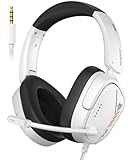
- Top Pick: WIRWTRU Wired Gaming Headset for PS5, Xbox, Xbox Series X|S, PC, PS4
- Best Value: Razer BlackShark V2 X Gaming Headset: 7.1 Surround Sound – 50mm Drivers – Memory Foam Cushion – For PC, PS4, PS5, Switch – 3.5mm Audio Jack – Black
- Premium Choice: Razer BlackShark V2 X Xbox Gaming Headset, 3.5mm Audio Jack, Black
Affiliate disclosure: As an Amazon Associate we earn from qualifying purchases. This post contains affiliate links — if you buy through them we may earn a small commission at no extra cost to you. This never affects our recommendations.
- Quick Picks
- Budget vs Mid-Range vs Premium: What $50 Actually Gets You in Audio Quality
- Virtual Surround on a Budget: Real Benefit or Marketing Gimmick?
- Top 5 Best Budget Gaming Headsets Under $50
- Comparison Table
- What to Look For When Buying a Budget Gaming Headset
- Verdict
- Frequently Asked Questions
- Related Articles
- Related Articles
As an Amazon Associate we earn from qualifying purchases at no extra cost to you.






In a hurry? See the top-rated Budget Gaming Headset deals available right now:
🛒 Check Budget Gaming Headset Prices on Amazon →🛒 Best Price Today on Amazon
Prime members get fast, free shipping on everything above, plus member-only deals. New members get a 30-day free trial — cancel anytime.
Start 30-Day Prime Free Trial →See Today’s Amazon DealsQuick Picks
| Headset | Best For |
|---|---|
| HyperX Cloud Stinger 2 | Best overall value |
| Razer Kraken X | Lightweight + virtual surround |
| SteelSeries Arctis 1 | Mic clarity + Discord use |
| Corsair HS35 Stereo | Multi-platform durability |
| Logitech G335 | Comfort + all-round use |
Budget vs Mid-Range vs Premium: What $50 Actually Gets You in Audio Quality
The $50 ceiling used to mean muddy bass, cardboard build quality, and a mic that sounded like you were calling from a bus station. In 2026, that has changed significantly.
Driver technology has matured enough that 40–50mm drivers in the sub-$50 bracket now deliver sound quality comparable to what $80–$100 headsets offered five years ago. Brands like HyperX, Razer, and SteelSeries have compressed their supply chains and pushed competitive audio into entry-level SKUs specifically because the gaming peripheral market has exploded in lower-income demographics and mobile-first markets.
Here is what the three tiers actually look like in practice:
Under $50 (Budget): You get stereo audio that is genuinely good for gaming, a boom mic (usually non-detachable), 40–50mm drivers, plastic or mixed-material builds, and 3.5mm or USB connectivity. Virtual surround is available on some models but implemented in software. You will not get Hi-Res Audio certification, lossless wireless, or premium memory foam earcups — but for competitive gaming and casual use, you will not miss them.
$50–$100 (Mid-Range): This tier adds better passive isolation, more accurate soundstages, higher-quality mic capsules (condenser vs. dynamic), stronger build materials, and sometimes wireless. The jump from $50 to $80 is audible. The jump from $80 to $100 is smaller.
$100+ (Premium): Wireless becomes standard, spatial audio is hardware-accelerated, and you get true 7.1 discrete surround on some models. Planar magnetic drivers appear at the top end. For most gamers, this tier is overkill unless you are streaming or audio-critical.
The honest verdict: if you are a casual-to-competitive gamer who does not produce audio content, the $50 bracket covers 85% of your needs. The remaining 15% — positional accuracy in high-level competitive play, fatigue over marathon sessions — is where you start feeling the ceiling.
Virtual Surround on a Budget: Real Benefit or Marketing Gimmick?
Short answer: it depends on the implementation, and at the budget tier, it is often a gimmick.
Virtual surround (labeled as 7.1, DTS Headphone:X, or simply “surround sound” depending on the brand) is processed through software that applies HRTF (Head-Related Transfer Function) algorithms to fake spatial audio from two physical drivers. Done well, as in the Razer Kraken X’s software suite or SteelSeries Sonar, it genuinely improves directional awareness in games like Warzone or Valorant. Done poorly, it just adds reverb and makes everything sound like you are in a tunnel.
At sub-$50, the hardware limitation is real. A single 40mm driver cannot reproduce the phase and timing cues that your ears use for precise 3D localization. Software compensates, but imperfectly. The benefit is most noticeable in large open-world games and battle royale titles where rough directional awareness (left/right/behind) matters more than precise vertical positioning.
When virtual surround helps: battle royale, open-world, horror games, any title where ambiance matters.
When to skip it: competitive shooters where tight positional audio (e.g., CS2, Apex) matters more — in those cases, a clean stereo mix from a higher-quality driver is often superior to muddied virtual surround.
Recommendation: Enable virtual surround in casual play, disable in ranked competitive. The Razer Kraken X and HyperX Cloud Stinger 2 both handle this toggle gracefully.
Top 5 Best Budget Gaming Headsets Under $50
1. HyperX Cloud Stinger 2 — Best Overall Under $50
The Cloud Stinger 2 is the headset that most budget buyers should start and end their search with. HyperX has refined this line across several generations, and the second iteration gets almost everything right for the price.

Specs:
- Drivers: 50mm
- Frequency response: 10Hz–21kHz
- Mic: Rotating, noise-cancelling cardioid
- Connection: USB-A (PC), 3.5mm (console/mobile)
- Weight: 275g
Pros:
- 50mm drivers are larger than most competitors at this price — noticeably fuller low-end
- Steel slider frame eliminates the plastic creaking common in budget headsets
- Rotating mic is convenient; swings up to mute, no separate button required
- USB and 3.5mm dual connectivity covers PC, PS5, Xbox, Switch, and mobile
- HyperX NGenuity software adds EQ and virtual surround on PC
Cons:
- Leatherette earcups trap heat in long sessions
- USB dongle slightly bulkier than direct connections
- Virtual surround implementation is decent but not best-in-class
Who it’s for: The gamer who wants one headset that works everywhere without fuss. Whether you are on PC, PS5, or Switch, the Stinger 2 plugs in and performs. The 50mm drivers give it a sonic edge over most competitors in this bracket.
2. Razer Kraken X — Best for Comfort and Virtual Surround
At 250g, the Kraken X is one of the lightest gaming headsets at any price, and that matters more than most buyers realize. Over a four-hour session, an extra 50–75g is the difference between comfort and a stiff neck. Razer also ships the best software in this price tier, which makes the 7.1 virtual surround genuinely usable.
Specs:
- Drivers: 40mm, titanium-coated
- Frequency response: 12Hz–28kHz
- Mic: Cardioid, bendable, with noise cancellation
- Connection: 3.5mm (USB adapter for 7.1 on PC)
- Weight: 250g
Pros:
- Lightest headset on this list at 250g — extended session comfort is excellent
- Razer’s 7.1 Surround Sound via Razer Synapse is the most polished software implementation at this price
- Oval earcups fit over ears cleanly and distribute pressure well
- Wide frequency response catches more of the audio spectrum
Cons:
- 40mm drivers — smaller than the Stinger 2; bass is lighter
- 3.5mm only on the headset itself; USB adapter needed for 7.1, and it is not always included
- Mic arm is flexible but less precise to position than a boom arm
- Plastic build feels the most budget of the five at close inspection
Who it’s for: Long-session gamers who prioritize comfort, and anyone who wants to actually use virtual surround rather than ignore it. The Kraken X is also a strong choice for notebook users where USB slots are scarce.
3. SteelSeries Arctis 1 — Best Mic Clarity
If microphone quality is the deciding factor — for Discord calls, squad communication, or content that captures your voice — the Arctis 1 wins this list. SteelSeries carried its ClearCast mic system down to the budget tier, and it shows.
Specs:
- Drivers: 40mm neodymium
- Frequency response: 20Hz–20kHz
- Mic: Detachable ClearCast bidirectional, Discord-certified
- Connection: USB-C (with USB-A adapter included)
- Weight: 258g
Pros:
- ClearCast mic is bidirectional (picks up voice, rejects background noise from the sides) — markedly cleaner than single-element mics on competitors
- Discord-certified means it passes Discord’s own audio quality standards
- Detachable mic is unique at this price; use it as a clean pair of headphones when off-duty
- USB-C native connection is future-proof; USB-A adapter included for older systems
Cons:
- No virtual surround feature
- 40mm drivers; the Stinger 2 edges it in raw driver size
- Minimalist design means no on-earcup volume controls
- Retails closest to $50 ceiling; occasionally creeps over on some storefronts
Who it’s for: Streamers, Discord-heavy squad players, or anyone whose teammates have complained about their mic. The ClearCast system at this price is genuinely remarkable, and the detachable mic adds flexibility no competitor offers here.

4. Corsair HS35 Stereo — Best Multi-Platform Durability
Corsair built the HS35 to last. While competitors shave grams with thinner plastics, the HS35 uses reinforced hinges and a thicker headband that survives the kind of daily abuse a desk setup sees. It is also the simplest headset here — no software, no drivers, no setup.
Specs:
- Drivers: 50mm neodymium
- Frequency response: 20Hz–20kHz
- Mic: Unidirectional, removable
- Connection: 3.5mm
- Weight: 286g
Pros:
- 50mm drivers tied with HyperX Stinger 2 for largest on this list
- Memory foam earcups with leatherette — noticeably more comfortable than standard foam
- Reinforced construction; the most durable build here
- 3.5mm universal connection works on PS5, Xbox, Switch, PC, and mobile out of the box
- No software dependency — truly plug-and-play
Cons:
- Heaviest headset on this list at 286g
- No virtual surround option
- Mic quality is functional but not remarkable; no noise cancellation
- Stereo-only limits positional audio ceiling
Who it’s for: Console-first gamers who want a headset that travels between devices without adapters, or anyone who wants to avoid software entirely. The HS35 is also the right call if you have had cheaper headsets break at the hinges — Corsair’s build quality here is a clear step above.
5. Logitech G335 — Best All-Round Lightweight Option
Logitech’s entry into this tier brings fabric earcups — a material choice nobody else at this price makes — plus a clean flip-to-mute mic and a lightweight 240g frame. It is the most comfortable headset here for ears that run warm.
Specs:
- Drivers: 40mm
- Frequency response: 20Hz–20kHz
- Mic: Cardioid, flip-to-mute
- Connection: 3.5mm
- Weight: 240g
Pros:
- Fabric earcups breathe significantly better than leatherette — ideal for warm climates or high-heat environments
- Lightest headset on this list at 240g
- Flip-to-mute mic is intuitive and reliable — physical mute rather than button-based
- Comes in multiple color options (black, white, lilac, mint)
- No software required; works across all platforms via 3.5mm
Cons:
- 40mm drivers; lightest bass response on this list
- Fabric earcups absorb sound rather than isolating it — more audio bleed in both directions
- No virtual surround
- Premium feel of fabric is offset by thinner plastic frame
Who it’s for: Gamers in warm environments, those who run hot ears, or anyone who has found leatherette earcups uncomfortable after 90 minutes. The G335’s breathability makes it the endurance pick for marathon sessions, and the color options make it a lifestyle choice as much as an audio one.
Comparison Table
| Feature | HyperX Cloud Stinger 2 | Razer Kraken X | SteelSeries Arctis 1 | Corsair HS35 | Logitech G335 |
|---|---|---|---|---|---|
| Driver size | 50mm | 40mm | 40mm | 50mm | 40mm |
| Weight | 275g | 250g | 258g | 286g | 240g |
| Virtual surround | Yes (software) | Yes (7.1, software) | No | No | No |
| Mic type | Rotating boom | Flexible cardioid | Detachable ClearCast | Removable unidirectional | Flip-to-mute cardioid |
| Discord certified | No | No | Yes | No | No |
| Connection | USB + 3.5mm | 3.5mm | USB-C | 3.5mm | 3.5mm |
| Earcup material | Leatherette | Leatherette | Leatherette | Memory foam leatherette | Fabric |
| Multi-platform | Yes | Yes | PC/USB-C focus | Yes | Yes |
| Approx. price | ~$40 | ~$35 | ~$45 | ~$35 | ~$50 |
| Best for | Overall value | Comfort + surround | Mic quality | Durability | Breathability |
What to Look For When Buying a Budget Gaming Headset
Driver Size
Driver size (measured in millimeters) is the primary indicator of bass response and overall volume capacity. Larger drivers (50mm) produce more low-end body. Smaller drivers (40mm) are lighter and can be more precise in the midrange. At the budget tier, 50mm drivers generally edge 40mm for gaming audio where explosions, gunfire, and ambient environment cues matter.
Do not conflate driver size with sound quality — a well-tuned 40mm will outperform a poorly tuned 50mm — but as a quick filter, 50mm at this price is usually the safer bet.
Mic Type and Quality
There are three mic configurations common in budget headsets:

- Fixed boom: Most common; aimed and left in place. Good for desktop use. Rotating-to-mute (as on the Stinger 2) is the most convenient variant.
- Flexible/bendable: Positioned manually each session. Lighter, but less precise.
- Detachable: Unique to the Arctis 1 in this roundup. Offers dual-use as a regular headphone.
Mic capsule type matters more than mic type: bidirectional (ClearCast on the Arctis 1) rejects off-axis noise far better than unidirectional cardioids. If voice clarity is a priority, this is the spec to check.
Comfort and Earcup Material
Comfort is underrated in reviews and overreported in real-world use. The difference between a 250g and 290g headset is negligible in a 30-minute session. In a four-hour session, it matters significantly.
Earcup material divides into leatherette (better isolation, traps heat), memory foam (softer pressure distribution), and fabric (breathes well, absorbs ambient sound). For warm environments or long sessions, fabric or memory foam edges leatherette. For cold environments or noise-sensitive setups, leatherette isolates better.
Platform Compatibility
3.5mm is the universal standard — works on PC, PS5, Xbox Series X/S, Nintendo Switch, and mobile without adapters.
USB-A enables software features (EQ, virtual surround) on PC but is incompatible with consoles without adapters.
USB-C is future-facing; the Arctis 1 includes a USB-A adapter, but check your device ports before assuming compatibility.
If you game across multiple platforms, 3.5mm is the lowest-friction choice.
Build Quality Indicators
At $50 and under, materials cut corners. Look for:
- Steel or aluminum slider rails (not pure plastic)
- Reinforced hinge points
- Braided or reinforced cable at the jack (single weak point on most budget headsets)
- Swivel range on earcups (allows flat storage without stressing the frame)
Verdict
The best budget gaming headset in 2026 is the HyperX Cloud Stinger 2. The 50mm drivers, steel frame, dual USB/3.5mm connectivity, and rotating mic cover every use case without requiring platform-specific workarounds. At roughly $40, it undercuts most of its competition while matching or beating them on the specs that matter for gaming.
If mic quality is your primary concern, step up to the SteelSeries Arctis 1 — the ClearCast mic is in a different class from anything else on this list, and Discord certification is a meaningful quality benchmark.
For long-session comfort in warm conditions, the Logitech G335‘s fabric earcups and 240g frame make it the fatigue pick.
The Razer Kraken X earns its place if you want the best software-powered virtual surround at this price and prioritize ultra-light weight.
The Corsair HS35 is the right call for console-first players who want plug-and-play durability and memory foam comfort without any software dependency.
At the $50 ceiling, the gap between these five headsets is narrow. All of them represent a genuine step up from no-brand alternatives and deliver audio quality that would have cost $70–$80 just four years ago. The Stinger 2 simply wins on breadth — but whichever of the five fits your platform and comfort preferences is a solid buy.
Frequently Asked Questions
Can you get a good gaming headset under $50?
Yes. Sub-$50 headsets deliver clear stereo sound, a usable microphone, and a comfortable fit suitable for most gamers. You sacrifice premium materials and wireless, not core performance.
What do you give up with a budget gaming headset?
Mainly premium build materials, advanced features, and wireless connectivity. Budget headsets are usually wired with simpler microphones, but the essential gaming audio quality is solid.
Are budget gaming headsets comfortable?
Many are, with lightweight builds and soft padding. Comfort varies by model, so look for adjustable headbands and breathable ear cushions in reviews before buying.
Wired budget headset or cheap wireless?
At under $50, wired headsets offer much better sound and mic quality than cheap wireless. Stick with wired at this price, since reliable wireless audio costs more.
Related Articles
Looking for more on this topic? Browse the hand-picked guides below — each one applies the same scoring rubric used in this review.
Ready to decide? Our #1 pick for 2026 is the Headset.
Live price & availability on Amazon.














