- Top Pick: BEDRED Dehumidifier, 95Oz Dehumidifier for Home 1000 Sq.Ft | Quiet, Auto Shutoff, Sleep Mode, 7 Color Ambient Light for Bedroom, Bathroom, Basement (Black)
- Best Value: Dehumidifier, Dehumidifiers for Home, 98 OZ Water Tank, (1000 sq.ft) Quiet Dehumidifier for Basement Bedroom Bathroom with Auto Shut Off, Humidity Display, Relaxing 7 Color Ambient Lights(White)
- Premium Choice: AEOCKY 5500 Sq.Ft Energy Star Most Efficient 2025 Dehumidifier for Basement | Max 80 Pint/D, Dehumidifier with Drain Hose for Home, Large Room, Bedroom, Bathroom, Intelligent Humidistat
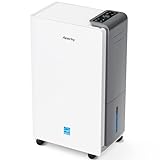
The best dehumidifiers for a gaming room are the Midea Cube 50-pint (MAD50S1QWT) for most rooms, the GoveeLife 50 Pint when you want smart-home control, and the Midea 22-pint for a small room or a modest PC setup. A dehumidifier belongs in a gaming room when relative humidity sits above about 55 to 60 percent, because high humidity encourages corrosion on connectors, condensation inside cold hardware, mold on carpets and walls, and a clammy room that is miserable to play in.
As an Amazon Associate we earn from qualifying purchases at no extra cost to you.



How we chose these dehumidifiers
This guide is research-based. We compared published capacity ratings, current Department of Energy test-method labels, noise figures and the conclusions of established review publications and independent testing organizations. We filtered for what suits a gaming room:
- Capacity matched to room size and dampness, using the current DOE pint rating.
- Noise near a microphone. A compressor dehumidifier is a steady hum, and many have a quiet mode.
- Heat output. Compressor dehumidifiers add heat, which matters in a room that already has a hot PC.
- Drainage options. A continuous drain hose or built-in pump saves emptying a bucket during long sessions.
- Humidistat accuracy and controls, including smart features and automatic shutoff.
Why humidity matters for a gaming PC and desk
Electronics tolerate a wide range, but extremes cause trouble. A common comfort and equipment target is 40 to 50 percent relative humidity. Above roughly 60 percent, moisture can build on cooler surfaces, speed corrosion on contacts, and let mold grow on carpets, furniture and wall corners. At the other extreme, below about 30 percent the air is dry enough to increase static discharge. So the aim is control, not the lowest possible number. A dehumidifier with a built-in humidistat set near 45 to 50 percent keeps the room in a sensible band and avoids over-drying.
Condensation is the particular risk for hardware. If a cold component, such as a graphics card in an air-conditioned room, meets warm, humid air, water can form on it. Keep humidity in range and let hardware warm to room temperature before powering it on after it has been stored in a cold place.
Sizing: pints per day and what it means
Dehumidifier capacity is stated in pints of water removed per day under test conditions. The current DOE method gives lower numbers than the older rating, so a label that says 50 pints today does roughly the work of a former 70-pint model. Use the following worked example to size one for a gaming room.
- Measure the space: a 300 square foot room that feels damp.
- Pick the dampness class: slightly damp (musty only in humid weather), moderately damp (damp and musty most of the time), or very damp (wet spots and visible moisture).
- Apply the guideline: for a 300 square foot room, a 20 to 25 pint unit handles slightly damp spaces, a 30 to 35 pint unit handles moderately damp spaces, and a 50 pint unit is the safe choice for very damp spaces or a room that connects to a basement.
- Add margin: choose the next size up if the room has a window that opens often or heavy foot traffic, because it brings in moist air.
A 50-pint unit in a 300 square foot room will reach the target humidity faster and then cycle off sooner, which usually means less total noise per day than a small unit running constantly.
Dehumidifier size guide
| Room size | Slightly damp | Moderately damp | Very damp or basement |
|---|---|---|---|
| Up to 300 sq ft | 20 to 22 pint | 22 to 35 pint | 35 to 50 pint |
| 300 to 700 sq ft | 30 to 35 pint | 50 pint | 50 to 70 pint |
| 700 to 1,500 sq ft | 50 pint | 50 to 70 pint | 70 to 80 pint |
| Over 1,500 sq ft | 70 pint | 80 pint | 80 pint or larger |
The heat penalty: dehumidifiers warm the room
A compressor dehumidifier uses electricity, and all of that energy ends up as heat in the room. A typical 50-pint unit draws roughly 500 to 700 W while running, which equals about 1,700 to 2,400 BTU per hour. For comparison, a gaming PC at 450 W releases about 1,535 BTU per hour. In a small, closed gaming room, running both together can raise the temperature noticeably. If the room is already warm, pair the dehumidifier with an air conditioner. A bonus: an air conditioner also removes moisture, so in summer it may handle the humidity alone and the dehumidifier mainly matters in cool, damp seasons.
Best dehumidifiers for a gaming room: our picks
Midea Cube 50-Pint (MAD50S1QWT)
50 pint (DOE) · compressor · square, stackable design · Wi-Fi variants in the lineup · washable filter · continuous drain option · 300 to 700 sq ft class
Best for: a typical gaming room or den that stays damp. Skip if: your room is under about 250 square feet and only mildly damp.
- Pro: Named best overall in a dehumidifier comparison.
- Pro: Compact footprint for its capacity.
- Con: Compressor hum is audible in a quiet room.
- Con: Adds heat while running.
GoveeLife 50 Pint Dehumidifier
50 pint · compressor · smart app control · humidity readout and schedules
Best for: gamers who already run a smart-home setup. Skip if: you want the simplest controls and no app.
- Pro: Named best overall by a technology publication for fast performance and smart features.
- Pro: App scheduling lets you dehumidify when you are away.
- Con: App and Wi-Fi setup is one more device to manage.
- Con: Fan noise at the top speed is clearly audible.
Frigidaire FHDD5034Y1 (50 pint)
50 pint · compressor · value-tier model
Best for: buyers who want a 50-pint unit at a lower cost. Skip if: you want premium controls or a quiet mode.
- Pro: Named best value in one comparison.
- Pro: Dependable brand support.
- Con: Fewer features than premium units.
- Con: Noise is mid-range.
Honeywell TP50WK (50 pint)
50 pint · compressor · ENERGY STAR rated · washable filter
Best for: energy-conscious buyers with a mid-size room. Skip if: you want a smart app.
- Pro: Named best overall in a science-focused publication’s comparison.
- Pro: Efficient operation.
- Con: Larger body than the Midea Cube.
- Con: Basic controls.
LG UD501KOG5 (50 pint)
50 pint · compressor · large-room class · built for bigger spaces
Best for: large or open gaming basements. Skip if: the room is small.
- Pro: Named best for large rooms in a comparison.
- Pro: Strong build and a reputable brand.
- Con: Premium cost.
- Con: Heavy and bulky.
hOmeLabs HME1003 (50 pint with pump)
50 pint · compressor · built-in condensate pump
Best for: rooms where the drain is higher than the unit or across the room. Skip if: a gravity drain is available and you want less noise and less complexity.
- Pro: Pump lifts water up and away, so no bucket emptying.
- Pro: Handy for finished basements.
- Con: The pump itself adds noise when it runs.
- Con: One more part that can fail.
GE APER50LZ (50 pint with pump)
50 pint · compressor · built-in pump
Best for: basement gaming rooms. Skip if: you only need a small unit.
- Pro: Recommended for basements in a publication’s guide.
- Pro: Pump makes continuous drainage easy.
- Con: Larger and heavier.
- Con: Higher cost than basic models.
Midea Cube 20-Pint and Midea 22-Pint
20 to 22 pint · compressor · compact · smart variant available in the 22-pint class
Best for: small rooms up to about 300 square feet. Skip if: the room is very damp or connects to a basement.
- Pro: Named budget and smart picks in separate comparisons.
- Pro: Small footprint beside a desk.
- Con: Fills its tank quickly in damp conditions.
- Con: Small capacity means longer run times in a wet room.
Waykar 80-Pint and Dreo 110-Pint
80 pint and 110 pint · compressor · large-space classes · Dreo has smart control
Best for: whole-basement or very large game rooms. Skip if: your room is under 700 square feet, where these are oversized.
- Pro: Handle large and very damp areas.
- Pro: Fewer cycles in huge spaces.
- Con: Bulky, with higher power draw and heat output.
- Con: Overkill and noisy in a small room.
Comparison table
| Model | Capacity (pint) | Drain | Smart control | Room class | Standout |
|---|---|---|---|---|---|
| Midea Cube MAD50S1QWT | 50 | Bucket or hose | Variant available | 300 to 700 sq ft | Overall |
| GoveeLife 50 Pint | 50 | Bucket or hose | App | 300 to 700 sq ft | Smart features |
| Frigidaire FHDD5034Y1 | 50 | Bucket or hose | No | 300 to 700 sq ft | Value |
| Honeywell TP50WK | 50 | Bucket or hose | No | 300 to 700 sq ft | Efficiency |
| LG UD501KOG5 | 50 | Bucket or hose | No | Large rooms | Large rooms |
| hOmeLabs HME1003 | 50 | Built-in pump | No | 300 to 700 sq ft | Pump |
| GE APER50LZ | 50 | Built-in pump | No | Basements | Pump |
| Midea 22-Pint | 22 | Bucket or hose | Smart variant | to about 300 sq ft | Small rooms |
| Waykar 80-Pint | 80 | Bucket or hose | No | to about 5,000 sq ft | Large spaces |
| Dreo 110-Pint | 110 | Bucket or hose | App | Very large | Top capacity |
Noise near a microphone
A compressor dehumidifier produces a steady fan and compressor sound, and many units run in the 45 to 55 dB range at full speed. Reduce the impact with a few steps. Run the unit before the session and switch it off or to low during streams. Place it as far from the microphone as the drain hose allows. Put it on a rubber mat to cut floor vibration. A larger unit running for a short time is often quieter overall than a small one running all day.
Placement and drainage
- Leave at least a foot of clearance on all sides so air can flow.
- Keep the unit away from the back of your PC tower and out of its exhaust airflow.
- Close doors and windows while it runs, otherwise it is trying to dry the outdoors.
- Use a continuous drain hose to a floor drain or sink when possible. If you use the bucket, empty it before a long session so the unit does not shut off mid-game.
- Route the power cord directly into a wall outlet, not a power strip. Never run a cord under a rug.
Safety
Plug the unit into a grounded outlet and keep it away from standing water. Do not place drinks on top. Clean the bucket and filter regularly because stagnant water can grow bacteria and mold. If the unit smells of burning or the cord is hot, unplug it and stop using it. Dehumidifiers do not remove mold, so if you see mold growth, clean it with appropriate methods and fix the moisture source.
Who should skip a dehumidifier
If your hygrometer shows 40 to 50 percent already, you do not need one. If the room is warm and an air conditioner is running, it may dry the air enough on its own. If humidity comes from a leak, fix the leak first because a dehumidifier will only fight the symptom.
Reading the humidity before you buy
Buy a small hygrometer first and log the reading at desk height for a few days, morning and evening. If it stays under about 55 percent, you probably do not need a dehumidifier. If it swings above 60 percent in the evening, or you notice a musty smell, fogged windows or damp carpet edges, size the unit from the table above. Check again after a week of running it, because the humidistat setting and the room’s air exchange both affect how much work the unit does. Avoid placing the hygrometer next to the dehumidifier outlet, which gives a falsely low reading.
Seasonal use
Most gaming rooms need a dehumidifier in humid summers and in cool, damp shoulder seasons, and rarely in dry winters when heating lowers humidity. Compressor units lose efficiency in cold rooms, and many will ice up below roughly 60 degrees Fahrenheit, so a basement that stays cold may need a model with automatic defrost. Check the operating range on the label before buying for an unheated space.
Frequently asked questions
What size dehumidifier do I need for a gaming room?
Most gaming rooms up to 300 square feet need a 20 to 35 pint unit, and damp or larger rooms need 50 pints. Match capacity to dampness, not only size.
What humidity should a gaming room have?
Aim for 40 to 50 percent relative humidity. Above 60 percent encourages condensation and mold, and below 30 percent increases static discharge.
Can high humidity damage a gaming PC?
Persistent high humidity can corrode connectors and cause condensation when cold parts meet warm air. A hygrometer and a dehumidifier help keep the room in range.
Does a dehumidifier make the room hotter?
Yes. A compressor unit converts its electrical draw to heat, roughly 1,700 to 2,400 BTU per hour for a 50-pint model. Account for it in warm rooms.
Are dehumidifiers loud enough to affect a microphone?
Many are. Run it before the session, place it far from the microphone, and use noise suppression in your voice software.
Do I need a dehumidifier with a pump?
Only if the drain is higher than or far from the unit. A pump adds noise and a part that can fail, but removes bucket emptying.
Is a dehumidifier or an air conditioner better for a damp gaming room?
An air conditioner removes some moisture while cooling. A dehumidifier is better when it is cool and damp, and the two work well together in warm, humid rooms.
How often should I clean a dehumidifier?
Empty and rinse the bucket weekly and wash the filter monthly in heavy use. Dry the unit before storing it.
Bottom line
Choose capacity from dampness and room size, set the humidistat to 45 to 50 percent, and remember the unit adds heat and noise. The Midea Cube 50-pint is the best all-round pick, the GoveeLife 50 Pint adds smart control, the Frigidaire FHDD5034Y1 is the value option, and the hOmeLabs HME1003 or GE APER50LZ suit basements that need a pump.