

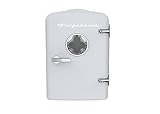
- Top Pick: Frigidaire EFMIS171 Retro Mini Portable Personal Fridge – Ideal for Home, Office or Dorm – Includes Carrying Handle, AC/DC Wall/Car Charger (White)
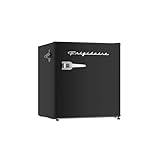
- Best Value: Frigidaire Retro Compact Refrigerator with Chiller, 3.2 cu ft Countertop Fridge, Built-In Bottle Opener, Rounded Corners, Premium, for Office, Bedroom, Dorm Room, Cabin, 18.5D x 20W x 31.5H (Pink)
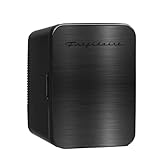
- Premium Choice: FRIGIDAIRE Black Retro Mini Refrigerator-Energy Saving-Adjustable Thermostat Control-Side Mounted Bottle Opener-Ideal for Dorm, Office, RV, Garage, Apartment 1.6 Cubic Feet
The best mini fridge for a gaming room is a 1.6–3.3 cubic foot compressor model with a reversible door and a rated noise level under about 40 dB, placed at least a meter away from your PC’s intake; thermoelectric “skincare-style” coolers are quieter at idle but struggle to chill drinks once a gaming PC has warmed the room. The rest of this guide explains why, and how to match the fridge type to the way your room and setup actually work.
- Why a Gaming Room Is a Hard Place for a Mini Fridge
- Compressor vs Thermoelectric vs Absorption
- Worked Example: What a Mini Fridge Costs to Run in a Gaming Room
- Decision Matrix: Which Mini Fridge Fits Your Setup
- Glass Door or Solid Door?
- Features That Matter More Than the Spec Sheet Suggests
- Placement Tips for a Quiet, Cool Room
- Quick Buying Checklist
As an Amazon Associate we earn from qualifying purchases at no extra cost to you.

Why a Gaming Room Is a Hard Place for a Mini Fridge
A gaming room is not a kitchen. It is usually a small bedroom or den where a desktop is dumping 300–600 watts of heat into the air during a session, the door is often closed, and you are sitting within two meters of anything that hums. That combination punishes the two weaknesses most cheap fridges have: limited cooling capacity and noise.
- Ambient heat: thermoelectric coolers can only pull the inside temperature roughly 18–20 °C below room temperature. At a 21 °C room that means about 2–4 °C drinks; at a 29 °C room after three hours of gaming it means lukewarm cans.
- Noise: a compressor cycling on at 42 dB next to your desk is noticeable in quiet game scenes and can be picked up by a sensitive streaming microphone.
- Heat output: every fridge moves heat out of its box and into your room. A fridge next to the PC intake slightly raises the temperature of the air your GPU breathes.
Compressor vs Thermoelectric vs Absorption
Almost every mini fridge for a gaming setup falls into one of three cooling types. This table summarizes the trade-offs with typical figures for each class.
| Type | Typical size | Cooling below room temp | Typical noise | Typical power draw | Usual price range |
|---|---|---|---|---|---|
| Compressor (cube or glass door) | 1.6–3.3 cu ft | Reaches 1–4 °C regardless of room heat | 36–42 dB when running, silent when off | 60–90 W while running, about 0.6–0.9 kWh/day | usually $130–$300 |
| Thermoelectric (portable/desktop) | 4–10 liters | About 18–20 °C below ambient | 25–35 dB constant fan hum | 40–60 W almost constantly | usually $40–$100 |
| Absorption (hotel style) | 0.8–1.4 cu ft | About 20–25 °C below ambient | Near silent, under 25 dB | 70–90 W heating element, often runs continuously | usually $200–$400 |
The surprise for most buyers is that the small thermoelectric box is often the least efficient option per can cooled, because it runs nearly all the time, while a well-insulated compressor fridge only runs a fraction of the hour.
Worked Example: What a Mini Fridge Costs to Run in a Gaming Room
Here is a simple energy calculation using a residential rate of around $0 per kWh, which sits in the middle of typical US pricing.
- Compact 3.1 cu ft compressor fridge: around 0.75 kWh per day × 365 = about 274 kWh per year, or roughly $47 per year.
- 6-liter thermoelectric cooler: 48 W × 24 hours × 90% duty = about 1.04 kWh per day, or 379 kWh per year, roughly $64 per year, while holding a tenth of the volume.
- Absorption minibar: 75 W × 24 hours × 70% duty = about 1.26 kWh per day, or 460 kWh per year, roughly $78 per year.
All of that electricity ends up as heat in your room. The compressor model adds roughly 30 W of average heat, the thermoelectric about 43 W, and the absorption unit over 50 W. Next to a gaming PC drawing 450 W, none of these is dramatic, but in a small closed room in summer the cheapest-to-run option is also the one that warms the room least.
Decision Matrix: Which Mini Fridge Fits Your Setup
| Your situation | Best fridge type | Why |
|---|---|---|
| Gaming room is also your bedroom | Quiet compressor (rated 38 dB or less) or absorption | Compressor stays silent between cycles; absorption is silent all the time |
| You stream with a condenser mic | Absorption or compressor placed behind the mic | Constant thermoelectric fan hum sits right in the voice frequency range |
| You want cans cold in a hot room | Compressor, 1.6 cu ft or larger | Only type that hits 1–4 °C no matter how warm the room gets |
| You want a display shelf of drinks with lights | Compressor beverage cooler with glass door | Double-pane glass doors keep the cold in better than single-pane novelty units |
| Desk space only, no floor space | Thermoelectric 4–6 L | Fits beside a monitor; accept cooler-not-cold drinks |
| Shared circuit with a high-end PC | Compressor with Energy Star label | Lowest average draw and short startup surge |
Glass Door or Solid Door?
A mini fridge with glass door looks great under RGB lighting and lets you see what is inside without opening it, which actually saves energy if you are a frequent browser. The downside is insulation: single-pane glass loses heat faster than a solid insulated door, so the compressor runs more often and makes more noise. If you want the glass look, choose a beverage cooler with double-pane or tempered, low-E glass and an interior LED you can switch off at night. For a bedroom setup where sleep matters more than looks, a solid door is the better call.
Features That Matter More Than the Spec Sheet Suggests
Reversible door and hinge side
Gaming rooms are cramped. If the fridge sits to the right of your desk, the door should open away from your chair. A reversible hinge costs nothing extra on most compact compressor models and saves daily frustration.
Rear and side clearance
Compressor fridges need about 5–10 cm of space behind and beside them to shed heat. Pushing one flush against a wall or into a desk cubby raises its running time and noise. Thermoelectric coolers need their rear fan completely unobstructed.
Can capacity versus cubic feet
As a rule of thumb, a 1.6 cu ft cube holds about 30–40 standard 12 oz cans with shelves removed, a 3.1 cu ft model about 60–80, and a 6-liter thermoelectric box about 8–9 cans. Buy for how many drinks you keep, not for the biggest number.
Thermostat range
A mechanical dial with 5–7 settings is fine. If the coldest setting freezes the back wall, drop one notch. Digital thermostats are nice for snacks and sensitive items but are not essential for drinks.
Placement Tips for a Quiet, Cool Room
- Keep the fridge at least a meter from your PC’s front intake so its exhaust heat is not pulled into the case.
- Put it on a dense rubber mat or a small vibration pad; a lot of perceived compressor noise is the cabinet resonating against a hardwood floor.
- Avoid placing it inside a closed desk compartment unless the compartment is open at the back.
- Plug it directly into the wall rather than into the same power strip as your PC and monitors, and never on your UPS, since the compressor startup surge can trip a small battery backup.
- Let a new compressor fridge stand upright for several hours after delivery before switching it on, so the oil settles back into the compressor.
Quick Buying Checklist
- Compressor cooling for real cold; thermoelectric only for desk-sized convenience.
- Rated noise of 40 dB or lower if it shares a room with your bed or microphone.
- Reversible door that opens away from your chair.
- Energy Star label or an annual consumption figure under about 300 kWh.
- Double-pane glass if you want a display-style mini fridge for your gaming setup.
- Enough clearance at the back and sides in the spot you have planned.
Get those points right and a mini fridge becomes one of the most useful upgrades a gaming room can have: cold drinks within arm’s reach, no extra trips that break your focus, and a hum quiet enough that you forget it is there.






