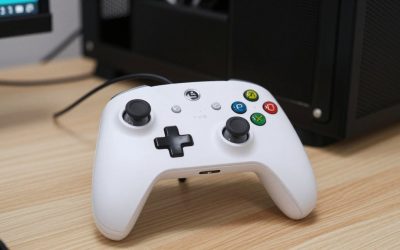
- Top Pick: VOYEE PC Controller, Wired Controller Compatible with Microsoft Xbox 360 & Slim/PC Windows 10/8/7, with Upgraded Joystick, Double Shock | Enhanced (Black)
- Best Value: EasySMX X15 Wireless PC Controller for Gaming, Hall Effect Joysticks
- Premium Choice: 8Bitdo Ultimate 2C Wireless Controller for Windows PC and Android, with 1000 Hz Polling Rate, Hall Effect Joysticks and Triggers, and Remappable L4/R4 Bumpers (Green)
Keyboard and mouse still rule certain genres, but for platformers, racing games, fighters, and couch co-op, a good controller is simply better. The question is which one, and the market has quietly transformed thanks to Hall effect joysticks that eliminate the stick drift that plagued controllers for a decade.
Whether you want a wireless flagship, a drift-proof budget champion, or a plug-and-play wired option, there’s a gamepad here that fits. Below are the controllers worth mapping to your library in 2026.


As an Amazon Associate we earn from qualifying purchases at no extra cost to you.


🎮 Get More From Your Setup — Free
Prime Gaming gives you free PC games every month, in-game loot, and a free Twitch channel sub — plus fast free shipping on all the gear above. New members get a 30-day free trial.
Watch: Best What Is The Best PC Gaming Controller — Video Review
How to Choose the Best PC Controller
- Connection type: Wired means zero latency and no batteries; wireless offers freedom but adds a small delay and charging routine.
- Joystick technology: Hall effect sticks resist drift far longer than traditional potentiometer sticks, a genuine long-term upgrade.
- Compatibility: Confirm native support for your platforms, whether that’s Windows, Steam, Android, or Switch.
- Extra inputs: Remappable back buttons and paddles give competitive players a real edge in fast games.
- Grip and comfort: Textured grips and balanced weight matter most during long sessions, so prioritize feel over flashy features.
The Best PC Controllers Reviewed
8BitDo Ultimate 2C Wireless
A standout value with Hall effect sticks and triggers plus remappable L4/R4 bumpers and a 1000Hz polling rate. It punches well above its price for both casual and precise play.
EasySMX X15 Wireless
Another Hall effect option built for gaming, offering drift resistance and comfortable ergonomics that make it an easy everyday recommendation.
Xbox Wireless Controller
The reliable default. Its textured grip, broad Bluetooth and USB-C support across PCs, consoles, and mobile, and rock-solid software compatibility keep it a perennial favorite.
Logitech G F310 Wired
A no-frills wired gamepad that just works for older titles and emulators. If you want simplicity and zero setup fuss, it delivers.
VOYEE Wired Controller
An affordable wired pick with an upgraded joystick and dual-shock feedback, compatible with Windows and Xbox 360. Great as a second controller for local play.
Related Guides
- Wireless Controller 26
- Hall Effect Controller 22
- Gaming Controller Variant 3: GuliKit KingKong 2 Pro Hall Effect Gaming Controller
- Hall Effect Controller 1: The 8BitDo Ultimate 2.4G Gaming Advantage
Frequently Asked Questions
Are Hall effect joysticks really worth it?
Yes. They dramatically reduce the risk of stick drift over time, making controllers like the 8BitDo Ultimate 2C and EasySMX X15 smart long-term buys.
Wired or wireless for PC gaming?
Wired gives the lowest latency and never needs charging; wireless offers comfort and cable-free play. For competitive titles many players still prefer wired.
Does the Xbox controller work on Steam?
It has excellent native support across Windows and Steam, which is a big reason it remains the go-to recommendation.
Can I remap buttons?
Controllers with back paddles like the 8BitDo let you remap in software, and Steam Input allows custom mapping for almost any pad.
Final Thoughts
For the best mix of features and value, the 8BitDo Ultimate 2C is hard to beat, while the Xbox Wireless Controller remains the safest all-rounder for its bulletproof compatibility. Budget-focused players will be perfectly happy with the Logitech G F310. Pick based on your genres and connection preference, and you’ll wonder why you ever fought with the wrong pad.