AO Tennis 2 is Big Ant Studios’ licensed Australian Open tennis game, published by Nacon and released on 9 January 2020 — the sequel to AO International Tennis, built around the Melbourne grand slam with career mode, online and local multiplayer, and a free AO International Tennis Account unlocking additional content. For Linux players the question is the usual one: is there a native build hiding anywhere in the record, or is Proton the only route in?
The record answers cleanly: no native build. Steam’s listing is Windows-only on every layer that matters, and both surrounding records — ProtonDB’s report file and Valve’s Steam Deck test sheet — describe the Windows build running through a compatibility layer. Both records are favourable, and the Deck sheet was written against the exact build still on sale today.
As an Amazon Associate, we earn from qualifying purchases.
Quick answer
AO Tennis 2 is not native on Linux: Steam’s record is Windows-only, with no Linux depot or launch entry. The Windows build runs through Proton at a Gold tier from eleven reports, and Valve rates it Playable on Steam Deck against the build still on sale. Buy the Steam copy; there is no GOG edition.
What Steam’s record actually shows
Start with the platform flags, because they settle the native question on their own. The store record for app 1072500 reads windows true, mac false, linux false. The depot table agrees: the content depots are the main depot 1072501 at roughly 14.97 GiB and a Polish-language companion, and the only redistributables in the install chain are Windows packages — the Visual C++ 2015 and 2017 runtimes and the June 2010 DirectX redistributable. There is no Linux depot, no Linux launch entry, and no LinuxClientIcon among the registered assets. The public branch has not moved since January 2022, so the record being read is the record being sold.
Two traps sit in the record and are worth naming. The mac requirements and linux requirements fields exist on the listing, each carrying Minimum and Recommended headings — over completely empty lists. A field with headings and no content under them is a populated-but-empty shell, not a published specification: no Mac or Linux requirements were ever filled in, which matches the false platform flags exactly. The second trap is on ProtonDB’s page, covered below. The record also exposes no DLC array at all, so no soundtrack or add-on app can confuse the ruling. One genuine positive stands: Steam’s own controller-support field for AO Tennis 2 reads full, and the store categories repeat it.
The ProtonDB file: Gold, with an honest history
ProtonDB’s summary reads in full: a settled tier of Gold, a best-reported tier of Platinum, a trending tier of Platinum, eleven reports, and moderate confidence. A small file by this series’ standards, and the colour inside explains both the Gold headline and why it is not higher.
The oldest reports, filed in 2020 against Proton 5.0 builds, failed outright: the game installed but refused to open, reporting that no compatible DirectX 11 graphics device could be found. Those failures are real, but they describe a Proton from six years ago. Recent reports tell a different story: filings on Proton 9.0-2 describe out-of-the-box play with a gamepad and no issues, and a Linux Mint report on Proton 7.0-5 says the same. One report pins an older Proton 5.13-6 build as a tinker step, and a Steam Deck report on Proton Experimental records play with a power-limit note. Read whole, the file describes early Proton failures fixed by later Proton versions — use a current Proton and ignore the 2020 workarounds.
The heading check on the ProtonDB page was completed, and it fails: the page carries the stray “Natively Supports:” heading above its requirements block. Steam’s record contradicts that heading on every layer — false Linux flag, no Linux depot, no Linux launch entry — so the heading is wrong for this game, and this article follows Steam.
The Steam Deck sheet: Playable, and current by build
Valve’s test sheet resolves to Playable on Steam Deck, with SteamOS rated Compatible alongside it. The passes are the ones a tennis game needs: the default controller configuration is fully functional, the game shows Steam Deck controller icons, interface text is legible, and the default graphics configuration performs well. The single deduction is that entering some text requires manually invoking the on-screen keyboard. One note matters more than the deduction: the sheet states that single-player gameplay requires an active internet connection, a condition set by the game itself rather than by the Deck. The configuration block names an experimental Proton line as the recommended runtime.
Staleness is where this sheet earns trust. Valve tested the game on 18 March 2022 against build 8037564 — still the current public build, since the public branch has not been updated since January 2022. Most Deck verdicts grade a build the store has since replaced; this one grades the exact bytes on sale. One evidence note: Valve’s own compatibility endpoint returned unusable responses this session, so the sheet was read through SteamDB’s republication of Valve’s data.
Anti-cheat and the account layer
No anti-cheat product is named anywhere on Steam’s record for AO Tennis 2, and the Are We Anti-Cheat Yet tracker — its full games file of 1,167 entries read end to end — holds no entry for the game in either direction. That is an absence of documentation, not a clearance. What the record does document is an account layer rather than an anti-cheat layer: additional content comes through a free AO International Tennis Account, and the internet requirement for single-player fits that always-connected design. The ProtonDB file’s multiplayer colour is thin but positive, with local multiplayer rated Excellent where reports cover it.
The GOG ruling
There is no GOG edition of AO Tennis 2. The game’s natural product address on GOG redirects to the general catalogue rather than resolving to a product page, and GOG’s catalogue records hold no product for it — a ruling based on the absent page plus the records, not search silence alone. The Steam copy is the only PC edition, and the only one the records above can describe.
Gear that fits the record
The picks below follow the record’s shape: the handheld Valve’s Playable sheet was written for, two pads for docked and desktop play — the game’s record lists full controller support — a mouse for menu-heavy sessions, and fast library storage.
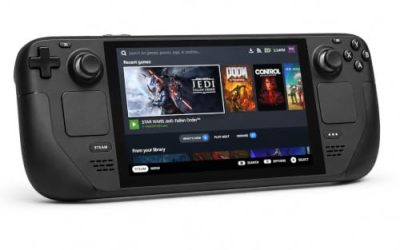
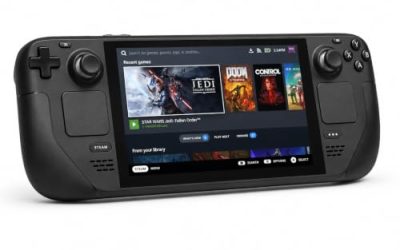
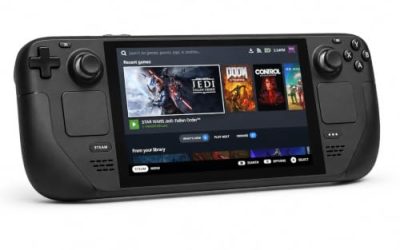
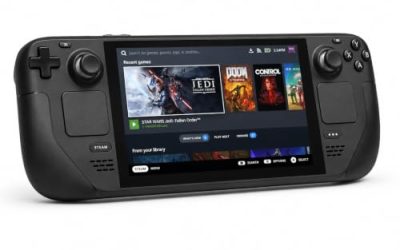
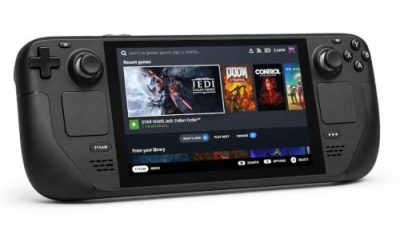
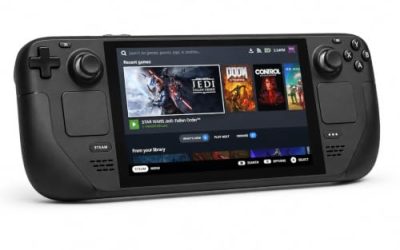
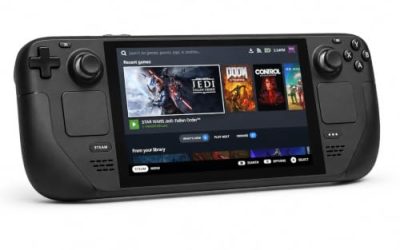
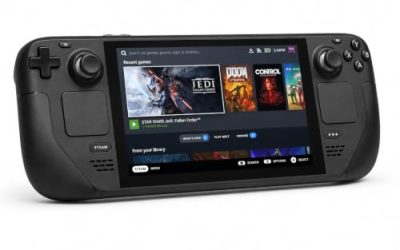
Valve Steam Deck OLED 512GB

The handheld the Playable badge was written for. The game’s published requirements are a rounding error next to the Deck’s APU, and Valve’s own test sheet gives the Windows build a clean pass under proton-stable.
Specs
- Display: 7.4-inch HDR OLED, 1280 by 800, up to 90 Hz
- Processor: AMD Zen 2 and RDNA 2 custom APU
- Memory: 16 GB LPDDR5
- Storage: 512 GB NVMe, plus a microSD slot
- Wireless: Wi-Fi 6E and Bluetooth
- Channel note: Valve sells the Deck mainly through its own store, so Amazon listings are third-party sellers
8BitDo Ultimate 2 Bluetooth Controller
The docked and desktop pad pick. Steam lists full controller support for the game, and this pad covers the couch case with modern sticks and triggers plus back buttons for menu shortcuts.
Specs
- Connectivity: Bluetooth wireless and USB-C wired
- Joysticks: TMR electromagnetic, anti-drift design
- Triggers: Hall effect, with mode switching
- Extras: two remappable back buttons, motion control
- In the box: charging dock included
Xbox Wireless Controller, Carbon Black
The safest guest pad in PC gaming: Steam Input support is universal, the glyphs match what most games display, and it pairs over Bluetooth or its own wireless standard. On the handheld, the test sheet’s note applies: an external pad may need a manual Quick Access Menu switch before it takes over.
- Connectivity: Xbox Wireless and Bluetooth
- Port: USB-C for wired play
- Controls: hybrid D-pad, dedicated Share button
- Power: AA batteries or optional rechargeable pack
Logitech G502 HERO
Career-mode menus and creation tools are where a desktop session spends its clicks, and a precise wired mouse makes those screens single clicks. Eleven programmable buttons cover the confirm, cancel and camera inputs a long session repeats.
Specs
- HERO optical sensor, up to 25,600 DPI
- 11 programmable buttons
- Adjustable weight system
- Wired USB connection
- On-board memory profiles
Samsung T9 Portable SSD 2TB
For moving a Linux game library between a desktop and a laptop, or keeping an offline backup of installers, a fast USB-C drive is the simple answer. The headline figure needs a Gen 2×2 host port; on a lesser port the drive runs at that ceiling instead.
Specs
- Capacity: 2 TB portable SSD
- Interface: USB 3.2 Gen 2×2, USB-C connector
- Maker-rated speeds: up to 2,000 MB per second read, 1,950 MB per second write
- Features: Dynamic Thermal Guard, maker-rated drop resistance
How to choose
Choose the Steam copy, because it is the only PC edition on sale and the exact build both records describe. On desktop or laptop, install under a current Proton and leave older-version workarounds alone: the Gold headline rests on recent reports running out of the box, while the file’s failures belong to Proton builds from 2020. On Steam Deck, the Playable badge covers the build on sale today, so install and launch; the only expected friction is calling up the on-screen keyboard at a text field. Keep the internet requirement in mind before planning offline play, and treat a pad as the default input — the game’s own record lists full controller support, so the mouse is a menu convenience, not the primary device.
Who should skip
Skip this one if you need offline single-player: the record states plainly that single-player requires an active internet connection, and no Proton setting changes a condition the game itself enforces. Skip it if a native Linux build is a hard requirement — none exists, and the empty Linux requirements shell is not a promise of one. Skip it if you buy only on GOG, since no edition exists there. And if competitive online tennis is your main interest, weigh the thin multiplayer evidence: the reports are favourable but few, and the trackers document no anti-cheat position either way.
FAQ
Is AO Tennis 2 native on Linux?
No. Steam’s record for the game reads windows true, mac false, linux false, the depot table holds no Linux depot or launch entry, and there is no LinuxClientIcon among the assets. The Linux requirements field on the listing is an empty shell — headings over no content — not a published specification.
How well does AO Tennis 2 run under Proton?
ProtonDB’s summary settles at Gold from eleven reports at moderate confidence, with Platinum as both the best-reported and trending tier. Recent reports on current Proton builds describe out-of-the-box play; the failures in the file date from 2020 and an older Proton generation.
Is AO Tennis 2 playable on Steam Deck?
Yes. Valve rates it Playable, with SteamOS Compatible, and the March 2022 test was run against build 8037564 — still the current public build. The only deduction is manual keyboard invocation for text entry, and the sheet notes that single-player requires an active internet connection.
Can I buy AO Tennis 2 on GOG instead?
No. GOG holds no product for the game: the natural product address redirects to the general catalogue and the catalogue records contain no entry for it. Steam is the only PC storefront edition.
Final verdict
AO Tennis 2 is a straightforward Proton title wearing two misleading labels: an empty Linux requirements shell on its own listing, and a “Natively Supports” heading on its ProtonDB page that Steam’s record flatly contradicts. Underneath, the position is good — a Gold Proton file whose recent reports run clean, a Deck Playable verdict written against the build still on sale, and full controller support on the game’s own record. The one condition to accept before buying is the always-online single-player requirement. For Linux tennis players who can accept that, the Steam copy is a safe purchase; for everyone else, the skip list above is the honest answer.
Product and ASIN Reference
| Product | ASIN |
|---|---|
| Valve Steam Deck OLED 512GB | B0CQ3RWQQZ |
| 8BitDo Ultimate 2 Bluetooth Controller | B0F194QFT2 |
| Xbox Wireless Controller, Carbon Black | B08DF248LD |
| Logitech G502 HERO | B07GBZ4Q68 |
| Samsung T9 Portable SSD 2TB | B0CHFS9K14 |