

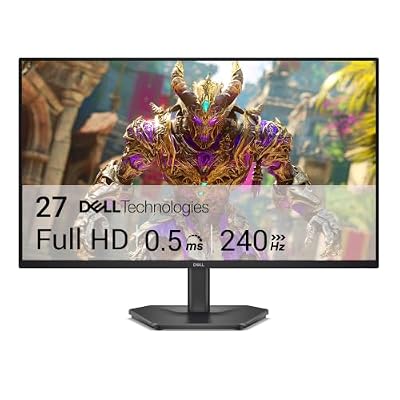
- Top Pick: Dell 27 240Hz Gaming Monitor – SE2726HG – 27-inch FHD (1920×1080) Display, in-Plane Switching (IPS) Technology, AMD FreeSync Premium, TÜV 3-Star, 2X HDMI, DisplayPort 1.4, Tilt
- Best Value: Acer 27in FHD 1920×1080 IPS 120Hz Gaming Monitor | Office KB272 G0bi
- Premium Choice: Samsung 27" Odyssey G5 (G51F) Series QHD (1440P) Gaming Monitor
Black Friday is one of maybe two times a year (the other being Prime Day) when 27 inch gaming monitors actually drop into sensible price territory. A panel that’s $350 in July can land at $220-250 during the sale window. But the discount percentage printed on the box doesn’t tell you if the monitor is any good, and plenty of what shows up in Black Friday listings is older stock being cleared out because something newer replaced it. Here’s how to tell the difference and what to actually look for.
As an Amazon Associate we earn from qualifying purchases at no extra cost to you.


Why 27 inch is the sweet spot
27 inches at 1440p gives you about 109 pixels per inch, which is sharp enough that you won’t see individual pixels at normal desk distance but not so dense that Windows scaling becomes a hassle. Go up to 27 inch at 4K and you’re at 163 PPI, which looks great but demands a GPU that can push that many pixels at high refresh rates. Go down to 1080p at 27 inches and text starts looking soft because you’re stretching the same pixel count across more screen than a 24 inch panel.
For gaming specifically, 27 inch 1440p is the most common sweet spot because mid-range GPUs (think RTX 4060/4070 class) can actually sustain 100+ fps at that resolution in most titles. 4K at high refresh needs a 4080 or better to not feel wasted.
Panel types: what actually changes
There are three panel types you’ll run into in Black Friday listings, and the differences aren’t marketing fluff:
- IPS — best color accuracy and viewing angles, now also fast enough for gaming (most IPS gaming panels respond in 1ms GtG on paper, real-world closer to 4-5ms). Weakness is contrast, usually around 1000:1, so blacks look grayish in dark rooms.
- VA — much better contrast, often 3000:1 to 4000:1, so dark scenes look genuinely dark. Trade-off is slower pixel response, which can show up as smearing or “black smear” in fast-moving dark scenes. Cheaper VA panels are more prone to this than premium ones.
- OLED — true per-pixel black, response times under 1ms, and the best motion clarity you can buy right now. Downsides are real: burn-in risk with static UI elements over long sessions, lower peak brightness in SDR, and prices that are still 1.5-2x a comparable VA or IPS panel even with a discount.
If you mostly play fast-paced competitive games, IPS or OLED. If you play narrative or horror games where black levels matter, VA or OLED. If budget is the main constraint, VA gives you the best contrast per dollar.
Refresh rate: how much do you actually need
144Hz is the baseline worth buying in 2024. Below that, you’re not really buying a “gaming monitor,” you’re buying a monitor that happens to game. 165Hz and 180Hz panels are common Black Friday price-drop targets and the actual visual difference from 144Hz is small — most people can’t reliably tell 144 from 165 in blind testing. Where it gets real is 240Hz and up: competitive players in shooters do benefit from the reduced input-to-photon latency, but you need a GPU capable of hitting those frame rates to see any benefit at all. A 240Hz monitor running a game at 90fps is just an expensive 90Hz monitor.
Also check for actual VRR support (G-Sync or FreeSync) rather than just the Hz number. A high refresh panel without working variable refresh will tear or stutter when your frame rate dips below the max.
| Use case | Panel | Refresh rate | Realistic Black Friday price range |
|---|---|---|---|
| Budget/general gaming | VA 1440p | 144-165Hz | $150-220 |
| Competitive shooters | IPS 1080p/1440p | 240Hz+ | $200-350 |
| Single-player/story games | OLED 1440p | 144-240Hz | $400-600 |
| Content + gaming hybrid | IPS 4K | 120-160Hz | $350-550 |
What to check before buying
Black Friday listings mix genuinely discounted current-gen monitors with old stock. A few quick checks:
- Compare the “deal” price against the price history. If a listing claims 40% off but the monitor was selling for the same price three months ago under a different “sale,” it’s not really a discount.
- Check the HDMI version. Older 1440p/144Hz monitors sometimes only have HDMI 2.0, which caps you at 1440p/120Hz over HDMI even if the panel does more over DisplayPort. If you’re on console, this matters a lot.
- Look for actual VESA DisplayHDR certification (400, 600, 1000) rather than monitors that just say “HDR” with no backlight to support it. Edge-lit HDR with no local dimming zones is mostly cosmetic.
For browsing current deals, it’s worth scanning 27 inch 144Hz gaming monitors and sorting by discount percentage, then cross-checking specs rather than trusting the badge. If you want the contrast benefit without the OLED price jump, 27 inch VA panel monitors are usually the best value tier during the sale. And if OLED burn-in doesn’t worry you and you want the clearest motion, 27 inch OLED gaming monitors see some of the steepest percentage drops of the whole sale because they carry the most margin.
When to skip the upgrade
If you already have a 144Hz 1440p IPS or VA monitor from the last 2-3 years, this year’s Black Friday probably isn’t worth upgrading for. The jump from 144Hz to 165Hz or from IPS to a mid-tier OLED is a smaller improvement than people expect, and you’ll pay a real premium for marginal gains. The upgrade makes sense if you’re moving from 1080p/60Hz, from a non-VRR panel, or if you specifically want OLED’s black levels and the price has dropped enough to justify the burn-in risk for your use case. Buying a new monitor every Black Friday because it’s on sale is how you end up with three monitors and no actual improvement in how games look.

















