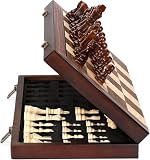
- Top Pick: ELONGDI 15" Wooden Chess Set with Magnetic Pieces – Extra Queens – Folding Chessboard Portable Travel Tournament Chess Board Games for Adults Kids
- Best Value: AMEROUS 15 Inches Magnetic Wooden Chess Set – 2 Extra Queens – Folding Board – Pieces Storage Slots, Handmade Portable Travel Chess Game – Beginner Chess Set for Kids, 6 up Age
- Premium Choice: Rinten Magnetic 15" Wooden Chess Set, Portable Travel Folding Chess Board Sets Strategy Game for Adults Chess Lovers, Beginners
The fastest way to play chess with computer opponents for free in 2026 is Lichess’s “Play with the computer” mode — it runs in any browser, needs no account, and lets you dial the Stockfish engine across eight strength levels from beginner-friendly to superhuman. It’s not your only option, though: Chess.com offers rated bots with personalities, and several apps run a full engine offline on your phone or PC. Below is how each option works, what difficulty settings actually mean, and how to pick a strength that makes you better instead of just frustrating you.
As an Amazon Associate we earn from qualifying purchases at no extra cost to you.



The Best Free Places to Play Chess Against a Computer
All of the options below are genuinely free. The differences are whether you need an account, whether the game works offline, and how precisely you can control the engine’s strength.
| Option | Where it runs | Account needed | Works offline | Difficulty control |
|---|---|---|---|---|
| Lichess.org | Any browser | No | No | Stockfish levels 1–8 (≈800 to 3,500+) |
| Chess.com | Browser + iOS/Android app | Yes (free tier) | No | Bots rated ~250 to 3,000+ |
| Shredder Chess | Browser (shredderchess.com) | No | No | 3 fixed difficulty tiers |
| Lichess mobile app | iOS / Android | No | Yes | Stockfish levels 1–8 offline |
| DroidFish | Android | No | Yes | Skill Level 0–20 or Elo ≈1,320–3,190 |
| SmallFish | iOS | No | Yes | Adjustable Stockfish strength |
| Lucas Chess (R release) | Windows | No | Yes | Dozens of engines, Elo caps from beginner level to max |
| macOS Chess | Built into macOS | No | Yes | Basic difficulty options, casual club-level play |
How to Start a Game in Under a Minute
On Lichess (no account, no install)
- Open lichess.org and click Play with the computer on the home page.
- Choose a level from 1 to 8. If you’re new, start at level 1 or 2 — the levels jump faster than you’d expect.
- Set the time control. Beginners should pick Unlimited so a clock never pressures you into rushed moves.
- Pick your color and play. You can request takebacks against the engine, and after the game open the Analysis board and request a free computer analysis — it flags every blunder and even offers a “learn from your mistakes” replay.
On Chess.com (bot personalities, shown ratings)
- Create a free account, then go to Play → Computer.
- Every bot displays an explicit rating — beginner bots start around 250, and the ladder climbs past 3,000. Pick one near your level rather than a famous name at the top.
- Bot games are on the free tier; extras like unlimited Game Review require a membership (usually in the ~$5–15/month range), and free users get roughly one full review per day.
On Shredder (lightweight alternative)
The free web version at shredderchess.com runs in the browser with no sign-up and three difficulty tiers. It’s a clean fallback if you want a quick game without Lichess’s social features.
Setting the Right Difficulty: Do the Elo Math First
Most beginners set the engine far too strong, lose every game, and quit. You can avoid that with the standard Elo expected-score formula: E = 1 / (1 + 10−D/400), where D is your rating minus the opponent’s. Here’s what that produces in practice:
| Bot rating minus yours | Your expected score | Practical meaning |
|---|---|---|
| +400 | ≈9% | Punishing — you’ll rarely score |
| +200 | ≈24% | Hard but survivable |
| +100 | ≈36% | Learning sweet spot |
| 0 | 50% | Even match |
| −200 | ≈76% | Too easy — move up |
Worked example: You’re rated about 900 on Chess.com and try a 1,100 bot. D = −200, so E ≈ 0.24 — expect to score roughly one game in four. That’s fine for a challenge, but for steady improvement you want a 30–45% expected score, which means picking an opponent about 50–150 points above you. If you’re winning more than two games in three, increase the level.
On Lichess the levels aren’t labeled with ratings, but community estimates based on how each level performs against rated pools are roughly: level 1 ≈800, 2 ≈1,000, 3 ≈1,200, 4 ≈1,400, 5 ≈1,650, 6 ≈1,900, 7 ≈2,200, and level 8 is Stockfish at full strength (3,500+). Also note that a Lichess rating typically runs 200–300 points higher than a Chess.com rating for the same player — calibrate by your actual results, not the number on the label.
One more nuance: engines weaken themselves by inserting errors, and those errors don’t look like human mistakes. A “1,200” Stockfish bot will play like a master for twenty moves, then hang a piece randomly. If you want an opponent that blunders the way humans do, challenge one of the Maia bots on Lichess (maia1, maia5, maia9 — tuned to roughly 1,100, 1,500, and 1,900). They were trained on millions of human games and reproduce typical human inaccuracies, which makes them better sparring partners for real improvement.
Playing Offline: Phone, Windows, and Mac
Web chess needs a connection, but several free apps bundle Stockfish locally:
- Lichess app (iOS/Android): from the home screen choose Play offline → Computer and pick a level. Once installed, no connection is needed — ideal for flights and commutes.
- DroidFish (Android): ships with Stockfish built in. Open the engine strength settings and either set a UCI Elo (minimum ≈1,320) or use Skill Level 0–20 — for play below ~1,300, Skill Level 0–5 is the right range. An undo button gives you unlimited takebacks.
- SmallFish (iOS): a free Stockfish-based app with a strength slider; the official free Stockfish app is another solid offline pick.
- Lucas Chess (Windows): the most beginner-friendly offline option anywhere. After installing, use Play → Play against an engine — each included engine shows its Elo, and you can cap stronger engines with the Limit strength setting (e.g., fix Stockfish at 1,200). Its tutor mode suggests the best move when your choice deviates significantly, and takebacks are unlimited — effectively a free chess coach.
- macOS Chess: already installed in Applications. Difficulty controls are basic, but it’s a perfectly serviceable casual opponent with zero setup.
Match the Option to Your Situation
- “I want a game right now, no sign-up”: Lichess web, level 1–2, unlimited time.
- “I’m brand new and keep blundering”: Maia1 on Lichess, or Lucas Chess with the tutor on — both punish mistakes the way a human opponent (or coach) would.
- “I want a named opponent with a clear rating”: Chess.com bots — pick one within ~100 points of your rating.
- “I need offline play on my phone”: Lichess app (offline mode) or DroidFish/SmallFish.
- “I need offline play on a laptop”: Lucas Chess on Windows; the built-in Chess app on a Mac.
- “I want the strongest possible free opponent”: Lichess level 8 or standalone Stockfish — beyond 3,500 Elo, stronger than any human who’s ever lived.
FAQ
Is Lichess really 100% free?
Yes. It’s run by a non-profit and funded by donations — no ads, no paywalled features, and even full engine analysis of your games costs nothing.
Why does the “easy” computer still beat me?
Weakened engines still calculate several moves deep; they just blunder occasionally. Play longer time controls, check every intended move for what it leaves undefended, and use takebacks to test alternatives — that process is where improvement actually happens.
Are computer difficulty ratings the same as human ratings?
Only approximately. Engine “Elo” labels are self-assigned, and reduced-strength engines make different kinds of errors than humans. Treat the number as a starting point, then adjust up or down based on whether you’re scoring in the 30–45% range.
Can I play a friend instead?
Every option above focuses on the computer, but both Lichess and Chess.com let you send a challenge link for a free human game whenever you’re ready to switch.