Learning how to choose CPU for 1440p gaming is a balancing act. At 2560 by 1440, the graphics card carries most of the load, so the processor matters less than it does at 1080p — but it still matters. Pick a chip that is too weak and frame rates dip in busy scenes while a future graphics card upgrade hits a wall. Pick a chip that is too strong and money that could have bought a better graphics card sits idle. This guide explains the choice by matching cores, cache, platform, and power to the graphics card and monitor already in the build, with benchmark-backed guidance from outlets such as Hardware Unboxed and Tom’s Hardware.
Why 1440p Changes the CPU Question. 1440p, also called QHD, packs about 78 percent more pixels than 1080p. Every extra pixel is work for the graphics card, so as resolution rises, the graphics card becomes the limit in more and more games. Hardware Unboxed’s CPU gaming benchmarks illustrate the point clearly: at 1080p, a flagship processor can run well ahead of a mid-range chip in the same game, while at 1440p the gap between the two shrinks to low single-digit percentages in most GPU-bound titles. The processor still sets the ceiling on frame rate — the graphics card cannot render frames the processor never prepares — but at 1440p that ceiling sits higher than the graphics card can usually reach. That shift changes the buying logic. At 1080p, squeezing out maximum processor speed pays off. At 1440p, the smart move is a capable mid-range or upper mid-range chip paired with the strongest graphics card the budget allows. The exceptions are competitive shooters at very high refresh rates and simulation-heavy games, which lean harder on the processor even at 1440p.
Begin With the GPU, Not the CPU. Before comparing processors, lock in the graphics card. The graphics card decides the resolution, detail settings, and frame rates a build can reach; the processor only needs to keep up. A useful rule: spend roughly twice as much on the graphics card as on the processor in a 1440p gaming build. That ratio keeps the budget where it changes the experience most. For the graphics card itself, 12GB of video memory is a sensible floor for high settings in current titles — cards such as the GeForce RTX 4070 and Radeon RX 7800 XT both ship with 12GB or more — while 8GB cards can force texture cutbacks in demanding games. Once the graphics card is set, the processor tier follows naturally: an entry-level 1440p card pairs with a six-core chip, a mid-range card pairs with a modern eight-core chip, and a flagship card earns a high-end eight-core or better. Matching tiers this way avoids both classic mistakes: a flagship processor feeding an entry-level card, and a weak processor choking a flagship card.
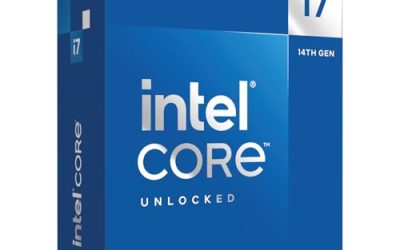
How Many Cores Does 1440p Gaming Need? Six cores is the floor for a 1440p gaming processor in 2026. Modern games use four to six threads heavily, and background tasks — voice chat, a browser with a few tabs, a game launcher — eat into whatever remains. A six-core, 12-thread chip such as the Ryzen 5 7600X or Core i5-12400F handles pure gaming well. Eight cores is the sweet spot. An eight-core chip such as the Ryzen 7 7800X3D leaves room for streaming, recording, and background work without stealing frames from the game, and stays relevant longer as games grow more multithreaded. Beyond eight cores, extra cores add little to gaming frame rates but help a lot with streaming, video editing, and compiling. A 12- or 16-core chip makes sense only for a builder who games and creates on the same machine. Intel’s hybrid design adds a wrinkle: current Core i7 and i9 chips mix performance cores with efficiency cores, so a 20-core label does not mean 20 equal gaming cores. Compare the count of performance cores — eight on the Core i7-14700K and Core i9-14900K — rather than the total.
Clock Speed, Cache, and Why 3D V-Cache Matters. Core count is only half the story. How quickly each core finishes its work — single-thread performance — decides frame rates in games that lean on one or two main threads. Clock speed hints at this, but architecture and cache matter more. Cache is fast memory built into the processor, and games love it: a large cache keeps game data close to the cores instead of waiting on system memory. That is why AMD’s 3D V-Cache chips dominate gaming charts. The Ryzen 7 7800X3D stacks extra cache on top of the chip, and Tom’s Hardware’s CPU hierarchy places it among the leading gaming processors despite modest clock speeds and a 120W power envelope. Its successor, the Ryzen 7 9800X3D, carries the same idea further with higher clocks. On the Intel side, large caches plus high boost clocks keep the Core i7-14700K and Core i9-14900K competitive, though at much higher power draw. The lesson for a buyer: compare processors in gaming benchmarks at 1440p, not on the spec sheet alone. A chip with a lower clock speed but a much larger cache can win where it counts.
Platform Choice: AM5, LGA1700, and LGA1851. The processor choice locks in the platform: socket, memory type, and upgrade path. Three options dominate current builds. AM5 is AMD’s current socket, home to Ryzen 7000 and 9000 chips. It takes DDR5 memory only, and AMD has committed to supporting the socket with new processors into 2027 and beyond, so a board bought today can accept a faster chip later without a rebuild. LGA1700 is Intel’s socket for 12th, 13th, and 14th generation Core chips. It is a mature platform with a wide range of boards, and some boards still take cheaper DDR4 memory, but no new processors are coming for it. LGA1851 is Intel’s current socket for Core Ultra 200S chips. It is DDR5 only and carries the newest connectivity, but it is a first-generation platform with fewer board choices and an upgrade path that is still unproven. For most 1440p builders, AM5 offers the clearest upgrade story, while LGA1700 offers the lowest entry cost. For socket and board selection in more depth, see a broader guide to choosing a gaming CPU.
Matching CPU Tiers to GPU Tiers. Putting the pieces together, the pairing table below shows sensible matches. The graphics card class sets the pace, and the processor class keeps up without wasting budget.
| Graphics card class | Processor class | Good for |
|---|---|---|
| Entry 1440p (RTX 4060, RX 7600 XT) | 6-core (Ryzen 5 7600X, Core i5-12400F) | 60 to 100 fps at high settings |
| Mid-range 1440p (RTX 4070, RX 7800 XT) | 8-core (Ryzen 7 7800X3D, Core i7-14700K) | 100 to 165 fps at high settings |
| High-end 1440p (RTX 4070 Ti Super, RX 7900 XT) | 8-core 3D cache or flagship (Ryzen 7 9800X3D, Core i9-14900K) | 165Hz and higher refresh play |
| Flagship (RTX 5080, RTX 5090) | Best gaming chip available (Ryzen 7 9800X3D) | High-refresh 1440p and 4K headroom |
Note the pattern: the processor climbs one rung only when the graphics card climbs two. A flagship card with a mid-range eight-core chip loses little at 1440p, because the graphics card remains the limit in nearly every title. The reverse gains nothing, because the card caps frame rates long before the processor breaks a sweat.
Power, Cooling, and the Hidden Costs. Power draw is the hidden cost of a fast processor. AMD lists the Ryzen 7 7800X3D at 120W, and it runs happily under a good tower air cooler. Intel lists a 253W maximum turbo power for the Core i9-14900K, and that chip needs a 240mm liquid cooler or a top-end air cooler plus a case with strong airflow to hold its boost clocks. A builder who picks a 253W-class chip should budget for the cooler, a power supply with comfortable headroom, and a case that moves air well. None of that is wasted money — a hot processor throttles, and a throttled flagship performs like a mid-range chip. A practical rule: add the processor’s maximum power and the graphics card’s board power, then choose a power supply rated at least 1.5 times that total. Also check the motherboard’s power delivery: a budget board with weak voltage regulation can throttle a high-end chip even with a good cooler.
RAM and Storage: What the CPU Choice Decides. The processor choice also decides memory. AM5 and LGA1851 boards take DDR5 only; LGA1700 boards come in DDR4 and DDR5 versions, and the two are not interchangeable, so a board and memory kit must match. For AM5, DDR5-6000 is widely regarded as the sweet spot — AMD’s own guidance points to 6000 MT/s as the ideal balance of speed and latency for Ryzen 7000 chips. For Intel builds, DDR5-6000 to 6400 is a sensible target, while DDR4-3600 remains a solid budget option on LGA1700. Buy memory as a matched pair of sticks: two sticks of 16GB for 32GB total is the current sweet spot for gaming, and a single stick halves memory bandwidth. Storage is simpler: any modern board offers at least one fast NVMe slot, and a 1TB NVMe drive holds the system software and a handful of large games. PCIe 4.0 is plenty for current graphics cards, and PCIe 5.0 is a bonus, not a requirement.
How to Spot a Bottleneck in Your Own Build. Once a build is running, a simple check shows whether the processor is holding the system back. Open a hardware monitor overlay such as MSI Afterburner while playing and watch graphics card utilization. If the graphics card sits at 95 percent or higher, the system is graphics-bound — the processor is keeping up, and a faster chip would change nothing. If the graphics card sits well below 90 percent while the processor runs near its limit and frame rates stall, the processor is the bottleneck. Competitive shooters at low settings are the usual place this shows up. The fix depends on the finding: a graphics-bound system needs a stronger card or lower settings, while a processor-bound system needs a faster chip, a higher cache chip, or a platform upgrade. Windows Task Manager gives a rough version of the same picture — high processor use with low graphics use points the same way.
A Simple Upgrade Timeline. A 1440p build ages gracefully if the platform has room to grow. A sensible timeline looks like this: buy a mid-range eight-core chip and a strong mid-range graphics card today, then upgrade the graphics card in two to three years when a new generation arrives. On AM5, the processor can follow later — a newer Ryzen drops into the same board with a firmware update, so the platform can last through two graphics card generations. On LGA1700, the processor path ends with the 14th generation, so a later processor upgrade means a new board and memory as well. That difference is worth real money: a platform that accepts a drop-in processor upgrade saves the cost of a board and memory swap.
Common Mistakes to Avoid. Four mistakes show up again and again. First, overspending on the processor: a flagship chip paired with a mid-range card wastes budget that would have bought a faster card and higher frame rates. Second, ignoring platform cost: a cheap processor on an expensive DDR5 board can cost more overall than a faster chip on a mature DDR4 platform. Third, skimping on cooling and power delivery: a high-end chip on a budget board with a small cooler throttles under load. Fourth, buying a single stick of memory or slow memory: single-channel memory chokes the processor and costs frames in every game. Avoid those four traps and the rest is fine-tuning.
Frequently Asked Questions
How many cores do I need for 1440p gaming?
Six cores is the minimum for smooth play, and eight cores is the sweet spot for gaming plus streaming or background tasks. More than eight cores helps creation work such as video editing, not frame rates.
Is the Ryzen 7 7800X3D still a good CPU for 1440p gaming?
Yes. Its 3D V-Cache keeps it among the leading gaming processors in Tom’s Hardware’s CPU hierarchy, and the Ryzen 7 9800X3D is the newer, faster option. Either pairs well with mid-range and high-end graphics cards.
Does the CPU matter less at 1440p than at 1080p?
Yes. Hardware Unboxed’s benchmarks show the gap between mid-range and flagship chips narrows sharply at 1440p because the graphics card becomes the limit. The CPU still sets the frame-rate ceiling in competitive and simulation-heavy titles.
Should I buy AM5 or LGA1700 for a 1440p build?
AM5 offers the clearer upgrade path, with new processors promised into 2027 and beyond, but it takes DDR5 only. LGA1700 offers lower entry cost with DDR4 options, accepting that no new chips are coming for the socket.
As an Amazon Associate we earn from qualifying purchases.