Our Short List of 3

- Display: 7.4-inch HDR OLED, 1280 by 800, up to 90 Hz
- Processor: AMD Zen 2 and RDNA 2 custom APU
- Memory: 16 GB LPDDR5
- Storage: 512 GB NVMe, plus a microSD slot

- Connectivity: Bluetooth wireless and USB-C wired
- Joysticks: TMR electromagnetic, anti-drift design
- Triggers: Hall effect, with mode switching
- Extras: two remappable back buttons, motion control

- Connectivity: Xbox Wireless and Bluetooth
- Port: USB-C for wired play
- Controls: hybrid D-pad, dedicated Share button
- Power: AA batteries or optional rechargeable pack
All 5 Picks at a Glance
| Product | Specs | Action |
|---|---|---|
| Valve Steam Deck OLED 512GB |
| Check price on Amazon |
| 8BitDo Ultimate 2 Bluetooth Controller |
| Check price on Amazon |
| Xbox Wireless Controller, Carbon Black |
| Check price on Amazon |
 Logitech G502 HERO |
| Check price on Amazon |
 Samsung T9 Portable SSD 2TB |
| Check price on Amazon |
Most racers from 2018 answer the Linux question with a flat no, so Gravel is a genuine surprise. Milestone’s off-road arcade racer, released on 27 February 2018, carries a native Linux build on Steam today: the store record flags Windows, Mac and Linux all true, publishes a populated Linux requirements tab, and the purchase package ships a dedicated Linux binary depot.
The twist is that the port’s existence and its quality are two different stories. Across the ProtonDB report file, players repeatedly describe the same three faults in the native build: it does not recognize the game’s own DLC, it often fails to detect controllers, and its saves do not carry over from the Windows build. Most Linux players therefore run the Windows version through Proton instead, which is also the route Valve’s own Steam Deck test sheet recommends.
As an Amazon Associate, we earn from qualifying purchases.
Quick answer
Yes. Gravel sells a genuine native Linux port on Steam: the store flags Linux true, publishes Linux system requirements, and the package includes a dedicated Linux binary depot. In practice most players use Proton instead, because reports say the port does not recognize the DLC and often fails to detect controllers. Valve rates the Deck build Playable, and ProtonDB settles at Gold from 27 reports.
The native build is real: read the depots
Start with the store record, because Gravel passes checks most Windows-only games fail. The platform flags read windows true, mac true and linux true. The Linux requirements field is not a shell: the minimum tier names Ubuntu 16.04 or later and SteamOS 2.0, an Intel Core i5-2500K or AMD FX-6350 class processor, 4 GB of memory and 15 GB of storage. The Mac tab is populated too. Populated requirements alone can mislead, though, so the depot table settles it.
SteamDB’s depot list for app 558260 shows four content depots: 558261 is the Windows content at 15.80 GiB; 558262, named Gravel Port Data and tagged for both macOS and Linux, holds 16.44 GiB of shared port data; 558263 is the Mac binary; and 558264 is the Linux binary. Crucially, the only purchase package on the record, package 139713, includes all four depots, so the Linux build is part of what a buyer receives today, not a stranded leftover. The public branch has been frozen at build 3477925 since January 2019.
ProtonDB’s classification agrees with Steam for once: its page carries the Natively Supports heading and a Native classification, and this time the heading is correct. Gravel is a native Linux game as sold. What follows is why that sentence is not the recommendation it sounds like.
Where the port falls down
The split starts on the store record itself. The base game flags Linux true, but every one of the eleven DLC apps reads windows true, mac false, linux false: the Porsche Rallye pack, Ice and Fire, King of Buggies, Armored Operation, Colorado River and the six free car packs. DLC flags are often lazy paperwork, so that split alone would not convict the port. The report file, however, says the paperwork is telling the truth: multiple reports state that downloadable content is not supported on the Linux and Mac builds and that saves tied to DLC content do not sync through the native runtime.
Controller handling is the second fault. The game’s own record lists full controller support, accurate for the Windows build. On the native build, reports describe the opposite: one Deck report states the native build cannot detect any controllers, a desktop report says a PS5 controller was not detected even with Steam Input enabled and only worked after forcing Proton, and another notes the DualSense is not recognized natively either. The fallback keyboard layout earns its own complaint, with throttle and brake on the A and Z keys. Add graphical glitches, one native report that could not open the game at all, and mediocre port performance even at medium settings: the port runs, but it is the roughest version of the game on offer.
Save compatibility closes the case for anyone who also plays on Windows: a report states directly that saves between Windows and native Linux are not compatible, so switching routes mid-career means leaving progress behind. None of this makes the port fake; it is a 2019 build with limits that were never revisited.
The Proton route most players actually use
ProtonDB’s full summary for the Windows build reads settled tier Gold, best-reported Platinum, trending Gold, across 27 reports at good confidence. The report text explains the shape of it: players describe switching from the native build to Proton and having their problems disappear at once. One reports that changing to Proton fixed the port’s graphical glitches, another that everything worked instantly after the switch, and a third concludes simply that with Proton chosen it runs well. The DLC registers, controllers detect, and videos that misbehaved natively play.
The file is not spotless. One report on a community GE-Proton build with a current-generation AMD card records a flat does-not-work across several Proton versions, and one Deck report describes letterboxed menus and unresponsive stick axes on an older GE-Proton release before later reports found the game near perfect. The balance of recent evidence is a Windows build that behaves under current Proton releases on desktop and Deck alike, with online play rated Excellent in the report that reviewed it.
Steam Deck: Playable, and the paperwork is current
Valve’s compatibility endpoint resolves Gravel to category 2, Playable, with SteamOS rated Compatible. The test is dated 12 August 2026 and was run against build 3477925, still the current public build, so this badge grades exactly the bytes on sale. Three checks pass: the default controller configuration is fully functional, the game shows Deck glyphs, and the default graphics configuration performs well. The single deduction is small text.
One detail on Valve’s sheet confirms the community consensus: the recommended runtime is a Proton 11 release candidate, meaning Valve’s own route to the Playable badge is the Windows build under Proton rather than the native port. Deck reports back the badge up: one calls the game near perfect once switched to Proton Experimental, while another found steady performance after turning off shadow and reflection quality.
Anti-cheat and the GOG question
Steam’s record names no anti-cheat product for Gravel, and the Are We Anti-Cheat Yet tracker, read in full at 1,167 entries, holds no entry for the game in either direction. That is an absence of documentation, not a clearance. The practical evidence: at least one Proton report rates online multiplayer Excellent, and none attributes a failure to an anti-cheat block.
There is no second PC edition to weigh: the natural GOG product address resolves to the general catalogue rather than a Gravel page, and GOG’s records hold no product for the game. The Steam copy is the only PC version on sale.
Gear that fits the record
The gear below follows the record’s shape: the handheld the Playable badge was written for, two pads for the Proton route, a desktop mouse, and fast library storage.
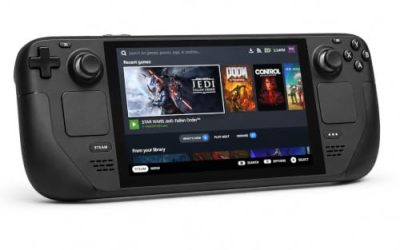
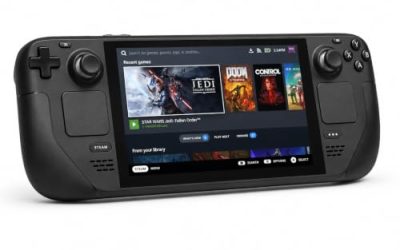
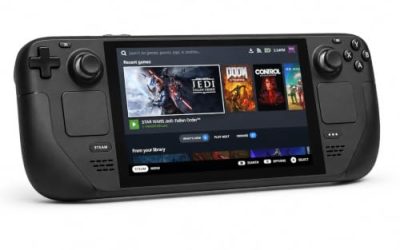
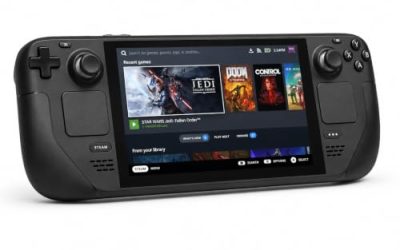
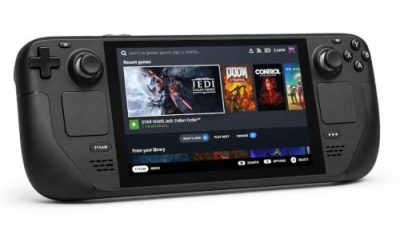
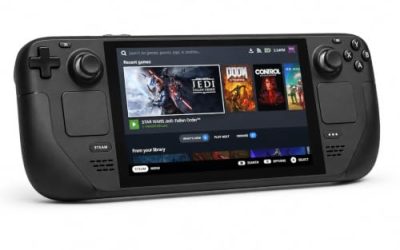
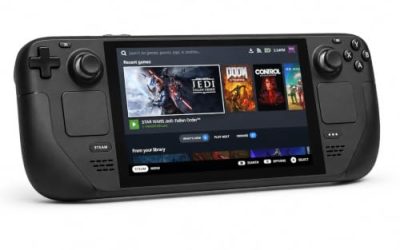
Valve Steam Deck OLED 512GB
- Display: 7.4-inch HDR OLED, 1280 by 800, up to 90 Hz
- Processor: AMD Zen 2 and RDNA 2 custom APU
- Memory: 16 GB LPDDR5
- Storage: 512 GB NVMe, plus a microSD slot
The handheld Valve tested in August 2026 against the exact build still on sale. The badge carries one deduction, small text, and the recommended runtime is Proton, so expect the Windows build’s behaviour, not the port’s faults.
8BitDo Ultimate 2 Bluetooth Controller
- Connectivity: Bluetooth wireless and USB-C wired
- Joysticks: TMR electromagnetic, anti-drift design
- Triggers: Hall effect, with mode switching
- Extras: two remappable back buttons, motion control
The docked and desktop pad pick. The game’s record lists full controller support, and under Proton that is what the reports describe: pads detect and play.
Xbox Wireless Controller, Carbon Black
- Connectivity: Xbox Wireless and Bluetooth
- Port: USB-C for wired play
- Controls: hybrid D-pad, dedicated Share button
- Power: AA batteries or optional rechargeable pack
The safest guest pad in PC gaming: Steam Input support is universal, and it pairs over Bluetooth or its own wireless.
Logitech G502 HERO
- HERO optical sensor, up to 25,600 DPI
- 11 programmable buttons
- Adjustable weight system
- Wired USB connection
Gravel is a pad game first, but desktop players still live in its menus between events, and a precise wired mouse makes career screens quicker to work through.
Samsung T9 Portable SSD 2TB
- Capacity: 2 TB portable SSD
- Interface: USB 3.2 Gen 2×2, USB-C connector
- Maker-rated speeds: up to 2,000 MB per second read, 1,950 MB per second write
- Features: Dynamic Thermal Guard, maker-rated drop resistance
For moving a Linux game library between machines, a fast USB-C drive is the simple answer. The headline figure needs a Gen 2×2 host port; on a lesser port it runs at that ceiling.
How to choose
Choose the route before you choose the settings. If you own any of the DLC packs, play with a controller, or share a career with a Windows machine, force Proton in the game’s compatibility settings: that single choice fixes the DLC recognition, the controller detection and the save compatibility in one move, and it is the route both Valve’s test sheet and the bulk of the report file endorse. Choose the native port only if avoiding a compatibility layer matters more than the expansion content and pad support; it remains a legitimate way to play the base game. On Steam Deck, install and let the default Proton runtime do its work. On any route, buy the Steam copy, because it is the only PC edition that exists.
Who should skip
Skip the native route, though not the game, if your library includes the Porsche Rallye pack or Ice and Fire and you expect to drive that content: the port will not show it to you. Skip Gravel entirely if a busy online scene is the point, because reports describe player counts in single digits. Players who split time between Windows and Linux should also think twice, since native saves do not travel. And if small menu text on a handheld is a deal-breaker, the Deck’s one deduction is aimed at you.
FAQ
Does Gravel have a native Linux version?
Yes. The Steam record flags Linux true, publishes Linux requirements naming Ubuntu 16.04 and SteamOS 2.0, and the purchase package includes a dedicated Linux binary depot. A real port, frozen at its January 2019 build.
Why do most Linux players use Proton if the game is native?
Because the report file documents three port faults: the DLC is not recognized on the native build, controllers frequently go undetected even with Steam Input, and saves are incompatible with the Windows build. Forcing Proton routes around all three.
Is Gravel Playable on Steam Deck?
Yes. Valve rates it Playable with SteamOS Compatible, tested in August 2026 against the current public build. The default controller configuration passes, glyphs match the Deck, and performance passes; the only deduction is small in-game text.
Is there a GOG or DRM-free version of Gravel?
No. GOG holds no product for Gravel; its natural product address resolves to the general catalogue. Steam is the only PC storefront selling it.
Final verdict
Gravel earns a place in the small club of mainstream racers with a genuine native Linux build, still sold today. The honest verdict has two halves: as a record, this is a clean native agreement across flags, requirements, depots and ProtonDB’s own classification; as a recommendation, the Windows build under Proton is the version to play, because the port’s DLC, controller and save faults are documented from several directions and were never fixed. Buy the Steam copy, force Proton, and the Gold-rated file is the experience you will get.
Product and ASIN Reference
| Product | ASIN |
|---|---|
| Valve Steam Deck OLED 512GB | B0CQ3RWQQZ |
| 8BitDo Ultimate 2 Bluetooth Controller | B0F194QFT2 |
| Xbox Wireless Controller, Carbon Black | B08DF248LD |
| Logitech G502 HERO | B07GBZ4Q68 |
| Samsung T9 Portable SSD 2TB | B0CHFS9K14 |