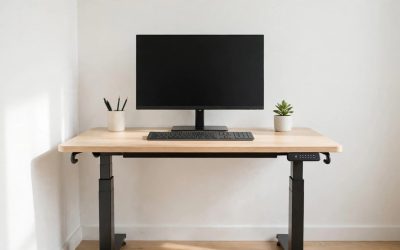
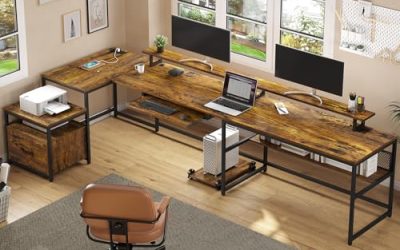
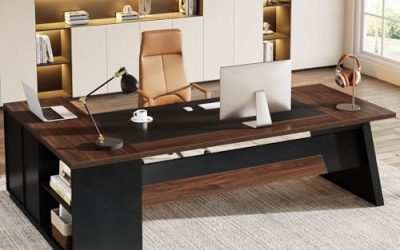
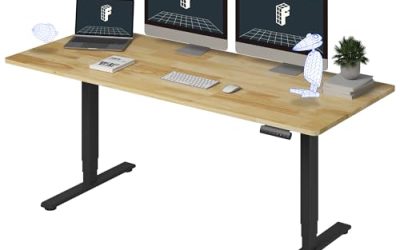
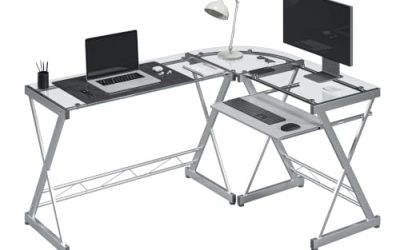
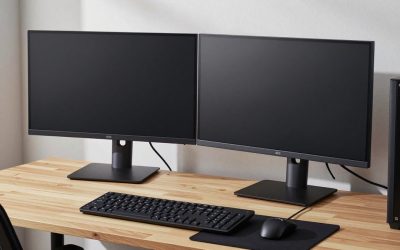
A heavy monitor arm changes what a standing desk has to do. A single ultrawide on a gas-spring arm, or two large displays on a dual arm, puts a concentrated load on one small clamp point at the back of the desktop. The best three stage standing desks for heavy monitor arms handle that load without flexing, sagging, or wobbling when the desk moves between sitting and standing height.
Three-stage legs give a wider height range than two-stage legs, with a lower minimum and a higher maximum. That wider range helps shorter and taller users alike, and it keeps the frame stable through more of its travel. Dual motors add lifting strength and keep both sides moving together, which matters when the weight is unevenly distributed across the top. This guide focuses on desks with three-stage, dual-motor frames and a rear edge that accepts a standard C-clamp.
What to Look For
Start with lifting capacity and frame construction. The lifting capacity is the number that matters when the motors are moving a loaded top. Dual motors, a steel frame, and three-stage columns are the combination to look for, especially if the monitor arm, monitors, and desktop computer tower all sit on the desk at once.
Check the height range next. A range that starts near 22 to 25 inches and rises to around 48 to 50 inches covers most seated and standing positions. A low minimum helps if you sit low, while a high maximum helps taller users who stand at a desk for long sessions.
Desktop thickness is just as important as the frame. A top around one inch thick, made in one piece, resists bending under a clamp better than a thin or multi-piece top. A clean rear edge with no crossbar directly beneath it makes it easier to fit a C-clamp, and a cable tray keeps power and display cables from pulling when the desk rises.
1. FlexiSpot E7 Pro Electric Standing Desk
Amazon link: https://www.amazon.com/dp/B0C7K7CFZF
The FlexiSpot E7 Pro is a dual-motor, three-stage standing desk with a C-frame design that shifts the columns toward the rear, leaving more legroom and a cleaner rear edge for a monitor arm clamp. The height range runs from 25.0 to 50.6 inches. Tops are listed from 47.2 to 80 inches wide, in chipboard, bamboo, and solid-wood options, so the same frame can be paired with a compact top or a wide multi-monitor surface.
FlexiSpot lists a 440 lb static load capacity for this model, and the frame includes a memory-preset keypad, a USB-C port, a child lock, and magnetic cable management. The C-frame layout is a practical advantage for heavy monitor arms, because the clamp sits over a supported section of top rather than over an open span. The 15-year warranty on the frame, motors, and electronics, as listed for this model, adds confidence for daily use.
This desk suits a user who wants a wide height range, a strong frame, and a top large enough for two or three monitors on arms.
2. UPLIFT V2-Commercial Standing Desk, 48 x 30 Inches
Amazon link: https://www.amazon.com/dp/B0BN2CDHVJ
The UPLIFT V2-Commercial is a dual-motor, three-stage desk with a 355 lb lifting capacity and a height range of 22.6 to 48.7 inches with a one-inch top. The low minimum height helps shorter users and low chairs, while the top end still reaches a comfortable standing height for most adults. The frame lifts at 2 inches per second and includes an advanced keypad with four memory presets.
UPLIFT lists 48 accessory mounting points on the frame, plus an included wire management tray, which helps keep cables tidy when a monitor arm, a dock, and a desktop computer share the same desk. The frame is ANSI/BIFMA X5.5 compliant, and UPLIFT covers the frame, motors, and electronics with a 15-year warranty. The V2-Commercial adds a lower crossbar compared with the standard V2, which adds rigidity at full height.
This desk suits a user who wants a proven commercial frame, a very low seated height, and a deep 30-inch top that gives a monitor arm room to sit back from the front edge. It is a strong choice for a dual-monitor setup with a tower on the desk.
Considerations: this listing is for the 48 by 30 inch configuration, so check that the width fits your wall and that the lower crossbar does not interfere with a chair or a CPU holder placed underneath.
3. VIVO DESK-KIT-2B6B Dual-Motor Electric Standing Desk, 60 x 24 Inches

Amazon link: https://www.amazon.com/dp/B0FJC12DPS
The VIVO DESK-KIT-2B6B is a dual-motor, three-stage desk with a 60 by 23.6 inch one-piece top that is 1.1 inches thick. The height range runs from 24.6 to 50.4 inches. VIVO lists a 220 lb weight capacity and a lift speed of 38 mm per second, about 1.5 inches per second, with a push-button controller that has three memory presets.
The one-piece top is a practical benefit for heavy monitor arms. A single slab with no centre joint gives the clamp a solid, continuous surface, and the 1.1-inch thickness suits standard C-clamps. The solid steel frame and the three-stage columns help the desk stay steady through its full range, and VIVO covers the desk with a 3-year warranty.
This desk suits a user who wants a wide, single-piece surface for two monitors on arms, plus room for a laptop or notebook beside them.
Comparison Table
| Desk | Top Size | Height Range | Legs and Motors | Lifting Capacity | Memory Presets |
|---|---|---|---|---|---|
| FlexiSpot E7 Pro | 47.2 to 80 in wide | 25.0 to 50.6 in | 3-stage, dual motor | 440 lb static load listed | Yes |
| UPLIFT V2-Commercial | 48 x 30 in | 22.6 to 48.7 in | 3-stage, dual motor | 355 lb | 4 presets |
| VIVO DESK-KIT-2B6B | 60 x 23.6 in | 24.6 to 50.4 in | 3-stage, dual motor | 220 lb | 3 presets |
FAQ
What makes a three-stage desk better for a heavy monitor arm?
Three-stage legs give a wider height range and more overlap between the leg sections at any given height, which helps stability. Combined with dual motors, that design lifts a concentrated load at the back of the desk more evenly than a single-motor, two-stage frame.
How much weight should the desk support for two monitors on arms?
Add the weight of each monitor, each arm, the desktop computer if it sits on the desk, and any other gear that stays on the top. Choose a desk whose lifting capacity sits comfortably above that total, rather than exactly at it, so the motors are not working at their limit every time the desk moves.
Does desktop thickness matter for a clamp-on monitor arm?
Yes. A top around one inch thick, made in one piece, gives a clamp a firm grip and resists bending at the clamp point. Check the clamp range in your monitor arm manual and compare it with the top thickness listed for the desk variant you choose.
For a heavy monitor arm, the frame matters as much as the desktop. The FlexiSpot E7 Pro gives the widest top options and a high static load capacity, the UPLIFT V2-Commercial gives the lowest seated height and a strong commercial frame, and the VIVO DESK-KIT-2B6B gives a wide one-piece top with a broad height range. Match the lifting capacity to your full setup, check the clamp fit on the rear edge, and choose the height range that fits the people who will use the desk every day.
Disclosure: As an Amazon Associate, we earn from qualifying purchases.