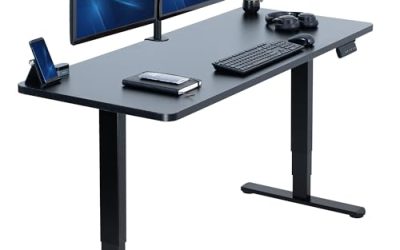
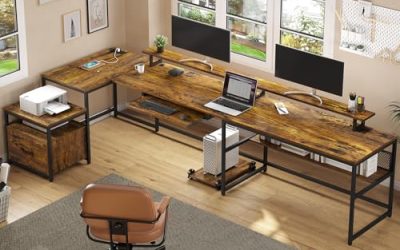
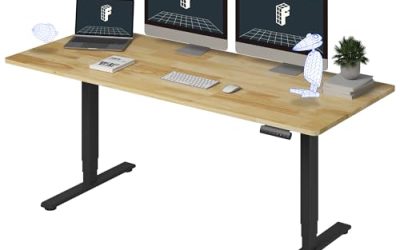
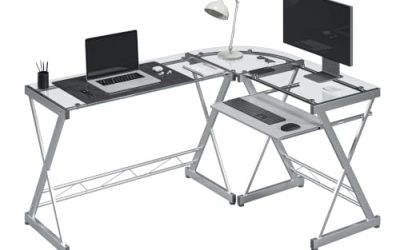
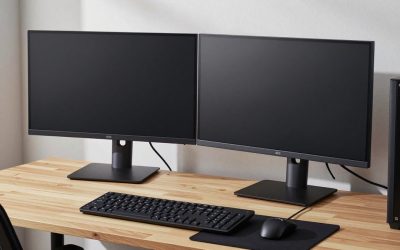
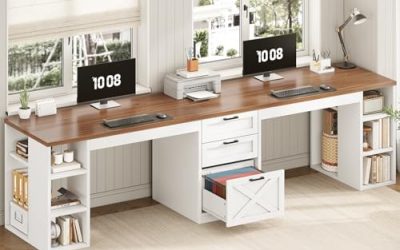
- Top Pick: HUANUO 32×19 Inch Small Electric Standing Desk, Adjustable, Light Walnut | 176 Lbs Capacity, Rounded Corners, Wheel-Ready Feet, Compact Desktop, Apartment Workspace, Conference Room Table
- Best Value: DUMOS Mobile Rolling Desk with Wheels, Small Standing Desks Black | Height Adjustable Portable Rolling Table for Laptop PC, Computer Workstation for Home Office, Study, Bedroom
- Premium Choice: YOLEZO 35" Electric Standing Desk, Small Sit Stand up Desk, Light Walnut | Height Adjustable Computer Desk for Home Office, Compact Work & Gaming Desk with Cable Management and Stable Steel Frame
The best compact standing desk for gamers is the Uplift V2 when you want the most stable frame in a small top size, the FlexiSpot E7 Pro for the best value, and the Branch Standing Desk when your room is small and you want a tidy look; the FlexiSpot gaming desk and the Secretlab Magnus Pro suit gamers who want a larger or gaming-styled surface. A compact desk can still hold a monitor, a keyboard, a mouse and a small PC if you size it from your gear, not from the product name. This guide ranks desks by top size, height range, lift capacity and stability at standing height.
As an Amazon Associate we earn from qualifying purchases at no extra cost to you.


Quick picks
- Best overall compact: Uplift V2 (choose the smaller top options).
- Best value: FlexiSpot E7 Pro.
- Best for small rooms and clean looks: Branch Standing Desk.
- Best gaming-styled desk: FlexiSpot RGB gaming standing desk (reported 55 by 28 inch top).
- Best budget dual-motor pick: Autonomous SmartDesk Pro.
- Best for a premium gaming look: Secretlab Magnus Pro.
- Best configurable alternative: Fully Jarvis.
How we chose
This ranking is research-based. We compared manufacturer specification pages, the sizes each maker offers, lift capacity, motor configuration, and recurring reviewer and owner notes on wobble and noise. We did not run physical measurements. Where a size or capacity varied between sources, we flag it in the table and recommend confirming on the product page.
The criteria, with thresholds for a compact setup:
- Top size. Compact usually means 40 to 48 inches wide and 24 inches deep. Under 40 inches is too small for a gaming layout, and a standing desk that narrow is better replaced by a desk converter.
- Depth. At least 24 inches lets a 27 inch monitor sit at a comfortable distance. 30 inches is better for a 32 inch screen.
- Height range. A range from about 25 to 50 inches covers most users. Taller users should check the maximum height.
- Lift capacity. Look for 200 pounds or more. A PC, two monitors, an arm and accessories can add 60 to 100 pounds.
- Stability. Dual motors and a wide frame reduce wobble at standing height, which matters when you bang a keyboard mid-game.
- Cable and PC mounting. Hooks, trays and a CPU hanger keep the floor clear in a small room.
Comparison table
| Desk | Motor | Compact top sizes | Height range (reported) | Lift capacity (reported) | Best for |
|---|---|---|---|---|---|
| Uplift V2 | Dual | Smaller top options offered | About 25 to 50 in | About 355 lb class | Stability, long-term use |
| FlexiSpot E7 Pro | Dual | Range of widths | About 22.8 to 48.4 in class | About 350 lb class | Value |
| FlexiSpot RGB gaming desk | Dual | 55 x 28 in reported | About 28.9 to 46.4 in reported | Check page | Gaming style and lighting |
| Autonomous SmartDesk Pro | Dual | Smaller sizes offered | Check page | Check page | Budget |
| Branch Standing Desk | Dual | Compact option reported | Check page | Check page | Small rooms, clean look |
| Secretlab Magnus Pro | Dual (electric frame) | Fixed larger size | Check page | Check page | Premium gaming |
| Fully Jarvis | Dual | Multiple sizes | Check page | Check page | Customization |
Many figures above are marked “check page” or “class” because makers revise frames and sizes often. Confirm the top size, height range and lift capacity on the product page.
Worked example: size the desk from your gear
Use this calculation to avoid buying too small or too large.
- Measure your monitor’s width. A 27 inch 16:9 screen is about 24 inches wide, including bezel.
- Add keyboard and mouse. A full-size keyboard is about 17 inches wide and a mouse pad about 10 inches. Place the mouse pad beside the keyboard: 17 + 10 = 27 inches.
- Add side margins of 4 to 6 inches each for elbows and a speaker or lamp. 27 + 10 = 37 inches. A 40 inch top is the minimum, 48 inches gives room for a second item.
- Check depth. A monitor on a stand needs about 8 to 10 inches of depth, a keyboard 6 inches, and palm room 6 inches. Together about 22 inches, so 24 inches is workable. With a 32 inch screen, you want 28 to 30 inches.
- Check weight. Two 27 inch monitors (about 15 pounds each), a monitor arm (about 8 pounds), a keyboard and accessories (about 5 pounds) sum to about 45 pounds. Adding a 25 pound small-form-factor PC brings it to about 70 pounds, well within a 200 pound class.
Result: a 48 by 24 inch desk fits a single 27 inch screen with room to spare, and a 55 by 28 inch top suits a 32 inch screen or a dual setup.
The best compact standing desks for gamers
1. Uplift V2
Spec line: Dual motors · wide choice of tops, including smaller sizes · about 25 to 50 inch height range · lift capacity in the mid-300 pound class · long warranty reported.
Best for: Gamers who want a frame that stays steady at standing height during intense sessions and who value long-term support.
Skip if: You want the lowest cost. This is a premium tier desk.
Pros: Excellent stability, many options and a strong accessory range.
Cons: Premium cost and shipping size.
2. FlexiSpot E7 Pro
Spec line: Dual motors · wide range of top widths · lift capacity in the 350 pound class · memory presets · C-shaped or T-shaped frame options.
Best for: Value buyers who want most of the premium experience at a lower cost.
Skip if: You need the smallest possible footprint. Check the available top sizes.
Pros: Strong value, sturdy build, good presets.
Cons: Prices vary and tops are sold separately in some configurations.
3. FlexiSpot RGB gaming standing desk
Spec line: Reported 55 by 28 inch top · height range reported around 28.9 to 46.4 inches · RGB lighting · dual motors · gaming styling.
Best for: Gamers who want lighting and a wider surface in a compact-medium space.
Skip if: You are very tall or short. Check that the height range suits you.
Pros: Style, desk surface and gaming touches.
Cons: Not truly compact and the minimum height may be high for shorter users.
4. Autonomous SmartDesk Pro
Spec line: Dual motors · desktop included · smaller sizes available · budget-oriented tier.
Best for: Budget buyers who want a complete desk in one purchase.
Skip if: You want the best stability or the widest configuration range.
Pros: Low cost, complete package.
Cons: Fewer premium touches and variable specs by size.
5. Branch Standing Desk
Spec line: Dual motors · compact size option · clean office styling · cable management tray.
Best for: Small rooms where the desk must look tidy and blend in.
Skip if: You want gaming lighting or a very wide desktop.
Pros: Clean look, compact option, simple setup.
Cons: Higher cost than value-focused desks and limited gaming features.
6. Secretlab Magnus Pro
Spec line: Metal desktop with magnetic accessories · electric height adjustment · built-in cable management · larger fixed size · premium tier.
Best for: Gamers who want a premium integrated desk and have room for a larger top.
Skip if: Your space is tight. This is a larger desk than the compact class.
Pros: Integrated cable handling and magnetic accessories.
Cons: Premium cost and a fixed, larger size.
7. Fully Jarvis
Spec line: Dual motors · multiple top sizes and materials · adjustable presets · mid-range to premium tier.
Best for: Gamers who want to pick a precise size and material.
Skip if: You want the lowest cost.
Pros: Configurable and well-regarded.
Cons: Specs vary and costs rise with options.
Setup tips for a compact gaming standing desk
Monitor arm
Mount a monitor on an arm to reclaim depth and keep the screen at eye level when the desk moves. A gas-spring arm adjusts easily between sitting and standing.
Cable slack
Leave enough slack in power and display cables to follow the full travel of the desk, then bundle them in a tray. A cable that tightens at full height can pull a monitor off its stand.
PC placement
Mount a small PC under the desk or place it on the floor. A tower swinging with the desk is a risk, so avoid mounting heavy cases on the desktop, and keep the vents clear to avoid heat build-up.
Collision clearance
Check space above the desk before raising it. Shelves, windows and low ceilings can collide with a monitor. Use anti-collision features if the frame has them.
Floor and chair space
A standing desk needs clearance for the legs and the feet, and a chair that tucks under the desk when you stand. Measure the gap before you buy.
Anti-fatigue and posture
Alternate sitting and standing, and use a mat when you stand for long gaming sessions. Keep wrists neutral and the screen at eye level.
Fit matrix: which desk for which setup
| Your setup | Minimum top | Recommended desk | Key check |
|---|---|---|---|
| One 24 to 27 inch monitor, laptop or small PC | 40 x 24 in | Branch Standing Desk or Uplift V2 small top | Depth of at least 24 in |
| One 27 to 32 inch monitor, full keyboard, large mouse pad | 48 x 24 in, ideally 30 in deep for 32 in | FlexiSpot E7 Pro, Uplift V2 | Depth for viewing distance |
| Dual monitors with arms | 55 x 28 in | FlexiSpot gaming desk, Fully Jarvis | Arm clamp thickness and capacity |
| Streaming with microphone arm and light | 55 x 28 in | Secretlab Magnus Pro, Uplift V2 | Clamp points on the rear edge |
| Tight budget | 47 x 24 in | Autonomous SmartDesk Pro | Confirm size and capacity |
| Room under 4 feet of free wall | None, skip a desk | A desk converter on a fixed desk | Weight limit of the base desk |
Frame, motor and stability notes
Single motor versus dual motor
Dual-motor frames lift more weight and move more steadily, which helps when you carry heavier monitors. Single-motor frames cost less and are acceptable for one light monitor and a laptop. For a gaming PC setup, dual motors are the better choice.
Leg width and top overhang
A wider frame at full extension resists wobble. If the desktop overhangs the legs by more than a foot on either side, it can bounce when you lean on it. In a compact desk, the overhang is usually small, which helps stability.
Presets and collision detection
Memory presets let you switch between sitting and standing with one press. Collision detection stops the desk if it meets an obstacle, which helps in a small room with shelves or a low ceiling light.
Noise
Motors make noise as they lift. For a room where you stream or voice chat, adjust the desk between sessions rather than during them.
Electrical safety
Use the supplied power cable and avoid daisy-chaining the desk’s control box through cheap extension strips. Keep the control box clear of liquids and the cable out of the path of the legs and casters.
Heat and ventilation
A small PC tucked under a compact desk can run hot if its vents face a wall or a rug. Leave several inches of clearance around the case and keep the exhaust pointed away from your legs.
Assembly
Assemble on a soft surface to avoid scratching the top, tighten all frame bolts, and recheck after a few weeks. A loose frame bolt is the usual cause of new wobble.
Frequently asked questions
What is the best compact standing desk for gaming?
The Uplift V2 is the most stable compact option, and the FlexiSpot E7 Pro gives the best value. Choose a top that is at least 24 inches deep for a 27 inch monitor.
The Branch Standing Desk suits very small rooms.
How small can a standing desk be for gaming?
A top of roughly 40 by 24 inches works for one monitor, a keyboard and a mouse. Narrower than that, use a desk converter instead.
Do I need a dual-motor standing desk?
Dual motors lift more weight and run more steadily. For a PC, monitors and accessories, they are a safer choice than a single-motor frame.
Will a standing desk wobble when I game?
Some wobble at full height is normal. Wider frames, dual motors and shorter heights reduce it. Keep the desk lower when you play mouse-heavy games standing.
How much weight can a compact standing desk hold?
Most dual-motor desks are rated for about 200 to 355 pounds. A gaming setup usually weighs 50 to 100 pounds, so capacity is rarely the limit.
Is a desk converter better than a standing desk for a small room?
A converter saves cost and floor space, but it raises the keyboard and monitor on a small platform. A full desk is more stable and gives more room.
Can I put my PC on a standing desk?
Yes, if it is lightweight and secure. A tower under the desk is safer, and keep vents clear to avoid heat build-up.
How do I run cables on a standing desk?
Use a cable tray and leave slack for full travel. Check the cables at both the lowest and highest heights.
Bottom line
Start with your gear: a 40 to 48 inch wide, 24 inch deep top covers one 27 inch monitor, and a 55 by 28 inch top covers a larger or dual setup. Choose the Uplift V2 for stability, the FlexiSpot E7 Pro for value, or the Branch Standing Desk for a small, tidy room, and confirm top size, height range and capacity on the product page before ordering.