

The best surge protector for a gaming PC is one rated at 2,000+ joules with a clamping voltage of 330V or lower and a response time under 1 nanosecond, since anything weaker can let a surge through before it trips. Most “gaming” surge protectors sold with RGB lighting and 12 outlets don’t actually meet that bar, and the spec sheet rarely makes the difference obvious. Here’s how to read the numbers correctly and match a unit to a system pulling real power from an 850W PSU and two monitors.
- Why joule rating alone doesn’t tell you much
- The actual load: 850W PSU plus two monitors
- Response time: the spec most people skip
- Head-to-head: what the specs actually mean for your build
- Clamping voltage: 330V vs 400V, worked out
- Outlet spacing: a real compatibility issue
- Decision matrix: matching the unit to your setup
- What to actually check before buying
As an Amazon Associate we earn from qualifying purchases at no extra cost to you.

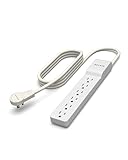


Why joule rating alone doesn’t tell you much
Joule rating measures total absorption capacity over the lifetime of the device, not how well it handles a single spike. A surge protector rated at 3,000 joules with a 400V clamping voltage can still pass a damaging spike to your components, because clamping voltage is the threshold at which the protector actually starts diverting excess voltage. Joules just tell you how many times it can do that before the metal oxide varistors (MOVs) degrade and stop working.
This matters because a lot of budget units advertise huge joule numbers (4,000+) as the headline spec while burying a 400V clamping voltage in the fine print. A 400V clamp means your PSU, GPU, and monitors see 70V more than they would with a 330V-rated unit before protection kicks in. For a gaming rig with sensitive VRMs on the motherboard and GPU, that gap is where damage happens during repeated minor surges, not just one catastrophic hit.
The actual load: 850W PSU plus two monitors
Before picking a joule rating, work out what you’re protecting. An 850W PSU under full gaming load (CPU + GPU at peak, not the PSU’s rated max) typically draws 550-650W from the wall at the outlet, accounting for PSU efficiency losses (roughly 90% efficient at that load for an 80+ Gold unit). Add two 27-inch monitors at around 35-45W each under typical brightness, and you’re looking at:
- PSU draw at the wall: ~600W (worst case, stress-test load)
- Monitor 1: ~40W
- Monitor 2: ~40W
- Total system draw: ~680W
That’s well within the 15A/1800W continuous capacity of a standard household circuit, so wattage headroom isn’t the concern here. The concern is what happens during a transient surge, like a lightning-induced spike on the line or a utility switching event, which can briefly push thousands of volts down the line for microseconds. The surge protector’s job is to clamp that spike before it reaches your components, and the response time determines how much of the spike slips through before clamping engages.
Response time: the spec most people skip
Response time is measured in nanoseconds and tells you how fast the MOVs react once voltage exceeds the clamping threshold. Most decent units sit under 1 nanosecond, which is fast enough that no meaningful damage window exists for typical residential surges. Units advertising response times above 1 nanosecond (some budget strips list 1-5ns without specifying) give the spike slightly longer to reach connected hardware, though in practice the joule rating and clamping voltage matter more for real-world outcomes since the actual spike duration from most events is already longer than the response time gap between a 0.5ns and 2ns unit.
Where response time actually matters is distinguishing legitimate surge protection from power strips that don’t protect at all. If a product doesn’t list a response time, it likely doesn’t have real surge suppression circuitry, just a basic switch and outlets.
Head-to-head: what the specs actually mean for your build
| Spec class | Joule rating | Clamping voltage | Response time | Verdict for 850W + 2 monitor setup |
|---|---|---|---|---|
| Budget power strip | 200-600J | 500V+ or unlisted | Unlisted | Avoid. Likely no real MOV protection, just outlets and a switch. |
| Mid-range “gaming” strip | 1,000-2,000J | 400V | 1-2ns | Marginal. Survives small surges, risky for repeated utility-grade spikes. |
| Solid home-office unit | 2,000-3,000J | 330V | under 1ns | Good baseline for this load. Matches PSU and monitor sensitivity. |
| High-end surge protector | 3,000-4,500J | 330V | under 1ns | Best choice if you also run peripherals like NAS or networking gear off the same strip. |
| Standalone UPS with AVR | N/A (battery-backed) | Typically 330V or better, plus voltage regulation | under 1ns (surge) + instant battery cutover | Best overall if budget allows; also covers brownouts and short outages. |
Clamping voltage: 330V vs 400V, worked out
Standard US outlets run at 120V nominal. A 330V clamp means the protector lets voltage climb to roughly 2.75x nominal before diverting the excess. A 400V clamp allows it to climb to about 3.3x nominal first. That 70V difference sounds small, but motherboard VRMs and GPU power stages are designed around tight tolerances, and repeated exposure to voltage spikes in the 330-400V range (common with switching surges from large appliances like AC units or refrigerators on the same grid) causes cumulative degradation even when no single event causes visible failure.
For a build with an 850W PSU feeding a high-end GPU, the GPU’s VRM and the motherboard’s 24-pin and EPS connectors are the most exposed points. A 330V clamp gives meaningfully more protection margin for this specific hardware than a 400V clamp, even though both technically count as “surge protection” on the box.
Outlet spacing: a real compatibility issue
This is the detail most buying guides skip. An 850W PSU in a case with bottom-mounted PSU intake often sits close to the wall, and GPUs with large coolers plus thick 12VHPWR or 8-pin cables need clearance. Pair that with two monitor power bricks (many 27-inch and larger monitors still use external power supplies, not internal ones), and outlet spacing on the surge protector becomes a real constraint:
- Standard 1-inch outlet spacing: fine for standard plugs, but two adjacent monitor power bricks will block a third outlet
- Wide-spaced outlets (2+ inches, often marketed for “transformer plugs”): necessary if you’re running two external monitor power bricks plus a PC power cable, which is the exact setup described here
- Vertical or rotating outlets: solve the spacing problem without needing a longer strip, useful in cramped desk setups
If you buy a 3,000-joule unit with the right clamping voltage but tight outlet spacing, you’ll end up using an extension or a second strip for the monitor bricks anyway, which defeats the point of consolidating protection.
Decision matrix: matching the unit to your setup
| Your situation | Recommended spec class | Why |
|---|---|---|
| Single PC (850W PSU) + 1 monitor, stable grid area | 2,000J / 330V / under 1ns | Covers the load with adequate margin; grid area has infrequent surge events |
| 850W PSU + 2 monitors, frequent storms or old grid infrastructure | 3,000J+ / 330V / under 1ns, wide outlet spacing | Higher surge frequency justifies more joule headroom and clamp margin |
| 850W PSU + 2 monitors + NAS/networking gear | UPS with AVR, 1000VA+ capacity | Battery backup prevents data loss on networked storage during outages, not just surge events |
| Budget-constrained, basic protection only | 1,500-2,000J / 330V minimum | Don’t go below 330V clamping even on a budget; skip joule rating above this before anything else |
What to actually check before buying
- Clamping voltage of 330V, not 400V, listed explicitly in the spec sheet or UL 1449 rating
- Joule rating of at least 2,000J for a single gaming PC, 3,000J+ if monitors and networking gear share the strip
- Response time under 1 nanosecond, or UL 1449 Type 2/3 certification as a proxy if response time isn’t listed
- Outlet spacing wide enough for your actual plugs, measured against your monitor power bricks and PSU cable, not just outlet count
- An indicator light or audible alert for MOV failure, since surge protectors silently stop protecting once the MOVs degrade and most people never notice
A surge protector with degraded MOVs still passes power normally, which is why the failure indicator matters more than most buyers realize. Replace the unit every 2-3 years in storm-prone areas, or immediately after any major surge event even if the strip still “works.”







