The real decision when choosing an SSD for a gaming PC build is not which drive posts the biggest sequential number. It is whether the drive matches your motherboard’s PCIe generation and M.2 slots, holds your whole library without constant uninstalling, and keeps its speed during long game installs. A Gen5 drive in a Gen4 slot, or a fast drive that fills up in three months, wastes money either way.
This guide serves first-time builders speccing a new machine, upgraders replacing a small or aging boot drive, and players adding a second game drive. Every pick below was chosen from the names, capacities and specifications printed on its Amazon product page, and each one is matched to the configuration it suits: Gen4 flagship, DRAM-less value, or Gen5 for boards that support it.
Quick Picks
As an Amazon Associate we earn from qualifying purchases
| Product | Best for | Key spec from title |
|---|---|---|
| Samsung 990 PRO 2TB | A flagship Gen4 boot and game drive in one | PCIe Gen4 M.2 2280, up to 7,450 MB/s read |
| WD_BLACK SN850X 2TB | Players who want a gaming-tuned Gen4 drive | M.2 2280, up to 7,300 MB/s read and 6,300 MB/s write |
| WD_BLACK SN7100 2TB | DRAM-less value with near-flagship Gen4 speed | Gen4 PCIe M.2 2280, up to 7,250 MB/s read |
| Samsung 990 EVO Plus 2TB | Mixed Gen4 x4 and Gen5 x2 slot flexibility | PCIe Gen 4×4 and Gen 5×2, up to 7,250 MB/s |
| Crucial T700 2TB with Heatsink | Gen5 boards ready for next-generation bandwidth | PCIe Gen5 NVMe, up to 12,400 MB/s, heatsink fitted |
How to Choose
Match the PCIe generation to your board, not the headline
A Gen5 NVMe drive only runs at Gen5 speed in a Gen5 M.2 slot, and many B650, B760 and older boards offer Gen4 or even Gen3 slots only. Check the motherboard manual for each slot’s generation and lane count, and check whether populating a second slot reduces lanes elsewhere. Honestly, for game loading the real-world gap between a fast Gen4 drive at roughly 7,300 MB/s and a Gen5 drive above 12,000 MB/s is small; most titles cannot use the extra sequential bandwidth yet. Buy Gen5 when the board already supports it and the rest of the build is settled, not as a first upgrade.
Size the capacity for modern installs, not last year’s library
Single game installs now routinely exceed 100GB, and Windows, launchers and shader caches all compete for the same drive. Treat 1TB as the floor for a new gaming build: it works, but it forces regular library management once two or three large titles are installed. Two terabytes is the sweet spot for most builders, holding the operating system plus a rotating set of big games with room for patches. Whichever size you pick, keep some free space in reserve, because a nearly full SSD has less room to manage writes and can feel slower during installs and updates.
Understand DRAM, HMB and endurance before comparing speeds
Flagship Gen4 drives carry a dedicated DRAM cache, while newer value designs such as the SN7100 and 990 EVO Plus are DRAM-less and borrow a small slice of system memory through Host Memory Buffer (HMB). In game loading the difference is minor; DRAM designs mainly earn their keep during heavy multitasking and long sustained writes. Endurance is the other figure worth reading: the TBW rating printed in the specifications states how much data the maker warrants the drive to write over its life. Higher TBW suits drives that will also record gameplay or move large files often.
Check the physical fit and the heatsink question
Almost every drive here is M.2 2280, meaning 22mm wide and 80mm long, but confirm your slot accepts that length and uses an M-key NVMe connection rather than a SATA-only M.2 slot. Cooling is the second check. Many mid-range and high-end boards include M.2 heatsink covers, in which case a bare drive is the right buy. A factory-fitted heatsink version suits boards without covers and console-style enclosed slots, but a tall fixed heatsink can clash with a board cover or a nearby graphics card, so compare the fitted height against your layout before ordering either version.
The 5 Best Options
Samsung 990 PRO 2TB

The 990 PRO is the safe flagship choice for a Gen4 build that will serve as both boot drive and main game library. Its listing rates sequential reads up to 7,450 MB/s and writes up to 6,900 MB/s, which is effectively the ceiling of the PCIe 4.0 interface, so no Gen4 slot leaves performance unused. Builders pairing it with a full parts list can see how it sits inside a complete configuration in this gaming desktop build guide. Choose the bare version when your board already provides an M.2 heatsink cover.
Specs
- Capacity: 2TB
- Interface: PCIe Gen4 NVMe
- Form factor: M.2 2280
- Sequential read: up to 7,450 MB/s
- Sequential write: up to 6,900 MB/s
- Model: MZ-V9P2T0B/AM
Best for: A single-drive Gen4 build that boots Windows and holds the whole library.
Watch out for: A separate heatsink version exists; do not stack a factory heatsink under a board cover that already provides one.
ASIN: B0BHJJ9Y77
WD_BLACK SN850X 2TB

The SN850X is Western Digital’s gaming-line flagship, and its Amazon title states up to 7,300 MB/s reads and 6,300 MB/s writes from a 2TB M.2 2280 drive. That puts it a fraction behind the 990 PRO on paper while remaining firmly in the fastest Gen4 tier, and the line is sold in both bare and heatsink-fitted versions, which makes it easy to match to boards with or without their own M.2 covers. It suits builders who want a proven game drive with DirectStorage-friendly Gen4 bandwidth and no generation-matching worries on B650 or Intel 600 and 700 series boards.
Specs
- Capacity: 2TB
- Interface: Gen4 PCIe NVMe
- Form factor: M.2 2280
- Sequential read: up to 7,300 MB/s
- Sequential write: up to 6,300 MB/s
- Model: WDS200T2X0E
Best for: Gaming-focused Gen4 builds that may later add a second drive.
Watch out for: The heatsink and bare versions are separate listings; confirm which one is in the basket before ordering.
ASIN: B0B7CMZ3QH
WD_BLACK SN7100 2TB
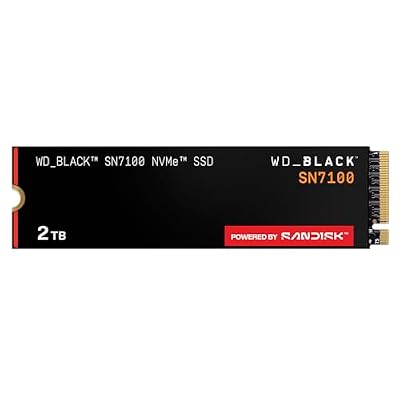
The SN7100 shows how far DRAM-less design has come: the listing quotes up to 7,250 MB/s reads and 6,900 MB/s writes, figures that sit beside the flagships, while the drive uses Host Memory Buffer instead of onboard DRAM. Western Digital’s specifications rate the 2TB model at 1,200 TBW endurance, matching many DRAM-equipped rivals, and the single-sided 2280 board fits tight slots in compact cases and handheld docks. For a pure game library drive, where reads dominate and writes arrive in bursts, this is the value pick that gives up almost nothing a player can feel.
Specs
- Capacity: 2TB
- Interface: PCIe Gen4 x4 NVMe
- Form factor: M.2 2280
- Sequential read: up to 7,250 MB/s
- Sequential write: up to 6,900 MB/s
- NAND: TLC 3D NAND
- Model: WDS200T4X0E
Best for: A second game drive or a value-led build where the saving funds capacity elsewhere.
Watch out for: It is DRAM-less, so sustained professional write workloads belong on a DRAM-equipped drive instead.
ASIN: B0DN6ZQ3PD
Samsung 990 EVO Plus 2TB
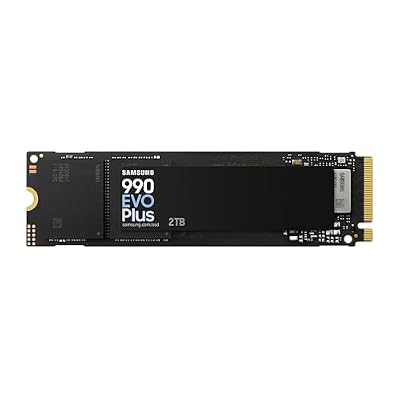
The 990 EVO Plus is the flexible option: its title lists both PCIe Gen 4×4 and Gen 5×2 operation, so the same drive runs at full speed in a standard Gen4 slot and still works in the narrower Gen5 x2 slots found on some boards. Samsung rates it at up to 7,250 MB/s reads and 6,300 MB/s writes, and the listing names HMB Technology, meaning it is DRAM-less and leans on system memory for mapping. That combination suits upgraders whose next motherboard is undecided, because the drive does not need replacing when the platform changes underneath it.
Specs
- Capacity: 2TB
- Interface: PCIe Gen 4×4, Gen 5×2
- Form factor: M.2 2280
- Sequential read: up to 7,250 MB/s
- Sequential write: up to 6,300 MB/s
- Cache approach: HMB Technology
- Model: MZ-V9S2T0B/AM
Best for: Upgraders who may move the drive between a Gen4 board and a newer platform.
Watch out for: In a Gen5 x2 slot its bandwidth is capped near Gen4 levels; a full Gen5 x4 slot deserves a true Gen5 drive.
ASIN: B0DHLCRF91
Crucial T700 2TB with Heatsink

The T700 is the pick for builders whose motherboard already has a PCIe Gen5 M.2 slot and who want the fastest sequential figures on this page: the listing states up to 12,400 MB/s with TLC NAND, and this version ships with a factory heatsink fitted. That cooling is not decoration, because Gen5 controllers run hot under sustained transfers and can throttle without it. In current games the loading advantage over the Gen4 picks is small, so treat the T700 as a longevity and large-file-transfer choice for X670E, B850, Z790 and Z890 class boards rather than a frame-rate purchase.
Specs
- Capacity: 2TB
- Interface: PCIe Gen5 NVMe
- Sequential read: up to 12,400 MB/s
- NAND: TLC NAND
- Cooling: heatsink fitted
- Model: CT2000T700SSD5
Best for: Gen5-ready boards where the drive will also move large recordings or project files.
Watch out for: It needs a Gen5 slot for full speed and BIOS support for Gen5 devices; in a Gen4 slot it runs at Gen4 pace.
ASIN: B0C3K2WRPV
Which One Fits Your Situation
Building a balanced new Gen4 system
Take the Samsung 990 PRO 2TB or the WD_BLACK SN850X 2TB as the only drive. Both saturate a Gen4 slot, both hold a realistic modern library at 2TB, and either leaves the second M.2 slot free for a cheap capacity addition later. Pick between them by heatsink logistics: bare under a board cover, factory-fitted where no cover exists.
Adding storage to a build that already boots fine
The WD_BLACK SN7100 2TB belongs here. A second drive lives on reads, and its DRAM-less design barely matters for loading games while its rated speeds match the flagships. Install it in the free slot, point your launchers at it, and leave the existing boot drive untouched, which avoids cloning software and Windows reinstallation entirely.
Planning a Gen5 motherboard purchase this year
If the board is confirmed Gen5, the Crucial T700 2TB with Heatsink uses the slot properly and arrives with the cooling Gen5 speeds require. If the board choice is still open, the Samsung 990 EVO Plus 2TB is the hedge: it runs at full pace in Gen4 x4 today and still functions in a Gen5 x2 slot tomorrow, so the storage budget is never spent twice.
Working with a compact case or tight slot spacing
Choose a single-sided bare drive and rely on the board’s own heatsink cover where one exists. The SN7100’s slim 2280 board is the natural fit, and the 990 PRO bare version also sits flat under covers. Avoid tall factory heatsinks in small cases until you have checked graphics card clearance, because the top M.2 slot often sits directly beside the GPU.
Common Mistakes
- Buying a Gen5 drive for a board whose fastest M.2 slot is Gen4, then blaming the drive for Gen4 speeds.
- Ordering a 500GB or 1TB boot drive for a library of modern 100GB-plus installs and filling it within months.
- Fitting a heatsink version of a drive under a motherboard M.2 cover, or running a hot Gen5 drive bare with no cooling at all.
- Ignoring slot sharing in the manual, where a second M.2 drive can cut the graphics card slot from x16 to x8 on some boards.
- Comparing only sequential read numbers and skipping the TBW endurance figure and the DRAM or HMB design entirely.
Frequently Asked Questions
Is Gen5 worth it over Gen4 for gaming right now?
For game loading alone, mostly no. A fast Gen4 drive around 7,300 MB/s already loads modern titles within a second or two of a Gen5 drive in most cases, because games rarely stream data in pure sequential form. Gen5 makes sense when the board supports it natively and the drive also handles large file transfers.
How much SSD capacity does a gaming PC need?
One terabyte is the workable minimum and two terabytes is the comfortable target. Windows and launchers consume part of the drive before any game is installed, and several current titles each exceed 100GB. At 2TB, a typical library of eight to twelve large games fits alongside the operating system without weekly uninstall decisions.
Does an SSD need a heatsink in a desktop build?
It depends on the drive and the board. Gen4 drives under a motherboard’s included M.2 cover are fine without their own heatsink. Gen5 drives such as the T700 genuinely need the cooling, which is why the listed version ships with one fitted. A bare Gen5 drive with no board cover is the combination to avoid.
Can I mix a Gen4 and a Gen5 drive in one PC?
Yes, each M.2 slot runs at its own rated generation, so a Gen5 boot drive and a Gen4 game drive coexist without slowing each other down. Check the motherboard manual for lane sharing before filling every slot, since some boards reduce graphics card lanes or disable SATA ports when all M.2 slots are populated.