As an Amazon Associate we earn from qualifying purchases.
Best Ikea Gaming Desk Setup
The best ikea gaming desk setup is rarely a single desk bought in one box. It is a combination you build from a top, supports that double as storage, and accessories that solve cable clutter and monitor placement. That modular approach is why IKEA builds stay popular for gaming: you can start compact, go wide for dual monitors, or expand later without replacing everything.
This guide focuses on components currently listed on Amazon US, so you can compare dimensions and compatibility in one place. It covers connection standards, compatible devices, layout distances, and usage limits to check before you order, plus configurations for different needs and room sizes. If you want broader ideas beyond the IKEA system, our overview of the best gaming desk setup shows how these builds compare to dedicated gaming desks.
How to Plan the Best Ikea Gaming Desk Setup
Start with the wall, not the product photo. Measure wall width, then subtract space for your chair to roll back, a PC tower, and a few inches on each side so drawers can open fully.
Depth is the second decision. A top around 19 to 24 inches deep works for a laptop or single monitor, but feels tight with a full-size keyboard. For most rigs, aim for 24 to 31 inches of depth when the room allows it. That lets you place a 24-inch to 27-inch monitor roughly 20 to 30 inches from your eyes, with room for a desk mat and speakers.
Height is fixed on most IKEA combinations. The classic ALEX build ends up near standard desk height, around 29 inches including top thickness. Check that chair arms clear the underside and elbows sit near a right angle.
Plan power before assembly. Count outlets for PC, monitors, speakers, console, and chargers, place the strip in a tray or rear compartment off the floor, and leave slack to pull the PC forward without unplugging DisplayPort or HDMI leads.
The Core Components Worth Considering
1. IKEA ALEX Drawer Unit, White – ASIN B01CODKU3C

The ALEX drawer unit is the foundation of the most copied IKEA gaming desk build. Listed at 14 1/8 inches wide by 27 1/2 inches tall, with five drawers and a finished back, one unit works as a support on one side of a top and two units create a wide, symmetrical desk with storage on both sides.
Shallower upper drawers suit controllers, cables, and headset accessories, while deeper lower drawers handle game cases and spare peripherals. Because the back is finished, the unit can stand at a visible end of a top, not only against a wall.
Check limits before loading it. ALEX is a support, not a seat, and the top should be secured with bumpers or brackets so it does not slide. Avoid clamping a heavy monitor arm into the unsupported middle of a hollow top. On spans approaching 74 inches or more, add a center leg to prevent sag.
View on Amazon: https://www.amazon.com/dp/B01CODKU3C
2. IKEA LINNMON Desk with ADILS Legs, 47 1/4 x 23 5/8 Inches – ASIN B01AKPHIYU

The LINNMON with ADILS legs is the simplest starting point for a compact best ikea gaming desk setup. The 47 1/4 by 23 5/8 inch surface fits a single 24-inch or 27-inch monitor, a keyboard, and a mouse with careful placement, and pre-drilled leg positions make assembly straightforward. Adjustable feet on the ADILS legs help the desk sit level on uneven floors.
LINNMON tops use a lightweight honeycomb core, which limits where you can clamp. A monitor arm clamp near the edge over a leg is more secure than a clamp in the unsupported middle, and heavy loads should be spread out. This build suits a single-monitor PC, a console, or a laptop with external keyboard and mouse over USB-C or a USB hub. Later, you can replace one pair of legs with an ALEX unit and keep the same top.
View on Amazon: https://www.amazon.com/dp/B01AKPHIYU
3. IKEA MICKE Desk, White, 55.9 Inches – ASIN B07L497K86

The MICKE desk in this listing measures about 55.9 by 19.6 by 29.5 inches and takes a different approach: an integrated desk with a drawer, a shelf, and a rear cable compartment. That built-in cable channel is its main gaming advantage. Power and display cables can be routed out of sight while remaining reachable, which helps in shared rooms where a clean look matters.
Its shallower depth is both benefit and trade-off. It fits small bedrooms where a deeper top would block a door, but a monitor on its stand will sit closer on a 19.6-inch surface, so a low-profile stand or wall mount helps. It pairs well with a single monitor, compact PC or console, and small speakers at the far corners. MICKE desks can also be combined side by side to extend width.
View on Amazon: https://www.amazon.com/dp/B07L497K86
4. IKEA MICKE Long Workstation Desk, White – ASIN B09FGCTQ1F

This longer MICKE workstation listing is sized at 142 cm wide by 50 cm deep by 75 cm tall, with two drawers and a shelf. It offers more width than the compact MICKE above while keeping a similar shallow footprint and integrated storage concept. That width helps if you want a monitor plus a laptop on a stand, or a monitor centered with a console and controller dock to one side.
Use the rear cable space for a power strip and route one clean bundle to the PC: DisplayPort for a high-refresh monitor, HDMI for a console, and USB for keyboard, mouse, and headset dongles. Avoid switching between DisplayPort and HDMI without checking what refresh rate and resolution the adapter and monitor input support, because not every adapter carries the full bandwidth of a direct cable. This desk suits gamers who want an all-in-one piece with a finished back.
View on Amazon: https://www.amazon.com/dp/B09FGCTQ1F
5. IKEA SKADIS Pegboard, White, 30 x 22 Inches – ASIN B07KMJQJ6Q

No desk top stays tidy if controllers, headsets, and chargers all compete for the same surface. The SKADIS pegboard, listed at 30 by 22 inches in this version, moves that storage to the wall. With compatible SKADIS hooks, containers, and shelves, you can hang a headset, coil spare cables, and keep controllers visible and off the desk.
Check mounting first. Rail and connectors are included, but wall screws are not, because fixings depend on drywall, brick, or concrete. Confirm wall type, use studs or suitable anchors, and keep the board high enough that a monitor does not block the lower row. SKADIS accessories are system-specific, so confirm compatibility rather than assuming a generic pegboard hook will fit. Used well, SKADIS lets a narrower desk feel larger.
View on Amazon: https://www.amazon.com/dp/B07KMJQJ6Q
Setup Configurations for Different Needs
Compact Single-Monitor Setup for Small Rooms
Use the LINNMON and ADILS build or the 55.9-inch MICKE. Center a 24-inch or 27-inch monitor, place the PC on the floor to the side with clearance for airflow, and mount a SKADIS board above the desk for headset and controller storage. Keep the keyboard centered with the monitor to avoid shoulder rotation, and position speakers so the distance to each ear is roughly balanced. This is the best ikea gaming desk setup for a bedroom where depth is limited.
Classic Dual-Monitor ALEX Setup
Place two ALEX units under a wide top, with a center support leg if the span is long. Put the primary gaming monitor directly in front of your chair and angle the secondary monitor inward. Leave enough depth so both screens can sit at a similar viewing distance, and route both display cables plus a USB hub cable through a single rear channel to the PC. Use one side of drawers for work or streaming accessories and the other for controllers and charging cables, so the surface stays clear for a large mouse mat and low-sensitivity mouse movement.
Console and Living Room Setup
Choose the longer MICKE workstation, center a TV or monitor at eye level when seated, and keep the console positioned only as its manufacturer allows, with ventilation space on all sides. Use HDMI for the console, keep the cable run as direct as possible, and store extra controllers in the drawers or on SKADIS hooks so they charge from a USB hub in one fixed place rather than from cables trailing across the desk.
Streaming and Content Setup
Start from the dual-monitor ALEX build and reserve one side zone for a microphone arm and camera. Check clamp compatibility first: a microphone arm should clamp to a solid edge or reinforced section, not to the unsupported middle of a hollow top. Position the camera near eye level, keep key lighting in front of you rather than behind the monitors, and separate audio cables from power cables where practical to make troubleshooting easier.
Connections, Compatibility, and Usage Limits to Check
Monitor connection: For high-refresh PC gaming, a direct DisplayPort connection from graphics card to monitor is commonly preferred when both devices offer it. HDMI can also work well, but the version of the HDMI ports on the monitor, console, and cable determines the available resolution and refresh combinations. Check the manuals for your exact devices rather than relying on the cable label alone.
USB and hubs: Keyboards, mice, and headset dongles need very little bandwidth, while external drives, capture cards, and docks need more. If you use a USB hub on the desk, connect it to a rear PC port with the shortest practical cable, and do not exceed hub power limits when charging controllers and phones at the same time.
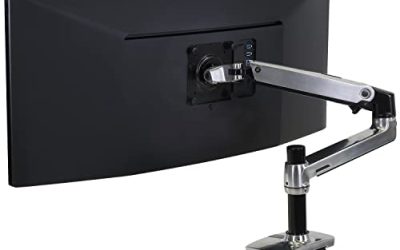
Monitor arms: Confirm VESA mount size on your monitor, the weight range of the arm, and the thickness and construction of the top where the clamp will sit. Hollow tops and very long unsupported spans are the weak points in many IKEA builds, so adding a center leg or reinforcement plate can matter more than the arm brand.
Load and stability: Spread heavy items, keep the PC off a wobbly top if the build was designed for floor placement, and re-check leg and drawer screws after assembly and after moving the desk. Anchor tall or heavily loaded storage as directed for your furniture.
Buying Checklist Before You Order
Measure wall width, depth, and chair clearance. Confirm top size, support type, and whether a center leg is needed. Check monitor size, VESA pattern, and viewing distance. List every device and its cable type, including DisplayPort, HDMI, USB, and power. Confirm wall material if you plan to add SKADIS. Finally, verify the exact ASIN listing dimensions on Amazon, because IKEA names are reused across sizes and colors that look similar in photos.
With those checks done, the best ikea gaming desk setup becomes a system you can grow: start with MICKE or LINNMON and ADILS, add ALEX storage when you need it, and use SKADIS to keep the surface clear as your rig expands.