

- Top Pick: Sceptre New 22-Inch Gaming Monitor, FHD 1080p, Up to 144Hz, HDMI, DisplayPort, Built-in Speakers, Machine Black (E225W-FW144 Series, 2026)
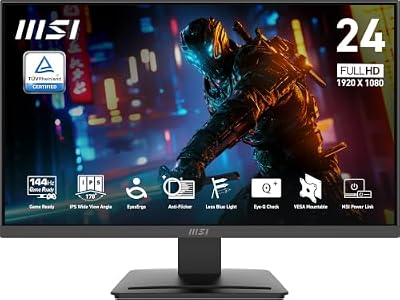
- Best Value: msi PRO MP243L E14 24-inch IPS 1920 x 1080 (FHD) Gaming Office Monitor, 144Hz, Free-Synch, HDR Ready, HDMI, VGA Port,VESA Mountable, Tilt, 4-Side Slim Bezel,1ms, Black
- Premium Choice: ASUS TUF Gaming 24” (23.8” viewable) 1080P Monitor (VG249QE5A) – FHD, 144Hz Overclock to 146Hz, IPS, Extreme Low Motion Blur Sync, 1ms, Speakers, Variable Overdrive, DisplayWidget Center, 3yr Warranty
What $150 actually buys you in 2024
Under $150, you’re almost always looking at a 1080p (1920×1080) VA or IPS panel at 23.6 to 27 inches, running at 144Hz or sometimes 165Hz. That’s the honest ceiling. You will not find a legitimate 1440p 144Hz panel at this price without hunting refurbished or open-box units, and even then you’re rolling dice on dead pixels or returned-for-a-reason units. If someone’s selling you a “4K 144Hz” monitor for $140, read the fine print — it’s either a typo, a scaled signal, or a scam listing.
The good news: 1080p 144Hz at this price range is a mature, well-solved problem. Panel quality here is decent across most brands because the technology isn’t new anymore. You’re not sacrificing much by going budget here, which isn’t something I’d say about budget 1440p or budget OLED.
As an Amazon Associate we earn from qualifying purchases at no extra cost to you.



VA vs IPS at this price point
This is the real decision under $150, more than brand or exact Hz number. VA panels give you deeper blacks and better contrast (typically 3000:1+ vs IPS’s 1000:1), which matters a lot in dark games — horror titles, space games, anything with shadows you need to read. The trade-off is slower pixel response, which shows up as smearing or trailing behind fast-moving bright objects on dark backgrounds. In competitive shooters this is a real problem. In single-player story games, you’ll likely never notice it.
IPS panels respond faster and have better color consistency off-angle, which matters if you’ve got the monitor slightly to the side of your eyeline or if a second person is watching. Blacks look more gray/washed out though, especially in a dark room. Budget IPS panels at 144Hz also tend to have more noticeable IPS glow in the corners — a hazy brightness bleed that’s worse the darker the room.
Neither is “wrong.” If you play mostly competitive multiplayer (CS2, Valorant, Apex), lean IPS for the faster response. If you play mostly single-player or atmospheric games, VA’s contrast will matter more to your actual experience than the response time difference.
Quick comparison
| Factor | VA panel | IPS panel |
|---|---|---|
| Contrast ratio | 3000:1 to 4000:1 | ~1000:1 |
| Black depth | Noticeably deeper | Gray-ish, more washed out |
| Response time | Slower, can smear in dark fast-motion scenes | Faster, cleaner motion |
| Viewing angles | Color shifts off-angle | Consistent off-angle |
| Best for | Single-player, atmospheric, dark-scene games | Competitive shooters, fast multiplayer |
| Common failure mode | Black crush (loses shadow detail) on cheap units | Backlight bleed/glow in corners |
Is 165Hz actually better than 144Hz?
Marginally, and mostly not in a way you’ll feel. The jump from 60Hz to 144Hz is massive and obvious the first time you use it — smoother cursor movement, less motion blur, noticeably better in fast games. The jump from 144Hz to 165Hz is much smaller, and you need a GPU that can actually push frame rates that high to benefit at all. If your graphics card tops out around 100-130 fps in the games you play, buying a 165Hz panel over a 144Hz one is paying for a number you can’t use yet. Don’t let refresh rate alone break a tie between two monitors — check the panel type and response time specs first.
Specs that matter more than the Hz number
Response time listed as “1ms” on a budget monitor is almost always a marketing number (MPRT, not actual gray-to-gray response), not a real-world measurement. Don’t use it to compare monitors from different brands. Instead look at:
Adaptive sync support. AMD FreeSync is common even on cheap monitors and works with both AMD and most Nvidia cards (via “G-Sync Compatible” mode). This matters more than raw Hz for eliminating screen tearing when your frame rate fluctuates, which it will in any demanding game.
Stand adjustability. Budget monitors often cut cost here first — tilt-only stands with no height adjustment are common under $150. If you’ve got a desk setup where the monitor sits too low or too high, factor in a monitor arm, which adds $25-40 but fixes ergonomics that a cheap stand can’t.
Input lag. Separate from response time. A panel can have fast pixel response and still have sluggish input lag if the internal processing is slow. This is harder to find in spec sheets — check actual review measurements rather than trusting the box.
Where to actually look
At this price, shop by panel type and adaptive sync support first, brand second. If you want the deeper-contrast route for atmospheric or single-player games, search VA panel 144Hz gaming monitors and sort by review count rather than star average — budget monitors get hit with 1-star reviews for dead-on-arrival units regardless of actual panel quality, so a monitor with 3,000 reviews at 4.5 stars is more trustworthy than one with 80 reviews at 4.7. If competitive response time matters more to you, look at IPS 144Hz gaming monitors instead. And if you’ve already got a monitor but need to fix height and angle issues on a budget, a monitor arm mount is often the better $30 than upgrading the panel itself.
When the cheapest option is genuinely fine
If you’re coming from a 60Hz monitor, almost any 144Hz 1080p panel under $150 will feel like a massive upgrade, VA or IPS, name brand or not. The difference between a $110 and $150 monitor in this category is usually stand quality, bezel size, and maybe slightly better factory color calibration — not something that changes how games play. Don’t overspend chasing a 165Hz number or a slightly better-reviewed brand if your GPU can’t push past 100fps anyway. Put the saved $40 toward a GPU upgrade instead; it’ll do more for your actual gaming experience than the extra 21Hz will.

















