Juggling a dozen browser tabs, a video call, a spreadsheet, and a music stream shouldn’t bring your laptop to its knees. Yet plenty of budget machines stutter the moment you ask them to hold more than a couple of apps in memory. The secret to smooth multitasking isn’t a single flashy spec, it’s the right balance of RAM, fast storage, modern silicon, and a display roomy enough to keep everything in view.
We’ve gathered a range of laptops and one clever accessory that excel at keeping multiple workloads running without a hiccup. Whether you’re a student bouncing between research and writing or a professional living inside a browser, there’s a fit here for your workflow and budget.
As an Amazon Associate we earn from qualifying purchases.


How to Choose a Laptop for Multitasking
- RAM headroom: Aim for 16GB as a baseline; it’s the single biggest factor in how many apps you can run before slowdowns creep in.
- Fast storage: An NVMe SSD keeps app launches and file swaps snappy, which matters far more than raw capacity for responsiveness.
- Modern processor: Recent multi-core chips with efficiency cores handle background tasks gracefully while you work in the foreground.
- Screen real estate: A 15.6-inch or larger display, or an external dock feeding a second monitor, cuts down on constant window shuffling.
- Connectivity: USB-C, HDMI, and Wi-Fi 6 ensure you can expand your setup and stay connected without dongle headaches.
The Best Multitasking Laptops Reviewed
HP 17.3″ Business Laptop (Ultra 5 225U)
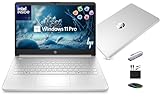
The big draw here is the 17.3-inch panel paired with a 12-core Intel Ultra 5 225U, 16GB of DDR5, and a 512GB SSD. That combination gives you generous desktop space and enough cores to keep background apps humming, making it a natural pick for spreadsheet-and-browser power users.
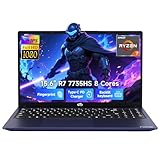
NIMO 15.6″ Multitasking Laptop (Ryzen 7 7735HS)
NIMO’s 15.6-inch machine leans on an 8-core AMD Ryzen 7 7735HS, 16GB of DDR5, and a roomy 1TB SSD. The extra storage and capable octa-core chip make it well suited to users who keep large files and many apps open simultaneously without wanting to manage space constantly.
Dell Pro 15 Business Laptop (Core i7-1355U)
Dell’s Pro 15 brings a Core i7-1355U, 16GB DDR5, and a 1TB SSD in a business-focused chassis. It’s the sensible choice for professionals who value reliability, a comfortable keyboard, and steady performance across long workdays of tab-heavy multitasking.
Light Gaming Laptop (Ryzen 7 5700U)
This budget-friendly 15.6-inch option pairs a Ryzen 7 5700U with 16GB of RAM and a 512GB NVMe SSD, plus Wi-Fi 6 and a numeric keypad. It punches above its price for everyday multitasking and light creative work, and the numpad is a bonus for data entry.
Tylvx 18.5″ FHD Laptop
If maximum screen space is your priority, the Tylvx 18.5-inch laptop offers a huge display with 16GB RAM and a 1TB SSD. Its dual-core m3 chip is modest, so it’s best for browser-based multitasking and media rather than heavy compute, but the sheer canvas is hard to match.
Frequently Asked Questions
How much RAM do I really need for multitasking?
16GB is the comfortable sweet spot for 2026. It lets you run many tabs, an office suite, and communication apps at once. Power users editing media should consider 32GB if the budget allows.
Does a bigger screen help with multitasking?
Absolutely. Larger 17-inch and 18-inch panels let you tile two windows side by side comfortably, reducing the constant alt-tabbing that slows you down on smaller displays.
Is a docking station worth it?
Yes, if you work at a fixed desk. A dock like the Baseus 4K station adds dual monitors, Ethernet, and extra ports through a single cable, transforming a laptop into a full multitasking workstation.
SSD or more RAM if I can only upgrade one?
Prioritize RAM for multitasking specifically, since running out of memory forces slow disk swapping. That said, both matter, and an NVMe SSD is essential for a responsive feel.
Final Thoughts
For most people, the HP 17.3-inch Ultra 5 machine strikes the best balance of screen space, cores, and value for heavy multitasking. Power users who want more storage should favor the NIMO Ryzen 7 model, while desk-bound professionals will get the most mileage by pairing any of these with the Baseus docking station for a true dual-monitor command center.