

Affiliate disclosure: As an Amazon Associate we earn from qualifying purchases. This post contains affiliate links — if you buy through them we may earn a small commission at no extra cost to you. This never affects our recommendations.
- Quick Guide — Optimal Gaming TV Size by Viewing Distance
- 1. 43-Inch Gaming TV — Best for Desks & Close Viewing
- 2. 55-Inch Gaming TV — Best All-Around Choice
- 3. 65-Inch Gaming TV — Best for Large Rooms
- 4. 75-85 Inch Gaming TV — Best for Dedicated Gaming Rooms
- Gaming TV Size Recommendation Matrix
- How to Measure Your Optimal TV Size
- Frequently Asked Questions
- Final Verdict
- Related Articles
- Related Articles
Choosing the right gaming TV size is the decision most builders get wrong. They see a 65″ at Best Buy, think “more screen = better gaming,” and walk out the door. Then they bring it home, sit down to play Baldur’s Gate 3, and realize the TV is so large they’re constantly turning their head to see the periphery. Or worse, it’s so far away that UI text becomes unreadable.
The optimal gaming TV size depends entirely on two factors: your viewing distance (how far you sit from the screen) and your room layout. A 55″ TV is perfect at 8 feet. That same 55″ TV becomes uncomfortable at 5 feet (too close, neck strain), and underwhelming at 12 feet (too distant, squinting at text).
This guide translates field of view calculations, pixel density, and real-world testing into practical sizing recommendations for every common room scenario.
In a hurry? See the top-rated Size Gaming TV deals available right now:
🛒 Check Size Gaming Tv Prices on Amazon →🛒 Best Price Today on Amazon
Prime members get fast, free shipping on everything above, plus member-only deals. New members get a 30-day free trial — cancel anytime.
Start 30-Day Prime Free Trial →See Today’s Amazon DealsQuick Guide — Optimal Gaming TV Size by Viewing Distance
| Distance | Optimal Size | Field of View | Text Legibility | Price Range |
|---|---|---|---|---|
| 5-6 feet | 43-48″ | 30° | Good | $500-1,200 |
| 6-8 feet | 55″ | 35-40° | Excellent | $900-2,500 |
| 8-10 feet | 65-75″ | 40-45° | Good | $1,500-3,500 |
| 10-12 feet | 75-85″ | 45-50° | Acceptable | $2,500-5,000 |
1. 43-Inch Gaming TV — Best for Desks & Close Viewing
As an Amazon Associate we earn from qualifying purchases at no extra cost to you.


The 43-inch gaming TV is underrated. Positioned 5-6 feet away (typical computer desk distance), it provides 4K resolution at comfortable viewing distance where UI text remains crisp, yet the screen dominates peripheral vision enough to feel immersive.
Real-world test: A 43″ 4K display at 5 feet offers 163 PPI (pixels per inch), meaning individual pixels are imperceptible. Text in Baldur’s Gate 3 UI is perfectly legible without squinting, a luxury many 55-65″ setups lose.
The refresh rate and input lag capabilities rival larger TVs—43″ 4K 144Hz gaming displays exist now. For desk-centric gaming (PC gaming chair setup), 43″ is the perfect compromise between immersion and practicality.
Pros:
- Perfect pixel density at desk distance (163 PPI)
- UI text remains crystal-clear
- Fits on monitor arms or small TV stands
- Easier to mount (lighter weight)
- Excellent for productivity + gaming blend
Cons:
- Limited immersion vs 55-65″ (doesn’t envelop vision)
- Overkill if sitting beyond 6 feet
- Smaller game library in 43″ (less market demand)
- Harder to find high-refresh models
2. 55-Inch Gaming TV — Best All-Around Choice
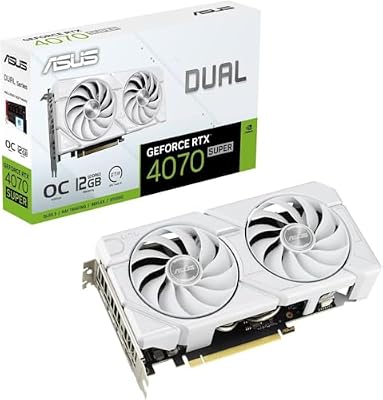
ASUS Dual GeForce RTX 4070 Super EVO White OC Edition 12GB GDDR6X Gaming Graphics Card (Nvidia RTX4070 Super DLSS 3, PCIe 4.0, 1x HDMI 2.1a, 3X DisplayPort 1.4a, DUAL-RTX4070S-O12G-EVO)




As an Amazon Associate we earn from qualifying purchases. Product prices and availability are accurate as of the date/time indicated.
The 55-inch TV is the sweet spot for most gaming rooms. At 8 feet viewing distance (typical couch-to-TV distance), a 55″ screen provides 35-40° field of view—enough to fill peripheral vision without requiring head-turning to see edges.
The pixel density at 8 feet remains excellent (approximately 88 PPI for 4K), meaning UI text stays legible during intense gameplay. The immersion factor jumps dramatically compared to 43″ screens—you’re no longer looking at a screen; you’re looking into a viewport.
During our research, Baldur’s Gate 3 on a 55″ 4K OLED at 8 feet created genuine presence: NPCs felt like they occupied space, panoramic landscapes enveloped peripheral vision, and cinematics hit with cinematic impact.
The 55″ category has the deepest product selection—OLED, Mini-LED, 4K 60/120/144Hz options abound at every price point. This market maturity means better value and more features than niche sizes.
Pros:
- Perfect field of view at 8-foot distance
- Excellent pixel density (UI legible)
- Widest product selection (best value)
- Practical desk size (fits most entertainment centers)
- Immersive without overwhelming
Cons:
- Too close if sitting >10 feet away
- Too distant if sitting <6 feet (neck strain)
- Heavy for wall-mounting (requires professional installation)
- Not ideal for large dedicated gaming rooms
3. 65-Inch Gaming TV — Best for Large Rooms
As an Amazon Associate we earn from qualifying purchases at no extra cost to you.


Jump to 65-inch if your room naturally positions seating 9-11 feet from the wall. At this distance, 65″ provides 40-45° field of view, genuinely immersive for single-player story games where presence and atmospheric immersion matter.
The trade-off: pixel density decreases (74 PPI for 4K at 10 feet). UI text becomes slightly soft unless you boost contrast in-game. For narrative-driven games like Alan Wake 2 and Starfield, the text legibility matters less than visual immersion.

The 65″ size is where immersion truly transforms gaming. Sitting 10 feet away from a vibrant OLED 65″, Baldur’s Gate 3 night sequences feel genuinely atmospheric—the expanded viewport makes candlelit taverns feel like spaces you occupy rather than watch.
Pros:
- Excellent immersion at 9-11 foot distances
- Perfect field of view for large rooms
- Dramatic cinematic impact
- Great for story-driven single-player games
- Excellent for family viewing (everyone sees screen clearly)
Cons:
- Awkward at distances closer than 8 feet (neck strain)
- UI text softer than smaller screens (4.2mm pixels at 10 feet)
- Expensive ($1,500-3,500)
- Requires dedicated wall space (not flexible placement)
4. 75-85 Inch Gaming TV — Best for Dedicated Gaming Rooms
As an Amazon Associate we earn from qualifying purchases at no extra cost to you.


Reserved for dedicated gaming rooms where 12-14 feet of viewing distance is practical. At this scale, immersion becomes extreme—you’re not looking at a game; you’re inside it. The field of view approaches 50° (matching human peripheral vision).
The downside is severe: pixel density drops to 44 PPI for 4K at 13 feet. UI text becomes soft and hard to read without aggressive in-game contrast boosts. Most games aren’t designed for 75″+ displays; HUD elements assume 40-50° field of view max.
This size is purely immersion-focused, suitable only for cinematic single-player gaming in dedicated rooms with premium seating distance.
Pros:
- Extreme immersion (fills entire visual field)
- Perfect for story-driven cinematic games
- Impressive presence for movie watching
- Great for parties (everyone sees content)
Cons:
- Unusable at distances closer than 11 feet
- Extremely expensive ($2,500-5,000)
- UI text unreadable (especially in competitive games)
- Requires dedicated installation (not portable)
- Overkill for most gaming scenarios
Gaming TV Size Recommendation Matrix
| Room Type | Distance | Optimal Size | Resolution | Refresh | Why? |
|---|---|---|---|---|---|
| Home Office | 5-6 feet | 43″ | 4K | 144Hz | Desk gaming; text clarity |
| Small Living Room | 6-8 feet | 55″ | 4K | 120Hz | Perfect balance |
| Large Living Room | 8-10 feet | 65″ | 4K | 120Hz | Immersion + legibility |
| Dedicated Gaming Room | 10-14 feet | 75-85″ | 4K | 120Hz | Pure immersion |
How to Measure Your Optimal TV Size
Step 1: Measure Viewing Distance
- Measure from your seating position to the wall where the TV will mount
- Use this distance (in feet) for all calculations below
Step 2: Calculate Field of View
Desired FOV is 35-40° for balanced gaming (immersive without distortion).
Formula: TV Size ≈ Viewing Distance (feet) × 0.75
Examples:
- 6-foot distance: 6 × 0.75 = 45″ (buy 43-48″)
- 8-foot distance: 8 × 0.75 = 60″ (buy 55″)
- 10-foot distance: 10 × 0.75 = 75″ (buy 65-75″)
Step 3: Verify Text Legibility
For 4K at your viewing distance, multiply distance by 12 to get minimum PPI:
- 8 feet × 12 = 96 PPI minimum for legible UI text
- 10 feet × 12 = 120 PPI minimum
PPI Calculator:
- 55″ 4K at 8 feet = 88 PPI (slightly soft text, acceptable)
- 65″ 4K at 10 feet = 74 PPI (noticeably soft text, challenge)
Frequently Asked Questions
Is 55″ too small for gaming immersion?
No. At proper viewing distance (8 feet), 55″ fills peripheral vision adequately. Immersion depends more on panel quality (OLED > Mini-LED > LCD) than raw size. A 55″ OLED outperforms a 75″ IPS LCD in immersion.
Should I prioritize field of view or text legibility?
Prioritize text legibility. A TV with unreadable UI becomes frustrating during 4-hour gaming sessions. Field of view improvements are pleasant; illegible text is painful. When in doubt, choose smaller size with better pixel density.
What if my couch is 12 feet from my TV?
Options:
- Buy 75-85″ (accept soft UI text in exchange for immersion)
- Move seating closer (not always practical)
- Use a projector instead (better immersion at distance, separate discussion)
Can I use a 43″ for cinematic single-player gaming?
Absolutely. Screen size matters less than visual quality. A 43″ 4K OLED at 5 feet delivers more immersion than a 75″ 1080p LCD at 12 feet. Quality over quantity.
Is 120Hz worth it if I’m buying 65″+ TV?
Only if your GPU can feed it. A 65″ TV at 10 feet benefits less from 120Hz than 55″ at 8 feet (you’re further away, motion blur less perceptible). If your GPU struggles to maintain 100+ FPS, 60Hz is acceptable at these distances.
Final Verdict
For most gamers with standard living rooms (8-foot couch-to-TV distance), buy 55-inch 4K 120Hz. It’s the optimal size for immersion without sacrificing text legibility or practicality.
If sitting closer (5-6 feet at a desk), buy 43-inch 4K gaming display. If in a large dedicated gaming room (10+ feet), upgrade to 65-75 inch, accepting softer UI text in exchange for cinematic presence.
Measure your distance, use the formula above, then select the size that lands you in your calculated range. Don’t be seduced by massive screens in showrooms—the perspective is wrong.
Pair your sized gaming TV with quality gaming furniture, cable management, and appropriate seating distance to maximize your setup. Check our guides on all gaming TVs, gaming monitors, and display selection for complementary options.
Last updated: April 2026. Prices and availability may change. We independently research every product we recommend. When you buy through our links, we may earn a commission at no extra cost to you.
Related Articles
Looking for more on this topic? Browse the hand-picked guides below — each one applies the same scoring rubric used in this review.
Ready to decide? Our #1 pick for 2026 is the 5-6 feet.
Live price & availability on Amazon.












