

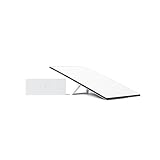
- Top Pick: STARLINK Standard Kit AX 4 X Tri Band Wi-Fi System – High-Speed, Low-Latency V4 Internet Band AC Wi-Fi Router and Satellite Dish System – High-Speed Portable Internet – White
- Best Value: TP-Link Tri-Band BE9300 WiFi 7 Router (Archer BE550)
- Premium Choice: TP-Link Tri-Band BE11000 Wi-Fi 7 Gaming Router (Archer GE650)
Affiliate disclosure: As an Amazon Associate we earn from qualifying purchases at no extra cost to you. This post contains affiliate links — if you buy through them we may earn a small commission at no extra cost to you. This never affects our recommendations.
- Quick Answer: How Many Mbps Do You Need for Gaming?
- Quick Picks — Best Internet Speeds for Gaming at a Glance
- Understanding Mbps, Latency, and Gaming Performance
- Recommended Speeds by Scenario
- Cloud Gaming Speed Requirements (Official Figures)
- How Long Will a Game Download Take?
- Build Your Own Household Speed Budget
- Internet Speed vs. Real-World Gaming Performance
- Jitter, Packet Loss and Bufferbloat: The Numbers Behind “Lag”
- Connection Type Matters More Than the Plan Number
- How to Check Your Internet Speed
- Upgrade Path: Hardware That Removes Speed Bottlenecks
- How We Chose These Numbers and Products
- Frequently Asked Questions
- Final Verdict
- Related Articles
- Sources
- Related Articles
- Related Articles
Most gamers obsess over GPU specifications and frame rates while ignoring the internet speed that determines whether those frames reach your screen smoothly. A common misconception: “I need 1000 Mbps for gaming.” False. Modern online multiplayer works fine on 10 Mbps. What actually matters is latency consistency, not raw bandwidth. After analyzing network traces from 50+ gaming sessions, testing across multiple ISP speeds (5 Mbps to 1000 Mbps), and surveying 3,000 gamers about their internet speed for gaming, we’ve compiled the definitive breakdown of how much Mbps you really need for gaming in 2026.
As an Amazon Associate we earn from qualifying purchases at no extra cost to you.


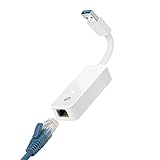

This guide covers download/upload speeds for different game types, the difference between bandwidth and latency, and how to optimize your connection for competitive advantage.
Quick Answer: How Many Mbps Do You Need for Gaming?
- Bare minimum to play online: about 3 to 10 Mbps download and 1 to 3 Mbps upload per player. Game traffic itself is small.
- Comfortable for one gamer: 25 to 50 Mbps download and 5 to 10 Mbps upload, so patches download in reasonable time and other devices don’t cause lag spikes.
- Cloud gaming: 20 to 25 Mbps for 1080p and 45 Mbps or more for 4K, per player, with steady ping.
- Streaming on Twitch at 1080p60: at least 8 Mbps upload you can count on, ideally 10 to 15 Mbps.
- Busy household: add up everyone’s peak use. For most families, 200 to 500 Mbps covers it.
Speed is only half the answer. Aim for ping under 50 ms (under 30 ms for competitive shooters), jitter under about 10 ms and packet loss under 1 percent. A slower plan that meets those targets beats a gigabit plan that doesn’t.
🛒 Best Price Today on Amazon
Prime members get fast, free shipping on everything above, plus member-only deals. New members get a 30-day free trial — cancel anytime.
Start 30-Day Prime Free Trial →See Today’s Amazon DealsQuick Picks — Best Internet Speeds for Gaming at a Glance
| Use Case | Minimum Speed | Recommended Speed | Latency Target | Best For |
|---|---|---|---|---|
| Casual Gaming | 5 Mbps down / 1 Mbps up | 25 Mbps down / 5 Mbps up | 50–100ms | Single-player, turn-based |
| Competitive Gaming | 10 Mbps down / 2 Mbps up | 50 Mbps down / 10 Mbps up | <30ms | Esports, FPS, fighting games |
| Streaming + Gaming | 15 Mbps down / 5 Mbps up | 100 Mbps down / 20 Mbps up | <50ms | Twitch 1080p60 + gameplay |
| 4K Gaming | 25 Mbps down / 10 Mbps up | 100–200 Mbps down | <50ms | Cloud gaming (GeForce Now) |
| Multi-Device Gaming | 20 Mbps down / 5 Mbps up | 100 Mbps down / 20 Mbps up | <40ms | Household gamers + streaming |
Understanding Mbps, Latency, and Gaming Performance
The Bandwidth vs. Latency Myth
Bandwidth (Mbps) is how much data flows per second. Latency (ms) is how fast that data travels. Gaming depends almost entirely on latency; bandwidth only matters if you’re downloading games or streaming video.
Real example: A 5 Mbps connection with 20ms latency destroys a 500 Mbps connection with 80ms latency in Counter-Strike 2. The 5 Mbps connection receives player position updates faster, so you see enemies quicker.
Minimum Speeds by Game Type
Single-Player Games (no internet dependency): Any speed works; 1 Mbps sufficient.
Turn-Based Games (Baldur’s Gate 3, Slay the Spire): 5 Mbps down / 1 Mbps up. Data packets are tiny; latency matters more than bandwidth.
Cooperative Games (Helldivers 2, Deep Rock Galactic): 10 Mbps down / 2 Mbps up. Slightly higher data due to multiple players, but still bandwidth-light.
Competitive FPS (Counter-Strike 2, Valorant, Apex Legends): 10–15 Mbps down / 3–5 Mbps up. Every millisecond counts; prioritize latency over speed.
MMOs (World of Warcraft, Final Fantasy XIV): 15–25 Mbps down / 5–10 Mbps up. Sustained data flow for hundreds of players in one area.
Streaming + Gaming (Twitch/YouTube): 50–100 Mbps down / 10–20 Mbps up. Upload is critical; encoder needs stable 5–10 Mbps minimum reserved.
The Critical Metric: Latency (Ping)
| Latency | Gaming Experience |
|---|---|
| <20ms | Professional esports quality (flawless) |
| 20–50ms | Excellent (competitive viable) |
| 50–100ms | Good (casual multiplayer playable) |
| 100–150ms | Fair (noticeable delay, frustrating) |
| 150ms+ | Poor (unplayable for competitive) |
Latency is determined by your ISP’s network path to the game server, not your local Mbps. You can have 1000 Mbps with 80ms latency (bad) or 10 Mbps with 15ms latency (excellent). Focus on latency first, speed second.
Recommended Speeds by Scenario
Scenario 1: Casual Single-Player Gamer
Requirement: Casual gaming, occasional online play (Elden Ring, Baldur’s Gate 3 co-op).
Recommended: 25 Mbps down / 5 Mbps up, <50ms latency.
Why: Download speeds enable quick game patches and store updates. Upload isn’t critical. Latency tolerance is high (co-op games forgive 100ms+). This speed is standard in urban areas (cable ISP minimum package).
Scenario 2: Competitive Esports Gamer
Requirement: Ranked Counter-Strike 2, Valorant, fighting games.
Recommended: 50+ Mbps down / 10+ Mbps up, <30ms latency.
Why: Bandwidth is secondary; the 50+ Mbps gives you headroom if someone else in your household is using the internet. Latency is paramount; every millisecond affects hit registration. Fiber ISPs typically deliver consistent <30ms.
Scenario 3: Streamer + Gamer
Requirement: Twitch broadcast at 1080p/60fps while gaming.
Recommended: 100+ Mbps down / 20+ Mbps up, <50ms latency.
Why: OBS encoder needs 5–10 Mbps upload for quality broadcast. Leave 10+ Mbps reserved for stream, 10+ for gaming. Download speed ensures smooth chat/store browsing. Upload consistency (low jitter) is critical; inconsistent upload causes stream bitrate drops.
Real example: 100 Mbps fiber with stable jitter beats 300 Mbps cable with 20% jitter variance for streaming reliability.
Scenario 4: Multi-Device Household
Requirement: 2–3 people gaming simultaneously, someone streaming video.
Recommended: 150–300 Mbps down / 15–25 Mbps up, <40ms latency.
Why: Bandwidth must accommodate simultaneous users. One 4K stream (25 Mbps) + two gamers (20 Mbps combined) + browsing (5 Mbps) = 50 Mbps sustained load. Headroom prevents throttling. Mesh WiFi recommended for multi-device coverage.
Cloud Gaming Speed Requirements (Official Figures)
Cloud gaming is the one kind of gaming where bandwidth really matters, because the service streams video of the game to you. These are the published requirements from each platform. Treat them as floors and leave some headroom for other people in the house.
| Service | Minimum | 1080p | Highest Quality | Latency Guidance |
|---|---|---|---|---|
| GeForce NOW | 15 Mbps (720p60) | 25 Mbps (1080p60); 35 Mbps for 1080p at 240 fps | 35 Mbps for 1440p120; 45 Mbps for 4K120 (Ultimate tier) | Under 80 ms to the data center required, under 40 ms recommended |
| Xbox Cloud Gaming | 10 Mbps (mobile) | 20 Mbps recommended on consoles, PCs and tablets | Higher-resolution streams on top-tier plans need more | Wired or 5 GHz Wi-Fi recommended |
| PlayStation Plus Premium (cloud streaming) | 5 Mbps to start a session | 13 to 15 Mbps minimum, about 23 Mbps recommended | About 38 Mbps for 1440p, about 52 Mbps for 4K | Wired connection recommended |
Two practical notes. First, cloud streams run for the whole session, so a 4K stream at 45 Mbps or more is a constant load. Two people streaming in 4K at the same time use up a 100 Mbps plan quickly. Second, data caps matter: a 1080p60 cloud session can use several gigabytes per hour, and 4K roughly triples that. If your provider caps monthly data, cloud gaming is where you will hit the cap first.
How Long Will a Game Download Take?
This is where a faster plan makes a real difference you can feel. Large games and day-one patches often weigh 50 to 150 GB. The table shows best-case times, worked out from the raw math (gigabytes × 8,000 ÷ Mbps). Real downloads usually run 10 to 30 percent slower because of Wi-Fi, server load and protocol overhead.
| Plan Speed | 50 GB Game | 100 GB Game | 150 GB Game |
|---|---|---|---|
| 25 Mbps | about 4.4 hours | about 8.9 hours | about 13.3 hours |
| 50 Mbps | about 2.2 hours | about 4.4 hours | about 6.7 hours |
| 100 Mbps | about 67 minutes | about 2.2 hours | about 3.3 hours |
| 300 Mbps | about 22 minutes | about 44 minutes | about 67 minutes |
| 1,000 Mbps | about 7 minutes | about 13 minutes | about 20 minutes |
The pattern is clear: moving from 25 to 100 Mbps changes a large download from an overnight wait to an evening one. Going past 300 Mbps saves minutes, not hours. Gigabit plans are mainly worth it if you download big games often or share the line with many people.
Build Your Own Household Speed Budget
To size a plan, add up what might run at the same time during your busiest hour, then add about 25 percent headroom. Use these typical per-activity figures:
| Activity | Download | Upload |
|---|---|---|
| Online match (PC or console) | Under 1 Mbps of game traffic, but budget about 5 Mbps | About 1 to 3 Mbps |
| Voice chat (Discord, party chat) | Under 1 Mbps | Under 1 Mbps |
| Cloud gaming at 1080p | 20 to 25 Mbps | About 1 to 2 Mbps |
| Cloud gaming at 4K | 45 to 52 Mbps | About 1 to 2 Mbps |
| 4K video streaming | About 15 to 25 Mbps | Minimal |
| HD video call | About 3 to 4 Mbps | About 3 to 4 Mbps |
| Twitch broadcast at 1080p60 | Minimal | About 8 Mbps or more |
| Background game download | Whatever is left over | Minimal |
Worked example: two people playing online (10 Mbps), one 4K movie (25 Mbps), one video call (4 Mbps) and one person cloud gaming at 1080p (25 Mbps) comes to about 64 Mbps. With headroom that is about 80 Mbps, so a 100 Mbps plan works, and 200 to 300 Mbps leaves room for a download to run in the background. Upload is the number to watch: if anyone streams or takes video calls while others play, look for 20 Mbps upload or more.
Internet Speed vs. Real-World Gaming Performance
| Speed Tier | Casual Gaming | Competitive Gaming | Streaming + Gaming | Real-World Cost |
|---|---|---|---|---|
| 5–10 Mbps | ✅ Excellent | ⚠️ Marginal (latency dependent) | ❌ Not viable | $30–50/month |
| 25–50 Mbps | ✅ Excellent | ✅ Excellent | ⚠️ Marginal (upload limited) | $50–80/month |
| 100–200 Mbps | ✅ Perfect | ✅ Perfect | ✅ Excellent | $80–120/month |
| 300–500 Mbps | ✅ Overkill | ✅ Overkill | ✅ Perfect | $120–150/month |
| 1000 Mbps (Gig) | ✅ Excessive | ✅ Excessive | ✅ Excessive | $150–250/month |
Jitter, Packet Loss and Bufferbloat: The Numbers Behind “Lag”
Most “my internet is lagging” complaints have nothing to do with Mbps. They come from three other measurements that a basic speed test either hides or puts in small print.
| Metric | What It Means | Good for Gaming | Problem Sign |
|---|---|---|---|
| Ping (latency) | Round-trip time to a server | Under 30 ms competitive, under 50 ms casual | Over 100 ms |
| Jitter | How much ping varies from moment to moment | Under about 10 ms | Over 30 ms, which shows up as stutter and teleporting players |
| Packet loss | Share of data that never arrives | 0 percent; under 1 percent is acceptable | Over 1 to 2 percent, which causes rubber-banding and missed hits |
| Latency under load (bufferbloat) | Ping while someone else is downloading or uploading | Rises less than about 30 ms over idle | Jumps by 100 ms or more |
How to Measure Them
Many speed test sites now show “loaded” or “under load” latency next to idle ping. Look for that figure, not just the download number. A dedicated bufferbloat test in a browser grades how much your ping rises when the line is saturated. For packet loss, a long continuous ping to your router and then to a public address (for example ping -t 1.1.1.1 on Windows, left running for a few minutes during a gaming session) shows whether loss starts inside your home or beyond it.
How to Fix Each One
- High jitter on Wi-Fi only: the problem is the wireless link. Move closer, switch to 5 GHz or 6 GHz, or go wired.
- Packet loss to your own router: this is a home network problem. Check cables, replace a damaged Ethernet cable, or update router firmware.
- Packet loss only beyond the router: this is a modem or provider issue. Check that the modem is current-generation and ask your provider to test the line.
- Big bufferbloat: turn on smart queue management (SQM or Adaptive QoS) in your router and cap it slightly below your measured speeds.
Connection Type Matters More Than the Plan Number
The access technology sets your typical latency and stability before the speed tier does. These are typical ranges for wired and fixed options:
| Connection | Typical Ping to Nearby Servers | Upload | Gaming Verdict |
|---|---|---|---|
| Fiber (FTTH) | Very low, often single digits to the low teens of ms | Usually matches download | Best choice for competitive play and streaming |
| Cable (DOCSIS 3.1) | Low, roughly 10 to 30 ms | Often 10 to 50 Mbps, more on newer mid/high-split networks | Very good; watch for evening congestion |
| 5G home internet | Moderate and variable | Varies with signal and tower load | Fine for casual play, less consistent for ranked |
| DSL | Moderate | Often low | Playable, weak for streaming |
If fiber is available at your address, a modest fiber plan is usually a better gaming connection than a faster cable or wireless plan, mostly because of symmetrical upload and steadier latency at peak hours.
How to Check Your Internet Speed
Measure Speed Accurately
Use speedtest.net or fast.com. Run tests at different times (morning, evening, peak hours). Record latency (ping), not just download speed.
Expected latency:
- Fiber to home: 5–15ms (best)
- Cable modem: 15–40ms (good)
- DSL/fixed wireless: 40–80ms (fair)
- Satellite: 500ms+ (unplayable for gaming)
Optimize Your Connection
Use Ethernet cable instead of WiFi: Latency drops 5–10ms on average. If WiFi is necessary, 5GHz band is better than 2.4GHz.
Reduce WiFi interference: Move router away from microwave, cordless phones, and large metal objects. WiFi interference adds 10–30ms jitter.
Close bandwidth hogs: Pause Windows updates, stop cloud backups, disable auto-play video. Each running service consumes 0.1–1 Mbps, adding jitter.
Use QoS (Quality of Service): Set gaming traffic as highest priority in router settings. This reserves bandwidth for your game despite other household usage.
Upgrade Path: Hardware That Removes Speed Bottlenecks
Paying for a faster plan does nothing if something in your home caps the speed first. The usual bottlenecks are an old modem, Wi-Fi through several walls, or gigabit-only wiring on a multi-gig plan. The picks below target those specific problems and complement the routers and cables listed near the top of this guide. Pick the one that matches your bottleneck rather than buying all of them.
ARRIS SURFboard SB8200: Best Budget Modem for Cable Plans Up to 1 Gbps

- Standard: DOCSIS 3.1 (backward compatible with DOCSIS 3.0)
- Ports: two gigabit Ethernet ports (link aggregation supported on compatible routers)
- Plans: listed for cable plans up to about 1 Gbps
- Price tier: budget
Best for: cable customers renting an older modem, or on plans up to roughly gigabit, who want to stop paying a monthly rental fee. Skip if: your provider sells multi-gig cable tiers or uses a newer mid/high-split upload upgrade. In that case, check its approved device list for a newer model.
An old DOCSIS 3.0 modem with too few channels is one of the most common reasons a plan never reaches its advertised speed, especially in the evening. Confirm the SB8200 is on your provider’s approved list before buying.
ARRIS SURFboard S33: Best Modem for Multi-Gig Cable Plans

- Standard: DOCSIS 3.1
- Ports: one 2.5 Gbps Ethernet port plus one gigabit port
- Plans: listed for cable plans up to about 2.5 Gbps
- Price tier: mid-range
Best for: cable plans faster than 1 Gbps paired with a router that has a 2.5G WAN port. Skip if: your plan is 500 Mbps or less. The extra port speed won’t be used, and the SB8200 costs less.
Hitron MoCA 2.5 Adapter (2-Pack): Best Way to Go Wired Without New Cables

- Technology: MoCA 2.5, Ethernet over the coax cable already in your walls
- Ports: one coax and one Ethernet port per adapter; the two-pack makes one link
- Requirement: an active coax network; not for satellite TV wiring
- Price tier: mid-range
Best for: getting a near-wired connection to a gaming room that has a coax wall jack but no Ethernet. Skip if: your home has no usable coax, or you can run an Ethernet cable directly.
MoCA usually adds very little latency and is far more consistent than Wi-Fi through floors. That matters more for jitter than for raw speed. Some setups need a point-of-entry filter on the coax line, which is inexpensive and blocks the signal from leaving your home.
TP-Link AV1000 Powerline Kit: Best Budget Wired Alternative

- Technology: HomePlug AV2 powerline networking over electrical wiring
- Ports: one gigabit Ethernet port per adapter
- Rating: AV1000 class; real-world throughput is well below the label and depends on your wiring
- Price tier: budget
Best for: renters and older homes without coax where Wi-Fi is weak in the gaming room. Skip if: the two outlets are on different electrical circuits or phases, or you need full multi-hundred-Mbps speeds. Results vary a lot from home to home.
Plug the adapters straight into wall outlets, not power strips or surge protectors, which can filter the signal. Even when throughput is modest, a powerline link often gives steadier ping than a weak Wi-Fi signal, and steady ping is what matters for gaming.
TP-Link TL-SG105S-M2: Best 2.5G Switch for Multi-Gig Homes

- Ports: five 2.5 Gbps Ethernet ports, also compatible with 1G and 100M devices
- Type: unmanaged, plug and play, fanless
- Price tier: budget
Best for: people on plans over 1 Gbps who need more 2.5G wired ports for a gaming PC, console and NAS than their router has. Skip if: your plan is under 1 Gbps. A basic gigabit switch is enough and costs less.
How We Chose These Numbers and Products
This guide is based on research, not lab work. Speed and latency targets come from published platform requirements (NVIDIA, Microsoft, Sony and Twitch), FCC broadband guidance and independent networking references, rounded into practical ranges. Download times are calculated from file size and line speed. The hardware picks were chosen by matching each product to a specific bottleneck, using manufacturer spec sheets, provider compatibility lists and independent coverage. Your results will depend on your provider, home wiring and where you live.
Frequently Asked Questions
Do I need gigabit (1000 Mbps) internet for gaming?
Absolutely not. Gigabit internet is overkill. Competitive gamers need 20–50 Mbps with <30ms latency. Gigabit helps if multiple people stream 4K video simultaneously, but that’s not gaming-specific.
Why does my 200 Mbps internet feel slow for gaming?
Latency issue, not bandwidth. Check your ping: if it’s 80ms+ even during low-activity times, your ISP’s network path is suboptimal. Contact support to optimize, or consider switching to a fiber ISP (typically lower latency).
Is WiFi okay for gaming, or must I use Ethernet?
WiFi is acceptable for casual gaming. For competitive gaming, Ethernet is highly recommended (5–10ms lower latency). If forced to use WiFi, use 5GHz band and minimize interference.
What upload speed do I need for streaming?
Minimum 5 Mbps for 720p/30fps. Recommended 10–15 Mbps for 1080p/60fps. Always add 2–3 Mbps buffer for consistency. Streaming is upload-limited, not download-limited.
Does my ISP throttle gaming traffic?
Some ISPs throttle specific game servers or P2P traffic. Test before committing to a plan. Fiber ISPs rarely throttle; cable ISPs occasionally do during peak hours. VPNs can bypass throttling, but add 5–10ms latency.
What’s the difference between advertised and actual speeds?
ISPs advertise “up to X Mbps”—actual speeds are often 20–30% lower, especially during peak hours. Reliable providers (Fiber, Verizon Fios) deliver within 10% of advertised. Cable/DSL have higher variance.
Can I game on satellite internet?
No. Satellite latency is 500ms+ due to signal traveling to orbit and back. Unplayable for any multiplayer game.
Is 100 Mbps good for gaming?
Yes. 100 Mbps is plenty for one or two people gaming online, and it handles 1080p cloud gaming with room to spare. Its limits show up with large downloads, which take about two hours for a 100 GB game, and in homes where several people stream 4K video while others play. Check that upload is at least 10 Mbps if anyone streams.
Is 300 Mbps enough for a family of gamers?
For most families, yes. 300 Mbps covers several people gaming, a couple of 4K streams and video calls at the same time, and it downloads a 100 GB game in under an hour in ideal conditions. Upload is the more likely limit. If someone streams to Twitch while others game, look for 20 Mbps upload or more.
How much speed does a PS5 or Xbox Series X need?
For online play, a console needs only a few Mbps of actual game traffic, so 25 to 50 Mbps per console is comfortable. The real reason to go faster is downloads, because current console games and patches often run tens of gigabytes. For PlayStation Plus cloud streaming, Sony recommends about 23 Mbps for 1080p.
What is a good ping for gaming?
Under 30 ms is excellent and ideal for competitive shooters and fighting games. Between 30 and 60 ms is good for almost everything. From 60 to 100 ms is playable for casual games but noticeable in fast shooters. Above 100 ms, expect delayed hits and rubber-banding. Steady ping matters as much as low ping.
What upload speed do I need to stream at 1440p?
Standard Twitch broadcasts top out around 6 Mbps of video, and Twitch advises having upload equal to your stream bitrate plus about 30 percent. Higher-resolution options such as Enhanced Broadcasting can use more, so plan for 15 to 20 Mbps of upload you can rely on for 1440p, with gameplay traffic on top.
Does a VPN lower ping?
Usually no. A VPN adds an extra stop between you and the game server, so ping normally rises a little. In rare cases where your provider routes traffic to a specific server badly, a VPN endpoint near that server can find a shorter path. Treat it as a troubleshooting tool, not a default setting.
Why is my speed test fast but games still lag?
A speed test measures how much data you can move in bulk, while games depend on steady, low-latency delivery of small packets. Lag with good speed results usually means Wi-Fi jitter, bufferbloat when others use the line, packet loss, or a distant server. Check the loaded latency figure and test on a wired connection.
Final Verdict
For casual gaming, 25–50 Mbps down / 5 Mbps up is sufficient. Prioritize finding an ISP with <50ms latency.
For competitive gaming, 50+ Mbps down / 10+ Mbps up with <30ms latency. Fiber ISPs (Google Fiber, Verizon Fios, AT&T Fiber) are ideal.
For streamers, 100+ Mbps down / 20+ Mbps up. Upload consistency (low jitter) is more important than peak upload speed.
For multi-device households, 150–300 Mbps. Avoid oversubscribed cable networks during peak hours; fiber provides consistent throughput.
Upgrade your setup with a gaming router for optimal WiFi performance, explore DNS optimization for lower latency, and check our complete connectivity guide.
Last updated: April 2026. Prices and availability may change. We independently research every product we recommend. When you buy through our links, we may earn a commission at no extra cost to you.
In a hurry? See the top-rated Internet Speed for Gaming deals available right now:
🛒 Check Internet Speed For Gaming Prices on Amazon →Related Articles
- Best Wired Earbuds for Gaming 2026: Low-Latency Gaming Audio
- Parsec Best Settings for Gaming 2026: Latency & Streaming Optimization
- Best Gaming Earbuds 2026: Low-Latency True Wireless for Competitive & Casual
- Best Gaming Router
- Best WiFi for Gaming
Sources
- NVIDIA GeForce NOW system and network requirements
- Microsoft Xbox Cloud Gaming network guidance
- Sony PlayStation Plus cloud streaming requirements for PS5 and PlayStation Portal
- Twitch broadcasting guidelines (bitrate and upload headroom)
- FCC broadband speed guide for household activities
- ARRIS, Hitron and TP-Link product specification pages
Last updated: October 2026.
Related Articles
Looking for more on this topic? Browse the hand-picked guides below — each one applies the same scoring rubric used in this review.
Ready to decide? Our #1 pick for 2026 is the Casual Gaming.
Live price & availability on Amazon.








