

⚡ Quick Answer
What do gaming PC specs like CPU, GPU, RAM, and SSD mean for gaming?
CPU handles game logic and AI; GPU renders graphics; RAM stores active game data; SSD provides fast load times. For gaming, the GPU has the biggest impact on FPS, followed by CPU, then RAM speed, then storage. Understanding each component’s role helps you build or buy the best gaming PC for your budget.
Building or buying your first gaming PC can feel overwhelming — specs like CPU, GPU, RAM, NVMe SSD, PCIe, TDP get thrown around constantly. This guide explains what every gaming PC specification means in plain English, how each component affects your gaming experience, and what specs you should prioritize at different budgets.
GPU (Graphics Card): The Most Important Gaming Spec
The GPU (Graphics Processing Unit) — also called a graphics card or video card — is the single most important component for gaming performance. It renders every pixel on your screen: 3D environments, lighting, shadows, textures, and special effects like ray tracing.
GPU Specs and What They Mean
| GPU Spec | What It Means for Gaming |
|---|---|
| VRAM (GB) | How many textures/data fits on the card. More = higher resolution/quality without stutters |
| CUDA/Stream Cores | Raw processing power — more cores = more pixels rendered per second |
| Clock Speed (GHz) | How fast each core processes data — faster = better single-thread performance |
| TDP (Watts) | Power consumption — higher wattage GPUs need bigger power supplies |
| DLSS / FSR | AI/upscaling tech that boosts FPS by rendering at lower resolution then scaling up |
| Ray Tracing | Real-time light simulation for realistic reflections/shadows (very demanding) |
For gaming, aim for: 8 GB VRAM minimum (12 GB recommended for 1440p), and a GPU tier matching your target resolution. See our best GPU for gaming guide for specific model recommendations.
CPU (Processor): The Brain of Your Gaming PC
The CPU (Central Processing Unit) handles game logic, physics, AI behavior, audio processing, and preparing data for the GPU. Modern games run multiple “threads” simultaneously — the CPU’s core and thread count determines how many tasks it can handle at once.
CPU Specs Explained
| CPU Spec | What It Means for Gaming |
|---|---|
| Cores | Number of parallel processing units — 6–8 cores is sufficient for gaming in 2026 |
| Threads (Logical Cores) | Virtual cores via Hyperthreading/SMT — doubles the apparent core count |
| Clock Speed (GHz) | How fast each core runs — higher single-core speed = better gaming FPS |
| L3 Cache (MB) | On-chip memory — larger cache = less data fetching from slower RAM → higher FPS |
| TDP (Watts) | Power consumption and heat output — affects cooler requirements |
| Platform (AM5/LGA1700) | Determines which motherboards and RAM types are compatible |
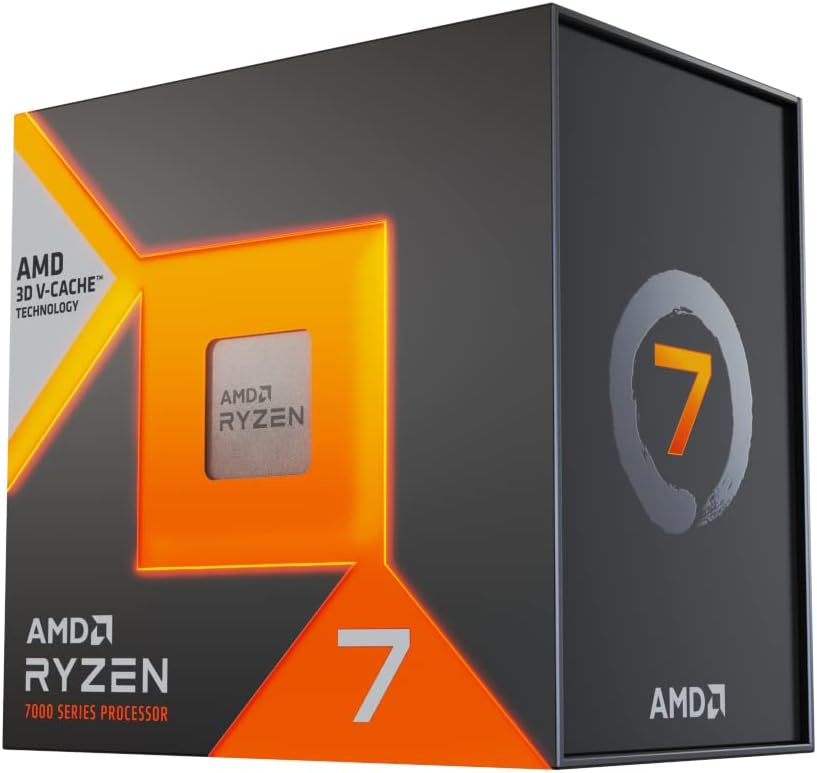
The best gaming CPUs are the Ryzen 7 7800X3D and Core i5-14600K for most price points. CPU matters more at 1080p and when playing CPU-intensive games (strategy, open-world simulators).
RAM: Your PC’s Short-Term Memory
RAM (Random Access Memory) temporarily stores game assets, OS data, and running applications. Unlike the GPU’s VRAM (which stores graphics assets), system RAM stores game code, level data, audio, and other non-graphical information.
RAM Specs Explained
| RAM Spec | What It Means |
|---|---|
| Capacity (GB) | How much data can be stored simultaneously — 16 GB minimum, 32 GB recommended |
| Speed (MHz) | How fast data transfers between RAM and CPU — faster = slightly higher FPS |
| DDR Generation | DDR4 vs DDR5 — DDR5 has higher bandwidth, required on AM5 platform |
| CAS Latency (CL) | Response time — lower CL = faster access (e.g., CL30 DDR5 vs CL16 DDR4) |
| Dual Channel | Two sticks vs one — dual channel doubles memory bandwidth — always use pairs |
Install RAM in dual-channel configuration (2 matching sticks). Enable XMP/EXPO in BIOS to run at rated speed. See our DDR5 RAM guide for the best kits.
Storage: SSD vs HDD for Gaming
SSD (Solid State Drive) vs HDD (Hard Disk Drive) affects game load times, texture streaming, and OS responsiveness — not FPS directly. An NVMe SSD with PCIe 4.0 loads games 10–20× faster than an HDD, reducing wait times dramatically.
Storage Types for Gaming
| Storage Type | Load Times | Price/TB | Recommended? |
|---|---|---|---|
| PCIe 5.0 NVMe | Ultra-fast (2–3 sec) | ~$100–$150/TB | Premium — future-proof |
| PCIe 4.0 NVMe | Very fast (3–5 sec) | ~$70–$90/TB | ✅ Recommended for gaming |
| PCIe 3.0 NVMe | Fast (5–8 sec) | ~$50–$70/TB | Good budget option |
| SATA SSD | Moderate (8–15 sec) | ~$60–$80/TB | OK for secondary storage |
| HDD | Slow (30–90 sec) | ~$20–$30/TB | ❌ Not recommended for gaming |
Install your OS and main games on an NVMe SSD. See our NVMe SSD guide for top picks. An HDD is acceptable only for game archives — titles you rarely play.
PSU (Power Supply Unit): Powering Your Build
The PSU converts wall power to the voltages used by your components. Wattage determines what components you can power — higher-end GPUs need more wattage. Always use a quality PSU with 80 Plus Gold certification or better.
PSU Wattage by GPU Tier
| GPU | Recommended PSU |
|---|---|
| RTX 4060 / RX 7600 | 550–650W |
| RTX 4070 / RX 7800 XT | 650–750W |
| RTX 4080 | 750–850W |
| RTX 4090 / RX 7900 XTX | 850–1000W |
See our gaming PSU guide for reliable units at every wattage tier.
Motherboard: Connecting Everything
The motherboard connects all components. The chipset (Z790, B650, X670E) determines overclocking support, PCIe lanes, and feature set. For gaming, a B650 (AMD) or B760 (Intel) motherboard provides excellent features without the premium of X670E/Z790.
Cooling: Air Cooler vs AIO Liquid Cooler
Your CPU and case fans manage thermals. Options: stock cooler (included with some CPUs), air cooler tower (Noctua NH-D15, DeepCool AK620), or AIO liquid cooler (240mm, 280mm, 360mm). For gaming CPUs under 105W TDP, a quality 120mm–160mm air cooler is sufficient. High-end 125W+ CPUs (Core i9-14900K) benefit from a 360mm AIO. See our best 360mm AIO guide for top picks.
Frequently Asked Questions
What specs matter most for gaming?
GPU is most important (60–70% of gaming performance), followed by CPU (20–25%), then RAM speed (5%), then storage speed (load times only). Prioritize GPU budget above all else for gaming-focused builds.
How much RAM do I need for gaming in 2026?
16 GB is the minimum for comfortable gaming in 2026, with 32 GB recommended for gaming while streaming, having Chrome open, or playing VRAM-heavy titles that also use lots of system RAM. 8 GB causes stutters in modern titles like Cyberpunk 2077 and Hogwarts Legacy.
What is the minimum spec for 1440p gaming in 2026?
For smooth 1440p gaming at 60+ FPS: GPU: RTX 4070 or RX 7800 XT, CPU: Core i5-14600K or Ryzen 5 9600X, RAM: 16 GB DDR5, Storage: 1 TB NVMe SSD. Total build cost: approximately $900–$1,100.


Write Your Review
No reviews yet. Be the first to share your experience!