

Affiliate disclosure: As an Amazon Associate we earn from qualifying purchases. This post contains affiliate links — if you buy through them we may earn a small commission at no extra cost to you. This never affects our recommendations.
As an Amazon Associate we earn from qualifying purchases at no extra cost to you.


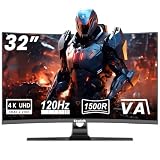
In a hurry? See the top-rated VA Panel Gaming Monitor deals available right now:
🛒 Check Va Panel Gaming Monitor Prices on Amazon →🛒 Best Price Today on Amazon
Prime members get fast, free shipping on everything above, plus member-only deals. New members get a 30-day free trial — cancel anytime.
Start 30-Day Prime Free Trial →See Today’s Amazon DealsQuick Picks
| Pick | Monitor | Panel | Resolution | Refresh | Contrast |
|---|---|---|---|---|---|
| Best Overall | Samsung Odyssey G5 | VA | 1440p | 165Hz | 2500:1 |
| Premium VA | Samsung Odyssey G7 | VA | 1440p | 240Hz | 2500:1 |
| Budget VA | MSI Optix G27C4 | VA | 1080p | 165Hz | 3000:1 |
| IPS Alternative | BenQ EX2780Q | IPS | 1440p | 144Hz | 1000:1 |
| Value 1440p VA | ViewSonic VX2768-2KPC-MHD | VA | 1440p | 144Hz | 3000:1 |
VA vs IPS vs OLED: Panel Technology Compared for 2026
Before picking a monitor, you need to understand what you’re actually buying. In 2026, the three dominant panel types are VA, IPS, and OLED — and each has a distinct profile.
VA (Vertical Alignment) panels align liquid crystals vertically when unpowered, blocking backlight almost completely. That gives you contrast ratios of 2500:1 to 6000:1 on standard monitors — dramatically better black levels than IPS. The trade-off is response time: VA pixels take longer to transition between dark shades, which produces the “smearing” or “ghosting” effect that frustrates competitive gamers.
IPS (In-Plane Switching) panels offer faster pixel transitions (typically 1ms GTG at similar overdrive settings), wide color accuracy, and excellent off-axis viewing. The contrast ceiling sits around 1000:1 — fine for bright rooms, but noticeably gray in dark scenes. High-end IPS variants like Nano IPS and Fast IPS have narrowed the response gap further, but contrast remains IPS’s structural weakness.
OLED delivers infinite contrast and near-zero response times, but costs significantly more, carries burn-in risk, and at 27″ 1440p still commands a $600–$900+ premium in 2026. For most gamers, OLED is aspirational; VA is the practical contrast champion.
Bottom line for 2026: If you game in a dark room, play story-driven or horror titles, or simply want cinematic blacks without paying OLED prices, VA is your panel. If you play fast-twitch competitive games (CS2, Valorant, Apex) in a bright environment, IPS or Fast IPS remains the safer call.
VA Ghosting: The Truth About Smearing and How to Test for It
VA ghosting is real. It happens because dark pixels take longer to transition than bright ones — a phenomenon called “dark level smearing.” You’ll notice it most as a trailing shadow behind moving objects in dark scenes: a character running through a dim corridor, fast camera pans in space environments, or scrolling dark UI elements.
What manufacturers say vs. reality:
- 1ms MPRT (Moving Picture Response Time) measures how long a pixel appears to exist using backlight strobing. It says nothing about actual pixel transition speed.
- 1ms GTG (Gray-to-Gray) measures actual pixel switching speed — this is the relevant number for ghosting.
- Most VA panels achieve 4–8ms GTG at default settings. Aggressive overdrive modes can push response closer to 1ms GTG, but at the cost of inverse ghosting (bright overshoot halos that look worse than the original smear).
How to test a VA monitor for ghosting before buying:
- Run the UFO Ghost Test at testufo.com at your monitor’s native refresh rate
- Look at dark-background moving objects — not the bright ones
- Enable each overdrive mode and compare; find the setting where smearing is minimized without visible halo artifacts
Modern VA monitors like the Odyssey G5 and G7 have improved significantly. At 165Hz and above, the reduced frame time naturally masks much of the smearing at typical overdrive settings. The ghosting problem is worst at 60Hz on older VA panels — at 144Hz+, it’s manageable for most gaming scenarios outside pure competitive play.
Who Should Buy VA in 2026?
VA is not for everyone. Here’s who benefits most:
Buy VA if you:
- Game primarily in a dark room or at night
- Play immersive single-player titles (RPGs, horror, open-world, space games)
- Watch movies or content alongside gaming — VA’s contrast shines for HDR video
- Are on a budget and need the best contrast per dollar
- Play slower-paced games where 5–8ms response time won’t matter (strategy, MOBA, simulation)
- Value HDR performance — VA panels deliver genuine HDR black levels without OLED pricing
Stick with IPS if you:
- Compete at high-level FPS or battle royale — every millisecond of ghosting costs you
- Game in a bright room where contrast advantage disappears under ambient light
- Prioritize color accuracy for creative work alongside gaming
- Need the absolute fastest pixel response available at a given price tier
Top 5 Picks
1. Samsung Odyssey G5 — Best Overall VA Gaming Monitor
Samsung Odyssey G5 27″ 1440p 165Hz
Specs at a glance:
- Panel: VA | Resolution: 2560×1440 | Refresh: 165Hz
- Contrast: 2500:1 | Response: 1ms MPRT / ~5ms GTG
- Curve: 1000R | HDR: HDR10 | Adaptive Sync: FreeSync Premium
The Odyssey G5 is the best VA panel gaming monitor for most buyers in 2026. It hits the sweet spot between price, resolution, and contrast performance without the compromises of budget VA or the cost premium of the G7.
At 1440p and 165Hz, the G5 is versatile enough for both immersive gaming and competitive play. The 2500:1 native contrast ratio makes dark scenes genuinely cinematic — dungeon crawls, horror sequences, and space environments look dramatically better than on any IPS panel at this price. The 1000R curve is aggressive but helps wrap the image naturally for single-monitor desktop use.

Ghosting is present but controlled at 165Hz. Samsung’s “Standard” overdrive mode hits the best balance — avoid “Faster” at lower frame rates, where inverse ghosting becomes noticeable. HDR10 support benefits from the VA panel’s native black level, though it lacks local dimming for full HDR pop.
Pros:
- Excellent contrast for the price
- 1440p + 165Hz is the ideal gaming sweet spot in 2026
- FreeSync Premium (G-Sync compatible) for tear-free gameplay
- Strong value proposition under $280
Cons:
- Ghosting visible at aggressive overdrive in very dark scenes
- No USB hub
- HDR lacks local dimming — it’s HDR10, not HDR600+
Who it’s for: The mainstream gamer who wants the best contrast per dollar at 1440p without spending premium.
2. Samsung Odyssey G7 — Premium VA Pick
Samsung Odyssey G7 27″ 1440p 240Hz
Specs at a glance:
- Panel: VA | Resolution: 2560×1440 | Refresh: 240Hz
- Contrast: 2500:1 | Response: 1ms GTG | Curve: 1000R
- HDR: VESA DisplayHDR 600 | Adaptive Sync: FreeSync Premium Pro / G-Sync Compatible
The G7 is Samsung’s answer to the question: “What if VA didn’t have to compromise?” At 240Hz, the reduced frame time between refreshes (4.16ms vs 6.06ms on 165Hz) effectively minimizes the perceptual impact of VA dark-level transitions. The 1ms GTG rating holds up better here than it would on slower VA panels.
The DisplayHDR 600 certification with a local dimming zone backlight is where the G7 separates itself. This isn’t the HDR10-only implementation of the G5 — it’s genuine HDR with measurable improvement in bright highlight rendering against deep blacks. For HDR gaming on a VA panel, this is close to the best you can buy short of OLED.
The 1000R aggressive curve splits opinions. On a 27″ display, it’s more noticeable than on ultrawide VA panels where curvature feels natural. For single-monitor setups viewed from 24–30 inches, it works. For multi-monitor configurations or shared viewing, it’s a problem.
Pros:
- 240Hz largely neutralizes VA ghosting concerns for most genres
- VESA DisplayHDR 600 with local dimming — genuine HDR performance
- G-Sync Compatible + FreeSync Premium Pro
- 1ms GTG (actual, not just MPRT)
Cons:
- Aggressive 1000R curve not suited to multi-monitor use
- ~$449 — significant premium over the G5 for 75Hz more
- Still has ghosting at lower frame rates (sub-100fps in demanding games)
Who it’s for: Gamers who want maximum VA performance and use HDR regularly, or anyone playing at 200+ fps consistently.
3. MSI Optix G27C4 — Best Budget VA Gaming Monitor
MSI Optix G27C4 27″ 1080p 165Hz
Specs at a glance:
- Panel: VA | Resolution: 1920×1080 | Refresh: 165Hz
- Contrast: 3000:1 | Response: 1ms MPRT / ~5ms GTG
- Curve: 1500R | HDR: HDR Ready | Adaptive Sync: FreeSync
At under $180, the MSI Optix G27C4 delivers the highest native contrast ratio on this list at 3000:1 — beating both Samsung models. For dark game performance at budget prices, nothing touches it. Horror games, stealth titles, and atmospheric RPGs look dramatically better on this panel than on any budget IPS alternative.
The 1080p resolution on a 27″ screen is the expected compromise. Pixel density sits at 82 PPI, which some users will notice as softer text in desktop use. For gaming at normal viewing distances (24″+), it’s acceptable — and the GPU demand reduction means higher frame rates are achievable on mid-range hardware.
The 1500R curve is gentler than Samsung’s 1000R, making it more comfortable for everyday desktop use. MSI’s OSD is straightforward; the “Response Time: Fast” overdrive setting hits the best ghosting-to-overshoot balance.

Pros:
- Highest contrast ratio on this list (3000:1)
- Best-in-class dark scene performance under $200
- 165Hz for smooth gameplay
- 1500R curve suits single-monitor desktop use
Cons:
- 1080p on 27″ shows pixel density limits
- No 1440p option at this price point in this model line
- HDR implementation is nominal, not meaningful
Who it’s for: Budget-conscious gamers, dark room enthusiasts, and anyone who games at 1080p on mid-range hardware and wants the best contrast available for the money.
4. BenQ EX2780Q — IPS Alternative Worth Considering
BenQ EX2780Q 27″ 1440p 144Hz IPS
Specs at a glance:
- Panel: IPS | Resolution: 2560×1440 | Refresh: 144Hz
- Contrast: 1000:1 | Response: 5ms GTG | HDR: HDR400
- Audio: Built-in 2.1 speakers | Adaptive Sync: FreeSync
The BenQ EX2780Q earns its place here as a direct contrast — literally. It’s what you’re trading against when you choose VA. At 1000:1 native contrast vs 2500–3000:1 on the VA panels above, the black level difference is immediately visible in a dark room. A VA panel’s dark gray renders as a noticeably brighter gray on IPS.
Where the EX2780Q wins: colors are more accurate (99% sRGB), viewing angles are better, and there’s zero VA ghosting. The built-in 2.1 speaker system with a subunit is a genuine differentiator for desktop setups where external audio isn’t ideal. The HDRi feature automatically adjusts HDR processing based on ambient lighting — a unique BenQ technology that works better than most expect.
At $399 against the G5’s $279 price, the EX2780Q costs more for objectively lower contrast. The justification is in color work, viewing angle stability, and the all-in-one multimedia features. If your monitor serves as both a gaming display and a work/creative station, that trade-off makes sense.
Pros:
- Zero ghosting — clean motion clarity
- Excellent color accuracy for creative work alongside gaming
- Integrated 2.1 audio system
- HDRi ambient light adaptation
Cons:
- 1000:1 contrast is half the VA alternatives at lower price
- 144Hz vs 165Hz+ on competing VA monitors
- Costs more than the G5 with lower contrast performance
- HDR400 lacks the local dimming needed for meaningful HDR
Who it’s for: Hybrid work-and-gaming setups, creators who need color accuracy, or anyone who games in a bright room where VA’s contrast advantage diminishes.
5. ViewSonic VX2768-2KPC-MHD — Best Value 1440p VA
ViewSonic VX2768-2KPC-MHD 27″ 1440p 144Hz VA
Specs at a glance:
- Panel: VA | Resolution: 2560×1440 | Refresh: 144Hz
- Contrast: 3000:1 | Response: 4ms GTG | Curve: Flat
- HDR: HDR10 | Adaptive Sync: FreeSync
The ViewSonic VX2768-2KPC-MHD makes a quiet case for being the most practical VA monitor on this list. It’s flat — not curved — which matters for multi-monitor setups, shared desk environments, or anyone who finds aggressive VA curves disorienting. At $229 with a 3000:1 contrast ratio and 1440p, it undercuts the Odyssey G5 by $50 while matching or exceeding its native contrast spec.
The 144Hz refresh and 4ms GTG response are competitive. ViewSonic’s overdrive implementation is less aggressive than Samsung’s, which means ghosting is more visible at default settings — but the “Advanced” overdrive mode brings it to an acceptable level for most gaming scenarios. Not a competitive esports pick, but perfectly suited for single-player and story-driven content.
The flat panel design makes text and desktop elements look natural without the geometric distortion that curved monitors introduce at edges. Connectivity is solid: HDMI 2.0, DisplayPort 1.2, and a built-in USB hub round out the feature set at this price.
Pros:

- 3000:1 contrast at 1440p under $230
- Flat panel — better for multi-monitor use
- USB hub included
- 4ms GTG is respectable for VA at this price
Cons:
- 144Hz is slower than G5 or G7
- Default overdrive settings show visible ghosting
- Less brand recognition than Samsung for resale/support
Who it’s for: Value-focused buyers who want 1440p VA contrast, prefer flat panels, or need multi-monitor symmetry without curve distortion.
Comparison Table
| Monitor | Panel | Res | Hz | Contrast | GTG | HDR | Curve |
|---|---|---|---|---|---|---|---|
| Samsung Odyssey G5 | VA | 1440p | 165 | 2500:1 | ~5ms | HDR10 | 1000R |
| Samsung Odyssey G7 | VA | 1440p | 240 | 2500:1 | 1ms | HDR600 | 1000R |
| MSI Optix G27C4 | VA | 1080p | 165 | 3000:1 | ~5ms | HDR Ready | 1500R |
| BenQ EX2780Q | IPS | 1440p | 144 | 1000:1 | 5ms | HDR400 | Flat |
| ViewSonic VX2768-2KPC-MHD | VA | 1440p | 144 | 3000:1 | 4ms | HDR10 | Flat |
What to Look For When Buying a VA Gaming Monitor
Contrast Ratio
Native contrast is the single most important VA-specific specification. Look for 2500:1 minimum; 3000:1 is better. Ignore “dynamic contrast ratio” numbers (1,000,000:1 and up) — these measure the range from backlight off to fully on, not actual pixel-level performance. Native static contrast ratio is the real number.
Response Time: GTG vs MPRT
Always look for GTG (Gray-to-Gray) response time, not MPRT (Moving Picture Response Time). GTG measures actual pixel transitions. 1ms MPRT is a marketing figure achieved through backlight strobing that doesn’t reflect how fast pixels actually switch. For VA panels, 4–8ms GTG at moderate overdrive is the realistic expectation; 1ms GTG at maximum overdrive on premium models like the G7.
Overdrive Modes
Every VA monitor ships with multiple overdrive (response time) presets. The middle settings almost always perform best — too low leaves visible smearing, too high introduces inverse ghosting (bright overshoot artifacts). Test each mode using the UFO test at your target refresh rate before settling on a setting.
HDR Support Tiers
- HDR10 / HDR Ready: Basic HDR metadata support. Improves content compatibility but visual benefit is marginal without hardware to back it up.
- VESA DisplayHDR 400: Minimum certification. Requires 400 nits peak brightness, no local dimming required. Small real-world improvement.
- VESA DisplayHDR 600: Meaningful. 600 nits peak, ideally with local dimming zones. The G7 delivers here.
- VESA DisplayHDR 1000+: Genuinely impressive HDR — found mostly on high-end IPS and mini-LED panels.
For VA panels, HDR benefits most from local dimming because the per-pixel contrast is already strong — adding zone-based backlight control makes HDR pop without the blooming that plagues IPS HDR implementations.
Refresh Rate and Ghosting Reality
VA ghosting severity is inversely related to refresh rate. At 60Hz, ghosting is pronounced and distracting. At 144Hz, it’s manageable for most game types. At 165–240Hz, the short frame time masks much of the smearing perceptually. If ghosting is your primary concern but you want VA contrast, buying a higher-refresh VA panel is the most cost-effective way to mitigate it.
Adaptive Sync
All five monitors here support FreeSync. The G7 also carries G-Sync Compatible certification, meaning Nvidia users get validated variable refresh rate support without tearing. FreeSync Premium and FreeSync Premium Pro add low-framerate compensation and HDR requirements respectively. Any FreeSync monitor works with G-Sync Compatible mode on Nvidia cards — just enable it in the Nvidia Control Panel.
Verdict
The Samsung Odyssey G5 is the best VA panel gaming monitor for most people in 2026. It delivers 1440p resolution, 165Hz refresh, and 2500:1 contrast at a price that’s hard to argue with. VA ghosting is real but well-managed at 165Hz with the correct overdrive setting.
If budget is the priority and 1080p is acceptable, the MSI Optix G27C4 offers even higher native contrast (3000:1) at under $180 — the best dark-scene performance per dollar on this list.
If you want the ultimate VA experience with genuine HDR performance and enough refresh rate to functionally minimize ghosting, the Samsung Odyssey G7 at 240Hz with DisplayHDR 600 is worth the premium.
The ViewSonic VX2768-2KPC-MHD is the sleeper pick for flat-panel VA at 1440p — ideal for multi-monitor setups and buyers who find curved displays impractical.
The BenQ EX2780Q is here as an honest comparison point: it’s a great IPS monitor that shows exactly what you’re trading in contrast when you leave VA territory. Sometimes the right answer is knowing what you’re giving up.
For dark room gaming, cinematic single-player experiences, and anyone who wants IPS-competitive features at better contrast without paying OLED prices, VA in 2026 remains the right choice.
Related Articles
Looking for more on this topic? Browse the hand-picked guides below — each one applies the same scoring rubric used in this review.
Frequently Asked Questions
What is the best gaming monitor va panel in 2026?
The best gaming monitor va panel depends on your budget and how you plan to use it. The options compared above are our top-rated picks based on real customer ratings, build quality, and overall value — start with the highest-rated model that fits your budget.
How much should I expect to spend on a gaming monitor va panel?
Prices vary by brand and features. Budget options cover the essentials, while mid-range and premium models add durability, performance, and extra features. Compare the prices in the list above to find the best value for your needs.
What should I look for when buying a gaming monitor va panel?
Focus on what matters most for your use case — build quality, compatibility, performance, warranty, and verified customer reviews. Every pick above is selected to balance these factors.
Are budget gaming monitor va panel options worth it?
Yes. For most people a well-reviewed budget or mid-range gaming monitor va panel delivers excellent value. You only need to spend more if you specifically require premium materials or top-tier performance.
How did we choose these gaming monitor va panel picks?
We compare current Amazon ratings, review counts, key features, and price to surface the options with the best real-world value. The list is refreshed as ratings and availability change.















