

🛒 Best Price Today on Amazon
Prime members get fast, free shipping on everything above, plus member-only deals. New members get a 30-day free trial — cancel anytime.
- Top Ergonomic Gaming Mice Picks for 2026
- Best Ergonomic Gaming Mice at a Glance
- 1. Razer Basilisk V3 Customizable Ergonomic Gaming Mouse
- 2. Redragon M602 Ergonomic RGB Gaming Mouse Wired
- 3. Logitech MX Master 4 Ergonomic Wireless Mouse with Haptic Feedback
- 4. Rampage Drop M3 Wireless Gaming Mouse, Right-Hand Shape
- 5. acer Wired Gaming Mouse with RGB, 12,800 DPI (B0FCMHJBMW)
- 6. EWEADN G5 Wired Gaming Mouse with Adjustable Tail, 12,800 DPI
- How to Choose an Ergonomic Gaming Mouse
- Related Guides
- Frequently Asked Questions
- Related Guides
- Related Articles
Top Ergonomic Gaming Mice Picks for 2026
Here are our current top ergonomic gaming mice picks, compared on real Amazon owner reviews, price, and features. Live prices update below.
As an Amazon Associate we earn from qualifying purchases at no extra cost to you.


![Gaming Mouse with 5 D Rocker, Wireless Vertical Mouse with [24000 DPI] [12 Programmable Buttons], Computer Mouse for Gamer/PC/E-Sports/Laptop (Black)](https://m.media-amazon.com/images/I/61b2XUzd4hL._AC_SL400_.jpg)


An ergonomic gaming mouse is shaped around the natural curve of a right hand, with a sculpted hump that supports the palm, a thumb rest that lifts the side off the pad, and side buttons positioned exactly where the thumb already sits. Done well, an ergonomic shell removes wrist strain over multi-hour sessions, gives a confident anchored feel in palm and claw grip, and makes side buttons effortless to find. This guide rounds up the best ergonomic gaming mice in 2026, leading with shells that are genuinely right-hand sculpted, while being honest about a couple of popular picks that look ergonomic but are closer to ambidextrous in shape.
Our picks were chosen on what actually decides whether a mouse feels ergonomic in your hand: a confirmed right-hand sculpted shell, well-placed thumb rest and side buttons, comfort across palm and claw grips, and a sensor and connection that hold up in real gaming. We have included a deliberate spread from around $19 up to around $120, covering true ergonomic flagships and more versatile dual-purpose shells. Below is an at-a-glance comparison, then a closer look at each, and a buyer’s guide built around grip style, hand size, and the small design details that actually make an ergonomic mouse comfortable over long sessions.
Best Ergonomic Gaming Mice at a Glance
| Mouse | Best For | Standout Spec | Approx Price |
|---|---|---|---|
| Razer Basilisk V3 Ergonomic Gaming Mouse | Premium right-hand shape | Focus+ 26K, ergonomic shell | around $38 |
| Redragon M602 Ergonomic RGB Wired | Budget right-hand ergonomic | 7200 DPI, 9 buttons | around $20 |
| Logitech MX Master 4 Ergonomic | Work-and-play hybrid | Haptic feedback, USB-C | around $120 |
| Rampage Drop M3 Wireless Ergonomic | Right-hand wireless value | Dual-mode, 10K DPI | around $25 |
| acer Wired Gaming Mouse (B0FCMHJBMW) | Budget RGB pick (shape flagged) | 12,800 DPI, 8 buttons | around $19 |
| EWEADN G5 Wired with Adjustable Tail | Adjustable-shape budget | Adjustable tail, RGB | around $29 |
1. Razer Basilisk V3 Customizable Ergonomic Gaming Mouse
26
Prime
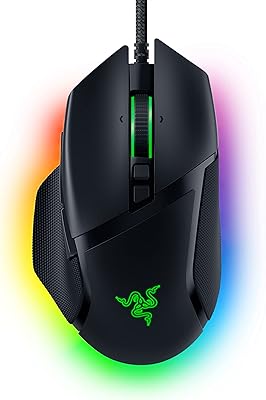
Razer Basilisk V3 Customizable RGB Wired Ergonomic Gaming Mouse, Black | Fastest Gaming Mouse Switch, Chroma RGB Lighting, 26K DPI Optical Sensor, 11 Programmable Buttons, HyperScroll Tilt Wheel
In Stock



As an Amazon Associate we earn from qualifying purchases. Product prices and availability are accurate as of the date/time indicated.
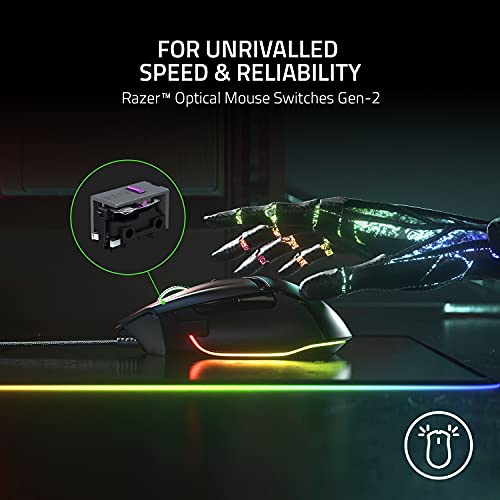
The Razer Basilisk V3 is the premium right-hand ergonomic pick of this list and one of the most refined sculpted shells on the market. It is shaped specifically for the right hand, with a tall hump that fills the palm, a thumb rest that lifts the side off the pad, and a tactile-or-free-spin scroll wheel. Inside is Razer’s Focus+ 26K DPI optical sensor, paired with their fastest mouse switches and 11 programmable buttons. At around $38 it is exceptional value for an enthusiast-tier ergonomic mouse.
This is the mouse for the right-handed gamer who plays long sessions and wants their wrist supported rather than pinched. The sculpted shape anchors a palm or claw grip, the thumb rest naturally positions your side buttons under your thumb, and the HyperScroll-style wheel is a genuine upgrade for inventory and weapon switching. Combined with Razer Chroma RGB and deep Synapse software, it is a strong daily driver. For confirmed right-hand ergonomics with flagship features, the Basilisk V3 is the obvious pick.
Pros: True right-hand ergonomic sculpt, premium sensor and switches, 11 buttons, great value.
Cons: Right-hand only (not for left-handed players); wired.
2. Redragon M602 Ergonomic RGB Gaming Mouse Wired
![Redragon M602 Gaming Mouse, Ergonomic RGB Gaming Mouse Wired with 7200 Adjustable DPI, 9 Programmable Buttons, Professional Software for Gamer Office [Black]](https://m.media-amazon.com/images/I/614timipKAL._AC_SL400_.jpg)
28
Prime
Redragon M602 Gaming Mouse, Ergonomic RGB Gaming Mouse Wired with 7200 Adjustable DPI, 9 Programmable Buttons, Professional Software for Gamer Office [Black]
In Stock




As an Amazon Associate we earn from qualifying purchases. Product prices and availability are accurate as of the date/time indicated.
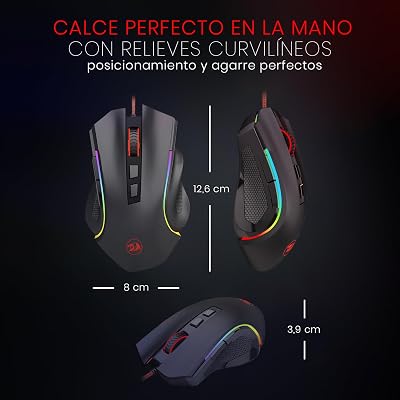
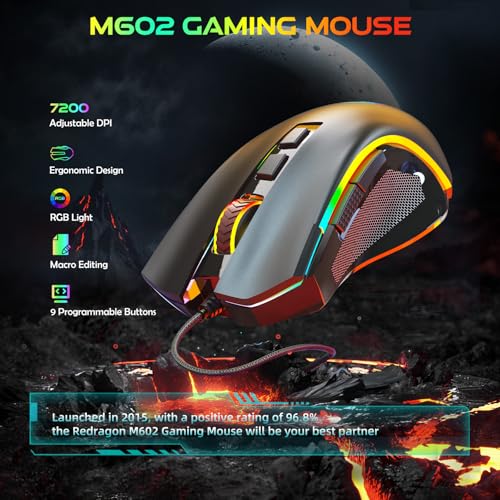
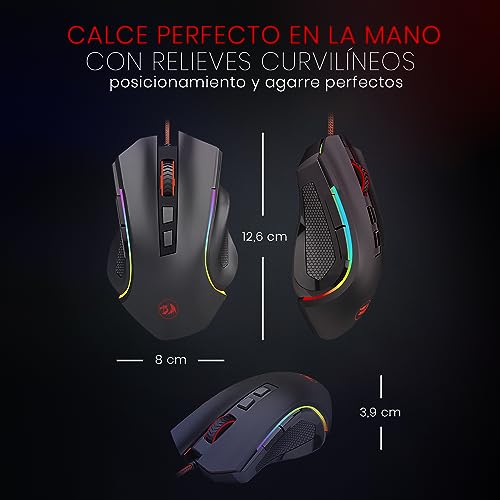
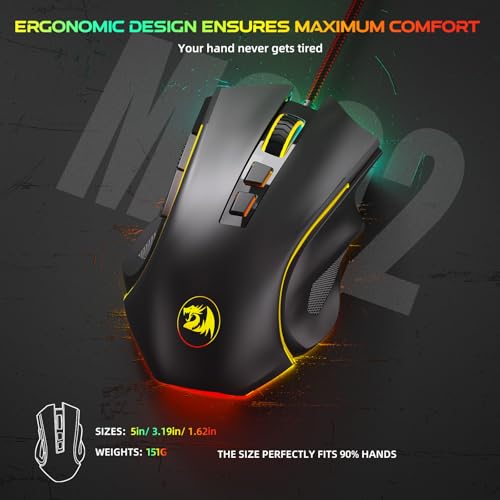
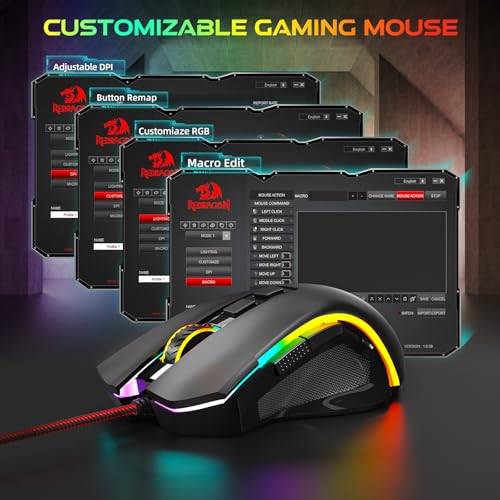
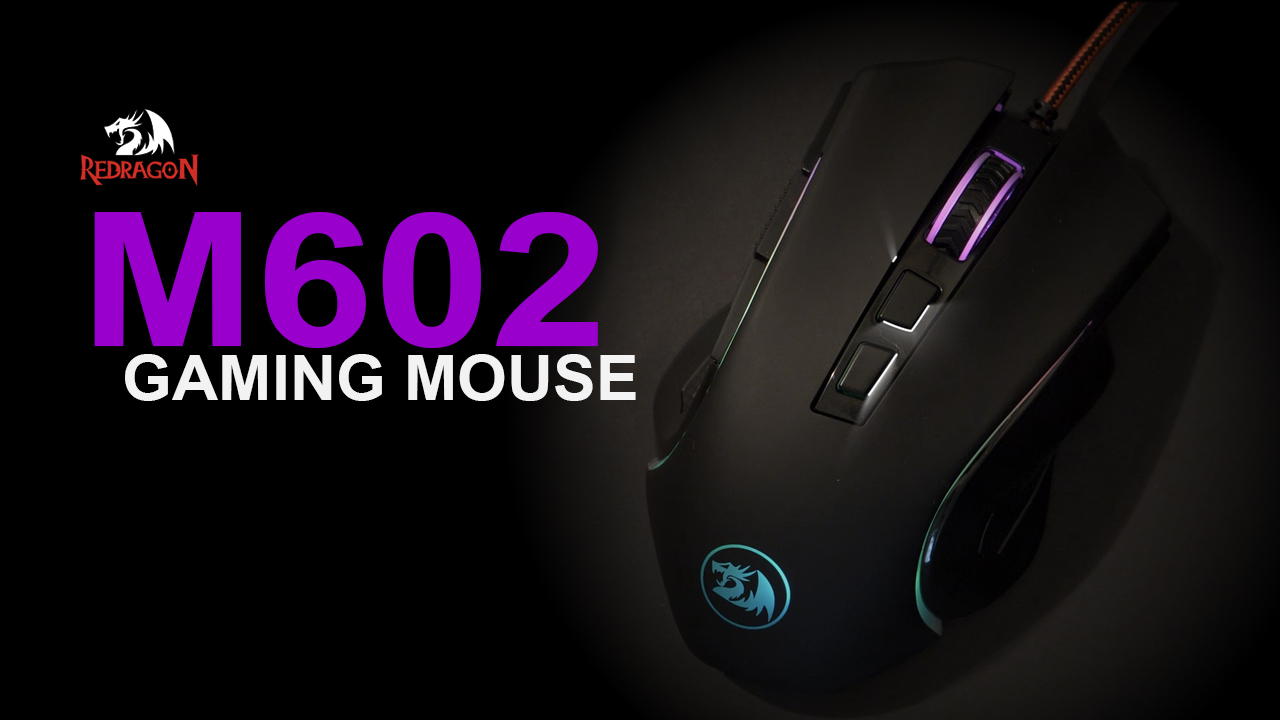
The Redragon M602 is the budget right-hand ergonomic pick. It has a sculpted right-handed shell with a clear thumb rest and pinky shelf, topped by RGB lighting, 9 programmable buttons, and a sensor adjustable up to 7,200 DPI. At around $20 it is one of the cheapest genuinely ergonomic gaming mice available and an easy entry point.
This is the mouse for the new or budget-conscious right-handed gamer who wants the comfort of an ergonomic shape without paying premium-brand prices. The sculpted shape supports a palm grip well, the 9 buttons cover the basics for FPS and MOBA play, and the wired connection keeps latency honest. Build and software are simpler than Razer’s, but the core ergonomic value is genuinely there. For a starter ergonomic gaming mouse, the M602 is hard to beat at the price.
Pros: Confirmed right-hand ergonomic shell, 9 programmable buttons, RGB, very affordable.
Cons: Plainer build and basic software vs premium ergonomic shells.
3. Logitech MX Master 4 Ergonomic Wireless Mouse with Haptic Feedback

39
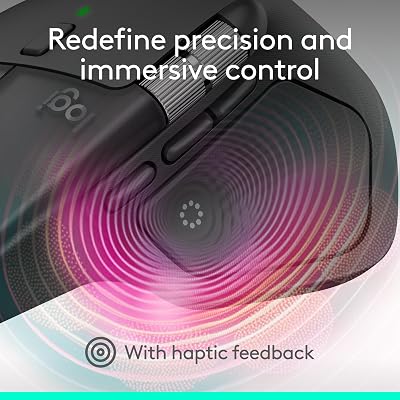
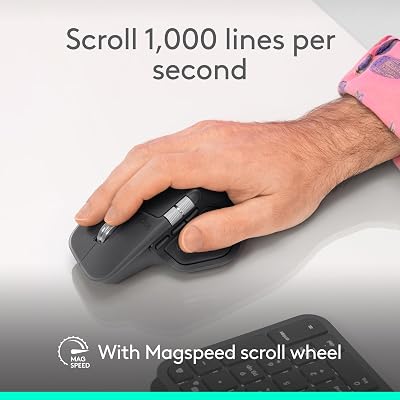
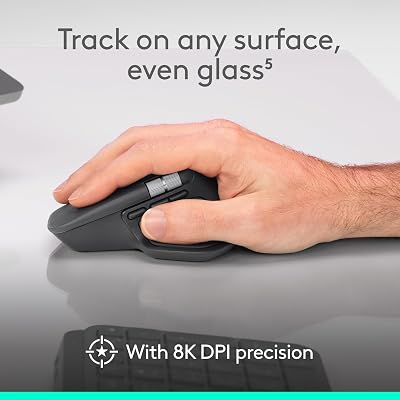
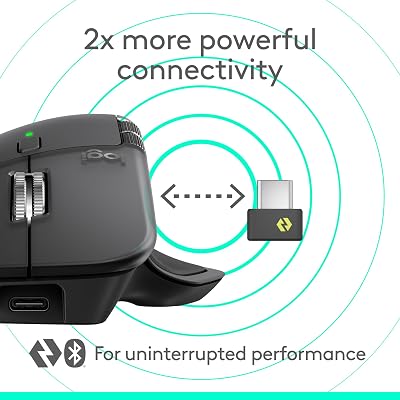
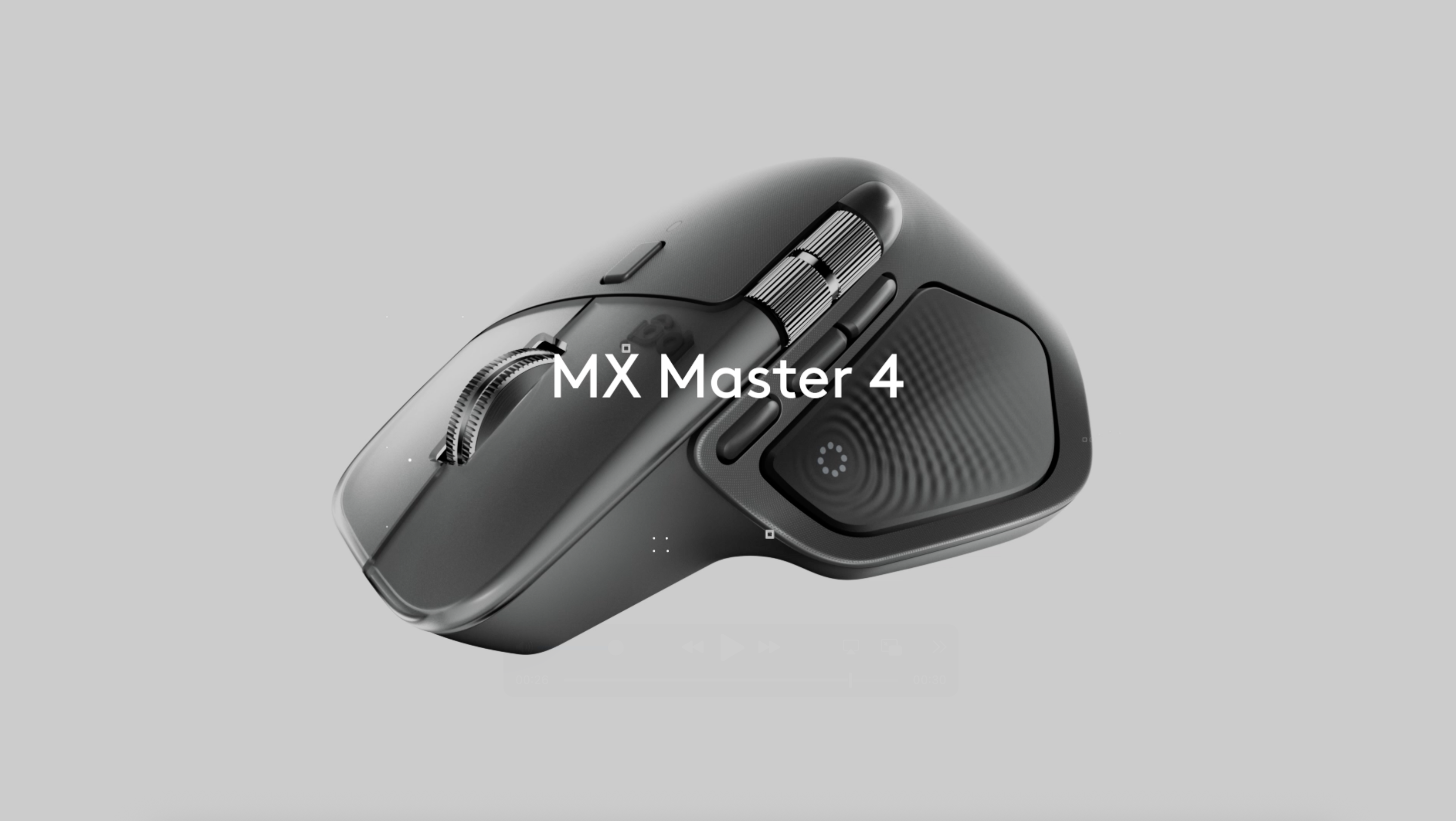
Logitech MX Master 4, Ergonomic Wireless Mouse with Advanced Performance Haptic Feedback, Ultra-Fast Scrolling, USB-C Charging, Bluetooth, Windows, MacOS – Graphite
In Stock





As an Amazon Associate we earn from qualifying purchases. Product prices and availability are accurate as of the date/time indicated.
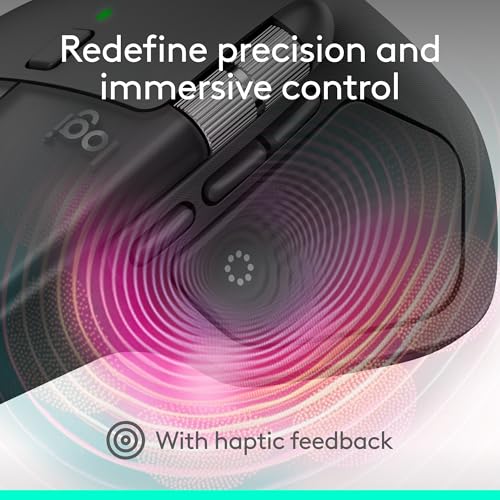
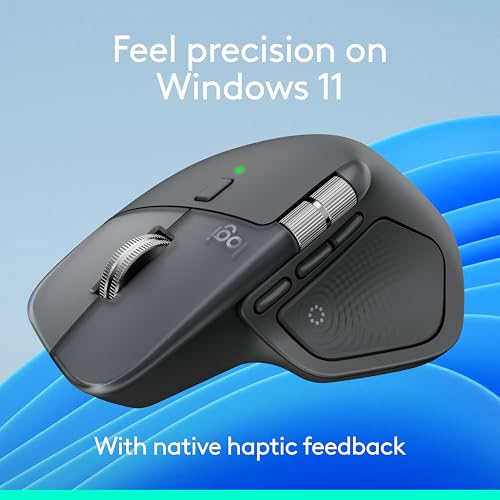
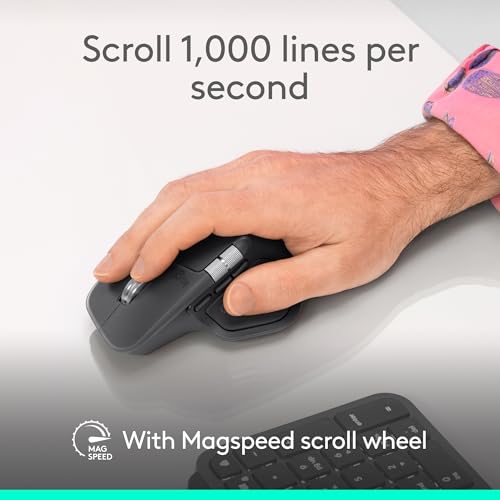
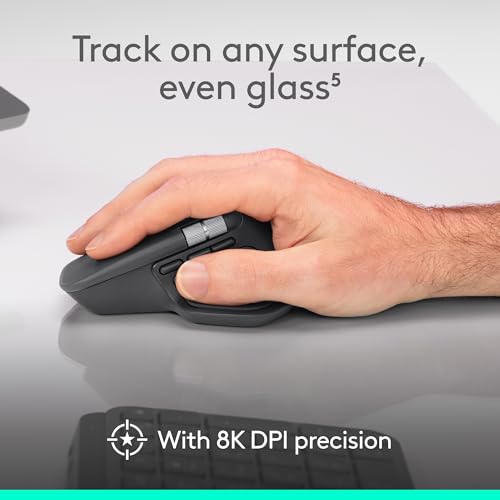
The Logitech MX Master 4 is the work-and-play hybrid ergonomic pick. It is a famously sculpted right-hand shell with a pronounced thumb rest, a horizontal scroll wheel, an ultra-fast main scroll wheel, haptic feedback for productivity actions, and USB-C charging. Sensor and connection are tuned for everyday work and light-to-moderate gaming. At around $120 it is the priciest mouse here and aimed at users who treat their mouse as a daily-driver, not a pure esports tool.
This is the mouse for the right-handed user whose desk has to do both work and gaming — coders, editors, designers, and casual gamers — and who wants the most refined ergonomic shape Logitech makes. The shape supports the palm for hours, the haptic feedback adds tactile cues to productivity actions, and the horizontal scroll wheel speeds up navigation in long documents and timelines. For a premium right-hand ergonomic hybrid, the MX Master 4 is in a class of its own.
Pros: Top-tier right-hand ergonomic sculpt, haptic feedback, horizontal scroll, premium build.
Cons: Tuned for productivity-and-light-gaming rather than competitive esports; highest price here.
4. Rampage Drop M3 Wireless Gaming Mouse, Right-Hand Shape

18
Prime
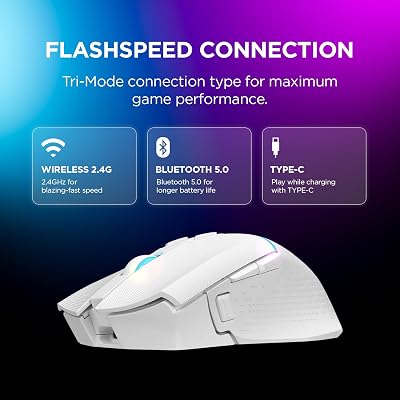
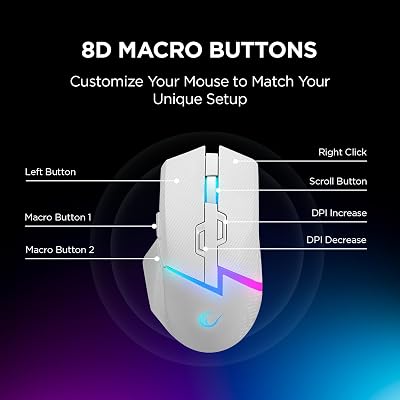
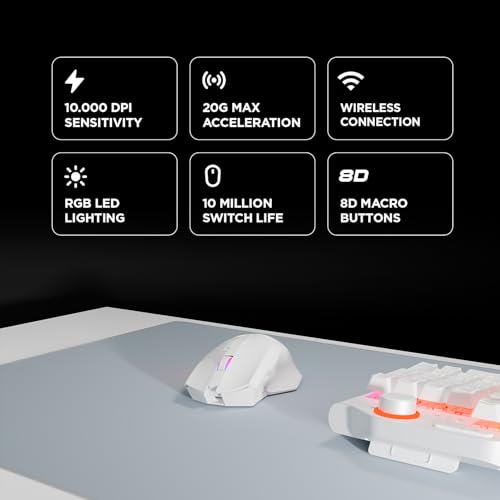
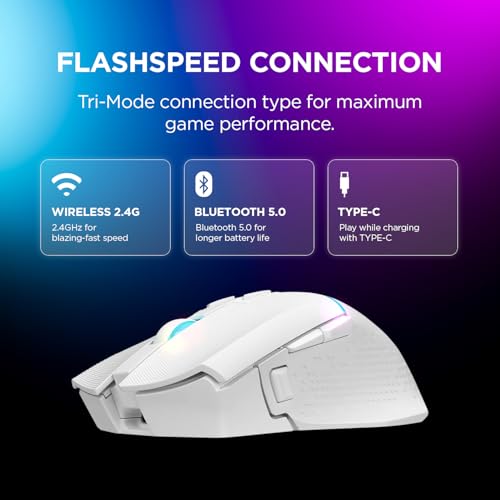
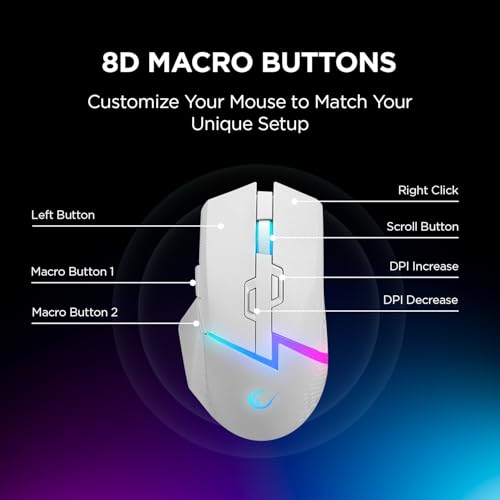
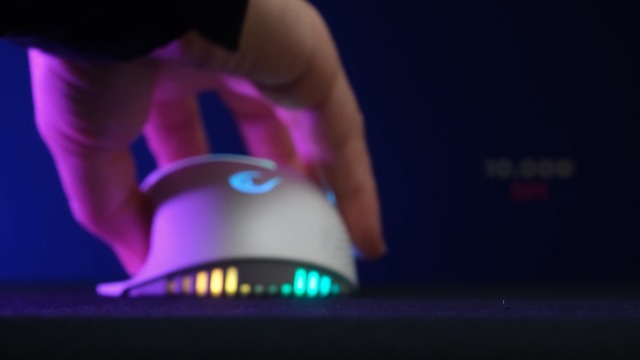
Rampage Drop M3 White Wireless Gaming Mouse – 10,000 DPI RGB Backlit, Wired & Wireless Dual Mode, 2.4GHz USB Receiver, USB-C Rechargeable, 8 Programmable Buttons, Ergonomic Gamer Mouse for PC & Laptop
In Stock




As an Amazon Associate we earn from qualifying purchases. Product prices and availability are accurate as of the date/time indicated.
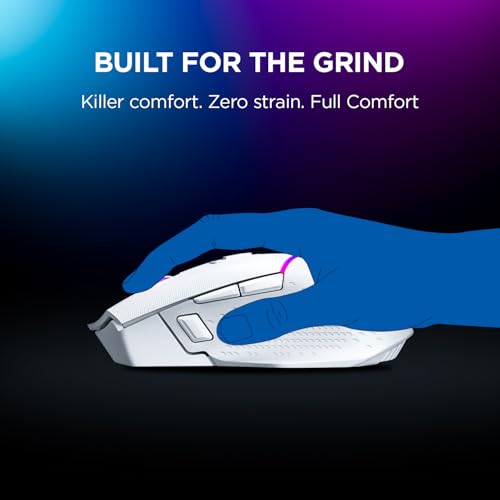
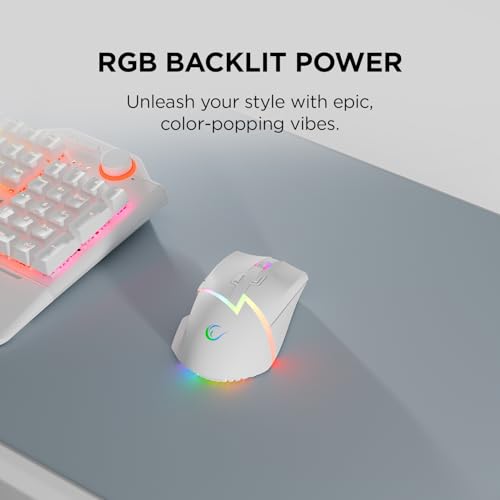
The Rampage Drop M3 is the right-hand wireless value pick — a sculpted right-hand shell with RGB lighting, dual-mode wired/wireless operation, and a 10,000 DPI sensor, available in a clean white finish. At around $25 it is a genuinely affordable way to combine an ergonomic shape with cable-free use.
This is the mouse for the right-handed gamer who wants the comfort of an ergonomic shape and the freedom of wireless without paying for a premium brand. The right-hand shell supports a relaxed palm grip, the 2.4GHz wireless plus wired-charging mode means you are never stuck if the battery dies, and the 10K DPI sensor covers everyday gaming sensitivities comfortably. For affordable, right-hand-friendly wireless ergonomics, the Drop M3 is a strong value choice.
Pros: Right-hand ergonomic shape, dual-mode wired/wireless, RGB, USB-C charging, very affordable.
Cons: Lesser-known brand than Logitech or Razer; basic software.
5. acer Wired Gaming Mouse with RGB, 12,800 DPI (B0FCMHJBMW)
15
Prime
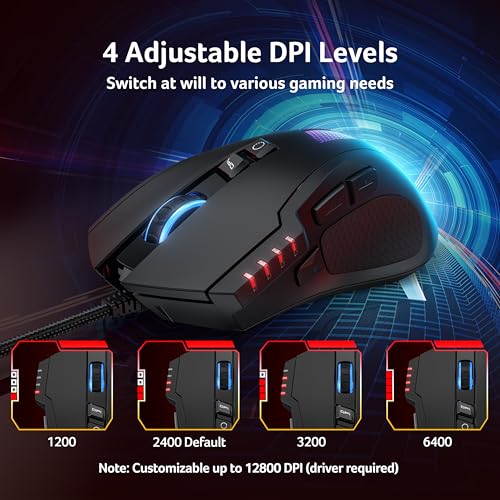
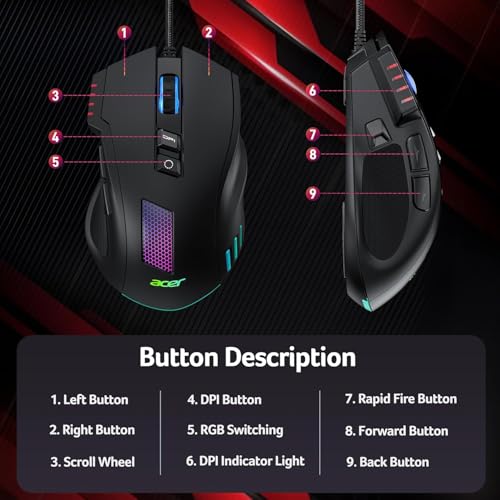
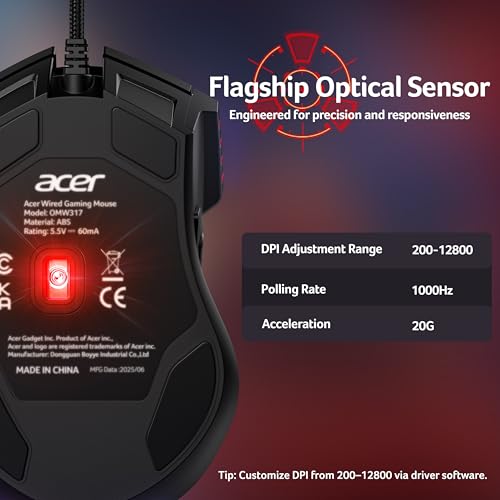
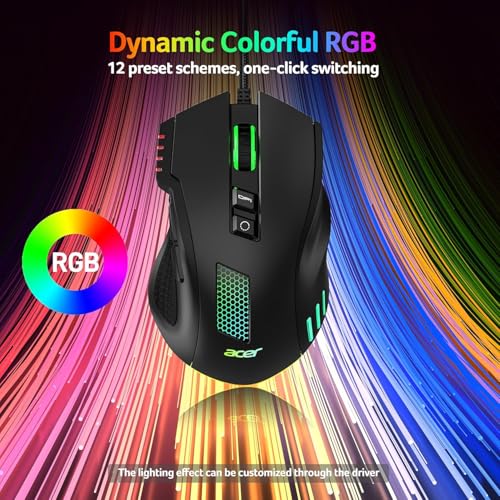
acer Wired Gaming Mouse, 12,800 DPI RGB Ergonomic Computer Mouse with Optical Sensor, 8 Programmable Buttons, 12 Backlit Modes, Software for DIY Keybinds, Rapid Fire, USB Gaming Mice for Laptop, PC
In Stock




As an Amazon Associate we earn from qualifying purchases. Product prices and availability are accurate as of the date/time indicated.
The acer wired gaming mouse offers a lot of spec for the money — a 12,800 DPI optical sensor, 8 programmable buttons, 12 RGB backlit modes, and a tidy wired connection — at around $19. We are flagging this honestly: based on its product imagery and shape, the shell appears closer to an ambidextrous design than a strongly sculpted right-hand ergonomic body. If a true right-hand sculpt is your top priority, the Razer Basilisk V3 or Redragon M602 above are safer picks.
This is the mouse to consider if you want a budget gaming mouse with RGB and lots of buttons and you are comfortable with a more ambidextrous body shape. The high DPI, 8 buttons, and bright RGB punch above the price point, and the wired connection keeps latency consistent. Just be aware that the shape is not as right-hand-specific as a true ergonomic shell — choose it for the spec sheet and price, not specifically for sculpted right-hand comfort.
Pros: 12,800 DPI sensor, 8 programmable buttons, 12 RGB modes, very affordable wired pick.
Cons: Shape appears closer to ambidextrous than strongly right-hand-sculpted — flagged honestly.
6. EWEADN G5 Wired Gaming Mouse with Adjustable Tail, 12,800 DPI

25
Prime
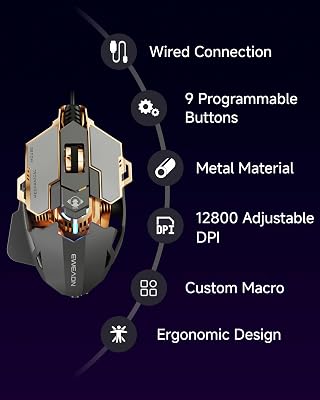
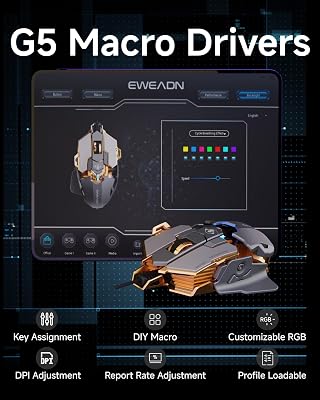
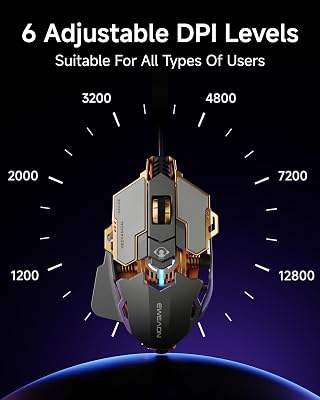
EWEADN G5 Wired Gaming Mouse with Adjustable Tail, 12800 DPI Programmable Computer Mouse with RGB Backlit, 9 Macro Buttons, Rapid Fire Key & Aluminum Base Ergonomic PC Mice for Laptop, PC-Grey
In Stock








As an Amazon Associate we earn from qualifying purchases. Product prices and availability are accurate as of the date/time indicated.
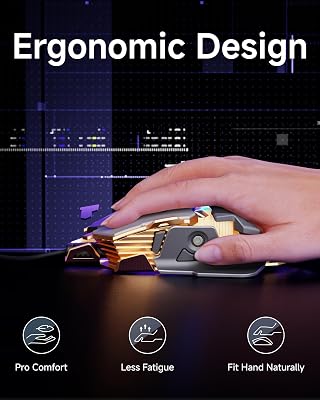
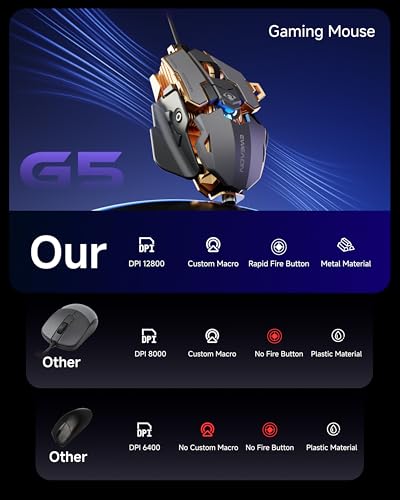
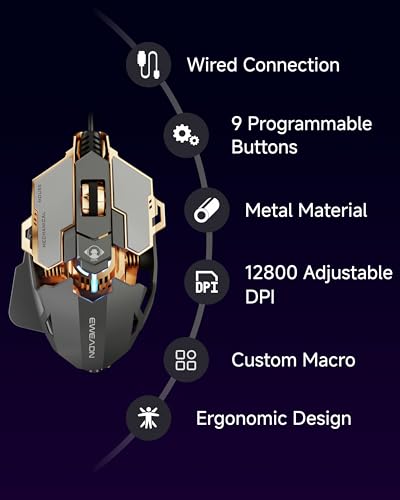
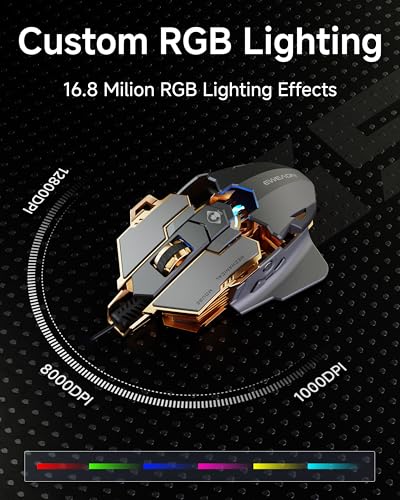
The EWEADN G5 is the adjustable-shape budget pick of this list, with an interesting twist: it includes an adjustable tail that lets you extend the rear of the mouse to better fit a palm grip. It also packs a 12,800 DPI sensor, 9 macro-capable buttons, and bold RGB, for around $29. We are flagging honestly that the base shell is closer to ambidextrous than to a sharply right-hand-sculpted ergonomic body, so the ‘ergonomic’ label depends partly on how you set the adjustable tail.
This is the mouse for the curious, budget-conscious buyer who wants to experiment with shape adjustment and does not need a strict right-hand sculpt. The adjustable tail genuinely changes how the mouse fills the palm, the high DPI and macro buttons cover most use cases, and the RGB is striking. For a stronger right-hand ergonomic shape out of the box, pick the Basilisk V3 or M602; for adjustability on a budget, the G5 is interesting in its own right.
Pros: Unique adjustable tail for shape tuning, 12,800 DPI, 9 macro buttons, vivid RGB.
Cons: Base shell closer to ambidextrous than strict right-hand ergonomic — shape depends on setup.
How to Choose an Ergonomic Gaming Mouse
For an ergonomic gaming mouse, shape is everything — and the first thing to verify is whether the shell is genuinely right-hand sculpted or simply marketed as ‘ergonomic.’ A true right-hand ergonomic mouse, like the Razer Basilisk V3, Redragon M602, Logitech MX Master 4, and Rampage Drop M3 on this list, has a clear thumb rest, an asymmetric hump, and a pinky shelf. Picks like the acer wired and EWEADN G5 lean more ambidextrous in shape — we have flagged that openly so you can decide.
Grip style is the next decision. Palm grippers benefit most from a tall, sculpted hump that fills the hand, which is why the Basilisk V3 and MX Master 4 are excellent palm-grip choices. Claw and fingertip grippers tolerate a smaller, lower shell better and may prefer something simpler. Be honest about how you actually hold the mouse — palm grippers picking up a small claw-style shell, or claw grippers stuck with a heavy palm-grip ergonomic mouse, are the two most common ways an ‘ergonomic’ choice goes wrong.
Hand size and side-button placement matter just as much. A shell that is too small forces your fingers to cramp; one that is too large stretches your grip and pushes the side buttons out of easy reach. Look at listed dimensions, compare them with what currently fits your hand, and check that the side buttons sit naturally under your thumb rather than too far forward or back. If you are between sizes, lean toward the larger shell if you palm grip and the smaller one if you claw or fingertip grip.
Finally, decide on connection, software, and use case. Wired ergonomic mice like the Basilisk V3, M602, and the budget acer/EWEADN picks give consistent latency. Wireless models like the MX Master 4 and Drop M3 free your desk and travel better. Productivity-leaning ergonomic mice (MX Master 4) trade some esports performance for haptics and special scroll wheels; pure gaming ergonomic mice (Basilisk V3, M602) stay focused on aim and clicks. Pick the mouse on this list that fits your grip, your hand size, and how you actually use the desk.
Frequently Asked Questions
How do I know if a mouse is genuinely right-hand ergonomic?
Look for a clearly asymmetric shape: a thumb rest on the left side, an offset hump that supports the right palm, and a pinky shelf on the right. The Razer Basilisk V3, Redragon M602, Logitech MX Master 4, and Rampage Drop M3 on this list all have this sculpt. Symmetrical shells with side buttons mirrored on both sides are ambidextrous, not right-hand ergonomic — we have flagged the acer wired and EWEADN G5 as leaning ambidextrous so buyers know.
Which grip style benefits most from an ergonomic shell?
Palm grip benefits most, because a tall, sculpted hump like the one on the Basilisk V3 or MX Master 4 fills the hand and removes the small constant micro-tension of holding a flat shell. Claw and fingertip grippers can still use ergonomic mice, but they get less of the benefit and may actually prefer a flatter, lighter shape. Match the shell to how you grip the mouse, not just to the marketing label.
Is the Logitech MX Master 4 good for gaming?
It is excellent for casual and moderate gaming alongside heavy productivity use, with a top-tier ergonomic sculpt and Logitech build quality. It is not tuned for competitive esports — the sensor, switches, and weight are biased toward work-first use. If your priority is comfortable all-day use with regular gaming on the side, the MX Master 4 is in a class of its own; for ranked FPS, pick the Basilisk V3 or a dedicated esports shell instead.
Are there ergonomic mice for left-handed players?
There are, but they are far rarer than right-hand ergonomic shells, and none of the picks on this list are left-hand-specific — every true ergonomic mouse here is right-hand sculpted. Left-handed players usually choose a high-quality ambidextrous mouse with side buttons on both sides, or one of the rare dedicated left-hand ergonomic models from specialist brands.
Related Guides
- Best Gaming Mouse
- Best Wireless Gaming Mouse
- Best Mouse Pads for Gaming
- Best Mechanical Keyboards
- Best Gaming Chairs
- Best Ergonomic Chairs
- Best Budget Gaming Setup
Affiliate Disclosure: As an Amazon Associate, we earn from qualifying purchases. If you click a link and make a purchase, we may earn a small commission at no extra cost to you. Prices and availability are accurate as of publication and may change.
Ready to decide? Our #1 pick for 2026 is the Razer Basilisk V3 Ergonomic Gaming Mouse.
Live price & availability on Amazon.


