

⚡ Quick Answer
What CPU should I pair with the RTX 4080?
The Ryzen 9 7950X3D ($549) and Core i9-14900K ($379) are the best CPUs for the RTX 4080. At 4K — where the RTX 4080 is primarily used — even a Core i7-14700K ($299) shows no bottleneck. At 1080p with an RTX 4080, only the fastest gaming CPUs (Ryzen 7 7800X3D, Ryzen 9 7950X3D) can keep up.
Pairing the right CPU with an RTX 4080 ensures you’re not wasting any of its performance potential. At $949+, the RTX 4080 is a significant investment — and the wrong CPU can limit your FPS, particularly at 1080p and in CPU-intensive games. Here’s exactly what you need.
The Golden Rule: RTX 4080 Usage Determines CPU Needs
The RTX 4080’s ideal use case is 4K gaming — where the GPU is the bottleneck in virtually every scenario. At 4K, even a Core i5-14600K shows under 5% bottlenecking with an RTX 4080. At 1440p, a Ryzen 7 7800X3D or Core i7-14700K is sufficient. Only at 1080p does CPU choice meaningfully limit RTX 4080 performance.
RTX 4080 CPU Requirements by Resolution
| Resolution | Minimum CPU | Recommended CPU |
|---|---|---|
| 4K Ultra Gaming | Core i5-14600K | Core i7-14700K |
| 1440p Gaming | Ryzen 7 7800X3D | Ryzen 7 7800X3D |
| 1080p 144Hz+ | Core i7-14700K | Ryzen 9 7950X3D |
| 1080p 240Hz+ | Ryzen 9 7950X3D | Ryzen 9 7950X3D |
Top CPU Picks for RTX 4080 Builds
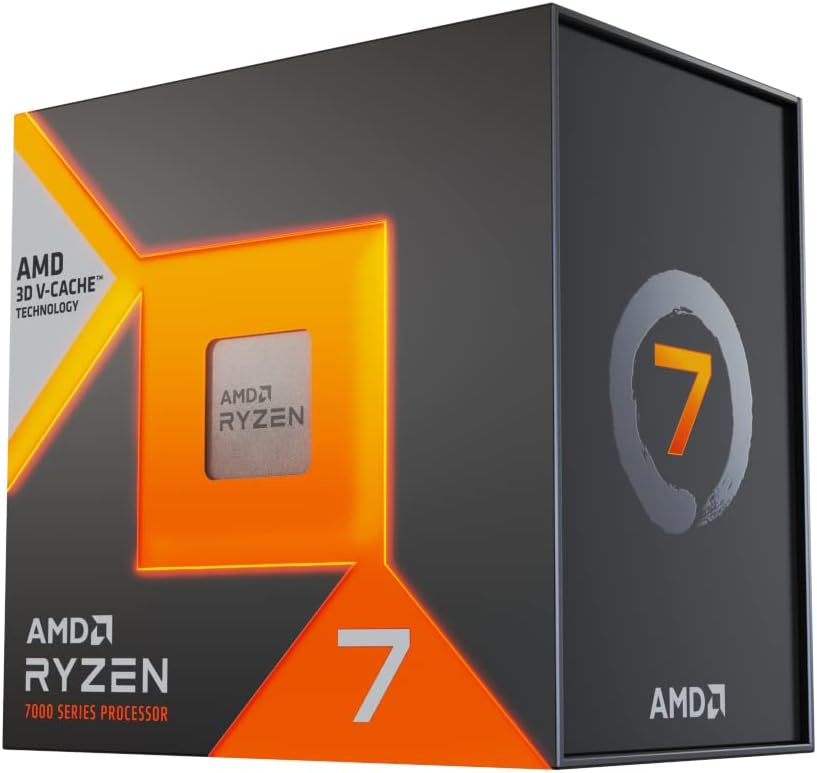
🏆 Best Overall: Ryzen 9 7950X3D (~$549)
The Ryzen 9 7950X3D combines 16 cores with 3D V-Cache — delivering the highest gaming FPS of any consumer CPU alongside exceptional multi-threaded performance. For RTX 4080 builds where you need maximum performance at all resolutions (gaming, streaming, 3D rendering), this is the premium choice. Pair with an X670E motherboard and 64 GB DDR5.
🥈 Best Gaming Value: Ryzen 7 7800X3D (~$349)
For 4K gaming specifically, the 7800X3D matches the 7950X3D in FPS while costing $200 less. If you’re a dedicated gamer (not a content creator), the 7800X3D provides maximum gaming FPS at a better price. Its 8 cores are slightly limiting for heavy streaming, but for gaming-first RTX 4080 builds, it’s the value king.
🥉 Best Intel: Core i9-14900K (~$379)
Intel’s flagship provides 24 cores for professional workloads alongside excellent gaming FPS. For a gaming + workstation RTX 4080 build, the i9-14900K on a Z790 motherboard is a compelling combination. It runs hot but delivers top-tier multi-threaded performance.
Complete RTX 4080 Build Recommendations
| Budget | CPU | Motherboard | RAM | Use Case |
|---|---|---|---|---|
| $2,000 Total | Core i7-14700K ($299) | B760 ($150) | 32 GB DDR5 | 4K gaming |
| $2,500 Total | Ryzen 7 7800X3D ($349) | B650 ($180) | 32 GB DDR5-6000 | 1440p/4K gaming |
| $3,000+ Total | Ryzen 9 7950X3D ($549) | X670E ($300) | 64 GB DDR5 | Streaming + 4K gaming |
🏆 Our Verdict
Ryzen 7 7800X3D for gaming; Ryzen 9 7950X3D for workstation-gaming hybrid
For a pure gaming RTX 4080 build, the Ryzen 7 7800X3D is the best value CPU — it matches or beats every other consumer CPU in gaming FPS while saving $200 vs the 7950X3D. For content creation + gaming, the 9 7950X3D or Core i9-14900K are better choices. Also see our gaming motherboard guide.
Frequently Asked Questions
Does the RTX 4080 need a specific CPU socket or platform?
No — the RTX 4080 connects via PCIe 4.0 x16 and is compatible with all modern platforms (AM5, LGA1700, LGA1851). Platform choice affects CPU options, not GPU compatibility.
Will a Ryzen 5 9600X bottleneck an RTX 4080?
At 4K, no significant bottleneck occurs. At 1440p, minimal bottlenecking (3–7%) in the most CPU-intensive titles. At 1080p 144Hz+, a 6-core CPU will start to bottleneck the RTX 4080 in CPU-heavy scenarios. For a $950+ GPU, investing in an 8-core or higher CPU is recommended.
How much RAM do I need with an RTX 4080?
32 GB DDR5 is recommended for RTX 4080 builds. Modern AAA games at 4K Ultra can use 12–16 GB of system RAM combined with GPU VRAM, so 32 GB ensures no RAM bottleneck. For simultaneous gaming and content creation, 64 GB provides additional headroom.
Related Guides You May Like
- What Is the Best Processor for Gaming? Top CPUs Ranked for 2026
- Best Ryzen Gaming CPU 2026: Top AMD Ryzen Processors Ranked
- Best Gaming CPU 2026: Top Processors Ranked for Maximum FPS
- Best CPUs for Gaming: Top Processors to Maximize Your FPS in 2026
- Best CPU for Gaming 2026: Top Processors for Every Budget


Write Your Review
No reviews yet. Be the first to share your experience!