

Best Gaming Mouse and Keyboard in 2025 — Top Picks for Every Gamer
Your gaming mouse and keyboard are your most direct connection to the game world — every click, every keystroke, every aim adjustment flows through these two peripherals. Getting them right means faster inputs, better accuracy, more comfort during long sessions, and a setup that matches your playstyle. Whether you’re a competitive FPS player demanding the fastest possible response times, an MMO player needing dozens of programmable buttons, or a casual gamer who wants quality without complexity, the best gaming mouse and keyboard combination in 2025 is within reach at any budget. This comprehensive guide covers the top picks across all categories and price points.


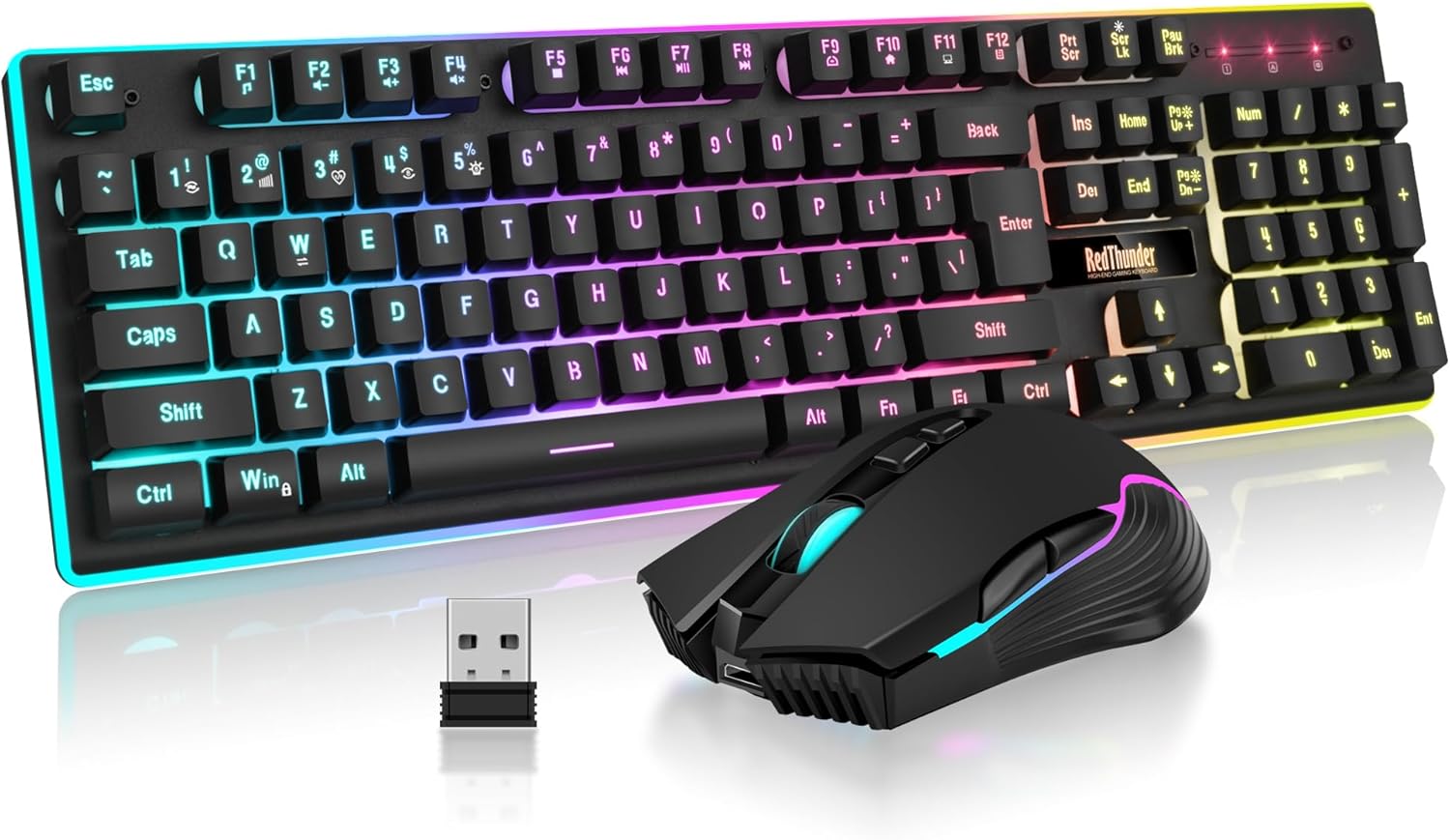
![Redragon Updated S107 Gaming Keyboard and Mouse, RGB Gaming Keyboard and 10000 DPI Mouse Combo with 25-Key Anti-Ghosting, 1K Hz Programmable Mice with Software, Plug & Play to PC, Laptop [Upgrade]](https://m.media-amazon.com/images/I/71aECRRv3vL._AC_SL1500_.jpg)




Best Gaming Mouse and Keyboard Picks — Comparison Table
| Product | Type | Price | Best For | Rating |
|---|---|---|---|---|
| Logitech G Pro X Superlight 2 | Mouse | ~$159 | Competitive FPS gaming | 4.9/5 |
| Wooting 60HE+ | Keyboard | ~$199 | Competitive FPS gaming | 4.9/5 |
| Razer DeathAdder V3 HyperSpeed | Mouse | ~$99 | Ergonomic wireless value | 4.7/5 |
| SteelSeries Apex Pro TKL | Keyboard | ~$199 | Adjustable switch gaming | 4.9/5 |
| Logitech G915 TKL + G Pro X Superlight | Combo | ~$369 | Premium wireless setup | 4.8/5 |
Best Gaming Mouse and Keyboard — Detailed Reviews
1. Logitech G Pro X Superlight 2 — Best Gaming Mouse Overall
The Logitech G Pro X Superlight 2 is the mouse benchmark against which all gaming mice are measured. Under 60 grams with the HERO 2 sensor delivering flawless 32,000 DPI tracking and LIGHTSPEED wireless achieving sub-1ms polling, it represents the ceiling of gaming mouse technology available to consumers. The symmetrical ambidextrous shape works for multiple grip styles, and PTFE feet provide consistent, smooth tracking surface contact. Professional esports players across multiple game titles have adopted the Superlight 2 as their primary competition mouse, validating its performance at the highest possible level. At $159, it’s not inexpensive but is a genuine bargain given the professional-grade performance delivered. Pair it with a quality large mousepad for optimal sensor performance.
2. Wooting 60HE+ — Best Gaming Keyboard for Competitive Play
The Wooting 60HE+ with Lekker Hall Effect switches and Rapid Trigger technology is the most impactful keyboard upgrade competitive FPS players can make in 2025. Rapid Trigger resets key actuation instantly when the key begins moving upward rather than waiting for a physical reset point, enabling faster counter-strafing and more responsive movement inputs in CS2 and Valorant. Per-key actuation adjustment from 0.1mm to 4.0mm provides personalized sensitivity configuration. The gasket-mount construction delivers premium sound and typing feel. At $199, the Wooting 60HE+ provides more competitive gaming value per dollar than any keyboard at any price point, making it the default recommendation for serious FPS players regardless of overall budget level.
3. Razer DeathAdder V3 HyperSpeed — Best Value Ergonomic Mouse
The Razer DeathAdder V3 HyperSpeed at $99 brings the iconic DeathAdder ergonomic shape to an accessible wireless price point. The Focus X 18K sensor delivers reliable performance for competitive and casual gaming alike. HyperSpeed wireless maintains low-latency connectivity, and the 90-hour battery life keeps the mouse running through extended gaming weeks without charge. The right-hand ergonomic shape is among the most comfortable available for medium-to-large hands in palm grip. For gamers who want wireless freedom and ergonomic comfort without the flagship Superlight 2 investment, the DeathAdder V3 HyperSpeed is exceptional value. The optical switch design eliminates double-click issues common in mechanical switches over time.
4. SteelSeries Apex Pro TKL — Best Feature-Rich Gaming Keyboard
The SteelSeries Apex Pro TKL’s OmniPoint 2.0 adjustable switches offer the second most technically impressive approach to competitive keyboard optimization after Wooting’s Hall Effect implementation. Per-key actuation adjustment from 0.1mm to 4.0mm, OLED smart display, aircraft-grade aluminum frame, and comprehensive SteelSeries GG software ecosystem make it the most feature-complete TKL keyboard available under $200. For gamers who want adjustable actuation with the backing of SteelSeries’ established ecosystem and support, the Apex Pro TKL is the natural recommendation. The 2023 revision improved switch feel and sound dampening over earlier versions.
5. Logitech G915 TKL + G Pro X Superlight — Best Wireless Gaming Setup
Combining the Logitech G915 TKL wireless keyboard with the G Pro X Superlight mouse creates the definitive cable-free gaming setup. Both devices use LIGHTSPEED wireless achieving 1ms report rates — eliminating wireless latency as a competitive concern entirely. The G915 TKL’s low-profile GL switches in Linear, Tactile, or Clicky variants provide a satisfying thin keyboard experience with 40-hour battery life. The Superlight’s 95-hour battery means weekly charging for both devices covers most gaming schedules. G Hub manages both through unified profiles with synchronized RGB. At approximately $350-380 combined, this wireless setup costs slightly more than wired equivalents but delivers the clean, cable-free gaming environment that many players strongly prefer.
Building the Perfect Gaming Mouse and Keyboard Setup
The optimal gaming mouse and keyboard setup depends on your primary game genres. For competitive FPS: Wooting 60HE+ keyboard + Logitech G Pro X Superlight 2 mouse. For MMO gaming: Corsair K70 RGB Pro keyboard + Corsair Scimitar Elite Wireless mouse. For casual all-around gaming: Razer BlackWidow V4 keyboard + DeathAdder V3 HyperSpeed mouse. For budget setups: SteelSeries Apex 3 keyboard + Rival 3 mouse. Match your input devices to your gaming style rather than brand loyalty for the best results.
For specific budget tier recommendations, see our guides on keyboards under $100, keyboards under $300, and mice under $400. For combo bundle options see our keyboard and mouse combo guide.
FAQ: Best Gaming Mouse and Keyboard
What is the best gaming mouse and keyboard for beginners?
The SteelSeries Apex 3 keyboard ($44) and Rival 3 mouse ($29) provide a capable entry-level gaming setup at around $73 combined. Both deliver reliable performance for casual gaming with minimal complexity. As skills and preferences develop, individual components can be upgraded independently rather than replacing the entire setup simultaneously. Starting budget doesn’t limit the ceiling you can reach — many professional players started on basic equipment.
Should I prioritize mouse or keyboard when upgrading?
For competitive FPS gaming, the mouse upgrade typically delivers more immediate performance impact — sensor quality, weight, and shape directly affect aim precision. For competitive games with complex movement mechanics (CS2, Apex), the keyboard upgrade to Hall Effect switches with Rapid Trigger can be equally impactful. For MMO and strategy games, the keyboard’s programmable buttons often matter more than mouse upgrade. Prioritize whichever peripheral is currently limiting your performance in your primary game.
Are wireless gaming mouse and keyboard worth buying?
Yes, at the premium tier with quality wireless implementations. Logitech LIGHTSPEED, Razer HyperSpeed, and SteelSeries 2.4GHz wireless deliver gaming-grade 1ms report rates indistinguishable from wired connections in competitive play. The desk cleanliness and freedom of movement that wireless provides are genuine quality-of-life improvements. Budget wireless peripherals using lower-quality Bluetooth or 2.4GHz implementations may introduce perceptible latency — invest in reputable wireless implementations rather than the cheapest available option.
Related Guides You May Like
- Best Gaming Keyboards for Under $900 in 2026: Top Picks for Every Gamer
- Best Wireless Keyboard and Mouse for Gaming in 2026: Top Cordless Combos
- Best Keyboards for Gaming 2026: Top Mechanical and Membrane Picks
- Best Keyboard for Gaming in 2026: Top Picks for Every Style and Budget
- Best Gaming Keyboards for Under $800: Premium Mechanical Picks for Serious Gamers


Write Your Review
No reviews yet. Be the first to share your experience!