

Best Gaming Keyboards for Under $600 in 2025: Premium Boards at Every Price
The best gaming keyboards for under $600 cover an enormous range — from excellent $50 budget boards to custom enthusiast keyboards approaching that upper limit. At $600, you can build or buy a fully custom keyboard with premium gasket mounting, lubed switches, brass weights, and artisan keycaps that rival professional-grade boards costing thousands. Whether you want a reliable $100 gaming workhorse or are ready to explore the rabbit hole of keyboard customization, this guide covers the best options at every tier under $600.
We’ve organized this guide by price tier to help you find the best keyboard for your specific budget. For more focused recommendations, see our best keyboard for gaming and best gaming keyboards of 2025 guides.


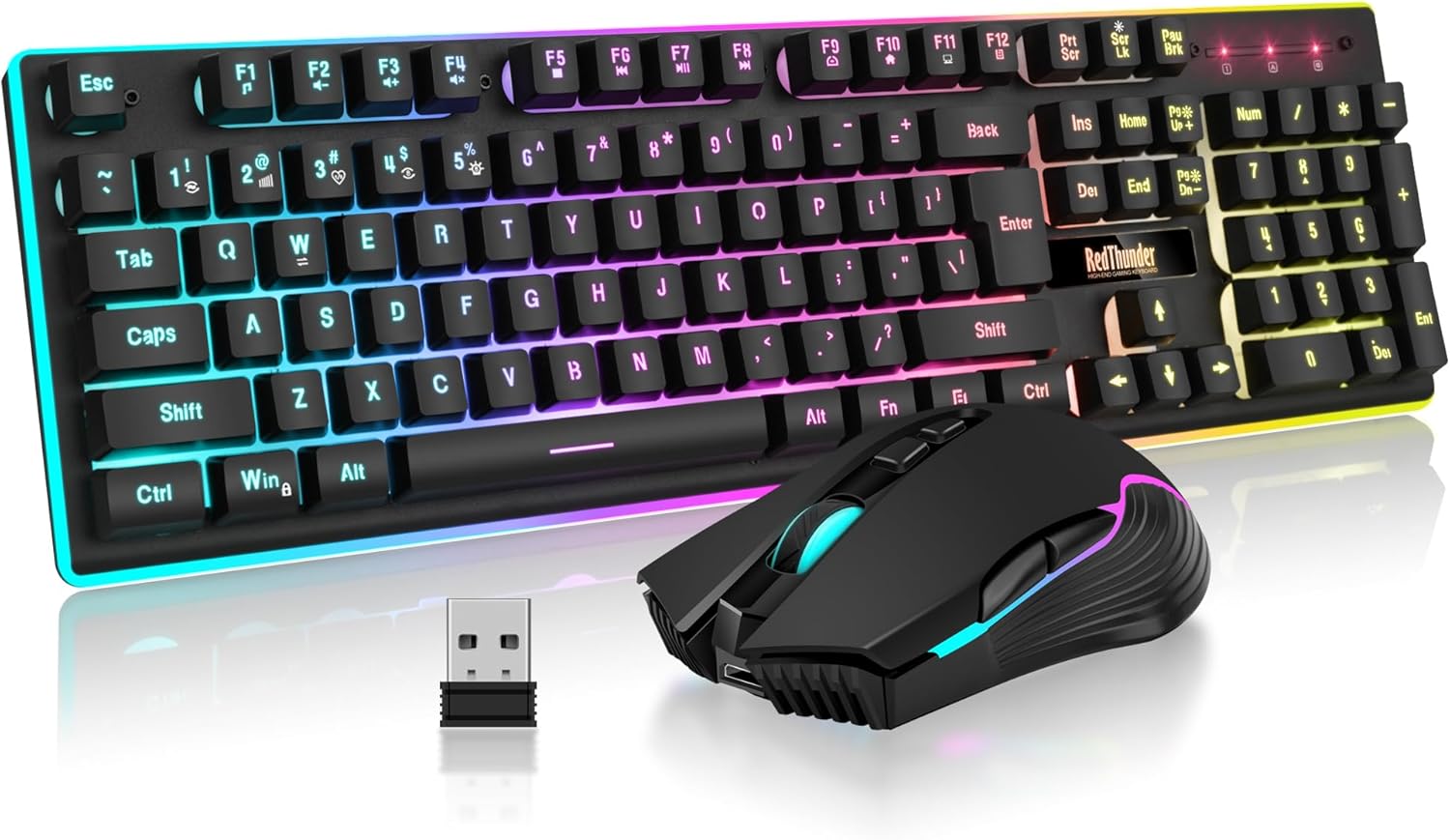


Gaming Keyboard Price Tiers Explained
- Under $100: Reliable gaming keyboards with standard switches, basic RGB, plastic frames.
- $100-$200: Hot-swap, PBT keycaps, aluminum frames, premium switches become standard.
- $200-$350: Gasket mounting, wireless, Hall Effect switches, enthusiast-grade build quality.
- $350-$600: Custom keyboard builds, premium group buys, full modification potential.
Best Gaming Keyboards Under $600 — Comparison Table
| Keyboard | Price Tier | Layout | Mount | Hot-Swap | Wireless | Rating |
|---|---|---|---|---|---|---|
| Wooting 60HE+ | ~$175 | 60% | Top | Yes | No | 4.9/5 |
| Keychron Q1 Pro | ~$199 | 75% | Gasket | Yes | Bluetooth | 4.8/5 |
| Ducky One 3 | ~$109 | Full/TKL/65% | Gasket | Yes | No | 4.8/5 |
| GMMK Pro | ~$170 | 75% | Gasket | Yes | No | 4.7/5 |
| Logitech G Pro X | ~$129 | TKL | Tray | Yes | No | 4.7/5 |
Top 5 Gaming Keyboards Under $600 — Detailed Reviews
1. Wooting 60HE+ — Best Competitive Gaming Keyboard Under $600
The Wooting 60HE+ is the most technically advanced gaming keyboard available under $600. Hall Effect Lekker switches use magnetic actuation that never wears out and enables Rapid Trigger — the ability to re-actuate instantly upon the slightest key release. For competitive FPS players, this provides a genuine and measurable performance advantage in games like CS2, Valorant, and Apex Legends. The 8000Hz polling rate reduces input delay to just 0.125ms.
Analog input mode lets WASD behave like joystick axes in supported games. The 60% layout maximizes mouse space. Despite the cutting-edge technology, the board is priced at ~$175 — remarkable value. Hot-swap sockets accept standard MX switches if you want to experiment. Wooting’s software is excellent and regularly updated with new features.
Pros: Hall Effect switches, Rapid Trigger, 8000Hz polling, analog input, hot-swap, great value
Cons: 60% layout requires adjustment, no wireless, niche appeal outside competitive gaming
Best for: Competitive FPS gamers wanting maximum performance advantage
2. Keychron Q1 Pro — Best Enthusiast Gaming Keyboard Under $600
The Keychron Q1 Pro delivers what keyboard enthusiasts pay thousands for in custom builds — CNC machined aluminum, gasket mounting, south-facing RGB, and hot-swap PCB — at a fraction of custom build prices. The 75% layout is the most practical for gaming and productivity, keeping function row and arrows while eliminating the numpad. Bluetooth 5.1 enables wireless desktop use; USB-C wired provides zero-latency competitive gaming.
The gasket mount produces a bouncy, muffled typing experience that feels premium and reduces finger fatigue. PBT keycaps resist shine. The weight of the aluminum frame (over 1.5kg) communicates its quality unmistakably. At ~$199, the Q1 Pro represents extraordinary value for enthusiast-grade construction.
Pros: CNC aluminum, gasket mount, wireless + wired, hot-swap, PBT keycaps, premium build
Cons: Bluetooth only wireless (no 2.4GHz dongle), heavy
Best for: Keyboard enthusiasts, work-from-home gamers, premium build quality seekers
3. Ducky One 3 — Best Value Enthusiast Gaming Keyboard Under $600
The Ducky One 3 punches far above its ~$109 price point with gasket mounting, hot-swap PCB, PBT doubleshot keycaps, and a range of Cherry/Gateron/Kailh switch options. The gasket mount delivers a softer, more premium typing feel than tray-mount keyboards costing twice as much. Available in multiple form factors (full-size, TKL, 65%, mini) and colorways for personalization. Ducky’s build quality and QC are consistently excellent.
The per-key RGB shines brilliantly through the PBT legends. The detachable USB-C cable is a practical feature. For gamers who want enthusiast-grade construction at an accessible price, the Ducky One 3 is exceptional. It’s the entry point for discovering what a premium keyboard actually feels like.
Pros: Gasket mount at low price, hot-swap, PBT keycaps, multiple layouts, excellent QC
Cons: No wireless, minimal software features
Best for: Budget enthusiasts, first premium keyboard buyers, switch experimenters
4. GMMK Pro — Best Modular Gaming Keyboard Under $600
The GMMK Pro from Glorious PC Gaming Race is designed for modifiability from the ground up. The 75% aluminum frame uses a gasket mount and comes barebones (no switches or keycaps) for ~$170, letting you build your dream keyboard with your preferred switches and keycaps. A rotary encoder knob adds media control. South-facing RGB LEDs shine through keycap legends beautifully. The gasket mounting and brass plate option deliver excellent acoustics.
USB-C connection with polling rate up to 1000Hz handles gaming reliably. The large and active modding community has produced extensive guides for foam dampening, lubing, and optimizing every aspect of the board. For gamers who want to dive into keyboard customization on a budget, the GMMK Pro is the perfect canvas.
Pros: Barebones customizable, gasket mount, rotary knob, great modding community, aluminum build
Cons: Requires purchasing switches and keycaps separately, no wireless
Best for: DIY keyboard builders, customization enthusiasts, switch collectors
5. Logitech G Pro X — Best Brand-Name Gaming Keyboard Under $600
The Logitech G Pro X remains the top gaming keyboard choice for players who want brand reliability, hot-swap switches, and esports-proven performance at ~$129. The TKL layout with detachable USB-C cable and solid aluminum top plate meets professional gaming standards. Swappable GX switches (Blue, Red, Brown) let you experiment without buying a new board. PBT keycaps and per-key LIGHTSYNC RGB complete the package.
Logitech’s G HUB software provides reliable programming and RGB customization. The build quality is excellent and the keyboard has a proven track record in competitive play. For gamers who want a reliable, reputable gaming keyboard with hot-swap capability without diving into enthusiast territory, the G Pro X is the answer.
Pros: Esports-proven, hot-swap, PBT keycaps, USB-C, reliable Logitech ecosystem
Cons: Tray mount (not gasket), no wireless version
Best for: Competitive gamers, brand-loyal buyers, esports aspirants
When to Spend More on a Gaming Keyboard
Under $150, you get reliable gaming performance with some compromises. From $150-$200, hot-swap, gasket mounting, and premium keycaps become standard. Above $200, diminishing returns set in for pure gaming performance — the improvements are more about typing feel, acoustics, and aesthetics than competitive advantage. For pure gaming, the Wooting 60HE+ at $175 beats boards costing $400+. Spend more if you value the feel and craftsmanship of the keyboard as much as its gaming performance.
For wireless options in this range, see our best wireless gaming keyboards guide. For the full keyboard overview, see best keyboards for gaming.
Frequently Asked Questions
Is a $200 gaming keyboard worth it over a $100 keyboard?
Yes, in most cases. The $100-$200 range brings significant improvements: hot-swap switches, PBT keycaps, gasket mounting, and better stabilizers. These improvements directly affect typing feel, durability, and long-term satisfaction. The jump from $200 to $400+ provides smaller incremental improvements focused more on aesthetics and acoustics.
What is gasket mounting in a keyboard?
Gasket mounting suspends the keyboard’s PCB and plate on silicone or rubber gaskets rather than screwing directly to the case. This creates a softer, bouncier typing feel that absorbs keystroke energy, reducing finger fatigue and producing a deeper, more muffled sound profile. It’s considered the premium mounting style in keyboard enthusiast circles.
Should I get a full-size, TKL, or 65% gaming keyboard?
TKL (tenkeyless) is the most popular for gaming — it removes the numpad to give more mouse space while keeping all essential keys including function row and navigation cluster. 65% adds arrow keys to the compact form. 60% is the most minimal. Full-size is best if you need a numpad for productivity. Most gaming recommendations default to TKL or 65%.
What are the best switch brands for gaming keyboards?
Cherry MX is the classic standard with proven reliability. Gateron switches (especially Yellow and Pro versions) are smoother than Cherry at lower cost. Kailh Box switches offer excellent weather resistance. Akko and Aflion offer excellent value. For competitive gaming, Wooting’s Lekker Hall Effect switches are the current top performers.
Related Guides You May Like
- Best Gaming Keyboards for Under $900 in 2026: Top Picks for Every Gamer
- Best Wireless Keyboard and Mouse for Gaming in 2026: Top Cordless Combos
- Best Keyboards for Gaming 2026: Top Mechanical and Membrane Picks
- Best Keyboard for Gaming in 2026: Top Picks for Every Style and Budget
- Best Gaming Mouse and Keyboard in 2026 — Top Picks for Every Gamer


Write Your Review
No reviews yet. Be the first to share your experience!