

Best Gaming Mice with Big Mouse Buttons in 2025: Large Buttons for Easier Clicks
The best gaming mice with big mouse buttons give you larger, more accessible primary and side buttons that are easier to press quickly and accurately during intense gaming sessions. Whether you have larger hands, accessibility needs, or simply prefer a mouse with prominent, easy-to-reach buttons, the right large-button gaming mouse can dramatically improve your control and comfort. Big mouse buttons reduce missed clicks, improve response consistency, and make long gaming sessions more comfortable.
We’ve identified the top gaming mice featuring large, prominent buttons with satisfying tactile feedback. For more mouse recommendations, see our best mouse for gaming guide and our best gaming mice under $450 roundup.


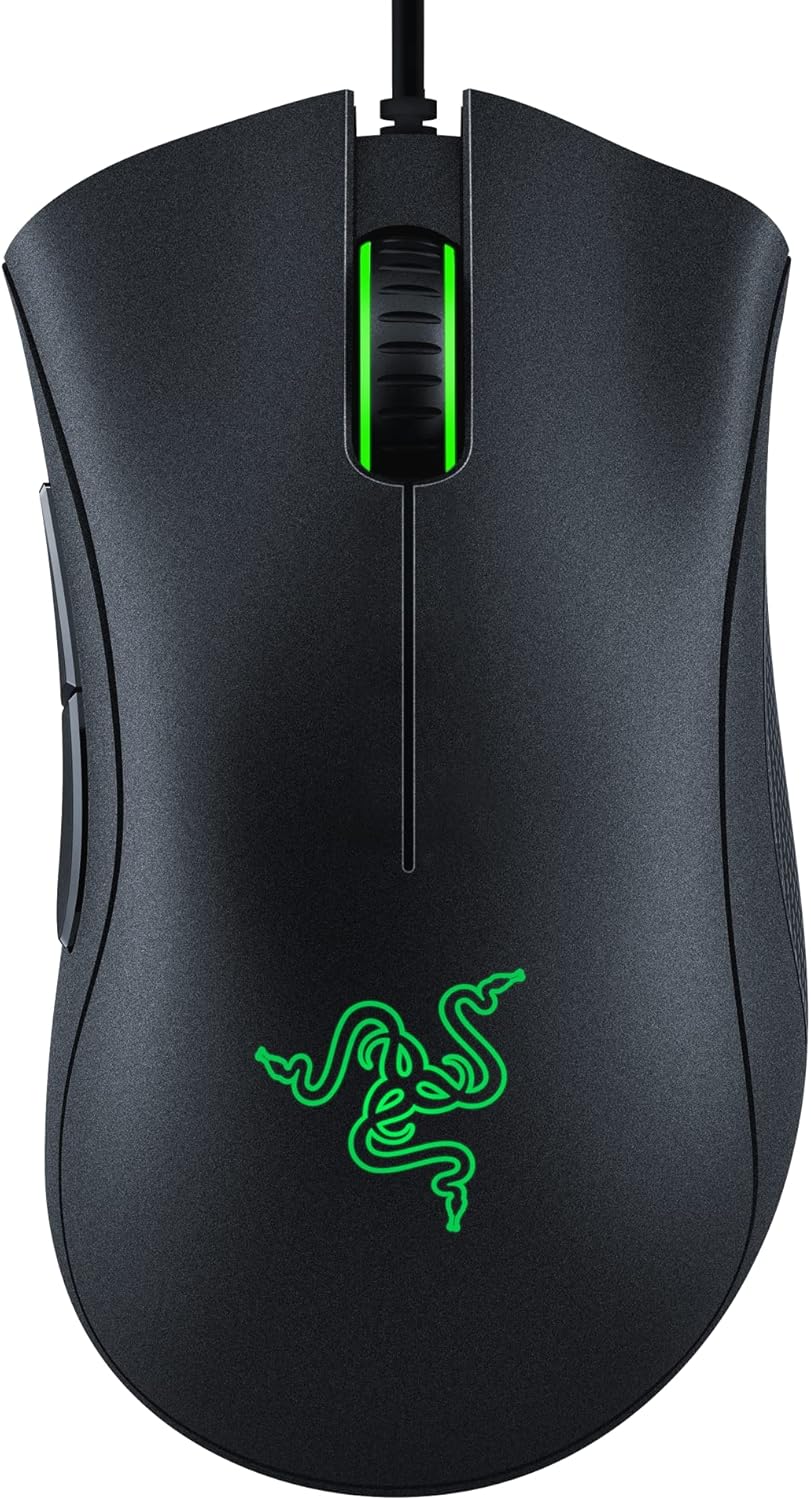


What to Look for in a Gaming Mouse with Big Buttons
- Primary Button Size: Larger left and right click zones reduce missed inputs.
- Side Button Accessibility: Well-placed, prominent side buttons for quick macro access.
- Button Travel: Consistent, satisfying click depth with clear tactile feedback.
- Switch Quality: Optical or high-quality mechanical switches for reliable, long-lasting clicks.
- Hand Size Compatibility: Larger mice with bigger buttons tend to suit medium-to-large hands.
Best Gaming Mice with Big Buttons — Comparison Table
| Mouse | Weight | DPI Range | Buttons | Switch Type | Price | Rating |
|---|---|---|---|---|---|---|
| Logitech G502 X Plus | 106g | 100–25,600 | 13 | LIGHTFORCE Optical | ~$159 | 4.8/5 |
| Razer Naga V2 Pro | 134g | 100–30,000 | 11/12/20 | Optical | ~$199 | 4.7/5 |
| SteelSeries Rival 650 | 121g (adj) | 100–12,000 | 7 | Mechanical | ~$99 | 4.5/5 |
| Corsair Scimitar Elite | 122g | 100–18,000 | 17 | Optical | ~$79 | 4.6/5 |
| ASUS ROG Chakram X | 127g | 50–36,000 | 11 | ROG Optical Micro | ~$159 | 4.7/5 |
Top 5 Gaming Mice with Big Mouse Buttons — Detailed Reviews
1. Logitech G502 X Plus — Best Overall Large-Button Gaming Mouse
The Logitech G502 X Plus is renowned for its large, satisfying primary buttons and exceptional overall design. The LIGHTFORCE hybrid optical-mechanical switches provide the instant actuation of optical switches with the satisfying tactile click of mechanical ones. The large primary buttons have a long, accessible surface area that accommodates various grip styles and hand sizes, making every click feel deliberate and precise.
Eleven programmable buttons include large, easily accessible side buttons positioned perfectly for thumb access. The adjustable weight system lets you tune the mouse from 89g to 117g for your preference. LIGHTSPEED wireless delivers zero-perceptible latency. For gamers who want big, responsive buttons on a feature-rich mouse, the G502 X Plus is the benchmark.
Pros: LIGHTFORCE switches, large accessible buttons, adjustable weight, LIGHTSPEED wireless
Cons: Heavier than ultralight competitors, right-hand only
Best for: FPS and MOBA gamers, large-hand users, feature-focused buyers
2. Razer Naga V2 Pro — Best for MMO Gaming with Big Side Buttons
The Razer Naga V2 Pro takes “big mouse buttons” to the extreme with its swappable side button panels — choose between 2-button, 6-button, or 12-button configurations. The 12-button grid gives MMO players enormous macro accessibility, with each button large enough to distinguish by feel during gameplay. The primary buttons are wide and responsive using Razer’s optical switches for zero-debounce clicking.
HyperSpeed wireless provides ultra-low latency, and the 30,000 DPI Focus Pro sensor handles any surface. The modular design adds exceptional versatility — use the 2-button panel for FPS games, switch to 12 buttons for your MMO nights. For gamers who specifically want many large, accessible side buttons, nothing beats the Naga V2 Pro.
Pros: Swappable side button panels, excellent optical switches, versatile, premium sensor
Cons: Heavy at 134g, right-hand only, complex for casual users
Best for: MMO gamers, MOBA players, macro-heavy gaming workflows
3. ASUS ROG Chakram X — Best Wireless Large-Button Gaming Mouse
The ASUS ROG Chakram X features a unique joystick module on the side that replaces traditional side buttons with a thumbstick — ideal for gamers who want analog control alongside traditional clicking. The primary buttons are large and satisfying with ROG’s optical micro switches providing crisp, consistent actuation. The 36,000 DPI sensor is among the most precise available.
Tri-mode connectivity (2.4GHz, Bluetooth, wired) makes it versatile. The Qi wireless charging support means you can charge without plugging in. The RGB lighting is well-implemented and the build quality is premium throughout. For gamers wanting innovative large button designs and premium wireless performance, the Chakram X is unique.
Pros: Unique joystick side button, excellent sensor, Qi charging, tri-mode wireless
Cons: Joystick not for everyone, expensive, heavier design
Best for: Creative gamers, those wanting analog side input, premium wireless users
4. Corsair Scimitar Elite — Best Budget Large Side Button Gaming Mouse
The Corsair Scimitar Elite is specifically designed for MMO and MOBA gamers who need many large, accessible side buttons. Its 17 programmable buttons include a 12-button side panel with a Key Slider system that lets you physically adjust the side button position for different hand sizes and grip styles. The buttons have a satisfying click with clear tactile feedback.
The 18,000 DPI optical sensor delivers reliable tracking, and iCUE software provides extensive macro programming. At ~$79, it’s significantly cheaper than premium alternatives while delivering the large button array MMO players need. The primary buttons are wide and comfortable for extended sessions.
Pros: 17 programmable buttons, adjustable side button position, good value, iCUE integration
Cons: Heavier design, right-hand only, bulkier shape
Best for: MMO players on a budget, macro-heavy gaming workflows
5. SteelSeries Rival 650 — Best Ambidextrous Large-Button Gaming Mouse
The SteelSeries Rival 650 is one of the few large-button gaming mice suitable for both left and right-handed gamers. Its symmetrical design features prominent, easily-accessible buttons on both sides. The adjustable weight system with 256 weight configurations lets you fine-tune the feel precisely. The primary buttons use TrueMove3+ dual sensor system for exceptional precision.
The rubberized side grips provide excellent control, and the large, clearly defined side buttons are easy to locate by feel during gameplay. The wireless version (Rival 650) charges quickly and lasts 24+ hours. For left-handed gamers or ambidextrous users specifically seeking large buttons, the Rival 650 is the go-to option.
Pros: Ambidextrous design, adjustable weight, dual sensor precision, comfortable grip
Cons: Older sensor vs newer competitors, larger profile
Best for: Left-handed gamers, ambidextrous users, weight-tuning enthusiasts
Grip Style and Button Accessibility
Your grip style significantly affects which mouse buttons you can access comfortably. Palm grip users benefit most from large primary buttons covering the full length of the mouse top. Claw grip users need elevated button fronts for quick actuation. Fingertip grip users prefer shorter buttons they can reach without repositioning. Most large-button gaming mice are designed with palm or claw grip in mind.
Pair your new mouse with a quality mousepad from our gaming desk guide, and a comfortable wireless gaming keyboard to complete your input device setup.
Frequently Asked Questions
Do bigger mouse buttons help with gaming accuracy?
Larger primary buttons provide a bigger target surface, reducing the chance of a mis-click during fast-paced gameplay. For players with larger hands or those who use an aggressive palm grip, big buttons ensure consistent, reliable clicking regardless of exact finger placement.
How many side buttons do I need on a gaming mouse?
For FPS and general gaming, 2 side buttons (forward/back) are standard and sufficient. For MMO and MOBA games, 6-12 side buttons enable ability shortcuts that dramatically improve gameplay efficiency. More buttons means a steeper memorization curve but greater macro flexibility.
What mouse switches last longest?
Optical switches (Razer, ASUS ROG) have no physical contact and theoretically last tens of millions of clicks without degradation. High-quality mechanical switches (Omron, Huano) are rated for 50-100 million clicks. Both far exceed the lifespan of budget membrane switches found in cheaper mice.
Are heavier mice with big buttons better for gaming?
Not necessarily. Heavier mice (100g+) provide more stability for slow, deliberate movements favored by low-sensitivity players. Lighter mice (60-80g) allow faster, more agile movements preferred by high-sensitivity competitive players. Big-button mice tend to be heavier — if weight is a concern, look for adjustable weight systems.
Related Guides You May Like
- Best Gaming Mice for Under $450 in 2026: Top Picks Across Every Price Tier
- What Is the Best Gaming Mouse in 2026? Our Top Picks Across Every Category
- Best Wireless Mouse for Gaming: Top Picks for Lag-Free Precision in 2026
- Best Mouse Pad for Gaming: Top Picks for Every Setup in 2026
- Best Mouse for Gaming in 2026: Top Picks for Every Hand Size and Play Style


Write Your Review
No reviews yet. Be the first to share your experience!